Administrator Filter Category
 ### WITHOUT LICENSE KEY | CAN BE USED FOR MULTIPLE STORES ###
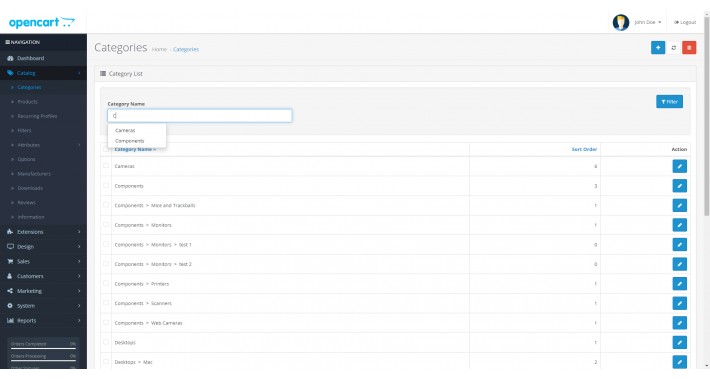
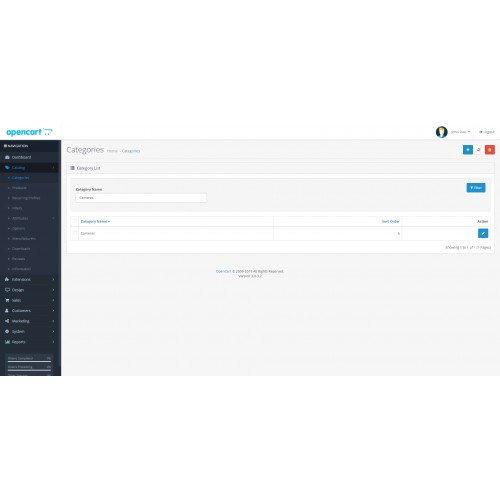
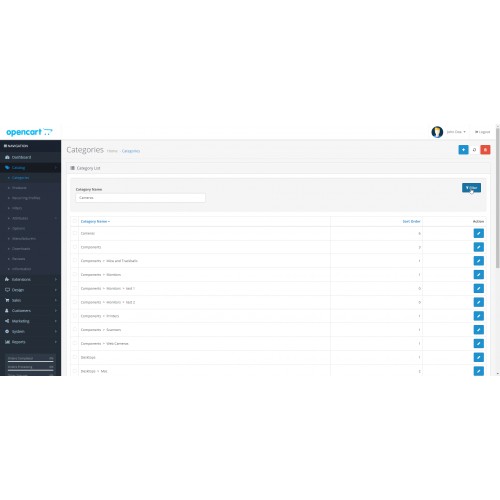
With this extension you can find the category or categories that you want much faster and easier.
The process is quite simple and uses the same methodology that exists by default for example in the product catalog.
If you add multiple categories, the listing can become huge and difficult to maintain. In this case, this extension / addon is the solution to this.
### INSTALLATION ###
- Get the download file and choose a XML file with your opencart version
- Go to Administrator > Extensions > Extension Installer and upload the XML file
- Go to Administrator > Extensions > Modifications and click on CLEAR button and after on REFRESH button
- Go to Administrator > Catalog > Categories and enjoy it.
Important note: Don't forget to clear the cache before and after installing the extension.
### FEATURES ###
- It is very simple and easy to use.
- Full documentation and set up support available.
- It doesn't overwrite any opencart default files.
- It works fast and clean.
### COMPATIBILITY ###
This extension was correctly tested and works under 2.x.x and 3.x.x opencart versions.
### SUGESTION ###
Please rate the extension so that other users can trust our work and motivate us to create new extensions.
Leave your comment.
Thank you.
Please help us develop extensions for free, and make us a donation or "pay us a beer" :)

-------------------------------------------------------------------------------------------------------------------------------------------------
 ### SEM CHAVE DE LICENÇA | PODE SER UTILIZADA EM MÚLTIPLAS LOJAS ###
Com esta extensão pode encontrar a categoria ou categorias que deseja mais rápido e facilmente.
O processo é bastante simples e utiliza a mesma metodologia que existe por defeito por exemplo no catálogo de produtos.
Se você adicionar várias categorias, a listagem pode tornar-se enorme e difícil de manter. Nesse caso, esta extensão/addon é a solução para isso.
### INSTALAÇÃO ###
- Pegue o ficheiro de download e escolha o ficheiro XML com a sua versão de opencart
- Vá a Administrator > Extensions > Extension Installer e realize o upload do ficheiro XML
- Vá a Administrator > Extensions > Modifications e clique no botão CLEAR e depois no botão REFRESH
- Vá a Administrator > Catalog > Categories e aproveite.
Nota importante: Não se esqueça de limpar a cache antes e depois de instalar a extensão.
### CARACTERÍSTICAS ###
- É muito simples e fácil de usar.
- Documentação completa e suporte disponíveis.
- Não sobrescreve nenhum arquivo padrão do opencart.
- Funciona rápido e limpo.
### COMPATIBILIDADE ###
Esta extensão foi testada corretamente e funciona nas versões 2.x.x e 3.x.x do opencart.
### SUGESTÃO ###
Por favor, avalie a extensão para que outros utilizadores possam confiar no nosso trabalho e nos motive a criar novas extensões.
Deixe o seu comentário.
Obrigado.
Por favor, ajude-nos a desenvolver extensões gratuitamente, e faça-nos um donativo ou "pague-nos uma cerveja" :)
Download
- Developed by OpenCart Community
- Documentation Included
Rating
Compatibility
2.0.0.0, 2.0.1.0, 2.0.1.1, 2.0.2.0, 2.0.3.1, 2.1.0.1, 2.1.0.2, 2.2.0.0, 2.3.0.0, 2.3.0.1, 2.3.0.2, 3.0.0.0, 3.0.1.0, 3.0.1.1, 3.0.1.2, 3.0.1.3, 3.0.2.0, 4.x.x.x, 3.0.3.0, 3.0.3.1, 3.0.3.2
Last Update
11 Apr 2021
Created
14 May 2019
817 Downloads
7 Comments

Login and write down your comment.
Login my OpenCart Account