POWR Media Gallery



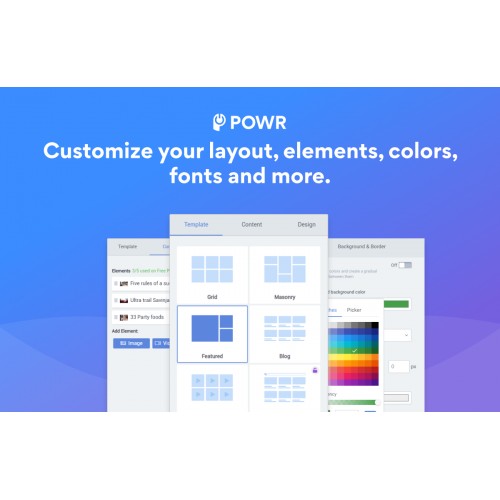

Make your product, company images, videos, events, and more come to life with a beautiful Pinterest-style gallery.
Create any type of gallery for your site:
Impress your audience with these Media Gallery features:
How to Install POWR Media Gallery
Step 1. Install
- For OpenCart 2, install OC-2-POWr-media-gallery.ocmod.zip
- For OpenCart 3, install OC-3-POWr-media-gallery.ocmod.zip
Step 2: Refresh the Navigation
- Visit Extensions => Modifications => Refresh button in the top right to refresh nav. POWR Media Gallery will then appear in the left navigation.
Step 3: Create a Module
- Click Extension => Extensions => Select Modules as the extension type => Find POWR Media Gallery and click Edit to create a Media Gallery module.
Step 4: Add POWR Media Gallery anywhere in a layout
- Click Design => Layouts => Select a page (eg. Home) and add the POWR Media Gallery module you have created
You can also manage, create plugins, and get help directly from the POWR Media Gallery navigation item.
Fast and Free Customer Support
If you have any questions or need help getting up and running, we’re here to help! Unlike most app providers we offer a Help Center for answers, free support and our awesome team is available 24 hours a day.
Create any type of gallery for your site:
- Product feeds - Display products and merchandise
- Photo gallery - Upload photos to create a product grid gallery, press galleries, a gallery for your team, or a user testimonial gallery.
- Video Gallery - Add videos from YouTube or Vimeo to engage customers in your gallery.
- Event Gallery - display & share dates and events.
Impress your audience with these Media Gallery features:
- Highly customizable design: adjust spacing between gallery entries, choose ideal photo size, add borders, pick custom fonts for captions, and more!
- Add a text search so that customers can quickly find what they’re looking for in your Media Gallery.
- Enable a lightbox popup to let customers take a closer look at your photos or videos.
- Add titles and caption text to your images.
- Add alt text to each photo to optimize images for SEO.
- Choose from several automatic image cropping styles and layouts so you don't have to manually crop/arrange individual images.
- Arrange photos in a grid, collage or use the slider or slideshow layout.
- Use call-to-action buttons to direct users to another page.
- Add Social Share Buttons - allow visitors to share your gallery images or videos to their social media accounts.
- Protect your images by disabling right-click on images to prevent download and copies.
- Add custom CSS/JavaScript.
- Add a ‘like’ button so visitors can like your images.
- Mobile responsive on any device.
- Support text in any language.
- Get instant access to 50+ POWR apps.
How to Install POWR Media Gallery
Step 1. Install
- For OpenCart 2, install OC-2-POWr-media-gallery.ocmod.zip
- For OpenCart 3, install OC-3-POWr-media-gallery.ocmod.zip
Step 2: Refresh the Navigation
- Visit Extensions => Modifications => Refresh button in the top right to refresh nav. POWR Media Gallery will then appear in the left navigation.
Step 3: Create a Module
- Click Extension => Extensions => Select Modules as the extension type => Find POWR Media Gallery and click Edit to create a Media Gallery module.
Step 4: Add POWR Media Gallery anywhere in a layout
- Click Design => Layouts => Select a page (eg. Home) and add the POWR Media Gallery module you have created
You can also manage, create plugins, and get help directly from the POWR Media Gallery navigation item.
Fast and Free Customer Support
If you have any questions or need help getting up and running, we’re here to help! Unlike most app providers we offer a Help Center for answers, free support and our awesome team is available 24 hours a day.
What customers say about POWR Media Gallery

only allows six (6) images on free plan.
~Nelphi
~Nelphi
Download
- Developed by OpenCart Community
- Documentation Included
Rating
Compatibility
2.0.0.0, 2.0.1.0, 2.0.1.1, 2.0.2.0, 2.0.3.1, 2.1.0.1, 2.1.0.2, 2.2.0.0, 2.3.0.0, 2.3.0.1, 2.3.0.2, 3.0.0.0, 3.0.1.0, 3.0.1.1, 3.0.1.2, 3.0.1.3, 3.0.2.0, 4.x.x.x, 3.0.3.0, 3.0.3.1, 3.0.3.2
Last Update
29 Sep 2021
Created
28 Jun 2019
1123 Downloads
2 Comments

Login and write down your comment.
Login my OpenCart Account