Opencart Multicart Extension

Opencart Multicart Extension-Using Opencart Multicart, the customers can add products to a temporary cart under the distinct label name. The customer can create the desired label name from the storefront, and then add the products under that label.
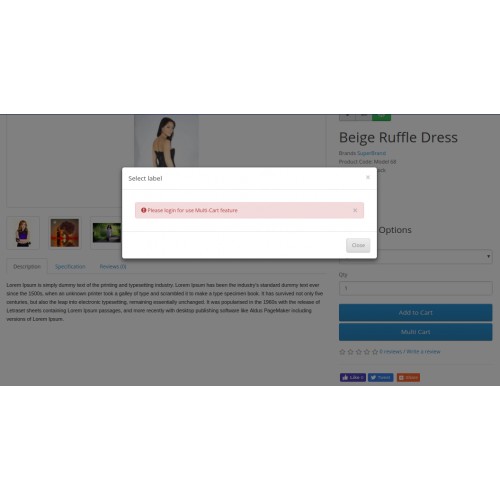
Please Note: The customers must be logged in to their account to use Opencart Multicart Extension.
The customers can add and manage multiple labels from the storefront, and it will help the customers with ease of shopping.
Note:
1. This module supports all templates and themes including the Journal theme.
2. Opencart Multicart Extension supports the Multi-Store feature of default Opencart.



Use Case
Suppose you have an Opencart Store and want to facilitate your customers by providing the facility to manage & create multiple labels from the storefront. It will help to create a suitable method of shopping. Using the Opencart Multicart extension, you can facilitate your customers with the feature to add the products to the temporary cart, which helps the customer to create labels to categorize the products.
Features
Work Flow
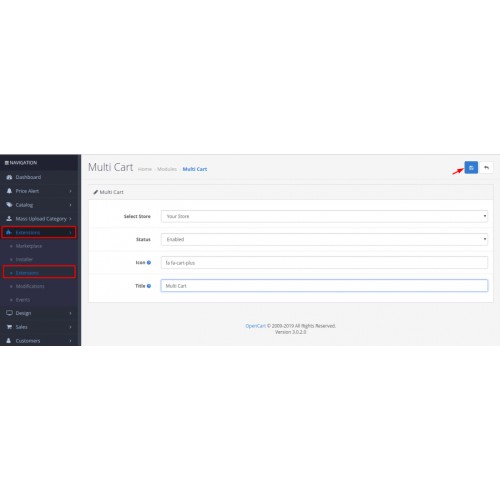
After the successful installation of the module, the admin can select the store for which the admin wants to enable the extension.
The admin can set the icon for the multicart extension, and also enter the title for the multicart that will show on the front-end.

Front End flow:-
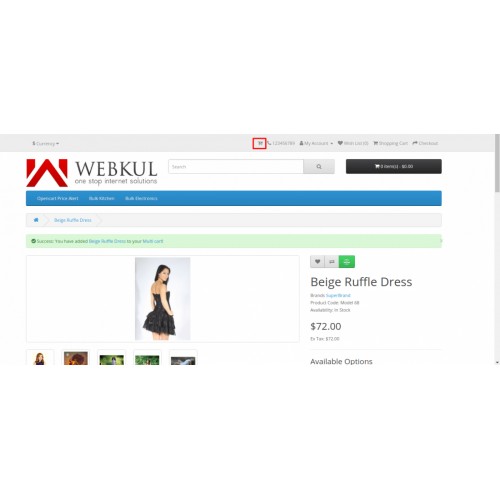
The customer can view the multicart icon on the front-end under the featured products, product page, and header menu bar.

The customer must be login to use the features of the multicart extension. After a successful login, the customer can select the product and click on the Multicart Button below the Add to cart button.

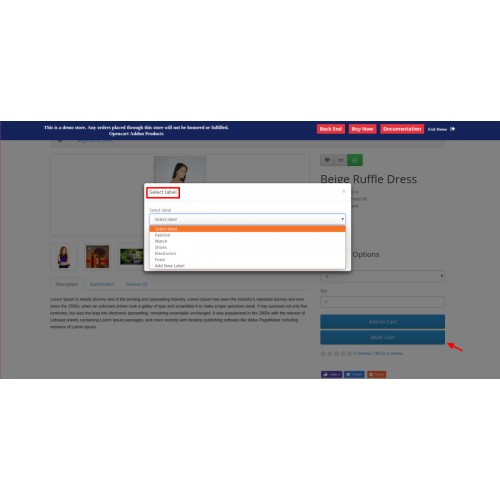
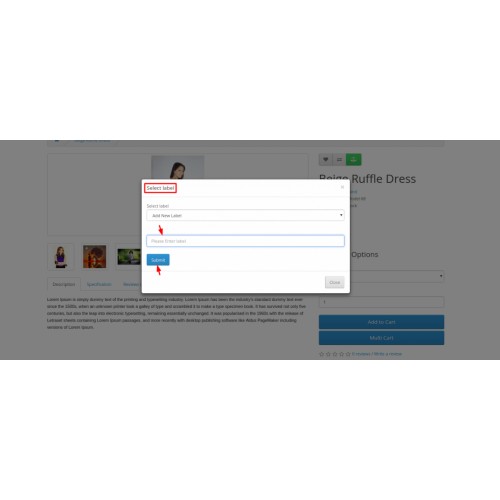
The customer can select the already created label to add the product under the label, or the customer can also add a new label to add the product under it, as shown in the image below-

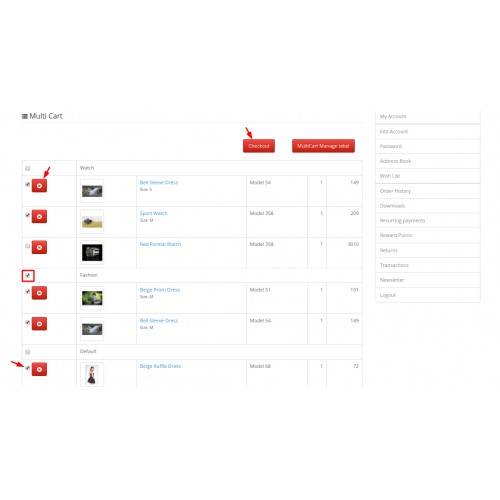
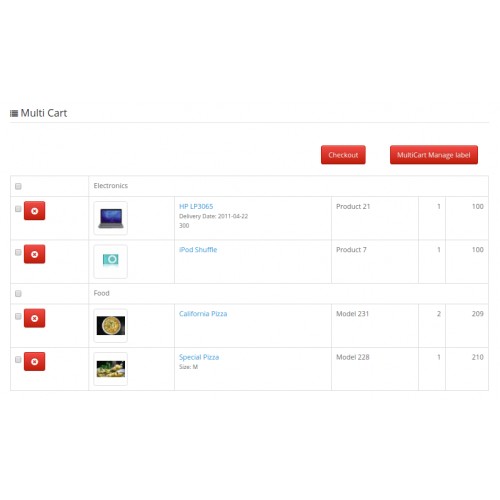
The customer can select single or multiple products to process for the checkout from the multicart. Selected products will move to the default cart, and then the customer can process further to complete the order.

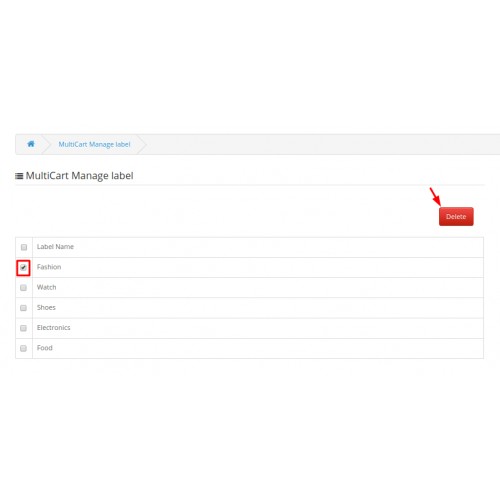
The customer can also delete the created label from the multicart.






Some Moments Of Appreciation


Support Policy
Please Note: The customers must be logged in to their account to use Opencart Multicart Extension.
The customers can add and manage multiple labels from the storefront, and it will help the customers with ease of shopping.
Note:
1. This module supports all templates and themes including the Journal theme.
2. Opencart Multicart Extension supports the Multi-Store feature of default Opencart.
Use Case
Suppose you have an Opencart Store and want to facilitate your customers by providing the facility to manage & create multiple labels from the storefront. It will help to create a suitable method of shopping. Using the Opencart Multicart extension, you can facilitate your customers with the feature to add the products to the temporary cart, which helps the customer to create labels to categorize the products.
Features
- The customers can easily categorize the products to add to the multicart.
- Customers can create the labels through the storefront easily.
- The customers can manage the created labels from their account.
- The customer can select products from multiple labels at a time.
- Multiple products can be added together from the multicart to the default cart.
- The customers can delete their label from the storefront.
- The admin can manage the name of the multicart title that will display on the front-end.
Work Flow
After the successful installation of the module, the admin can select the store for which the admin wants to enable the extension.
The admin can set the icon for the multicart extension, and also enter the title for the multicart that will show on the front-end.
Front End flow:-
The customer can view the multicart icon on the front-end under the featured products, product page, and header menu bar.
The customer must be login to use the features of the multicart extension. After a successful login, the customer can select the product and click on the Multicart Button below the Add to cart button.
The customer can select the already created label to add the product under the label, or the customer can also add a new label to add the product under it, as shown in the image below-
The customer can select single or multiple products to process for the checkout from the multicart. Selected products will move to the default cart, and then the customer can process further to complete the order.
The customer can also delete the created label from the multicart.
Some Moments Of Appreciation
Support Policy
Price
$79.00
- Developed by OpenCart Partner
- 3 Months Free Support
- Documentation Included
Rating
Compatibility
3.0.0.0, 3.0.1.0, 3.0.1.1, 3.0.1.2, 3.0.1.3, 3.0.2.0, 3.0.3.0, 3.0.3.1, 3.0.3.2, 3.0.3.3, 3.0.3.5, 3.0.3.6, 3.0.3.7, 3.0.3.8
Last Update
13 May 2025
Created
2 Jul 2019
6 Sales
0 Comments

Login and write down your comment.
Login my OpenCart Account