POWR Menu
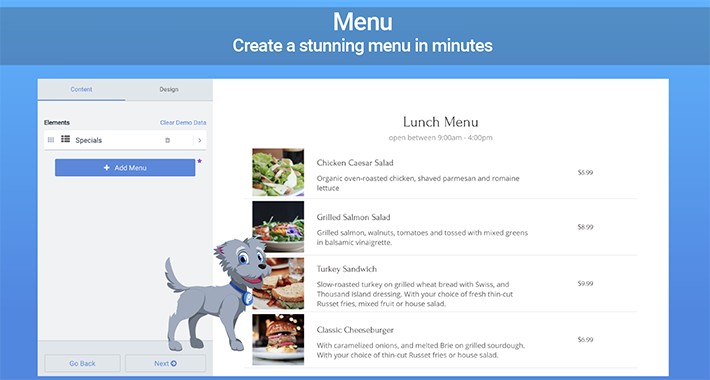

Engage your hungry customers with a customizable and easy-to-use menu. Impress your audience with these Menu features:
How to Install POWR Menu
Step 1. Install
- For OpenCart 2, install OC-2-POWr-menu.ocmod.zip
- For OpenCart 3, install OC-3-POWr-menu.ocmod.zip
Step 2: Refresh the Navigation
- Visit Extensions => Modifications => Refresh button in the top right to refresh nav. POWR Menu will then appear in the left navigation.
Step 3: Create a Module
- Click Extension => Extensions => Select Modules as the extension type => Find POWR Menu and click Edit to create a Menu module.
Step 4: Add POWR Menu anywhere in a layout
- Click Design => Layouts => Select a page (eg. Home) and add the POWR Menu module you have created
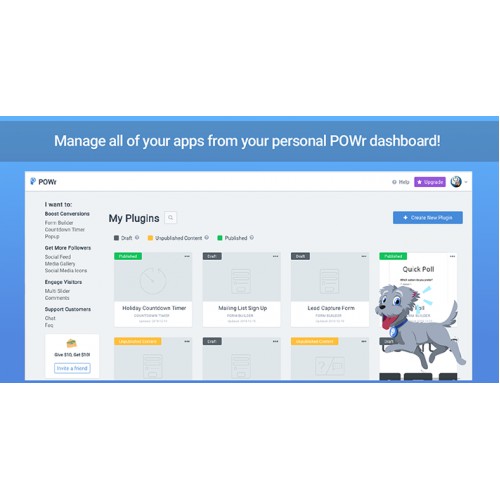
You can also manage, create plugins, and get help directly from the POWR Menu navigation item.
- Display your menu items for different times of day with custom images.
- Itemized dishes with price, images, and descriptions.
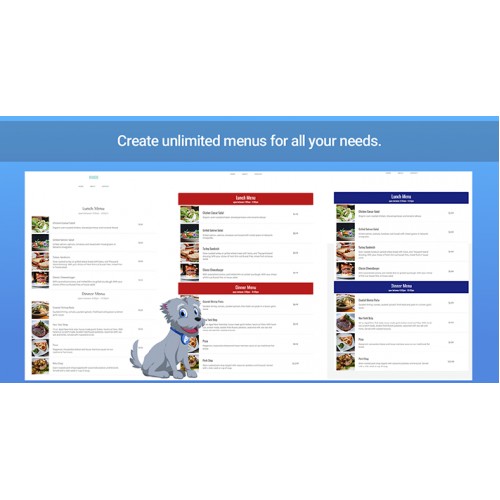
- Multiple tabs for different menus (breakfast, lunch, etc.).
- Add Icons to inform users about special items, vegetarian/vegan options, Level of spicy, and more.
- Highly customizable design: pick custom colors and fonts, adjust size, add borders, and more.
- Supports text in any language.
- Mobile responsive on any device.
- Instant access to the world’s leading Plugin Library.
How to Install POWR Menu
Step 1. Install
- For OpenCart 2, install OC-2-POWr-menu.ocmod.zip
- For OpenCart 3, install OC-3-POWr-menu.ocmod.zip
Step 2: Refresh the Navigation
- Visit Extensions => Modifications => Refresh button in the top right to refresh nav. POWR Menu will then appear in the left navigation.
Step 3: Create a Module
- Click Extension => Extensions => Select Modules as the extension type => Find POWR Menu and click Edit to create a Menu module.
Step 4: Add POWR Menu anywhere in a layout
- Click Design => Layouts => Select a page (eg. Home) and add the POWR Menu module you have created
You can also manage, create plugins, and get help directly from the POWR Menu navigation item.
Download
- Developed by OpenCart Community
- Documentation Included
Rating
Compatibility
2.0.0.0, 2.0.1.0, 2.0.1.1, 2.0.2.0, 2.0.3.1, 2.1.0.1, 2.1.0.2, 2.2.0.0, 2.3.0.0, 2.3.0.1, 2.3.0.2, 3.0.0.0, 3.0.1.0, 3.0.1.1, 3.0.1.2, 3.0.1.3, 3.0.2.0, 4.x.x.x, 3.0.3.0, 3.0.3.1, 3.0.3.2
Last Update
29 Sep 2021
Created
16 Jul 2019
244 Downloads
0 Comments

Login and write down your comment.
Login my OpenCart Account