SimplBooks API for opencart
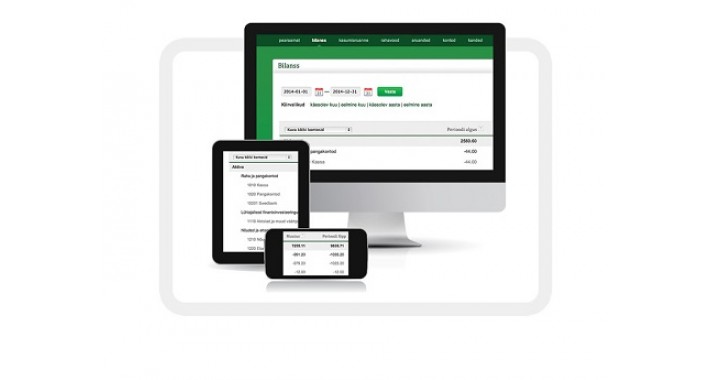
SimplBooks API
General
Overview
Authentication
Requests
Responses
Error handling
Specification
Articles
Clients
Client notes
Financial accounts
Income accounts
Incomings
Invoices
Payments
Price offers
Purchases
Unbinded tasks
Warehouses
VAT types
Overview
What is SimplBooks API?
SimplBooks API is built for accessing your account data directly via HTTP programmatically. It means that you can add and modify your data on your Simplbooks account without opening it in your web browser. API allows connecting 3rd party applications or custom software such as cash registers or production management systems and to exchange information automatically.
How to use SimplBooks API?
In order to use SimplBooks API you have to have API enabled on your account. If you are not sure wheather your subscription includes API then please do contact our sales or support staff and we'll help you get started.
After activating API you will need to create additional API user under Settings > users, generate API token for the new user and you are all set to start using API. We strongly recommend you read through all the general info as there are some standards which have to be followed by developers.
Request sending limits
We have implemented some limitations as to how many requests per minute/hour/day can be sent and processed to ensure best experience for both our regular users as well as our power users via API. One can send up to 60 requests per minute. Over 60 requests per minute will generate an error response but will still be counted as usual requests so it is necessary to wait before sending new requests.
In addition - after executing more than 10k requests per 24 hours general limits will decrease automatically by half for your account until the average requests number is within limits again.
SimplBooks API for opencart Integrated:
Functions:
InvoiceCreate()
getLatestOrderForInvoices()
checkClientListOrAdd()
checkArticleList()
writeErrorLog()
General
Overview
Authentication
Requests
Responses
Error handling
Specification
Articles
Clients
Client notes
Financial accounts
Income accounts
Incomings
Invoices
Payments
Price offers
Purchases
Unbinded tasks
Warehouses
VAT types
Overview
What is SimplBooks API?
SimplBooks API is built for accessing your account data directly via HTTP programmatically. It means that you can add and modify your data on your Simplbooks account without opening it in your web browser. API allows connecting 3rd party applications or custom software such as cash registers or production management systems and to exchange information automatically.
How to use SimplBooks API?
In order to use SimplBooks API you have to have API enabled on your account. If you are not sure wheather your subscription includes API then please do contact our sales or support staff and we'll help you get started.
After activating API you will need to create additional API user under Settings > users, generate API token for the new user and you are all set to start using API. We strongly recommend you read through all the general info as there are some standards which have to be followed by developers.
Request sending limits
We have implemented some limitations as to how many requests per minute/hour/day can be sent and processed to ensure best experience for both our regular users as well as our power users via API. One can send up to 60 requests per minute. Over 60 requests per minute will generate an error response but will still be counted as usual requests so it is necessary to wait before sending new requests.
In addition - after executing more than 10k requests per 24 hours general limits will decrease automatically by half for your account until the average requests number is within limits again.
SimplBooks API for opencart Integrated:
Functions:
InvoiceCreate()
getLatestOrderForInvoices()
checkClientListOrAdd()
checkArticleList()
writeErrorLog()
Price
$35.00
- Developed by OpenCart Community
- 12 Months Free Support
- Documentation Included
Rating
Compatibility
2.0.0.0, 2.0.1.0, 2.0.1.1, 2.0.2.0, 2.0.3.1, 2.1.0.1, 2.1.0.2, 2.2.0.0
Last Update
17 Jul 2019
Created
17 Jul 2019
0 Sales
1 Comments

Login and write down your comment.
Login my OpenCart Account