Mass Product Specials by Category
==================================
Mass Product Specials by Category
==================================
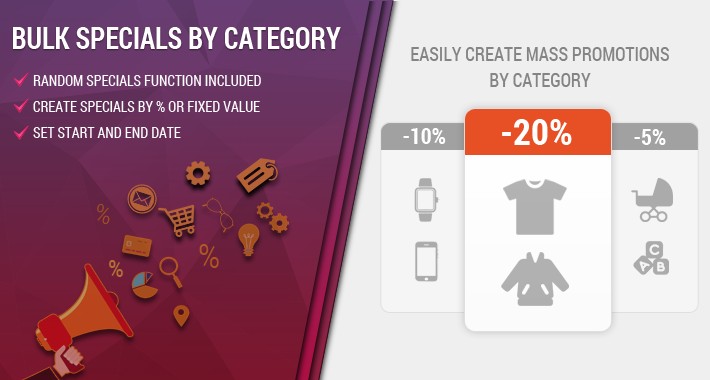
BOOST your sales by this extension. We all know that a customer who sees a discount is 70% MORE LIKELY TO BUY the product.
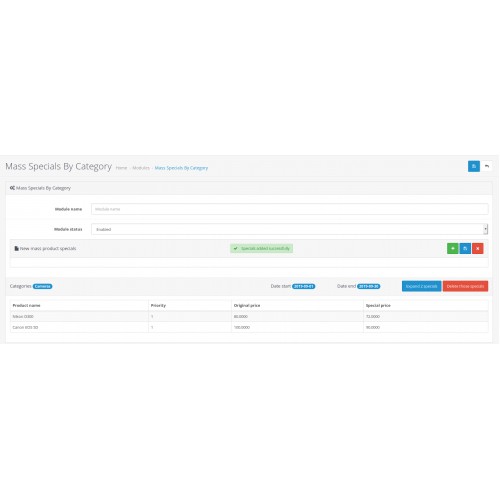
This is a very flexible extension which provides you the ability to create bulk product specials for specific products category of your store.
==================================
>>> Regardind the specials, there are 3 main options <<<
==================================
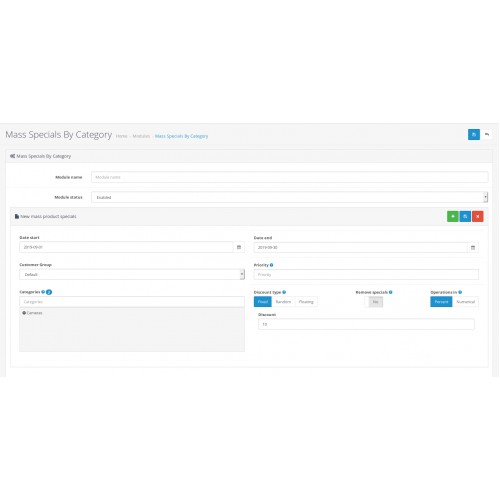
1. Fixed discount - you can create a discount with fixed amount. For example all products will be discounted by 10%.
2. Random discount - this will create random specials based on several parameters. Set the desired discount and the amount of affected products. For example if we set 10% discount for 50% of the products and 20% discount for 50% of the products, the plugin will randomly add 10% discount to 50% of the products and 20% discount to the other half.
3. Floating discount - this will create random specials. Choose start and end amount. For example if you choose from 15% to 20% all products in this category will be discounted with a random number from the following list - 15%, 16%, 17%, 18%, 19% and 20%.
==================================
>>> More options <<<
==================================
1. You may choose whether the discount is made by percent or numerical value.
2. You may bulk remove specials in the category or keep them with different priority.
3. You may also set the priority, customer group, date start and date end.
And again - a very flexible extension which will give you the opportunity to easily create specials in matter of seconds which will keep your customers satisfied and as we know - will boost your sales.
==================================
>>> Features <<<
==================================
1. Easy Installation
2. Does not overwrite any master files
3. Easy to use
==================================
>>> Installation <<<
==================================
OCMOD version:
1. Install the ZIP file through Extension installer.
2. Refresh from Modifications Page.
3. Enable.
VQMOD version:
1. Upload all files.
2. Enable.
==================================
>>> Support <<<
==================================
Feel free to write us on support@ocmods.io for any questions or problems.
==================================
>>> DEMO <<<
==================================
URL: Click here
Username: admin
Password: admin-pass
Mass Product Specials by Category
==================================
BOOST your sales by this extension. We all know that a customer who sees a discount is 70% MORE LIKELY TO BUY the product.
This is a very flexible extension which provides you the ability to create bulk product specials for specific products category of your store.
==================================
>>> Regardind the specials, there are 3 main options <<<
==================================
1. Fixed discount - you can create a discount with fixed amount. For example all products will be discounted by 10%.
2. Random discount - this will create random specials based on several parameters. Set the desired discount and the amount of affected products. For example if we set 10% discount for 50% of the products and 20% discount for 50% of the products, the plugin will randomly add 10% discount to 50% of the products and 20% discount to the other half.
3. Floating discount - this will create random specials. Choose start and end amount. For example if you choose from 15% to 20% all products in this category will be discounted with a random number from the following list - 15%, 16%, 17%, 18%, 19% and 20%.
==================================
>>> More options <<<
==================================
1. You may choose whether the discount is made by percent or numerical value.
2. You may bulk remove specials in the category or keep them with different priority.
3. You may also set the priority, customer group, date start and date end.
And again - a very flexible extension which will give you the opportunity to easily create specials in matter of seconds which will keep your customers satisfied and as we know - will boost your sales.
==================================
>>> Features <<<
==================================
1. Easy Installation
2. Does not overwrite any master files
3. Easy to use
==================================
>>> Installation <<<
==================================
OCMOD version:
1. Install the ZIP file through Extension installer.
2. Refresh from Modifications Page.
3. Enable.
VQMOD version:
1. Upload all files.
2. Enable.
==================================
>>> Support <<<
==================================
Feel free to write us on support@ocmods.io for any questions or problems.
==================================
>>> DEMO <<<
==================================
URL: Click here
Username: admin
Password: admin-pass
Price
$20.00
- Developed by OpenCart Community
- Documentation Included
Rating
Compatibility
2.0.0.0, 2.0.1.0, 2.0.1.1, 2.0.2.0, 2.0.3.1, 2.1.0.1, 2.1.0.2, 2.2.0.0, 2.3.0.0, 2.3.0.1, 2.3.0.2, 3.0.0.0, 3.0.1.0, 3.0.1.1, 3.0.1.2, 3.0.1.3, 3.0.2.0, 4.x.x.x, 3.0.3.0, 3.0.3.1, 3.0.3.2, 3.0.3.3, 3.0.3.5, 3.0.3.6, 3.0.3.7, 3.0.3.8, 3.x.x.x, 3.0.3.9
Last Update
7 Mar 2024
Created
4 Sep 2019
4 Sales
2 Comments

Login and write down your comment.
Login my OpenCart Account