Stock Quantity Alert When Add To Cart

Supports


Title
Stock Quantity Alert When Add To Cart for OpenCart 2.x + 3.x + 4.x
Short Description
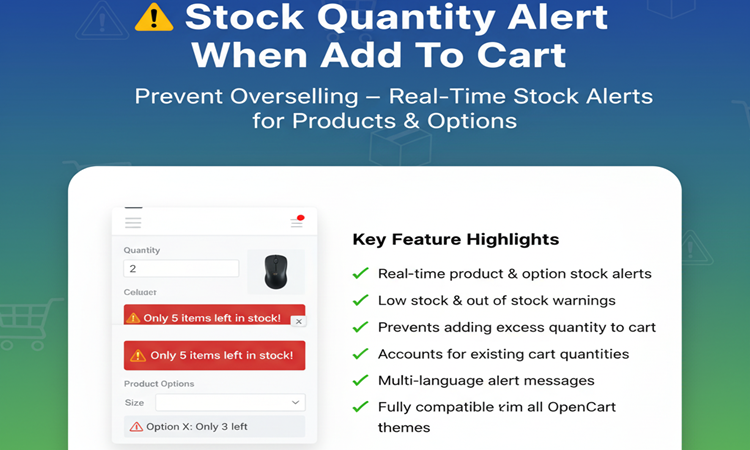
Show real-time stock alerts to customers when their desired quantity exceeds available stock. Supports both product and option stock, preventing over-ordering and improving shopping experience.
Demo
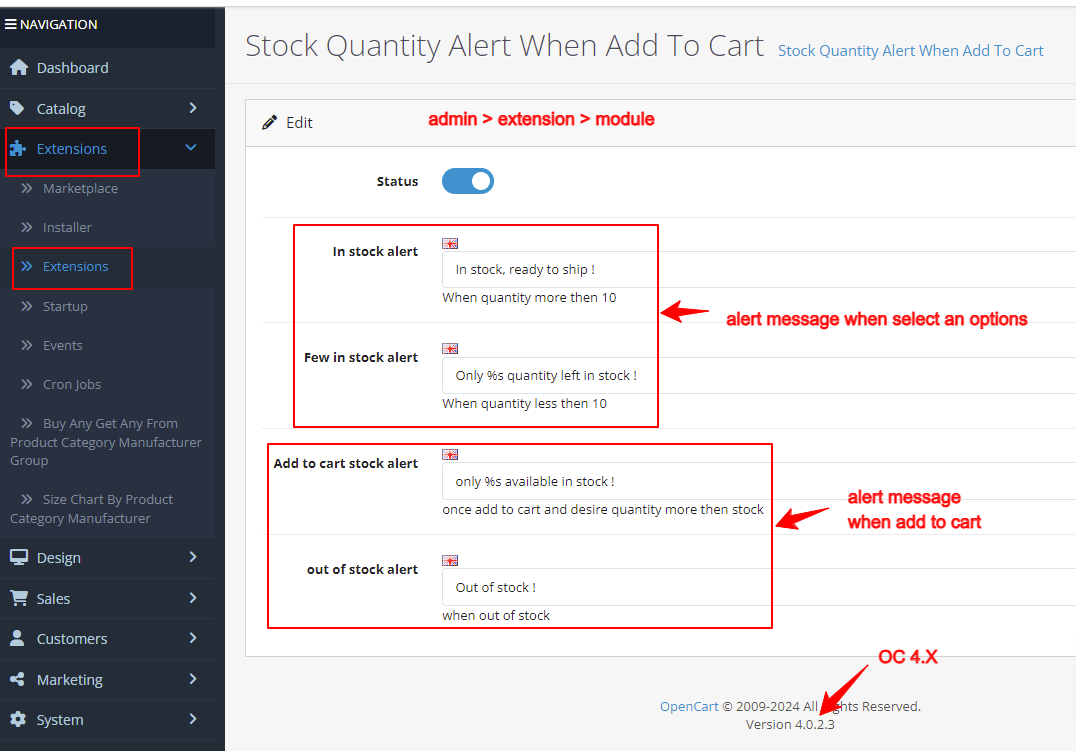
Admin: Admin > Extension > Module
Front: Product with option
Product without option
Product out of stock
Key Features
• Real-time stock alert for product and product option when adding to cart
• Customizable alert messages (multi-language support)
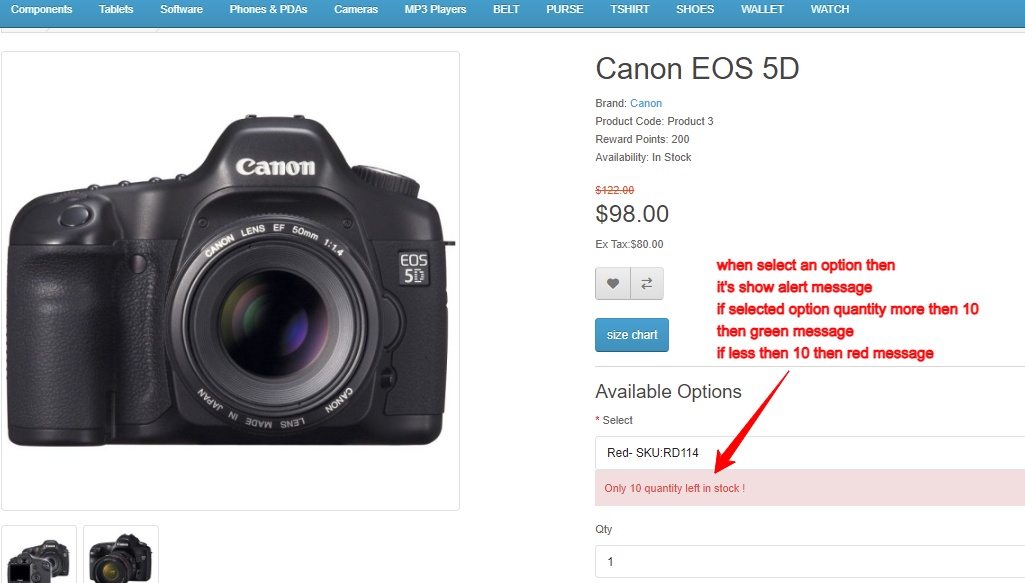
- For more then 10 quantity = In stock, ready to ship (Green alert)
- For less then 10 quantity = Only % quantity left in stock (Red alert)
- if selected option quantity is zero then "out of stock" alert appear
• Show red alert for low stock: "Only X left in stock"
• Show out of stock alert when quantity is zero
• Accounts for existing cart quantities when alerting available stock
• Works with product options (color, size, etc.)
• example 1 :
- Canon EOS 5D product has 100 quantity
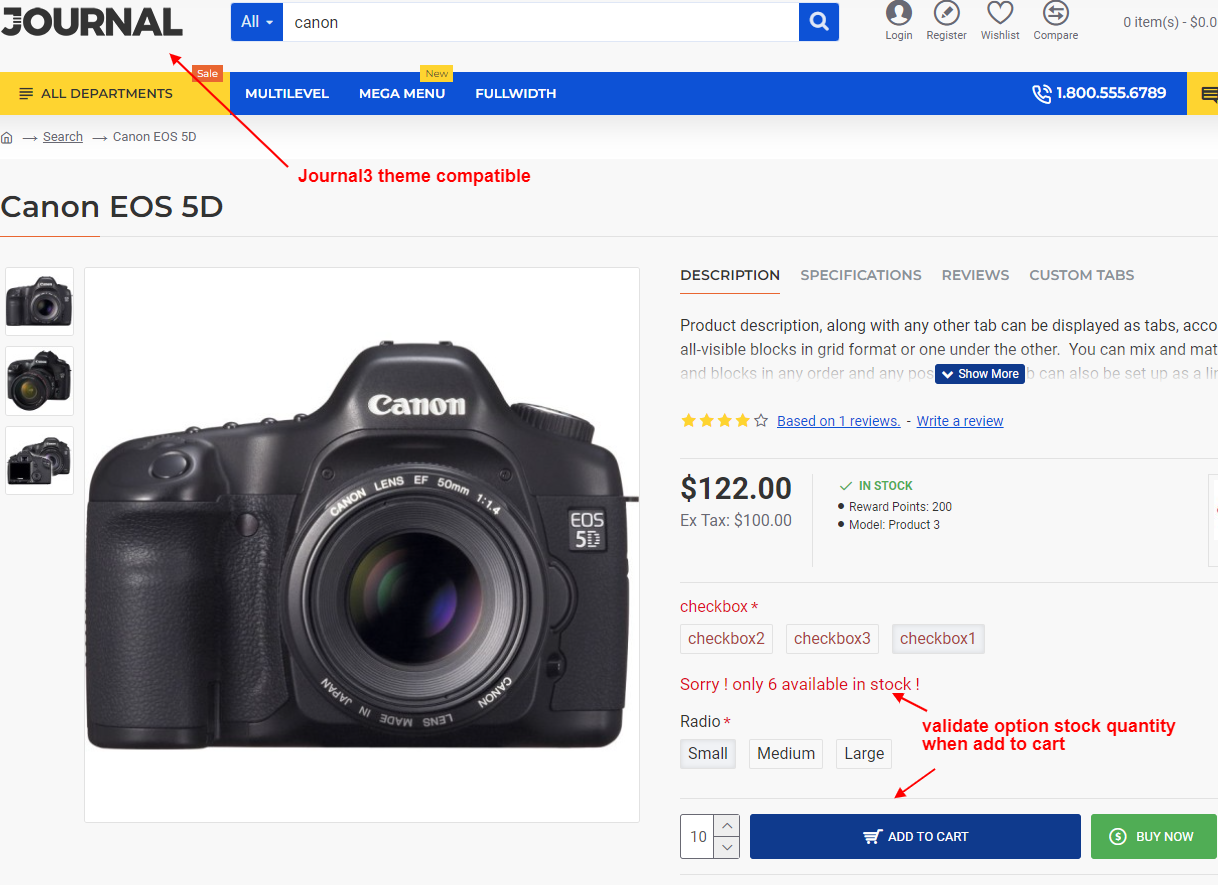
- when add to cart 110 quantity then alert message appear like "Only 100 available in stock"
- suppose Canon EOS 5D has 0 quantity then alert message appear like "Out of stock"
- also if customer's cart has already 40 quantity and when customer try to add more 100 quantity then alert like "Only 60 available in stock". because 40 already in cart and actual stock is 100 so 100-40 = 60 available for add to cart.
• example 2 : with product option
- Canon EOS 5D product has 100 quantity
- Canon EOS 5D product option color :
red has 10
blue has 40
yellow has 30
green has 20
- when add to cart blue color option 50 quantity then alert message appear like "Only 40 available in stock"
- if customer already added 10 quantity of option color blue and when add to cart blue color option 50 quantity then alert message appear like "Only 30 available in stock". because 10 already in cart so 40-10 = 30 available for add to cart.
• it will alert and prevent add to cart
• Prevents adding more than available stock to cart
• Fully compatible with all OpenCart themes and checkout modules
Compatibility
• OpenCart 2.X + 3.X + 4.X
• Supports PHP 5.6 – 8.3
• Tested with default theme & Journal 3
• No core file changes
• Built using OpenCart coding standards
• Lightweight and performance-friendly
• Multi-language & Multi-store supported
Installation Steps
• Upload the extension via Extensions - Installer
• Install module from admin - extension - module
Support & Updates
• Free installation and free support
• Response time: within 24 hours
• Support all theme journal2, journal3, pavo, foster template
• Note : Extension license valid for single domain only
Why Choose This Module?
• Prevent overselling and stock issues
• Improve customer shopping experience with clear alerts
• Save time for store admins by reducing stock-related inquiries
• Works with product options and cart history for accurate alerts
Images & Screenshots View all screenshots
• Product page with stock alert for quantity exceeding stock
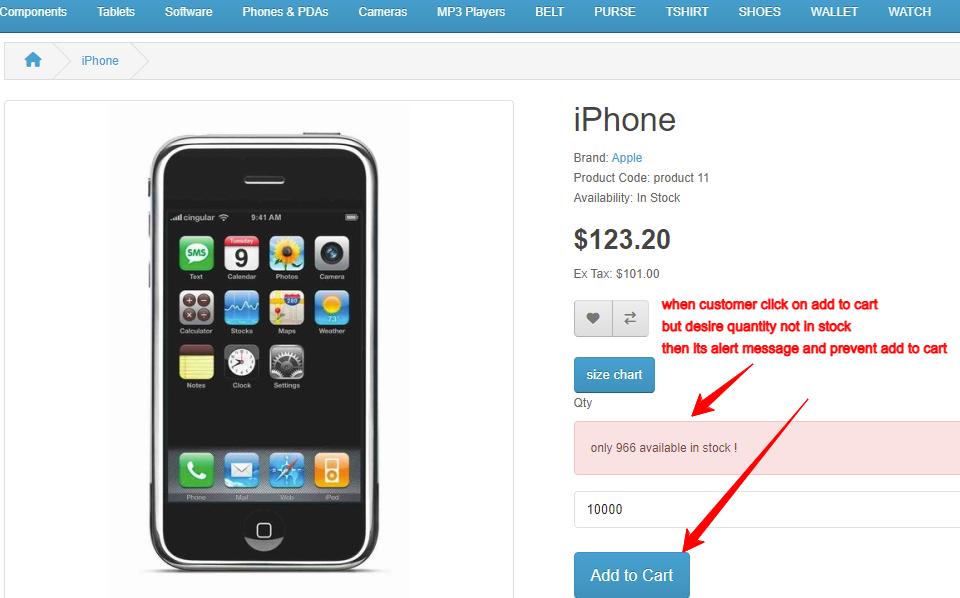
• Product page showing low stock alert message
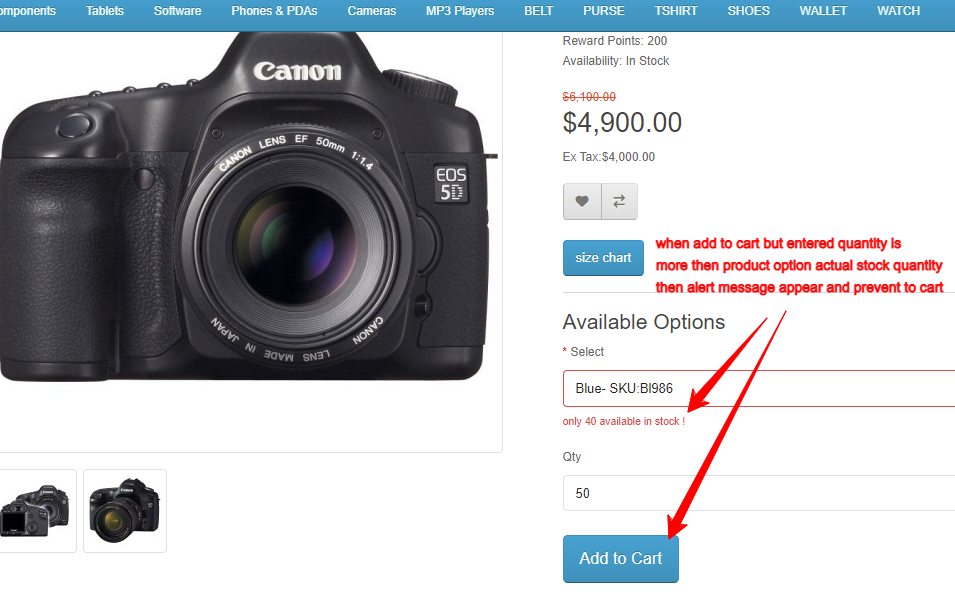
• Product option selection with stock alert for selected option
• Admin settings page for customizing alert messages
What customers say about Stock Quantity Alert When Add To Cart

Nice module and fast support
~kiriakos118
~kiriakos118

The extension is very useful and exactly what I need. Appreciate the excellent support to fine tune the compatibility with my site very quickly. Highly recommend!!
~Huntertsai117
~Huntertsai117
Price
$25.00
- Developed by OpenCart Community
- 12 Months Free Support
- Documentation Included
Rating
Compatibility
2.0.0.0, 2.0.1.0, 2.0.1.1, 2.0.2.0, 2.0.3.1, 2.1.0.1, 2.1.0.2, 2.2.0.0, 2.3.0.0, 2.3.0.1, 2.3.0.2, 3.0.0.0, 3.0.1.0, 3.0.1.1, 3.0.1.2, 3.0.1.3, 3.0.2.0, 4.x.x.x, 3.0.3.0, 3.0.3.1, 3.0.3.2, 3.0.3.3, 3.0.3.5, 3.0.3.6, 3.0.3.7, 3.0.3.8, 4.0.0.0, 4.0.1.0, 4.0.1.1, 3.x.x.x, 4.0.2.0, 4.0.2.1, 4.0.2.2, 4.0.2.3, 3.0.3.9, 3.0.4.0, 4.1.0.0, 4.1.0.1, 4.1.0.2, 4.1.0.3, 3.0.4.1, 3.0.5.0
Last Update
26 May 2026
Created
21 Sep 2019
37 Sales
7 Comments

Login and write down your comment.
Login my OpenCart Account