Opencart Customer Credit System
This Opencart Customer Credit System module allows the generation of the credit to the customer and customer group. The assigned credit amount can be used by the customer to purchase the product, the customer can also add the amount from their account up to a certain limit that is pre-set by the admin.
However, the admin here from the backend can monitor the complete transaction history of the credit points. This can help the customer with the ease of payment and acquisition of maximum profit.
The customer will remain engaged with such a feature and it helps in the creation of loyalty for the store.




Use Case
If you are a store owner you will always be concern about customer retention. This module will help a lot in the possession of the customer. The store owner can assign the credit amount to customers’ accounts as in case of any refund which can be used by the customer in future shopping from the online store.
This extension provides the wallet like functionality to the customer because of the add credit by customer feature, in which the customer can also add the amount to their accounts for placing the order easily on the store which results in hassle-free transactions.
Features
Workflow
After the successful installation of the module, the admin can easily manage and create the Opencart Season Sale banners from the admin panel.
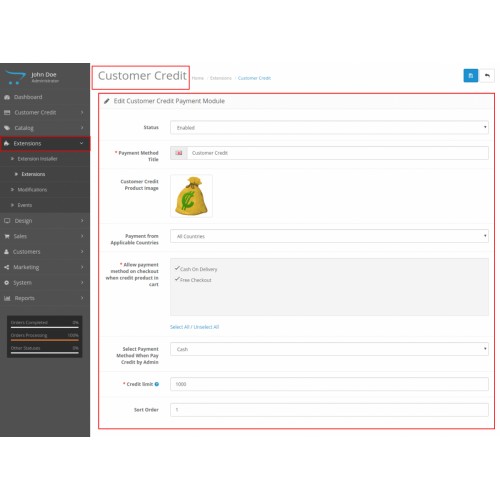
The admin can change the status of the module like to enable or disable the module, allow payment method on checkout when credit product in the cart, can select a payment method when pay credit feature is set & also can set the credit limit to the customer & its groups.

The admin can create various customer groups & then the credit amount will be automatically assigned to the customers of that particular customer group.
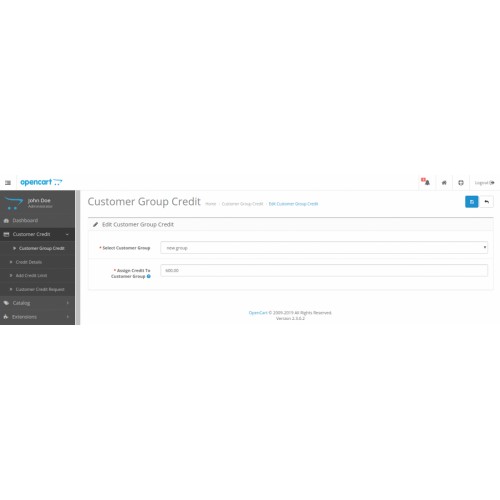
Now under the customer credit sidebar panel, the admin will navigate to the customer group credit & from there can select any group & can assign credit to that particular group.

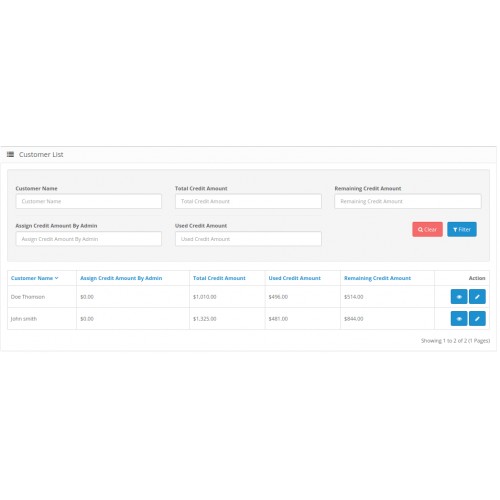
Under the customer credit, there is a sub-option of credit details from where the admin can filter out the customers on the basis of name, total credit amount, remaining credit amount, assign credit amount by admin or by the user credit system.

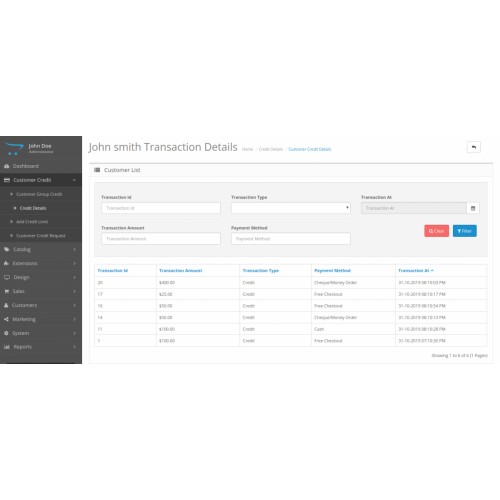
On the credit details page, the admin can view the list of customers as per the filter result. The admin can view the specific customer & complete transactional details as well as can pay credit to the customer.

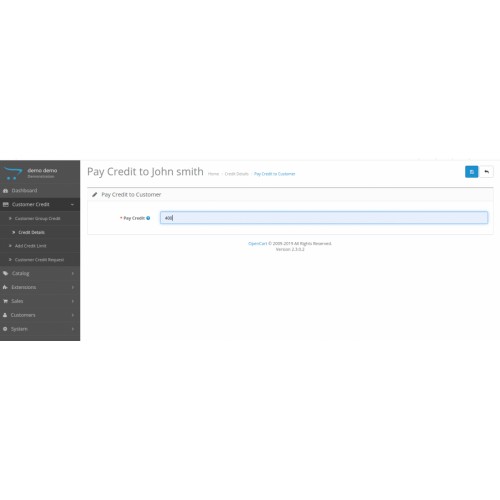
The admin can pay the customer credit amount on behalf of the customers if the customer sends the credit amount through an offline method.

The admin can view the complete transactional details of that particular customer.

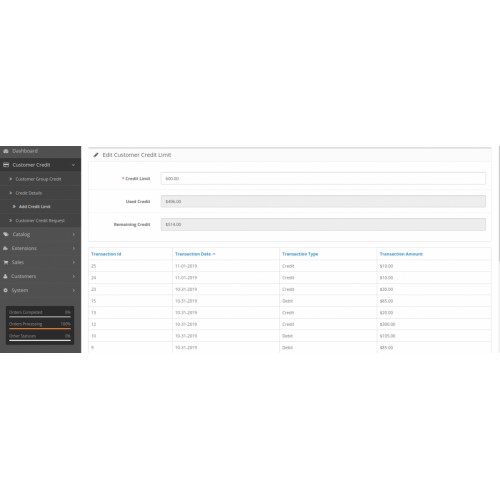
The admin can set a credit limit to the customer from the admin panel on behalf of the customer.

The admin can also see the used & remaining credit and the transactional details of the selected customer.
Customer End
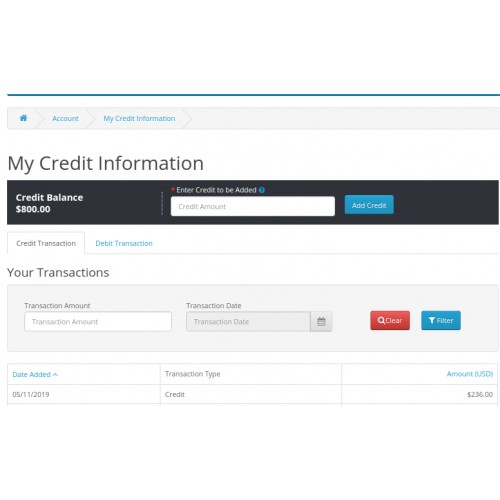
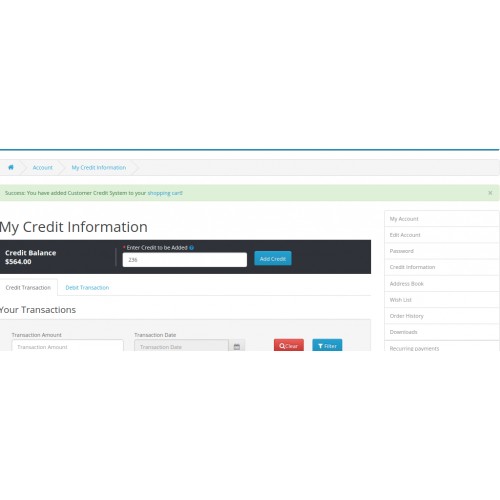
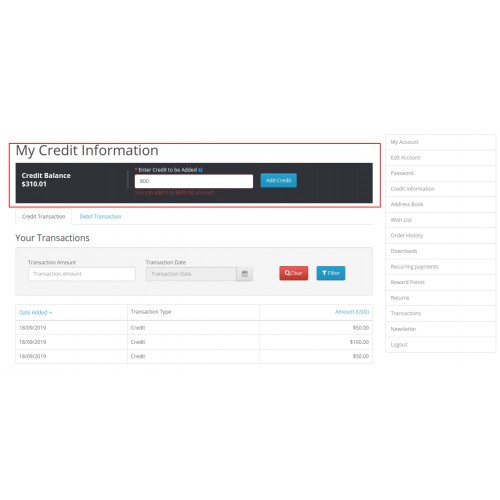
Now the customers can view their credit information by signing into their account. The customers can easily add credit to their account just like wallet & also can see the complete credit as well as debit details.

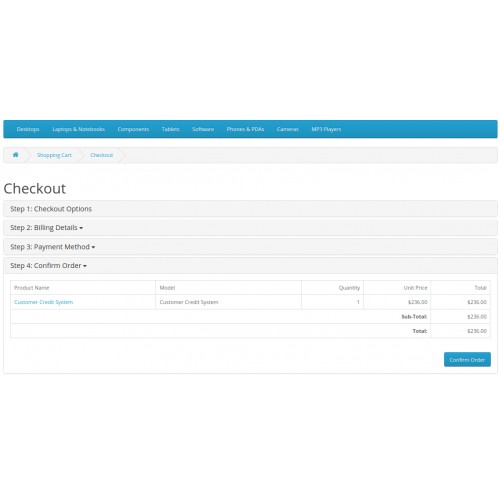
For adding the credit, the customer just needs to enter the desired amount to add, then will complete the payment process as to add the amount into their account just like a product checks out is done.

After completing the checkout process by the customer, the amount will not be credited automatically it will take a while to approved by admin for security reasons of the accounts.
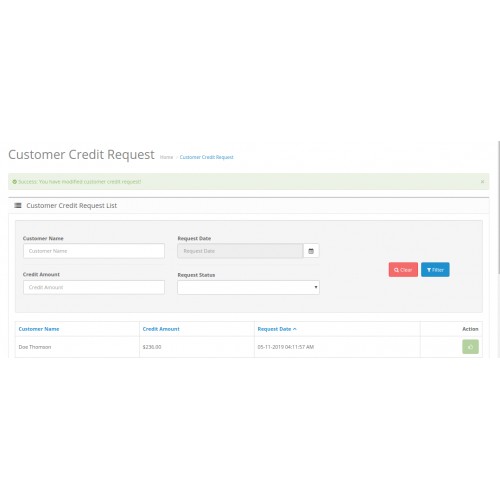
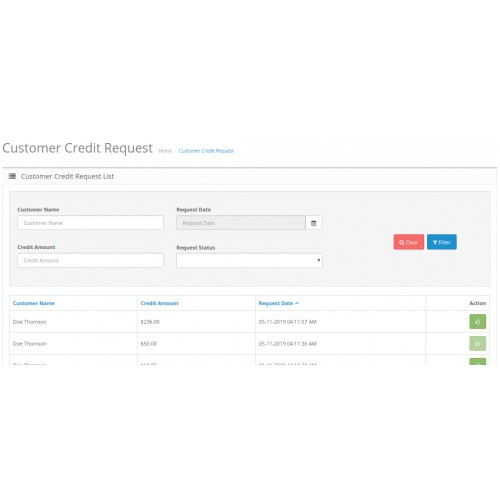
The admin will be notified for the amount of credit request made by the customer & can view the complete request list on the admin panel under the customer credit request.

The admin can easily by clicking on the action button to approve the requested amount.

Now the customer can see the requested credit amount added in the account respectively.

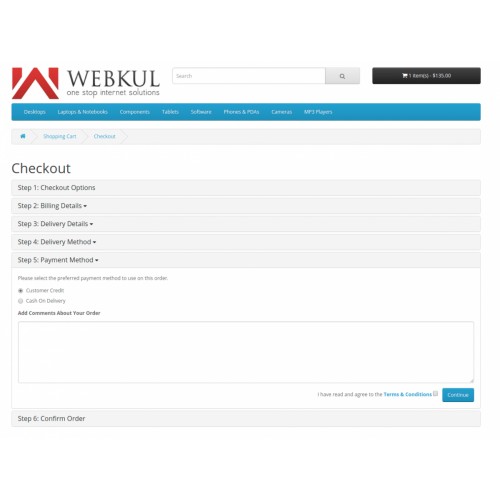
The customer can place an order easily on the store by utilizing the credit amount in the account.




Some Moments Of Appreciation



Support Policy
However, the admin here from the backend can monitor the complete transaction history of the credit points. This can help the customer with the ease of payment and acquisition of maximum profit.
The customer will remain engaged with such a feature and it helps in the creation of loyalty for the store.
Use Case
If you are a store owner you will always be concern about customer retention. This module will help a lot in the possession of the customer. The store owner can assign the credit amount to customers’ accounts as in case of any refund which can be used by the customer in future shopping from the online store.
This extension provides the wallet like functionality to the customer because of the add credit by customer feature, in which the customer can also add the amount to their accounts for placing the order easily on the store which results in hassle-free transactions.
Features
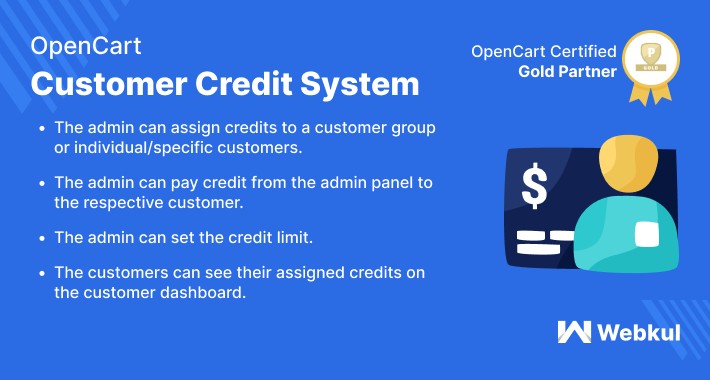
- The admin can assign credits to a customer group or individual/specific customers.
- The admin can pay credit from the admin panel to the respective customer.
- The admin can select the offline/ online payment mode for paying credit to the customer.
- The admin can set the credit limit.
- The admin can view all the transactions done by the customer via the credit system.
- The customers can see their assigned credits on the customer dashboard.
- The customer can purchase the product by using their assigned credits.
- The customer can see the entire transaction history in a customer account.
- The customer can also add credit details.
Workflow
After the successful installation of the module, the admin can easily manage and create the Opencart Season Sale banners from the admin panel.
The admin can change the status of the module like to enable or disable the module, allow payment method on checkout when credit product in the cart, can select a payment method when pay credit feature is set & also can set the credit limit to the customer & its groups.
The admin can create various customer groups & then the credit amount will be automatically assigned to the customers of that particular customer group.
Now under the customer credit sidebar panel, the admin will navigate to the customer group credit & from there can select any group & can assign credit to that particular group.
Under the customer credit, there is a sub-option of credit details from where the admin can filter out the customers on the basis of name, total credit amount, remaining credit amount, assign credit amount by admin or by the user credit system.
On the credit details page, the admin can view the list of customers as per the filter result. The admin can view the specific customer & complete transactional details as well as can pay credit to the customer.
The admin can pay the customer credit amount on behalf of the customers if the customer sends the credit amount through an offline method.
The admin can view the complete transactional details of that particular customer.
The admin can set a credit limit to the customer from the admin panel on behalf of the customer.
The admin can also see the used & remaining credit and the transactional details of the selected customer.
Customer End
Now the customers can view their credit information by signing into their account. The customers can easily add credit to their account just like wallet & also can see the complete credit as well as debit details.
For adding the credit, the customer just needs to enter the desired amount to add, then will complete the payment process as to add the amount into their account just like a product checks out is done.
After completing the checkout process by the customer, the amount will not be credited automatically it will take a while to approved by admin for security reasons of the accounts.
The admin will be notified for the amount of credit request made by the customer & can view the complete request list on the admin panel under the customer credit request.
The admin can easily by clicking on the action button to approve the requested amount.
Now the customer can see the requested credit amount added in the account respectively.
The customer can place an order easily on the store by utilizing the credit amount in the account.
Some Moments Of Appreciation
Support Policy
Price
$119.00
- Developed by OpenCart Partner
- 3 Months Free Support
- Documentation Included
Rating
Compatibility
3.0.0.0, 3.0.1.0, 3.0.1.1, 3.0.1.2, 3.0.1.3, 3.0.2.0, 3.0.3.0, 3.0.3.1, 3.0.3.2, 3.0.3.3, 3.0.3.5, 3.0.3.6, 3.0.3.7, 3.0.3.8
Last Update
13 Jun 2025
Created
12 Nov 2019
26 Sales
3 Comments

Login and write down your comment.
Login my OpenCart Account