Intuit QuickBooks API Payment using OAuth2


OpenCart Payment gateway Intuit QuickBooks API Payment using OAuth2
Installations:
1. Go to o your store admin panel. Navigate to Extensions -> Extension installer.
2. Click on the upload button. A dialog box should open.
3. Locate the installation file of this extension(intuitquickbooksapi.ocmod.zip) and select it.
4. Now this module should be visible in Extensions -> Extensions->Payments->Intuit QuickBooks API Payment
After locating it in the payment methods list just click the install button (“ + ” sign)
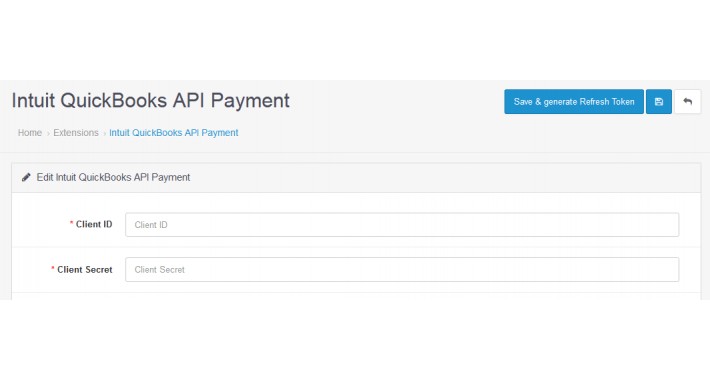
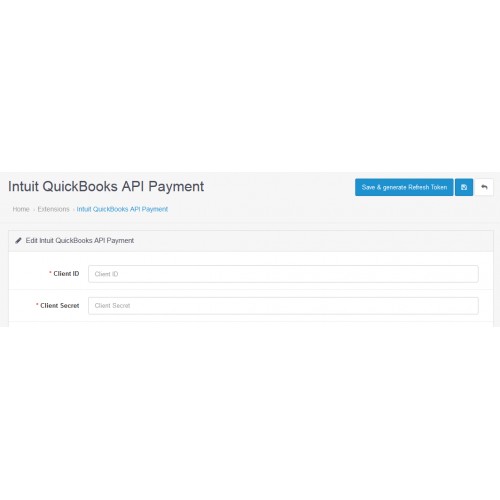
Then edit this installed payment method and configure it.Make sure Redirect URI is added in your Intuit QuickBook account.
Provide Client ID and Client Secret. Then click on "Save & generate Refresh Token" button.
5. Done
Installations:
1. Go to o your store admin panel. Navigate to Extensions -> Extension installer.
2. Click on the upload button. A dialog box should open.
3. Locate the installation file of this extension(intuitquickbooksapi.ocmod.zip) and select it.
4. Now this module should be visible in Extensions -> Extensions->Payments->Intuit QuickBooks API Payment
After locating it in the payment methods list just click the install button (“ + ” sign)
Then edit this installed payment method and configure it.Make sure Redirect URI is added in your Intuit QuickBook account.
Provide Client ID and Client Secret. Then click on "Save & generate Refresh Token" button.
5. Done
Price
$79.00
- Developed by OpenCart Community
- 6 Months Free Support
- Documentation Included
Rating
Compatibility
3.0.0.0, 3.0.1.0, 3.0.1.1, 3.0.1.2, 3.0.1.3, 3.0.2.0, 3.0.3.0, 3.0.3.1, 3.0.3.2, 3.0.3.3, 3.0.3.5, 3.0.3.6, 3.0.3.7, 3.0.3.8, 3.0.3.9, 3.0.4.0
Last Update
28 Aug 2024
Created
24 Nov 2019
1 Sales
0 Comments

Login and write down your comment.
Login my OpenCart Account