Orders date from-to sort
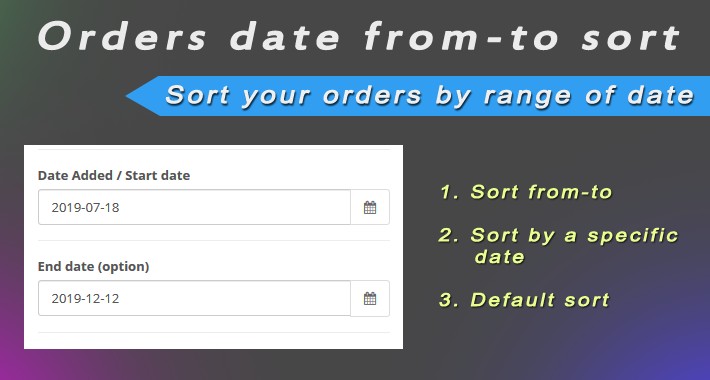
This extension adds additional features for sorting orders by date. Now you can filter orders not only by a certain date, but also by different ranges.
After installing the extension, an additional field End date (option) will appear in your filter in the section Sales-> Orders.

Now you can filter orders in three available ways.
1. Default Sort - the basic type of sort by date when you filter orders by a specific creation date. For this sort type, select a date in the Date Added / Start date field and leave the End date (option) field blank.
2. Sort from-to - selects orders in the specified range between the start and end dates. For this type of sorting, fill in both fields with dates.
3. Sort by a specific date - selects orders from the first created until the set date. To use this type of sorting, set the end date in the End date (option) field, and leave the Date Added / Start date field blank.
After installing the extension, an additional field End date (option) will appear in your filter in the section Sales-> Orders.
Now you can filter orders in three available ways.
1. Default Sort - the basic type of sort by date when you filter orders by a specific creation date. For this sort type, select a date in the Date Added / Start date field and leave the End date (option) field blank.
2. Sort from-to - selects orders in the specified range between the start and end dates. For this type of sorting, fill in both fields with dates.
3. Sort by a specific date - selects orders from the first created until the set date. To use this type of sorting, set the end date in the End date (option) field, and leave the Date Added / Start date field blank.
Download
- Developed by OpenCart Community
- Documentation Included
Rating
Compatibility
3.0.0.0, 3.0.1.0, 3.0.1.1, 3.0.1.2, 3.0.1.3, 3.0.2.0, 3.0.3.0, 3.0.3.1, 3.0.3.2, 3.0.3.3
Last Update
28 Feb 2021
Created
13 Dec 2019
237 Downloads
5 Comments

Login and write down your comment.
Login my OpenCart Account