Ajax Live Search — Autocomplete, Multi-language, Add to cart

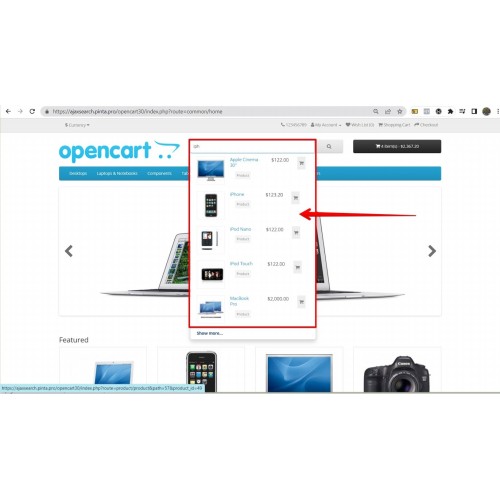
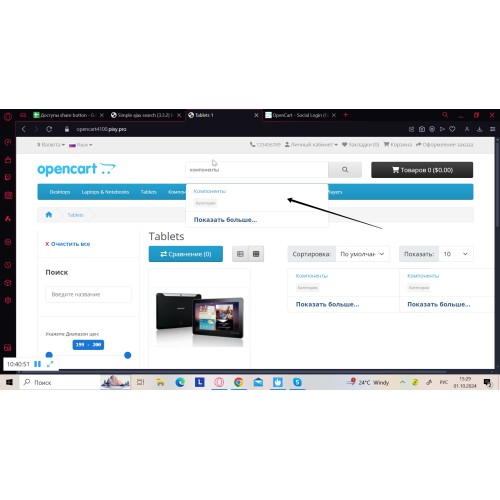
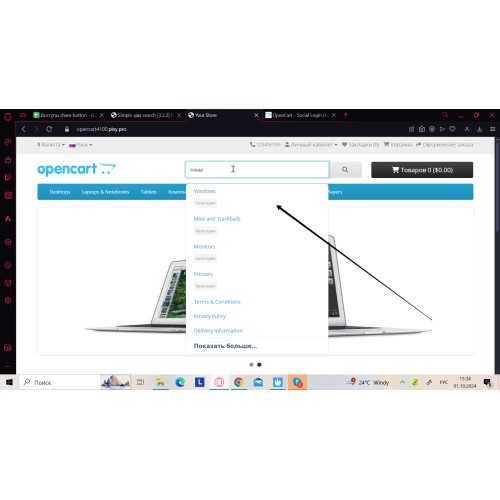
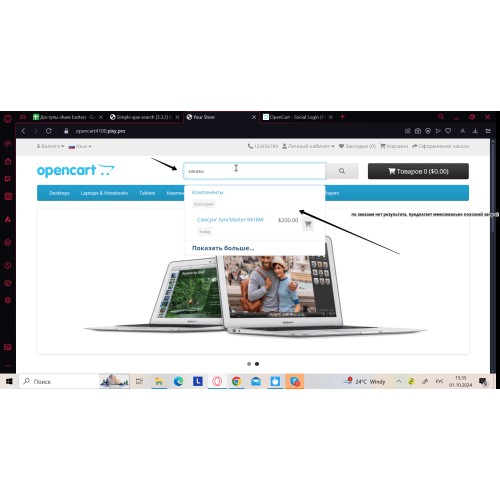
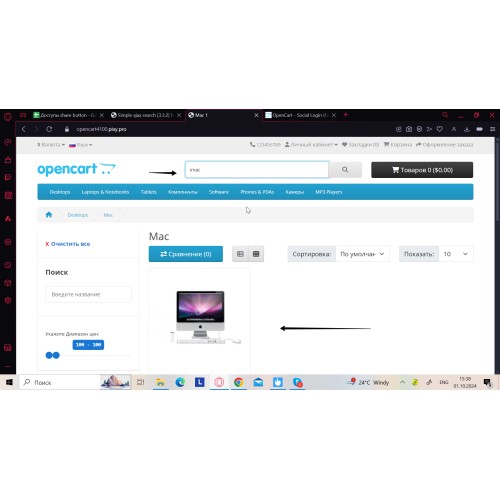





Add autocomplete live search suggestions to the standard OpenCart search field and show instant Ajax results in a drop-down list as customers type. This module supports multi-language storefronts (EN, UA, RU, FR, DE, ES) and lets shoppers add to cart directly from the dropdown.
For store owners, you can configure search behavior, scope, and the drop-down design in admin to match your catalog and theme.
Key benefits:
- Multi-language storefronts: EN, UA, RU, FR, DE, ES
- Faster product discovery with instant drop-down results
- Shorter path to purchase by reducing steps between search and cart
- Cleaner results for large catalogs with relevance-focused ordering
- More control over landing pages by aligning common queries to preferred ones
- Consistent UX on desktop, mobile, and tablet
Conversion note: Reducing search friction can improve conversions (the listing mentions +25–35%; results depend on store setup).


- Suggestions toggle for the default search field (ON/OFF)
- Sort by relevant queries (ON/OFF)
- Minimum query length (minimum number of symbols, not 0) to display drop-down results
Search scope controls
You can define what is included in search:
Products:
- Name
- Codes
- Keywords
- Options
- Description
- Meta tags
- Attributes
Categories:
- Name
- Meta-title
Manufacturers:
- Brand name
Information pages:
- Page name
- Meta tags
- Keywords
Drop-down controls
- Maximum results limit
- “Show more results” link
- Show price
- Show image
- Cart icon (Add to cart)
- Data type labels
- Title cropping
Styling options
- Image width and height
- Drop-down background color (solid or gradient)
- Hover colors
Additional functionality
- Search history tracking
- Query mapping (Input value → Save value)
- Responsive drop-down for desktop, mobile, and tablet

- Upload the module archive via Extensions → Installer.
- Clear and refresh the cache in Extensions → Modifications.
- Go to Extensions → Extensions, select Modules, find the module, click Install, then open Edit.
- Configure suggestions, limits, search scope, and design settings. Click Save.
Documentation: use the Documentation button above (next to Demo / Get Support).
Video: see the Video Guide section on this page.
FAQ
Q: Does it work with OpenCart 3.x and 4.x?
A: Yes. The module supports OpenCart versions 1.5–4.x. If your theme heavily customizes the header search field, contact support for quick guidance.
Q: Is it compatible with Journal Theme 3?
A: Yes, it works with Journal 3. For other custom themes, we can help adapt the module if needed.
Q: Do I need to reconfigure my catalog data after installation?
A: No. The module uses your existing catalog data and adds an autocomplete drop-down to the standard search field. If the theme replaces the search field markup, minor adjustments may be required.
Q: Can I control what is searched and what is shown in suggestions?
A: Yes. You can configure search scope and the drop-down display options in admin (products, categories, manufacturers, and information pages).
Q: Can customers add products to cart directly from the drop-down?
A: Yes. Enable the cart icon in the Design tab to allow Add to cart from the dropdown.

## 3.3.2
- OpenCart 4.x: fixed admin scripts/styles loading and corrected module status display in the modules list
- Improved search behavior for the current language
- Fixed search issues with non-Latin characters
- Maintenance update: cleaned up duplicates, formatted language files, and updated translations
## 3.3.1
- Added Add to cart from the search drop-down
- Added languages: DE, UA, ES, FR
Help / Contact us
For pre-purchase questions, installation help, or theme compatibility, contact our support team.
Email: info@pinta.com.ua
Tip: include your OpenCart version and theme name in the message for a faster reply.
Price
$24.00
- Developed by OpenCart Community
- 6 Months Free Support
- Documentation Included
Rating
Compatibility
4.x.x.x, 4.0.1.0, 4.0.1.1, 4.0.2.0, 4.0.2.1, 4.0.0.0, 3.0.0.0, 3.0.1.0, 3.0.1.1, 3.0.1.2, 3.0.1.3, 3.0.2.0, 3.0.3.0, 3.0.3.1, 3.0.3.2, 3.0.3.3, 3.0.3.5, 3.0.3.6, 3.0.3.7, 3.0.3.8, 3.x.x.x, 2.3.0.0, 2.3.0.1, 2.3.0.2, 2.0.0.0, 2.0.1.0, 2.0.1.1, 2.0.2.0, 2.0.3.1, 2.1.0.1, 2.1.0.2, 2.2.0.0, 1.5.0, 1.5.0.1, 1.5.0.2, 1.5.0.3, 1.5.0.4, 1.5.0.5, 1.5.1, 1.5.1.1, 1.5.1.2, 1.5.1.3, 1.5.2, 1.5.2.1, 1.5.3, 1.5.3.1, 1.5.4, 1.5.4.1, 1.5.5, 1.5.5.1, 1.5.6, 1.5.6.1, 1.5.6.2, 1.5.6.3, 1.5.6.4
Last Update
2 Jun 2026
Created
27 Dec 2019
6 Sales
4 Comments

Login and write down your comment.
Login my OpenCart Account