Ecommerce POS - Solutions for Small Retail Business
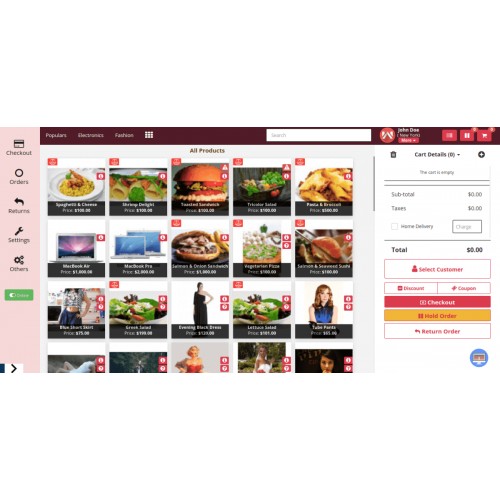
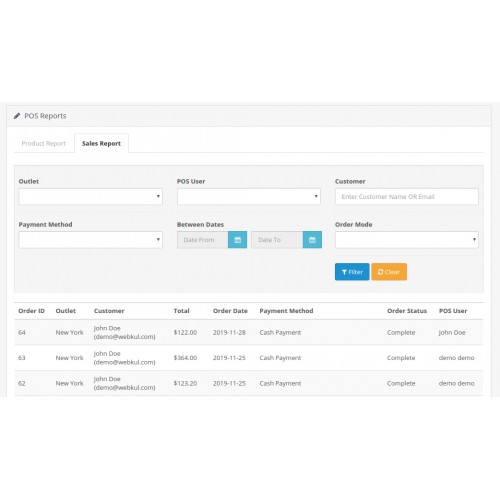

In this article, we will be discussing how you can have a complete eCommerce solution for your physical store with the help of the eCommerce POS and its add-on.
To know about the Opencart Point Of Sale system and how the complete eCommerce solution will work.





As the world is moving forward and faster into a thriving technological age, so there is a need to update the code of conduct of our business as well.
Earlier the cashier has to note all entries of each and every sale on the register or logbooks. This is quite a slow and flawed process.
Another one of the major concerns is that eCommerce is spreading its wing more and more businesses online store. But Managing the inventory and existing physical store can be quite a tedious task.
To manage such issues we created the POS system to manage inventory in real-time for the outlet and online store
We have implemented the Live Demo to show you how the eCommerce POS system will work with all its add-ons as listed below.
Opencart POS Barcode Label
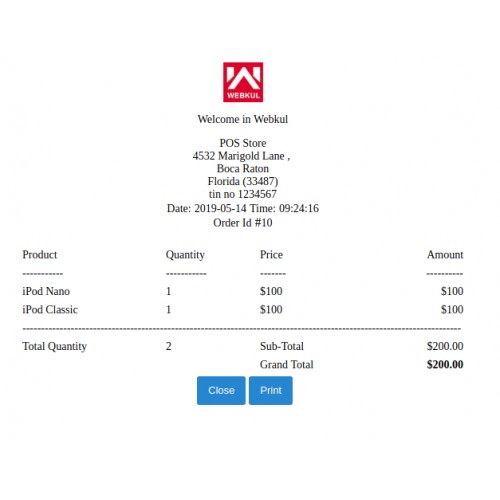
Opencart POS Custom Receipt
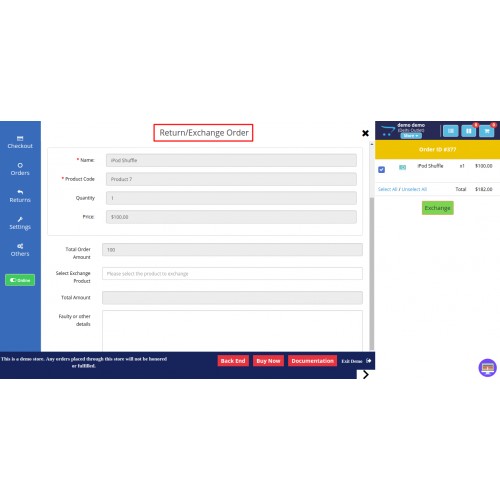
Opencart POS Exchange
Opencart POS Multiple Barcode
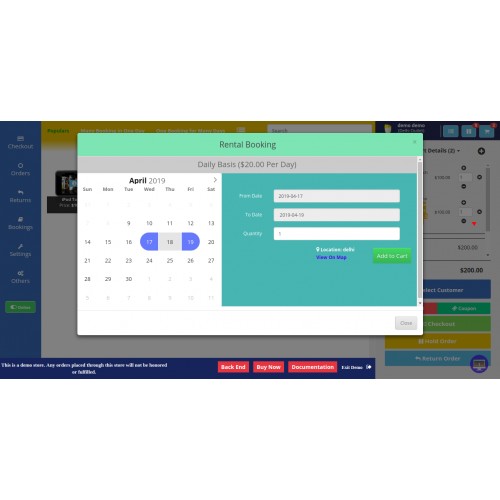
Opencart POS Advanced Booking & Reservation
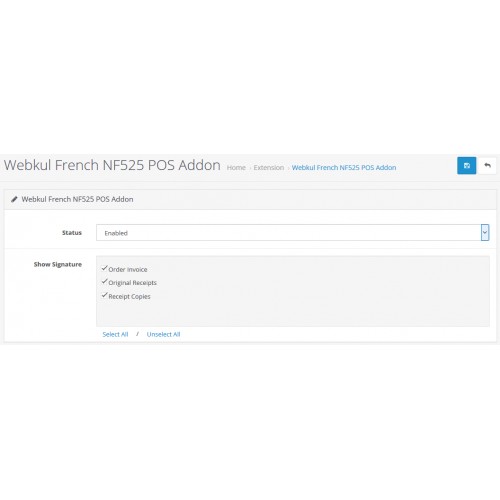
Opencart POS French NF525
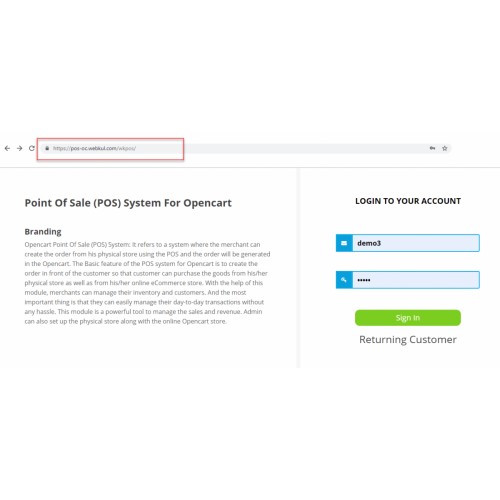
Opencart POS Sub Domain
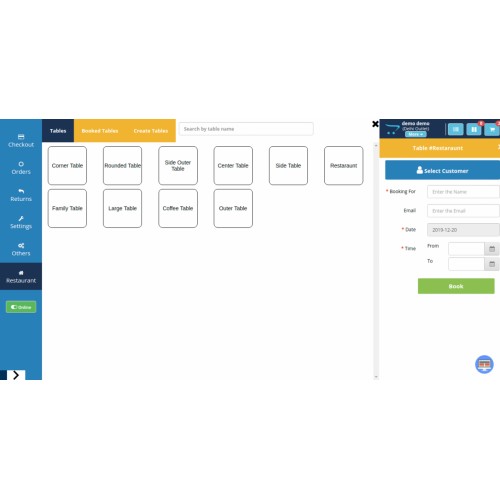
Opencart Restaurant POS System
Benefits
Now let's discuss some of the benefits of having a complete eCommerce POS solution.
Centralized Inventory Management and Eliminating Loop Holes
With the integration of the POS system, the store owner of a physical store will be able to connect your inventory and sales reports of the online website with the respective outlet so there is no need to manually manage the quantity and transactions.

The store owner will be able to manage both the Opencart store and POS outlet for the backend with ease.
This system will remove the loopholes or chances of any fraud or wrongdoing by cashiers which can be really helpful in maintaining business running at a huge scale.
Custom Barcode Label Generation
Also with the POS system, any user will be able to create barcode based on the unique entity(like SKU, EAN, Product ID, and UPC) and can even define a barcode length.
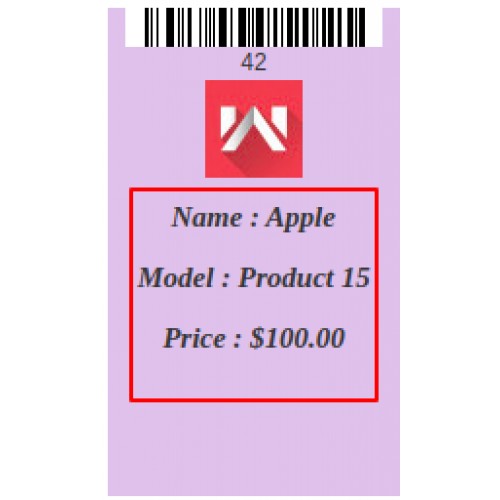
But with the POS Barcode Label, you can customize the label as per your requirement in terms of its size ratio, add a logo, and can even add text & attributes on the barcode label.

What if the store owner has an ample amount of quantity for the products. Let's take an example of the grocery store where you have a count of 100 or 50 products on a shelf.
Generating the barcode for 100 products can be a tiresome task to avoid such a scenario we have created Opencart POS Multi Barcode module.

Unique eCommerce POS Outlet Receipts
Consider you are having a chain of outlets and want to keep the uniqueness of the customer through the POS receipt generated. With the default Opencart POS system, you can customize the receipt but it will be the same for all outlets.
But with the Opencart Custom Receipt for POS, you can manipulate or alter the receipt and create a unique receipt for each outlet.

This will be a huge help for outlet users to identify their customers in case of any returns or complains or even tracking authentic customers.
Easy Return or Exchange Management
When it comes to returns or exchanges in the physical store managing the inventory or taking exchange can be pretty tricky and the orthodox method is managing them is mostly offline mode.
But with the Opencart Point of Sale Exchange system, you don't have to worry about this feature as it offers POS users to exchange the products on the POS outlet. The same is updated on the store and in the admin end.

Supports Booking Products
For instance, you are running the store for rental bikes or having a hotel room or an event place. There are people who wish to book their hotels or event from the venue.
To manage all inventories in real-time and updating it on a website can be done through Opencart POS Booking & Reservation.

Abide All Guidelines & Laws
There are different guidelines or laws that are needed to be followed by the system. For French store owners, they need to be digitally secure transactions so French Law NF525 needed to be followed.
In conclusion, to resolve this our team has added the OpenCart POS French NF525 module in the complete POS solution.
Unique Sub-Domain For POS Outlets
With the POS Sub Domain for Opencart store, the owner can create subdomains for different outlets.
https://cdnblog.webkul.com/blog/wp-content/uploads/2019/12/opencart-pos-subdomain-sign-in-8-1200x569.png
So this will help the POS outlet owners to have their own separate domain. This will keep the uniqueness of the Outlet.
Reserve Your Spot On POS
Restaurants business is one of the main business and most profitable. Therefore, having a Restaurant chain and managing it through the eCommerce POS system can really help.
With the POS system for Restaurant, the customer will be able to reserve their spots in the restaurant. The POS user can provide confirmation to the customers through emails.





Some Moments Of Appreciation



Support Policy
To know about the Opencart Point Of Sale system and how the complete eCommerce solution will work.
As the world is moving forward and faster into a thriving technological age, so there is a need to update the code of conduct of our business as well.
Earlier the cashier has to note all entries of each and every sale on the register or logbooks. This is quite a slow and flawed process.
Another one of the major concerns is that eCommerce is spreading its wing more and more businesses online store. But Managing the inventory and existing physical store can be quite a tedious task.
To manage such issues we created the POS system to manage inventory in real-time for the outlet and online store
We have implemented the Live Demo to show you how the eCommerce POS system will work with all its add-ons as listed below.
Opencart POS Barcode Label
Opencart POS Custom Receipt
Opencart POS Exchange
Opencart POS Multiple Barcode
Opencart POS Advanced Booking & Reservation
Opencart POS French NF525
Opencart POS Sub Domain
Opencart Restaurant POS System
Benefits
Now let's discuss some of the benefits of having a complete eCommerce POS solution.
Centralized Inventory Management and Eliminating Loop Holes
With the integration of the POS system, the store owner of a physical store will be able to connect your inventory and sales reports of the online website with the respective outlet so there is no need to manually manage the quantity and transactions.
The store owner will be able to manage both the Opencart store and POS outlet for the backend with ease.
This system will remove the loopholes or chances of any fraud or wrongdoing by cashiers which can be really helpful in maintaining business running at a huge scale.
Custom Barcode Label Generation
Also with the POS system, any user will be able to create barcode based on the unique entity(like SKU, EAN, Product ID, and UPC) and can even define a barcode length.
But with the POS Barcode Label, you can customize the label as per your requirement in terms of its size ratio, add a logo, and can even add text & attributes on the barcode label.
What if the store owner has an ample amount of quantity for the products. Let's take an example of the grocery store where you have a count of 100 or 50 products on a shelf.
Generating the barcode for 100 products can be a tiresome task to avoid such a scenario we have created Opencart POS Multi Barcode module.
Unique eCommerce POS Outlet Receipts
Consider you are having a chain of outlets and want to keep the uniqueness of the customer through the POS receipt generated. With the default Opencart POS system, you can customize the receipt but it will be the same for all outlets.
But with the Opencart Custom Receipt for POS, you can manipulate or alter the receipt and create a unique receipt for each outlet.
This will be a huge help for outlet users to identify their customers in case of any returns or complains or even tracking authentic customers.
Easy Return or Exchange Management
When it comes to returns or exchanges in the physical store managing the inventory or taking exchange can be pretty tricky and the orthodox method is managing them is mostly offline mode.
But with the Opencart Point of Sale Exchange system, you don't have to worry about this feature as it offers POS users to exchange the products on the POS outlet. The same is updated on the store and in the admin end.
Supports Booking Products
For instance, you are running the store for rental bikes or having a hotel room or an event place. There are people who wish to book their hotels or event from the venue.
To manage all inventories in real-time and updating it on a website can be done through Opencart POS Booking & Reservation.
Abide All Guidelines & Laws
There are different guidelines or laws that are needed to be followed by the system. For French store owners, they need to be digitally secure transactions so French Law NF525 needed to be followed.
In conclusion, to resolve this our team has added the OpenCart POS French NF525 module in the complete POS solution.
Unique Sub-Domain For POS Outlets
With the POS Sub Domain for Opencart store, the owner can create subdomains for different outlets.
https://cdnblog.webkul.com/blog/wp-content/uploads/2019/12/opencart-pos-subdomain-sign-in-8-1200x569.png
So this will help the POS outlet owners to have their own separate domain. This will keep the uniqueness of the Outlet.
Reserve Your Spot On POS
Restaurants business is one of the main business and most profitable. Therefore, having a Restaurant chain and managing it through the eCommerce POS system can really help.
With the POS system for Restaurant, the customer will be able to reserve their spots in the restaurant. The POS user can provide confirmation to the customers through emails.
Some Moments Of Appreciation
Support Policy
Price
$539.00
- Developed by OpenCart Partner
- 3 Months Free Support
- Documentation Included
Rating
Compatibility
3.0.0.0, 3.0.1.0, 3.0.1.1, 3.0.1.2, 3.0.1.3, 3.0.2.0, 3.0.3.0, 3.0.3.1, 3.0.3.2, 3.0.3.3, 3.0.3.5, 3.0.3.6, 3.0.3.7, 3.0.3.8, 3.0.3.9, 3.0.4.0, 3.0.4.1
Last Update
30 Jul 2025
Created
3 Jan 2020
0 Sales
0 Comments

Login and write down your comment.
Login my OpenCart Account