Admin Product Quantity Update

Features :
- Easy configuration
- User friendly
- One Click Installation
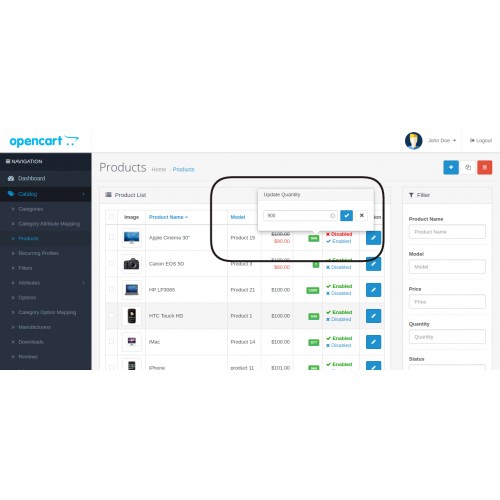
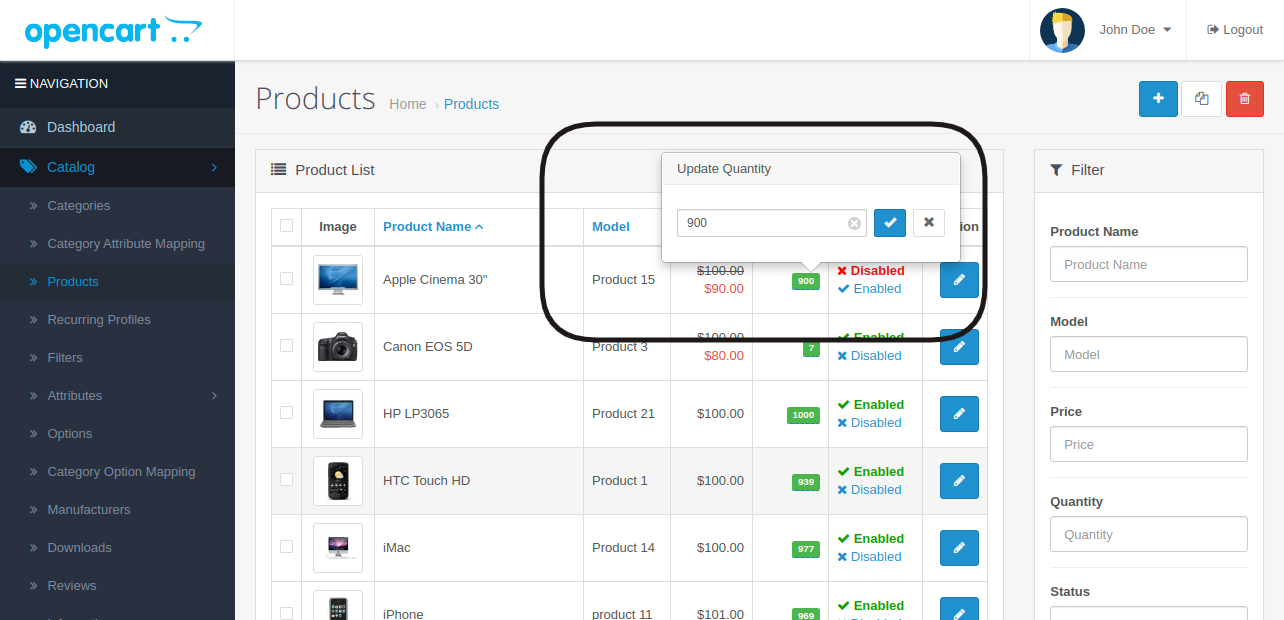
- Easily Popup Product Qty Update
- Without Page modification / Without Page Loading
Installation:
This installation instructions assume that you are running either fresh (just-installed) or customised installation of OpenCart.
1) Login to your OpenCart admin panel. Once you do that, go to Extensions -> Extension Installer.
2) Click on the Upload button.
3) FInd admin-product-quantity-update-3.0.zip extract that folder you can reciver 1 upload folder and 1 AdminProductupdatequantity.ocmod.zip file
4) Find AdminProductupdatequantity.ocmod.zip on your folder and Select File as per your version And load it.
5) OpenCart will begin the installation of the module along with the OCMod and when the operation is done you will receive the following message - Success: You have installed your extension!
6) After Upoading file you can copy and past admin folder is located in upload folder so you can overide existing folder admin
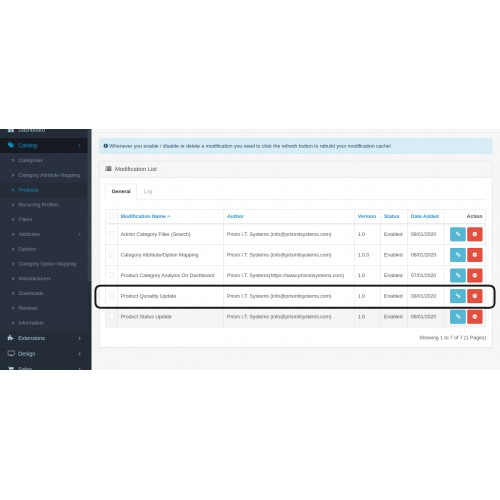
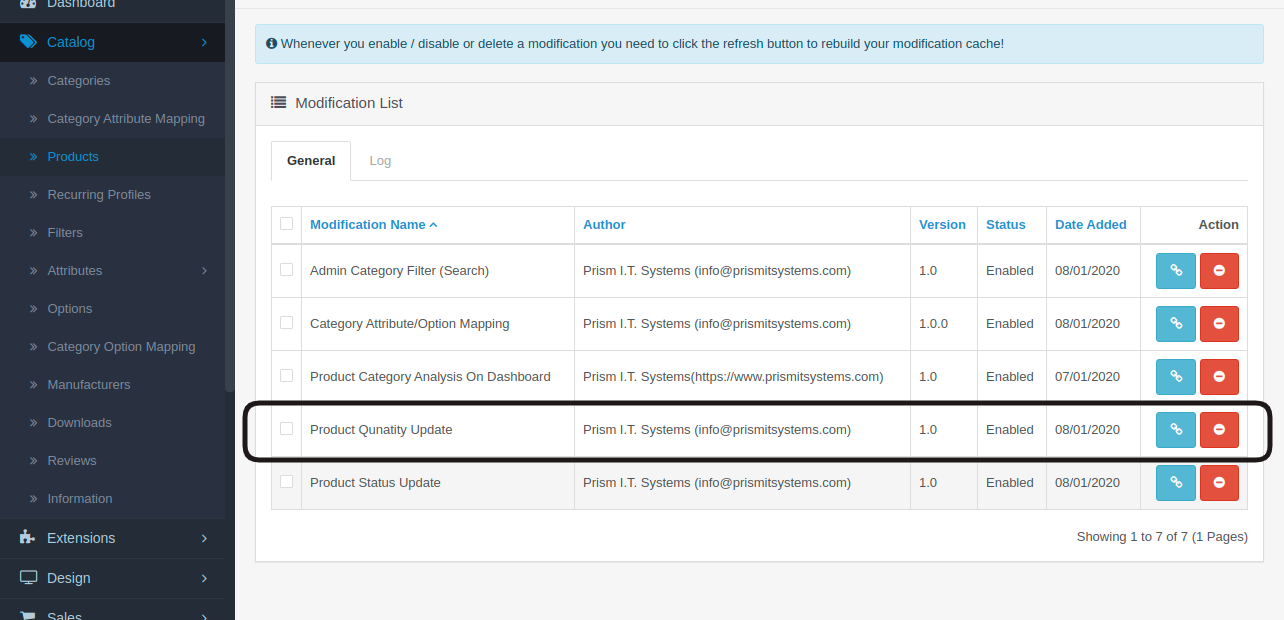
7) Go to Extensions -> Modifications in order for the OCMod to be applied. Click the refresh icon to load the new files.
8) Go to Catalog -> product -> you can see the product quantity click on that it will provide popup & you can easily change as per you wont.
For more Features Upgrade To premium Version "Quick Admin Catalog Editor"

Thank you
Support & Feature Requests
======================================================
Please address your questions, comments or issues by opening a support ticket at info@prismitsystems.com
for More Detail Visit : https://www.prismitsystems.com/

=======================
Thanks for your choise!
If you liked this module - please Comment / rate him on module page or into your downloads
- Easy configuration
- User friendly
- One Click Installation
- Easily Popup Product Qty Update
- Without Page modification / Without Page Loading
Installation:
This installation instructions assume that you are running either fresh (just-installed) or customised installation of OpenCart.
1) Login to your OpenCart admin panel. Once you do that, go to Extensions -> Extension Installer.
2) Click on the Upload button.
3) FInd admin-product-quantity-update-3.0.zip extract that folder you can reciver 1 upload folder and 1 AdminProductupdatequantity.ocmod.zip file
4) Find AdminProductupdatequantity.ocmod.zip on your folder and Select File as per your version And load it.
5) OpenCart will begin the installation of the module along with the OCMod and when the operation is done you will receive the following message - Success: You have installed your extension!
6) After Upoading file you can copy and past admin folder is located in upload folder so you can overide existing folder admin
7) Go to Extensions -> Modifications in order for the OCMod to be applied. Click the refresh icon to load the new files.
8) Go to Catalog -> product -> you can see the product quantity click on that it will provide popup & you can easily change as per you wont.
For more Features Upgrade To premium Version "Quick Admin Catalog Editor"
Thank you
Support & Feature Requests
======================================================
Please address your questions, comments or issues by opening a support ticket at info@prismitsystems.com
for More Detail Visit : https://www.prismitsystems.com/
=======================
Thanks for your choise!
If you liked this module - please Comment / rate him on module page or into your downloads
Download
- Developed by OpenCart Community
- 6 Months Free Support
- Documentation Included
Rating
Compatibility
2.2.0.0, 2.3.0.0, 2.3.0.1, 2.3.0.2, 3.0.1.0, 3.0.1.1, 3.0.1.2, 3.0.1.3, 3.0.2.0, 4.x.x.x, 3.0.3.0, 3.0.3.1, 3.0.3.2, 3.0.3.3, 3.0.0.0, 2.0.0.0, 2.0.1.0, 2.0.1.1, 2.0.2.0, 2.0.3.1, 2.1.0.1, 2.1.0.2
Last Update
2 Jun 2020
Created
8 Jan 2020
1005 Downloads
11 Comments

Login and write down your comment.
Login my OpenCart Account