OpenCart Login By Mobile Number
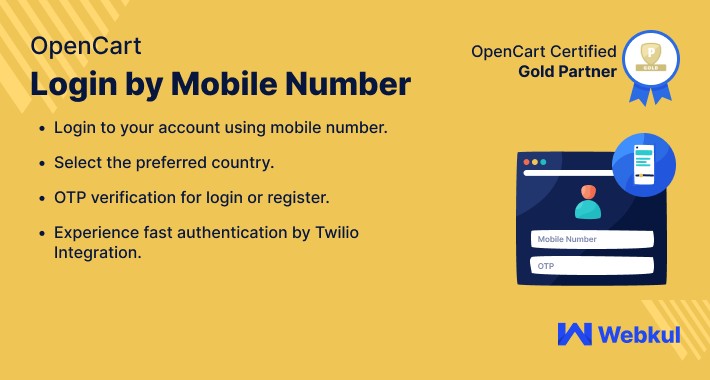
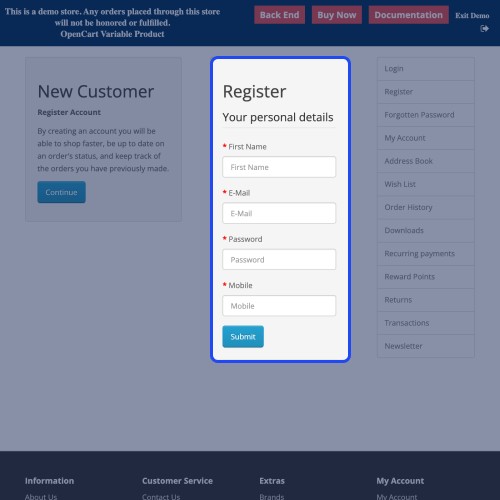
With this Opencart Login By Mobile Number module, the store owner can provide the customers with the option to log in to the store or account using their mobile number. The system provides proper OTP authentication for the secure login process.
The module ensures that the customer will experience a secure and easy login process. For this, the system verifies the mobile number each time it is used for signing in to the account.
Note: For using the feature in the module the admin must have an active account in Twilio.




Use Case
The customer feels bothered when they have to enter email and password for logging in to any of their accounts. And when it comes to remembering the passwords, then the chances increase that the customer will surely leave the store.
For such conditions, the module has provided the option to the customers for signing in by using their mobile numbers. As more than half of the population of the world uses mobile phones, it became easier for the customer to use the phone number as their store login credentials because it does not ask for any extra efforts.
Also, the mesh of resetting the password also came to an end as the mobile number will get verified each time it is used for signing in.
Features
WorkFlow
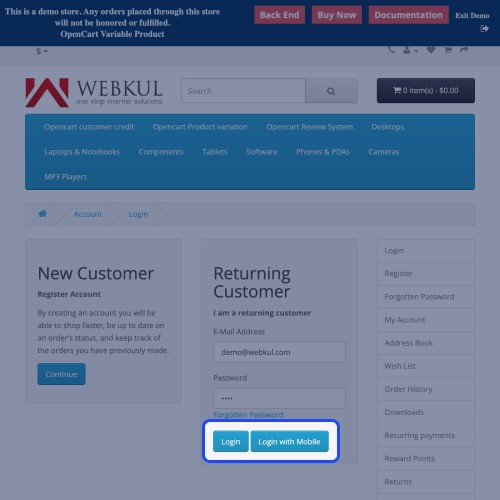
Once the module is configured successfully, the customers can log in to their website through a mobile number. Under the login form, a button is available named Login By Mobile. The customer will proceed to the login by mobile number page.

Login Details
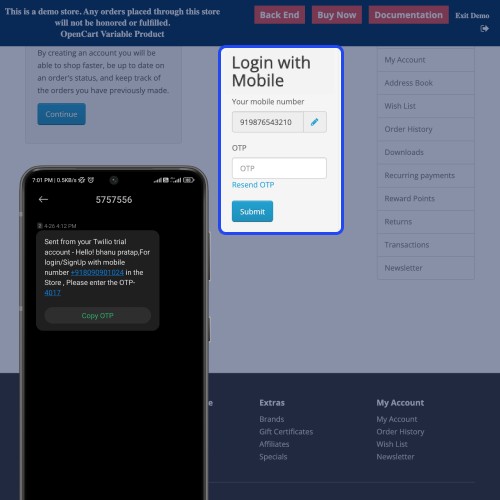
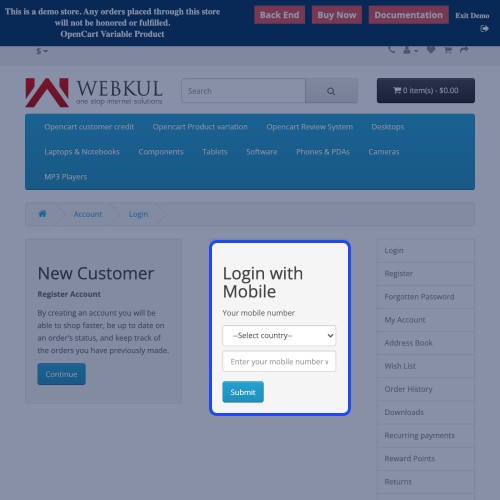
The customers need to add the details as shown in the image below. Every time the customer enters the mobile number, the system checks either the number is existing or new. If the number phone number is existing then an OTP is sent to the customer. Which will be entered on the next page.

Whereas, if the customer is using a new mobile number, then a registration process will be needed. After that, the system will again check the information is correct or not. If the details are correct then the customer can proceed with the normal login process.
Admin Configuration
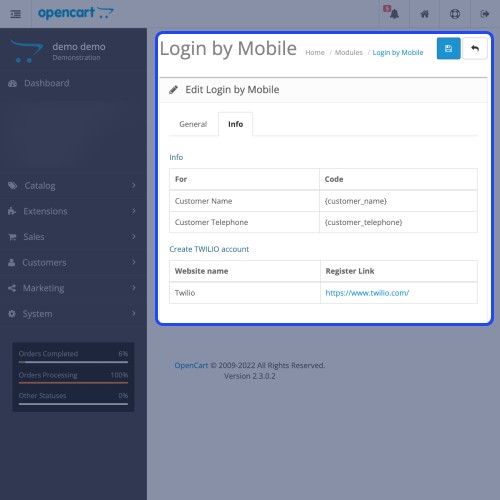
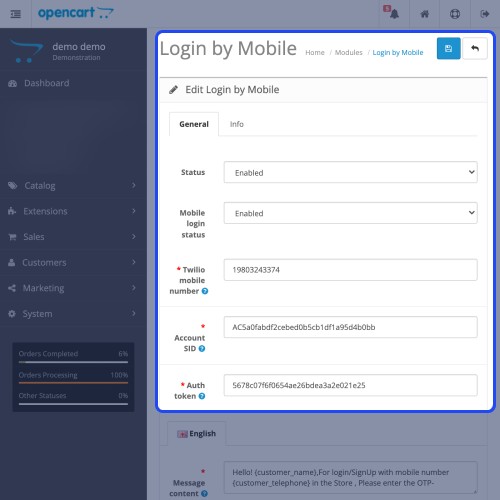
The admin will manage the configurations regarding the module. The customer can permit the module to be enabled. The admin will add the API credentials generated after creating the Twilio Account and some additional configuration as shown in the image below.





Some Moments Of Appreciation


Support Policy
The module ensures that the customer will experience a secure and easy login process. For this, the system verifies the mobile number each time it is used for signing in to the account.
Note: For using the feature in the module the admin must have an active account in Twilio.
Use Case
The customer feels bothered when they have to enter email and password for logging in to any of their accounts. And when it comes to remembering the passwords, then the chances increase that the customer will surely leave the store.
For such conditions, the module has provided the option to the customers for signing in by using their mobile numbers. As more than half of the population of the world uses mobile phones, it became easier for the customer to use the phone number as their store login credentials because it does not ask for any extra efforts.
Also, the mesh of resetting the password also came to an end as the mobile number will get verified each time it is used for signing in.
Features
- The admin can enable/ disable the module’s functionality.
- Customers can log in using their mobile number.
- The admin can create the Twilio account using the mentioned link from the backend info section.
- Customers will receive OTP every time they log in or register.
- The new customers can easily register using their mobile number.
- This module supports the features like multi-lingual feature.
WorkFlow
Once the module is configured successfully, the customers can log in to their website through a mobile number. Under the login form, a button is available named Login By Mobile. The customer will proceed to the login by mobile number page.
Login Details
The customers need to add the details as shown in the image below. Every time the customer enters the mobile number, the system checks either the number is existing or new. If the number phone number is existing then an OTP is sent to the customer. Which will be entered on the next page.
Whereas, if the customer is using a new mobile number, then a registration process will be needed. After that, the system will again check the information is correct or not. If the details are correct then the customer can proceed with the normal login process.
Admin Configuration
The admin will manage the configurations regarding the module. The customer can permit the module to be enabled. The admin will add the API credentials generated after creating the Twilio Account and some additional configuration as shown in the image below.
Some Moments Of Appreciation
Support Policy
Price
$79.00
- Developed by OpenCart Partner
- 3 Months Free Support
- Documentation Included
Rating
Compatibility
3.0.0.0, 3.0.1.0, 3.0.1.1, 3.0.1.2, 3.0.1.3, 3.0.2.0, 3.0.3.0, 3.0.3.1, 3.0.3.2, 3.0.3.3, 3.0.3.5, 3.0.3.6, 3.0.3.7, 3.0.3.8, 3.0.3.9, 3.0.4.0, 3.0.4.1
Last Update
27 Jun 2025
Created
6 Feb 2020
9 Sales
3 Comments

Login and write down your comment.
Login my OpenCart Account