OpenCart Live Sales Order Pop-up Notification
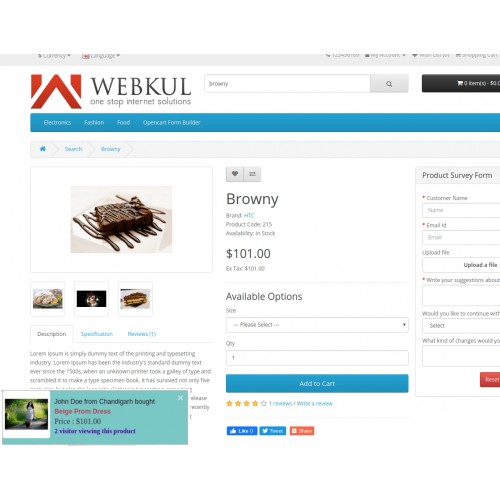
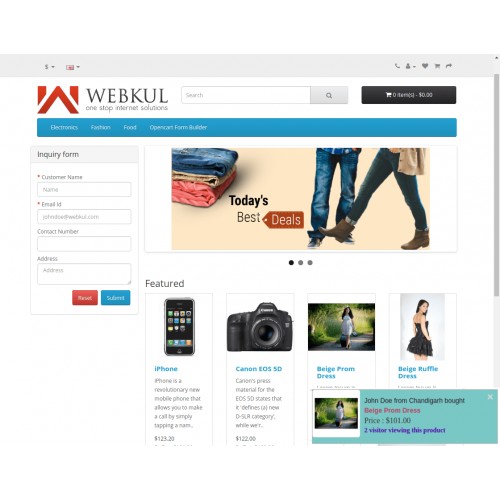
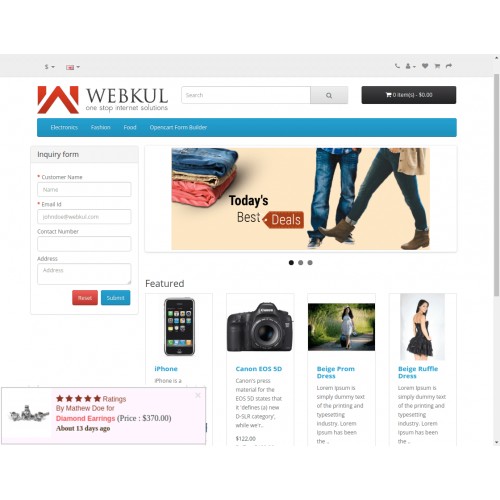
OpenCart Live Sales Order Pop-up Notification will allow the admin to display the various notifications on the storefront. The notifications will show updates about the recent orders and ratings done by the customers. These notifications are customizable from the backend.
Note:
1. This module supports all templates and themes including the Journal theme.
2. Opencart Multicart Extension supports the Multi-Store feature of default Opencart.




Note: It is mandatory for the user to view the website in a single window and browser at a time. The notifications will not be visible if the user views the website on the same browser or window.
Use Case
The website front end is meant to bet the most attractive section on any website as this is what gives the customer a glimpse of the store. So, there must be some features available there like popup notifications which can enhance the storefront and its appearance. This can be thriving for the following enhancements:
1) Display Various Notifications: The customer will get to see notifications about the updates of the orders and the rating done by the customers in the same store. The notifications will be visible on all the pages of the website.
2)Increase sales revenue: Watching other customers buying some stuff from the store will encourage other customers to buy the same product even more.
3)Customer Re-engagement: Using the module will help in increasing the customer's involvement and engagement on the website.
Features
Workflow
Front end View
Once the backend configurations are done, the notifications will be visible in the website front-end with the decided limit and appearance of the notification popups.

Module configurations
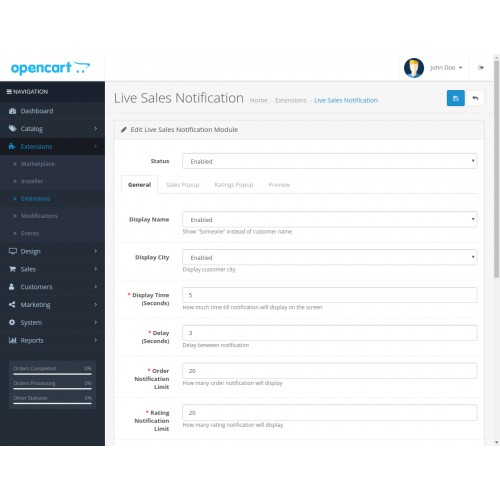
The admin will first have to manage the general settings of the module. Under this, the admin can enable or disable the module. Further, the delay and duration of the notification will also be managed by the admin.

Sales And Rating Popup Management
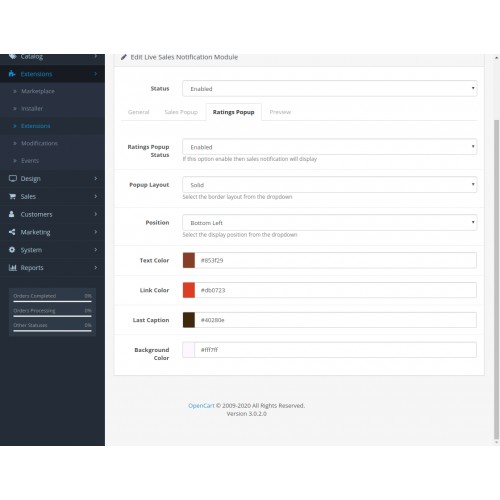
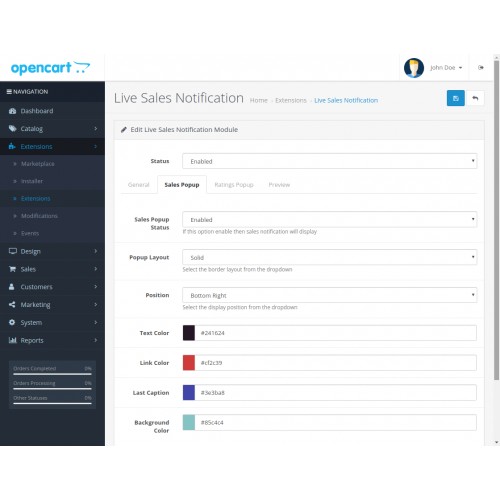
The admin can enable/ disable the pop-up notification as per the need. The settings include the layout of the notifications and the colors of the link, text, and background of the popup notifications.
The admin can hide the customer details to be displayed on the notification popup by disabling some specific fields.

Preview
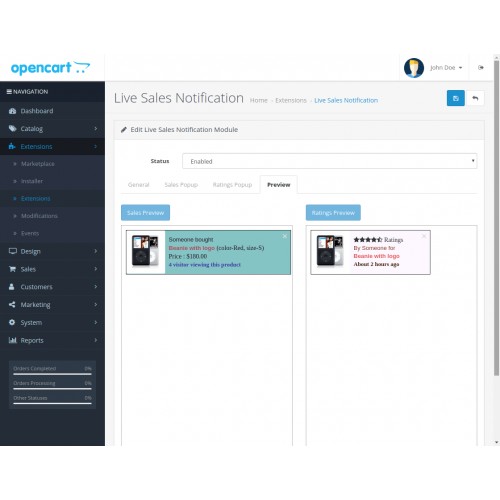
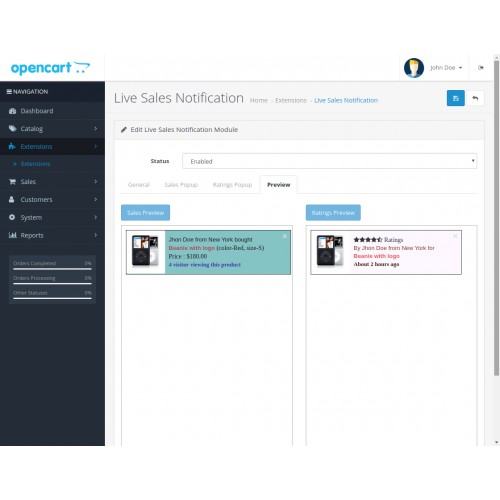
After configuring the module, the admin can check it by previewing it on a preview window. Under this window, the admin can view the sales and rating popup notifications separately with the exact layout of the notification.




Some Moments Of Appreciation


Support Policy
Note:
1. This module supports all templates and themes including the Journal theme.
2. Opencart Multicart Extension supports the Multi-Store feature of default Opencart.
Note: It is mandatory for the user to view the website in a single window and browser at a time. The notifications will not be visible if the user views the website on the same browser or window.
Use Case
The website front end is meant to bet the most attractive section on any website as this is what gives the customer a glimpse of the store. So, there must be some features available there like popup notifications which can enhance the storefront and its appearance. This can be thriving for the following enhancements:
1) Display Various Notifications: The customer will get to see notifications about the updates of the orders and the rating done by the customers in the same store. The notifications will be visible on all the pages of the website.
2)Increase sales revenue: Watching other customers buying some stuff from the store will encourage other customers to buy the same product even more.
3)Customer Re-engagement: Using the module will help in increasing the customer's involvement and engagement on the website.
Features
- The customer can see live order notifications of products.
- Customers can see live rating notifications.
- The admin can Enable/ Disable the module at once.
- The admin can Enable/ Disable the sales and rating popups separately.
- The customer will be able to go on the product whose notifications are being popped-up.
- The admin can hide the customer’s details.
- The admin can customize the appearance of notification popups like Popup Layout, Text Color, Position, Link Color, Last Caption, and background color.
- The customer will redirect to the respective product page by clicking on the notification.
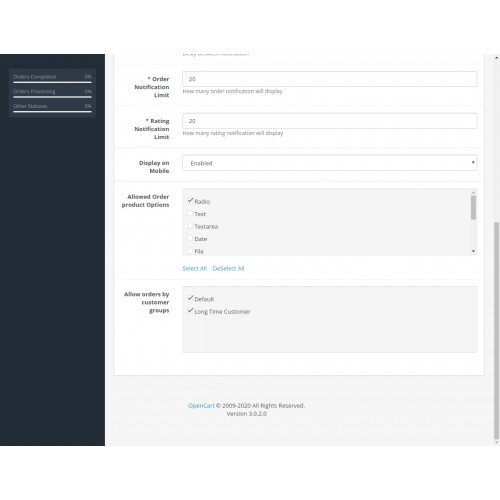
- The admin can manage the functionality of notifications which includes the Delay in notifications, display time, notification limits.
- The admin can even restrict the visibility of the notification when the website is viewed on the mobile phone.
Workflow
Front end View
Once the backend configurations are done, the notifications will be visible in the website front-end with the decided limit and appearance of the notification popups.
Module configurations
The admin will first have to manage the general settings of the module. Under this, the admin can enable or disable the module. Further, the delay and duration of the notification will also be managed by the admin.
Sales And Rating Popup Management
The admin can enable/ disable the pop-up notification as per the need. The settings include the layout of the notifications and the colors of the link, text, and background of the popup notifications.
The admin can hide the customer details to be displayed on the notification popup by disabling some specific fields.
Preview
After configuring the module, the admin can check it by previewing it on a preview window. Under this window, the admin can view the sales and rating popup notifications separately with the exact layout of the notification.
Some Moments Of Appreciation
Support Policy
Price
$79.00
- Developed by OpenCart Partner
- 3 Months Free Support
- Documentation Included
Rating
Compatibility
3.0.0.0, 3.0.1.0, 3.0.1.1, 3.0.1.2, 3.0.1.3, 3.0.2.0, 3.0.3.0, 3.0.3.1, 3.0.3.2, 3.0.3.3, 3.0.3.5, 3.0.3.6, 3.0.3.7, 3.0.3.8, 3.0.3.9, 3.0.4.0, 3.0.4.1
Last Update
27 Jun 2025
Created
12 Feb 2020
9 Sales
1 Comments

Login and write down your comment.
Login my OpenCart Account