Search for OpenCart


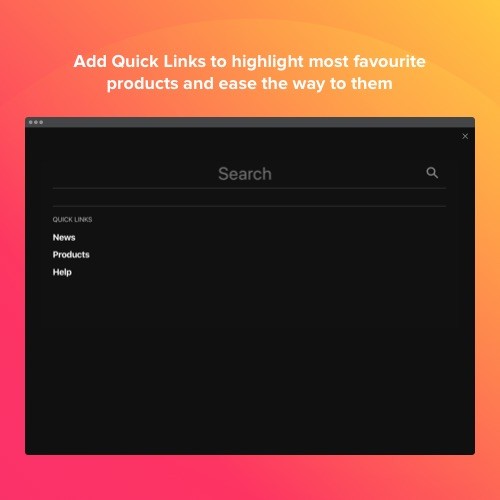
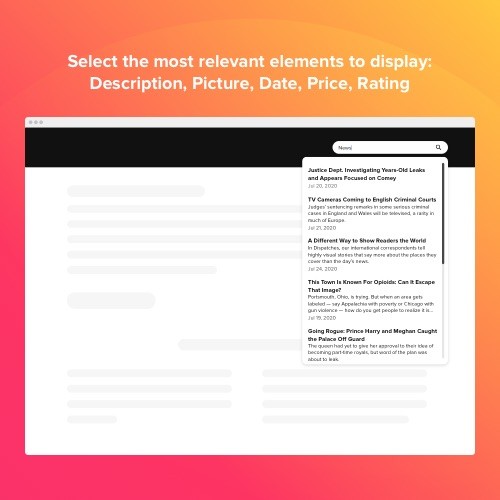
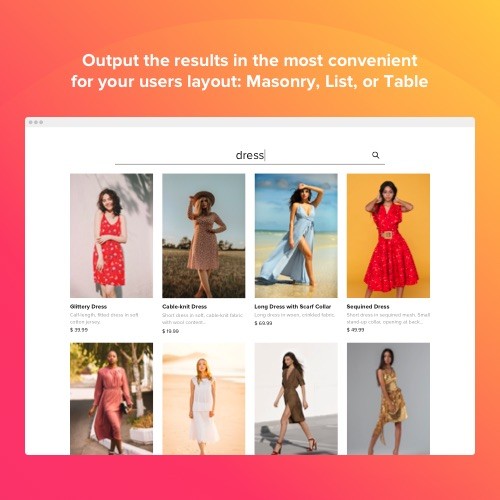

The Search is a flawless widget to make navigation around your web pages accessible and rapid. On the basis of Google API, it presents only proper results in a second. Search bar is a way for visitors to escape when they are puzzled in navigation around dozens of pages on a website. The widget comprehends the schema markup, so the text in results is displayed in an elegant, well-classified manner. It’s possible to display results in 3 available layouts and choose which of the five elements to demonstrate. Embed a Search widget to the site and make user experience more pleasant.
Benefits
Search built on the basis of Google API
Elfsight Search plugin will help you in immediately presenting items which properly match the intent of visitors’ search.
Well presented results
All the info demonstrated in the results section is well systematized in accordance with the schema.org markup and displayed in a handy way.
Improved navigation around your site
Allow your customers to find products seamlessly. They will rapidly and directly be directed to the needed page.
Features
Top quality and speed of search
Let users find exactly what they are looking for by placing Elfsight Search widget on the website. On the basis of Google application programming interface, it works exceptionally and demonstrates only the most appropriate results. Elfsight Search examines the organization of pages, providing visitors with full information about products. Boost your sales, make website navigation more understandable and faster with the help of Elfsight Search widget.
Persistent integration and beautiful design
What makes this widget special is its splendid and excellent design. Maintain the image and the sense of your brand by selecting color, height, width, and shape of the search field. Decide, whether you want this box to be floating, or to have fixed position. Put it anywhere you want, enter any word, show or hide the search icon, adjust the field easily by means of our editor.
Relevant results, organized representation
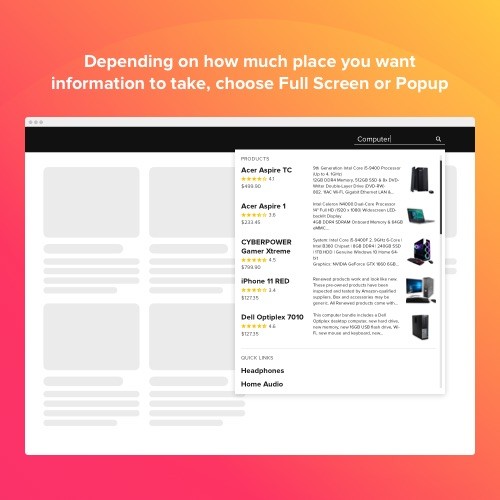
Provide customers with perfect match of what they are looking for. Customers will see only appropriate results, presented in the most accessible and organized way. Everything is comprehensible and easily found. Decide whether you wish to present results on a full monitor or in the form of drop-down list. Select elements to show, change the background and text color as you wish so the section with results will turn into an integral part of your site.
This Opencart Search extension is provided by Elfsight Apps
Elfsight Apps is a cloud-based service featuring apps to grow and expand your site functionality (for instance, Instagram Feed, YouTube Gallery, Social Icons and others).
This widget acts as a bridge between your site and Elfsight Apps Service, connecting them together. It gets the widget that you have built at Elfsight Apps and displays it straight on your website.
If you don’t have an Elfsight Apps account yet, you can register totally free, and it only takes you about one minute.
How to add Search to OpenCart website
Free installation service
Our Support Team will be glad to help with the embedding or implement the widget for you. We are waiting for your requests at apps@elfsight.com, and we’ll be delighted to help!
Haven’t tried our widget live yet? Start now on the Search page!
Support
In case you encounter any problems with Elfsight Search or have questions, feel free to address our clients support.
We are constantly here to assist!
Benefits
Search built on the basis of Google API
Elfsight Search plugin will help you in immediately presenting items which properly match the intent of visitors’ search.
Well presented results
All the info demonstrated in the results section is well systematized in accordance with the schema.org markup and displayed in a handy way.
Improved navigation around your site
Allow your customers to find products seamlessly. They will rapidly and directly be directed to the needed page.
Features
Top quality and speed of search
Let users find exactly what they are looking for by placing Elfsight Search widget on the website. On the basis of Google application programming interface, it works exceptionally and demonstrates only the most appropriate results. Elfsight Search examines the organization of pages, providing visitors with full information about products. Boost your sales, make website navigation more understandable and faster with the help of Elfsight Search widget.
Persistent integration and beautiful design
What makes this widget special is its splendid and excellent design. Maintain the image and the sense of your brand by selecting color, height, width, and shape of the search field. Decide, whether you want this box to be floating, or to have fixed position. Put it anywhere you want, enter any word, show or hide the search icon, adjust the field easily by means of our editor.
Relevant results, organized representation
Provide customers with perfect match of what they are looking for. Customers will see only appropriate results, presented in the most accessible and organized way. Everything is comprehensible and easily found. Decide whether you wish to present results on a full monitor or in the form of drop-down list. Select elements to show, change the background and text color as you wish so the section with results will turn into an integral part of your site.
This Opencart Search extension is provided by Elfsight Apps
Elfsight Apps is a cloud-based service featuring apps to grow and expand your site functionality (for instance, Instagram Feed, YouTube Gallery, Social Icons and others).
This widget acts as a bridge between your site and Elfsight Apps Service, connecting them together. It gets the widget that you have built at Elfsight Apps and displays it straight on your website.
If you don’t have an Elfsight Apps account yet, you can register totally free, and it only takes you about one minute.
How to add Search to OpenCart website
- Get the extension and install it to the website.
Find a desired version of the widget and download its file. Next, install it to your site via «Extension Installer» in the control panel.
- Shape your own extension.
Visit the «Extensions» section and apply sorting by module to open Search. Now you can enter selected data and customize the look. Get your installation code from the popup notification. Copy this code.
- Add the extension on the store.
Define the area you plan to integrate the plugin to and add the saved code there.
- You’re done! .
Open OpenCart website, to check your results!
Free installation service
Our Support Team will be glad to help with the embedding or implement the widget for you. We are waiting for your requests at apps@elfsight.com, and we’ll be delighted to help!
Haven’t tried our widget live yet? Start now on the Search page!
Support
In case you encounter any problems with Elfsight Search or have questions, feel free to address our clients support.
We are constantly here to assist!
Download
- Developed by OpenCart Community
- Documentation Included
Rating
Compatibility
2.0.0.0, 2.0.1.0, 2.0.1.1, 2.0.2.0, 2.0.3.1, 2.1.0.1, 2.1.0.2, 2.2.0.0, 2.3.0.2, 3.0.0.0, 3.0.1.0, 3.0.1.1, 3.0.1.2, 3.0.1.3, 3.0.2.0, 4.x.x.x, 3.0.3.0, 3.0.3.1, 3.0.3.2, 3.0.3.7, 3.0.3.8
Last Update
30 Jan 2023
Created
12 Feb 2020
540 Downloads
1 Comments

Login and write down your comment.
Login my OpenCart Account