Ajax Product Filter for OpenCart — SEO URLs

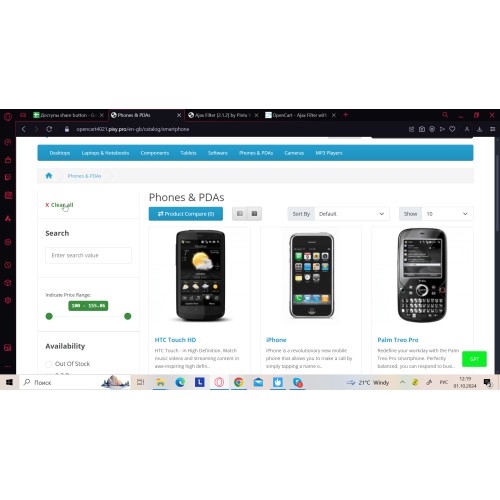
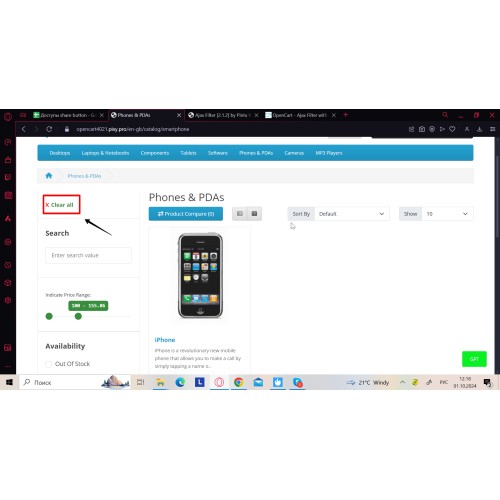
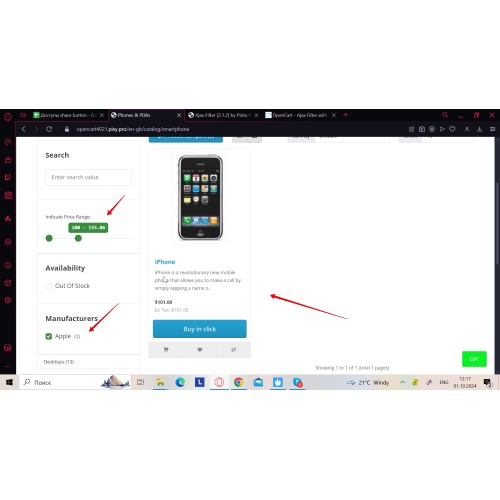
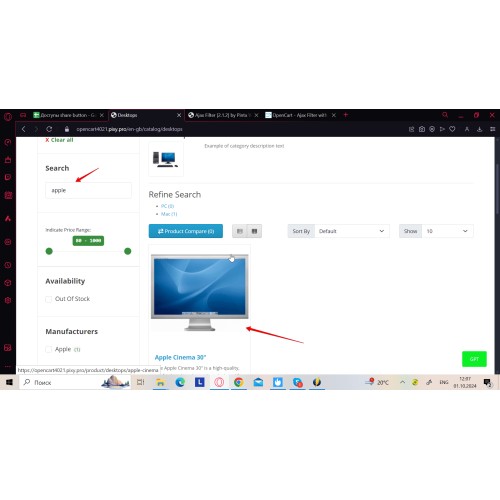
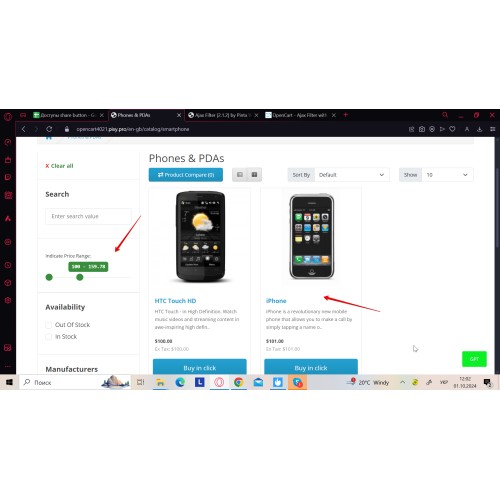
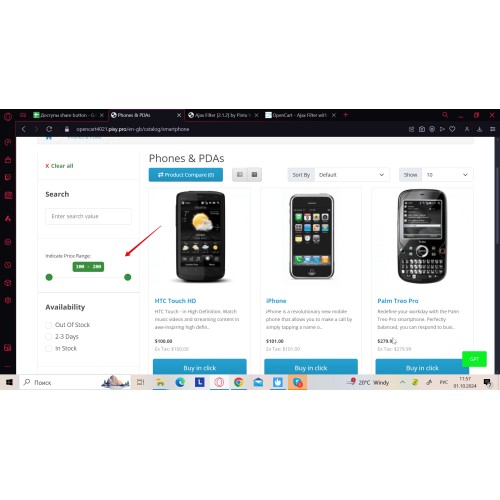




Ajax product filter for OpenCart — filter by price, attributes, options, brands (manufacturers), and categories with no page reload. Save SEO URLs for popular filter combinations and optimize each saved filter page with Meta Title, Meta Description, H1, and unique page text. Demo available via the DEMO button above.
For the seller:
Save filter URL history and focus on what users actually search for (request counts). For each saved filter page, edit SEO fields (Meta Title, Meta Description, H1, Page description) to target long-tail queries and improve organic visibility.
For the customers:
Instant results as filters change. Clear filters quickly, see relevant results faster, and use the built-in search field to narrow products without extra clicks.


- Ajax product filtering with no page reload
- Filter by price, attributes, options, brands (manufacturers), and categories
- Saved SEO URLs for popular filter combinations
- SEO controls for saved filter pages: Meta Title, Meta Description, and H1
- Add unique page text (Page description) for saved filter pages
- Flexible filter placement (location settings)
- Design settings: themes and custom colors
- Search field inside the filter

- Install the extension, then refresh Modifications and clear cache.
- Open module settings and enable the filter blocks you need (brands/manufacturers, attributes, options, categories, price, search field).
- Set placement (location) and design (theme / custom color).
- Enable saving filter URL history, let it collect real requests, then open the SEO section and edit SEO fields for selected saved filter pages (Meta Title, Meta Description, H1, Page description).
- Save changes and test on a category page.

## 2.0.6
- Adding Ukrainian, German, Spanish, French localizations
## 2.0.5
- OpenCart 4.x: improved event registration / compatibility
- Fixed product page output issues (OpenCart 4.x)
- Fixed image handling edge cases (OpenCart 4.x)
- Internal libraries updated for stability (OpenCart 4.x)
- Packaging fixes for release archives
FAQ
Q: Which OpenCart versions are supported?
A: OpenCart 1.5–4.x. If you use an early OpenCart 4.x build and anything doesn’t work, contact support for setup/adaptation.
Q: Does it work with custom themes (Journal 3 / eMarket / etc.)?
A: Yes, but some themes may require minor adaptation. We can help after purchase.
Q: Does it work with OpenCart Filters / Filter Groups?
A: Please contact us to confirm compatibility for your specific setup.
Q: How do saved SEO URLs work?
A: Enable saving filter URL history, let it collect real filter combinations, then edit SEO fields for selected saved filter pages.
Q: What SEO fields can I edit for saved filter pages?
A: Meta Title, Meta Description, H1, and Page description (unique text).
Q: SEO URLs not working — what to check?
A: Enable SEO URLs in OpenCart (Use SEO URLs), make sure .htaccess / mod_rewrite is active, then refresh Modifications and clear cache.
Q: What if another extension conflicts?
A: Use the GET SUPPORT button on this page and include your order ID, OpenCart version, theme name, affected URLs, and the conflicting extension name.
Q: Where is the demo?
A: Use the DEMO button above (login/password are shown on the page).
What customers say about Ajax Product Filter for OpenCart — SEO URLs

Perfect filter and very good support.
~David1977
~David1977
Price
$24.00
- Developed by OpenCart Community
- 6 Months Free Support
- Documentation Included
Rating
Compatibility
4.x.x.x, 4.0.0.0, 4.0.1.0, 4.0.1.1, 4.0.2.0, 4.0.2.1, 4.0.2.2, 4.0.2.3, 3.0.0.0, 3.0.1.0, 3.0.1.1, 3.0.1.2, 3.0.1.3, 3.0.2.0, 3.0.3.0, 3.0.3.1, 3.0.3.2, 3.0.3.3, 3.0.3.5, 3.0.3.6, 3.0.3.7, 3.0.3.8, 3.x.x.x, 3.0.3.9, 3.0.4.0, 2.3.0.0, 2.3.0.1, 2.3.0.2, 2.0.0.0, 2.0.1.0, 2.0.1.1, 2.0.2.0, 2.0.3.1, 2.1.0.1, 2.1.0.2, 2.2.0.0, 1.5.0, 1.5.0.1, 1.5.0.2, 1.5.0.3, 1.5.0.4, 1.5.0.5, 1.5.1, 1.5.1.1, 1.5.1.2, 1.5.1.3, 1.5.2, 1.5.2.1, 1.5.3, 1.5.3.1, 1.5.4, 1.5.4.1, 1.5.5, 1.5.5.1, 1.5.6, 1.5.6.1, 1.5.6.2, 1.5.6.3, 1.5.6.4
Last Update
2 Jun 2026
Created
11 Mar 2020
34 Sales
9 Comments

Login and write down your comment.
Login my OpenCart Account