CarFilterPlus - car filter

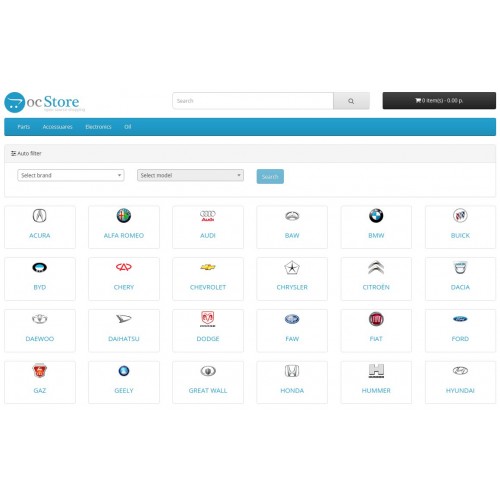
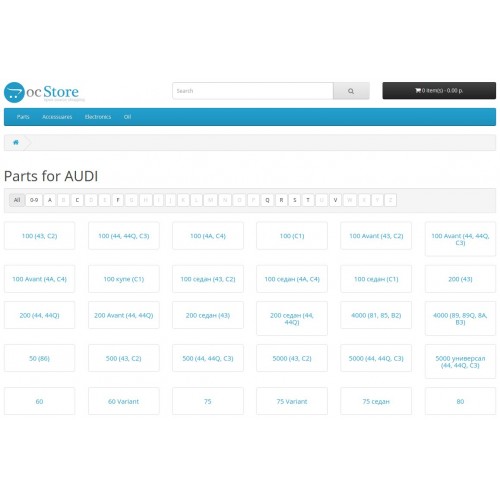
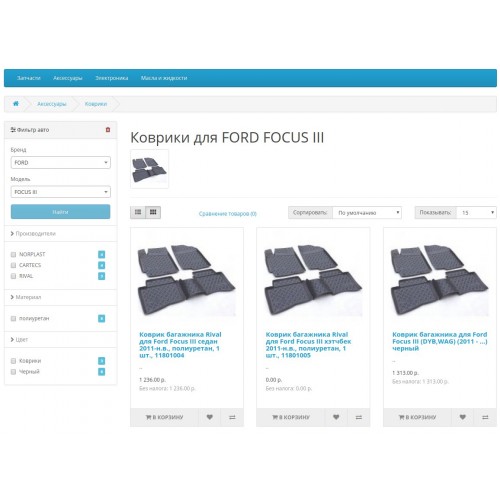
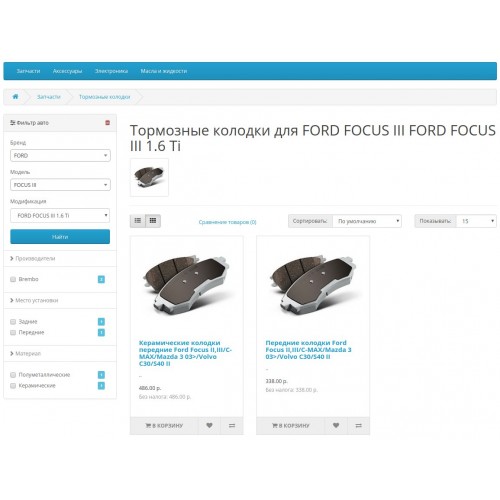
The module allows users to find products linked to their cars, and also allows you to filter products by manufacturers and attributes.
Features
- The filter can work in two modes:
1) Brand-> Model - for working with accessories (rugs, car radio)
2) Brand-> Model-> Modification - for products that depend on engine volume
You can also add universal product.
- It is possible to save the user's choice
- The module supports filtering by manufacturers and attributes (place of installation, material, polarity, etc.). It can work as a standard filter if products in category are not linked to cars (oils, technical fluids).
- Import Export. You can load / export car catalog from CSV and their applicability to products.
- The filter can be installed on all pages.
- Support two types of design: horizontal, vertical. The module is displayed on mobile devices.
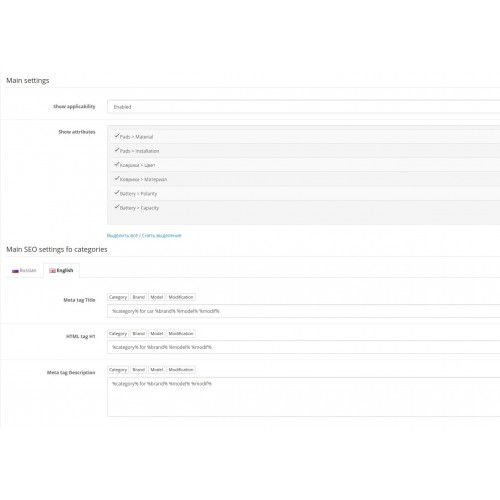
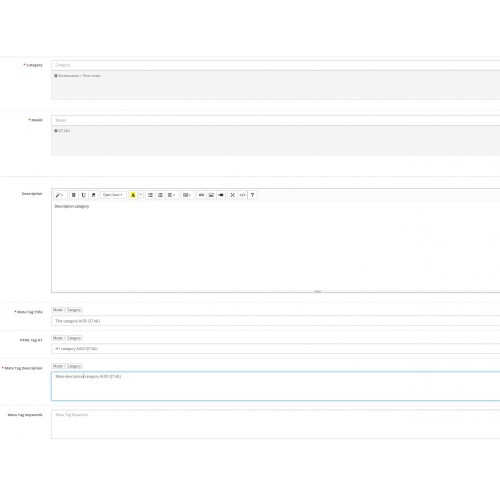
- The module allows to create landing pages, example "Ford Focus floor mats" type: SEO links, meta tags, category description.
- It contains an additional module "List of auto brands" - displays a tile with all auto brands from the catalog, then models, then all categories and products of the model.
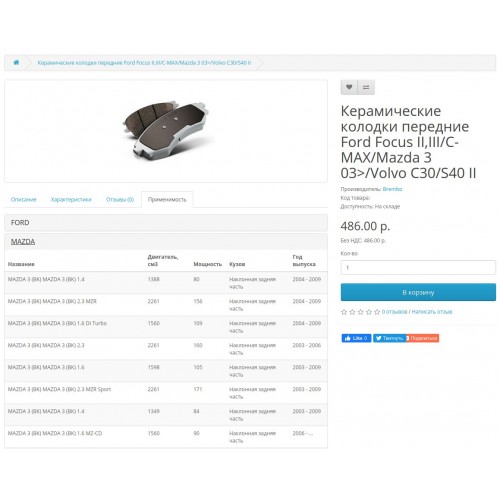
- The product card contains the cars applicability.
Demo
Filtering by two fields: http://demo.bpads.ru/accessuare/kovriki/model-audi-a6-4a-c4/
Filtering by three fields (width modifications): http://demo.bpads.ru/zapchasti/brake-pads/?auto_filter=19988
Installation
1. Modules / Extensions -> Installing Extensions
2. Update modifications cache
3. Activate and enable the filter in the list of modules
4. System/Users/User Group - check all access and modify permissions
5. Add a filter to the design layouts
6. Create a car base
7. Link products to models.
Settings
Disable indexing unnecessary pages. Add to robots.txt
FAQ
1. How to link products to cars?
- Manually :)
- With TecDoc.
- From suppliers price.
- Parsing vendor web-sites.
2. Filter is not displayed or models are not displayed
You need to make sure that products are linked to categories and to cars
3. Is the module compatible with other filters?
No
4. Need adaptation to template?
Yes.
Features
- The filter can work in two modes:
1) Brand-> Model - for working with accessories (rugs, car radio)
2) Brand-> Model-> Modification - for products that depend on engine volume
You can also add universal product.
- It is possible to save the user's choice
- The module supports filtering by manufacturers and attributes (place of installation, material, polarity, etc.). It can work as a standard filter if products in category are not linked to cars (oils, technical fluids).
- Import Export. You can load / export car catalog from CSV and their applicability to products.
- The filter can be installed on all pages.
- Support two types of design: horizontal, vertical. The module is displayed on mobile devices.
- The module allows to create landing pages, example "Ford Focus floor mats" type: SEO links, meta tags, category description.
- It contains an additional module "List of auto brands" - displays a tile with all auto brands from the catalog, then models, then all categories and products of the model.
- The product card contains the cars applicability.
Demo
Filtering by two fields: http://demo.bpads.ru/accessuare/kovriki/model-audi-a6-4a-c4/
Filtering by three fields (width modifications): http://demo.bpads.ru/zapchasti/brake-pads/?auto_filter=19988
Installation
1. Modules / Extensions -> Installing Extensions
2. Update modifications cache
3. Activate and enable the filter in the list of modules
4. System/Users/User Group - check all access and modify permissions
5. Add a filter to the design layouts
6. Create a car base
7. Link products to models.
Settings
Disable indexing unnecessary pages. Add to robots.txt
Disallow: / *? Auto_filter =

Disallow: / * & auto_filter =

Disallow: / *? Manufacturer =

Disallow: / * & manufacturer =

Disallow: / *? Attribute =

Disallow: / * & attribute =
FAQ
1. How to link products to cars?
- Manually :)
- With TecDoc.
- From suppliers price.
- Parsing vendor web-sites.
2. Filter is not displayed or models are not displayed
You need to make sure that products are linked to categories and to cars
3. Is the module compatible with other filters?
No
4. Need adaptation to template?
Yes.
Price
$30.00
- Developed by OpenCart Community
- 12 Months Free Support
- Documentation Included
Rating
Compatibility
3.0.0.0, 3.0.1.0, 3.0.1.1, 3.0.1.2, 3.0.1.3, 3.0.2.0, 3.0.3.0, 3.0.3.1, 3.0.3.2, 3.0.3.3, 3.0.3.5, 3.0.3.6, 3.0.3.7, 3.0.3.8, 2.3.0.0, 2.3.0.1, 2.3.0.2, 2.3.0.0, 2.3.0.1, 2.3.0.2
Last Update
24 Mar 2022
Created
3 Apr 2020
15 Sales
10 Comments

Login and write down your comment.
Login my OpenCart Account