Advanced File Manager – With Media Tools



Advanced File Manager for OpenCart – Easy Way to Manage Your Images
Still using default OpenCart file manager?
Too slow. Upload one by one. No drag & drop. Hard to manage folders.
Advanced File Manager for OpenCart makes it simple — bulk upload, better organization, auto compression.
Manage images faster. Save your time.
Default OpenCart image manager works, but when you have many products, it becomes not practical.
This extension improves the system and makes it more comfortable and efficient to use.
No need to modify OpenCart core.
Just install and use.
◈ TRY DEMO NOW

Admin Demo Access:
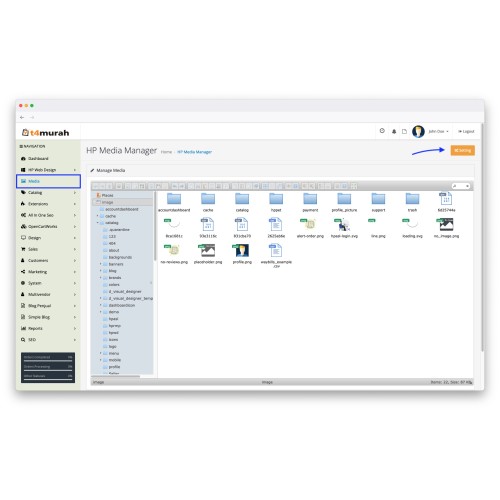
MEDIA MANAGER
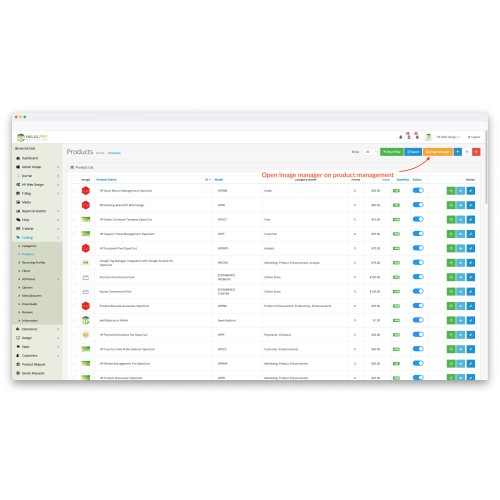
PRODUCT FORM
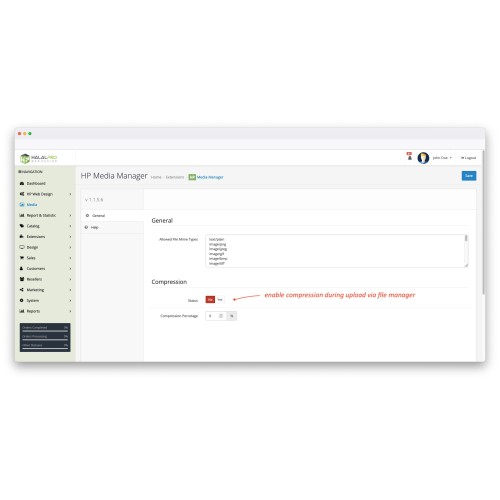
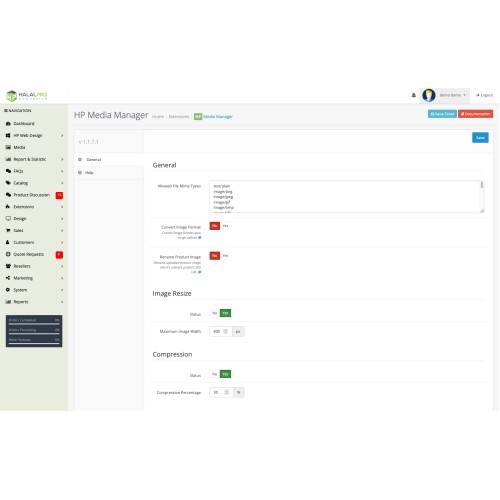
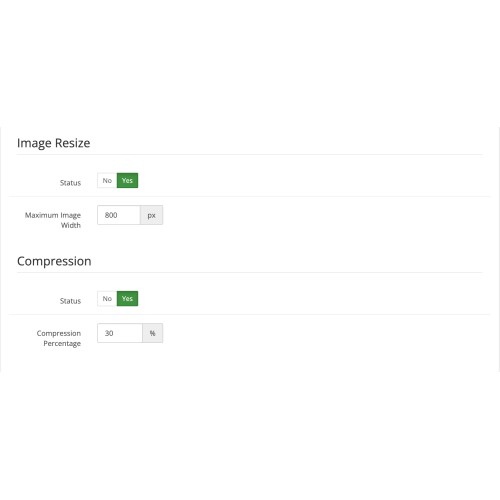
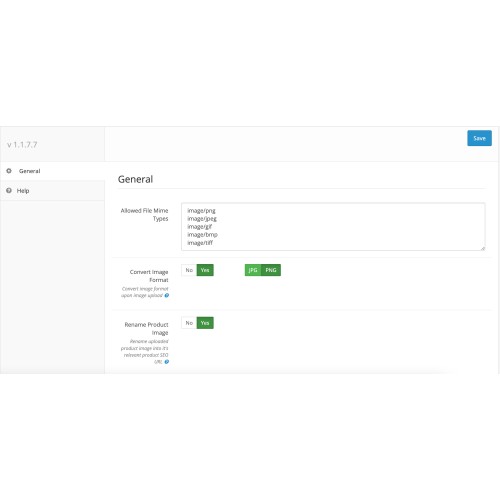
EXTENSION SETTING
◈ MAIN FEATURES
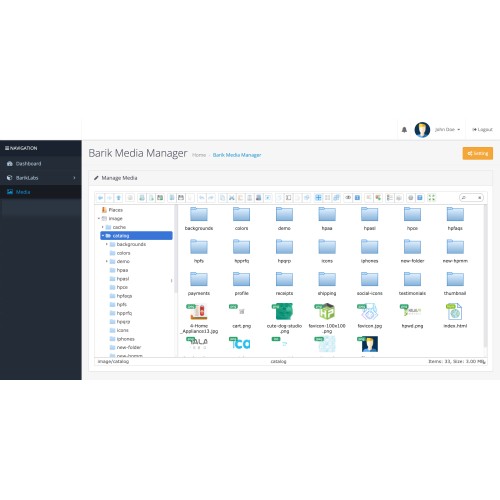
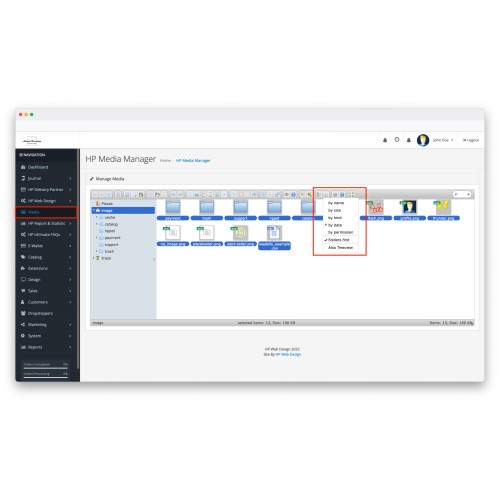
-- Separate Media Manager page with clean layout
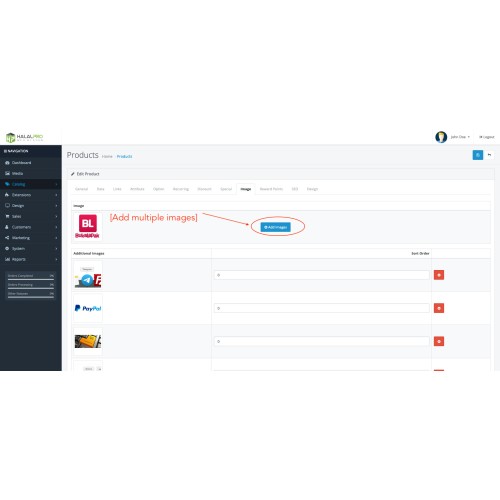
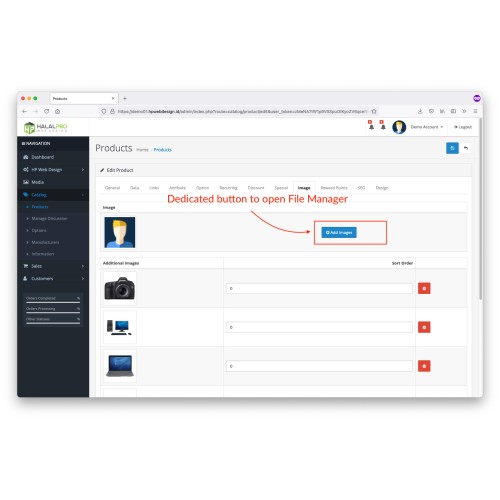
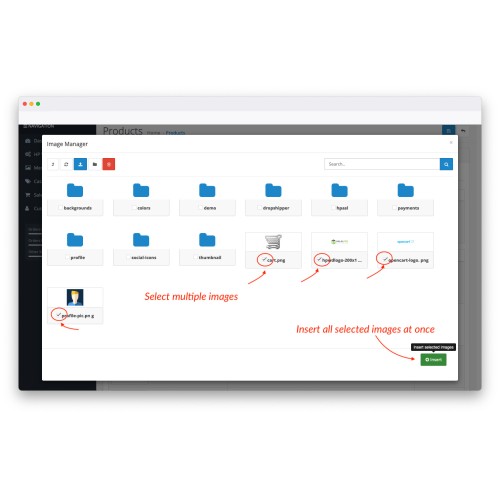
-- Upload multiple images inside product form
-- Remember last opened folder
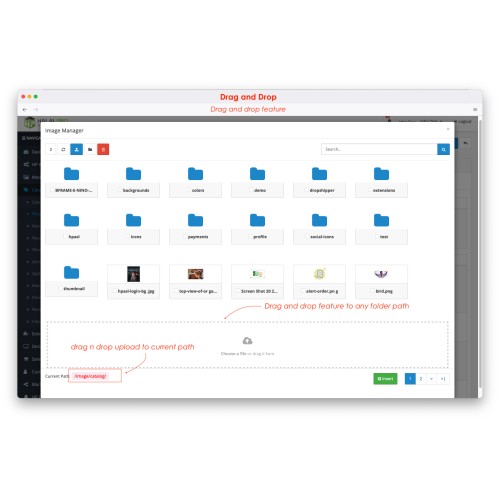
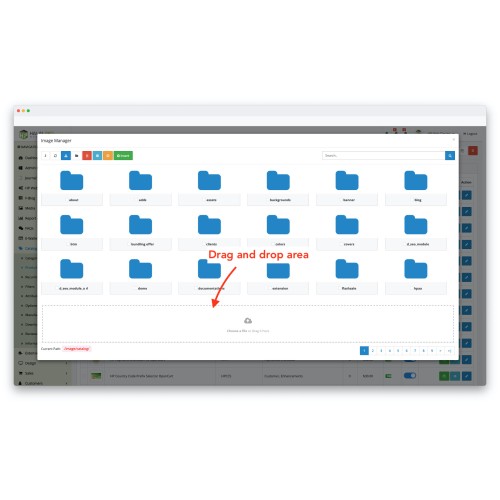
-- Drag and drop upload
-- Built-in image compression and resize
-- Convert PNG to JPG or JPG to PNG
-- SEO-friendly image rename
-- Fully integrated with OpenCart

◈ MEDIA MANAGER PAGE
1. Advanced Media Manager
You can manage folders, preview images, search files, and organize everything in one place.

Functions included:
-- List and thumbnail view
-- Trash system (restore deleted files)
-- Rename file and folder
-- Drag and drop upload
-- Image preview
-- Search image quickly
2. Improve Default OpenCart Image Manager
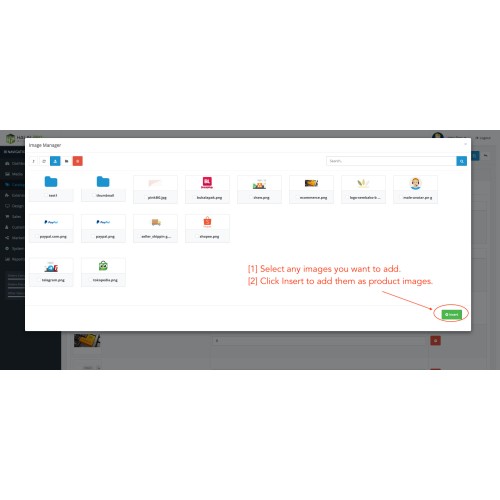
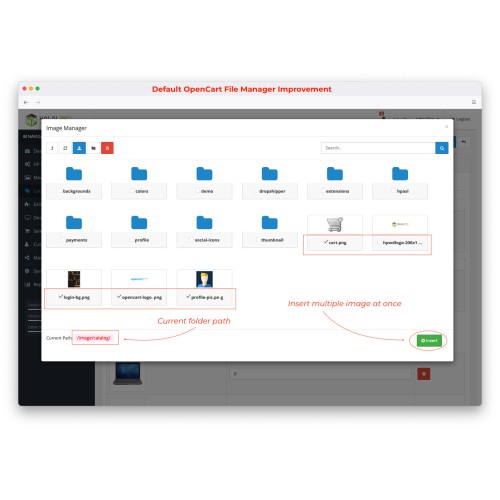
-- Insert multiple images at once
-- Auto remember last folder
-- Better user interface


3. Drag and Drop Support
You can drag images directly into file manager.
It makes upload faster and easier.

◈ TECHNICAL SUPPORT
-- Free Installation
-- 12 Months Technical Support

◈ FREE OPENCART CONSULTING
Email: support@bariklabs.com
Telegram: t.me/bariklabs


OpenCart Extension Development | OpenCart Ecommerce Development
DOWNLOAD ANOTHER OPENCART EXTENSION (FREE)
https://bariklabs.com
EXPLORE OUR PREMIUM EXTENSIONS

Still using default OpenCart file manager?
Too slow. Upload one by one. No drag & drop. Hard to manage folders.
Advanced File Manager for OpenCart makes it simple — bulk upload, better organization, auto compression.
Manage images faster. Save your time.
Default OpenCart image manager works, but when you have many products, it becomes not practical.
This extension improves the system and makes it more comfortable and efficient to use.
No need to modify OpenCart core.
Just install and use.
◈ TRY DEMO NOW
Admin Demo Access:
MEDIA MANAGER
PRODUCT FORM
EXTENSION SETTING
◈ MAIN FEATURES
-- Separate Media Manager page with clean layout
-- Upload multiple images inside product form
-- Remember last opened folder
-- Drag and drop upload
-- Built-in image compression and resize
-- Convert PNG to JPG or JPG to PNG
-- SEO-friendly image rename
-- Fully integrated with OpenCart
◈ MEDIA MANAGER PAGE
1. Advanced Media Manager
You can manage folders, preview images, search files, and organize everything in one place.
Functions included:
-- List and thumbnail view
-- Trash system (restore deleted files)
-- Rename file and folder
-- Drag and drop upload
-- Image preview
-- Search image quickly
2. Improve Default OpenCart Image Manager
-- Insert multiple images at once
-- Auto remember last folder
-- Better user interface
3. Drag and Drop Support
You can drag images directly into file manager.
It makes upload faster and easier.
◈ TECHNICAL SUPPORT
-- Free Installation
-- 12 Months Technical Support
◈ FREE OPENCART CONSULTING
Email: support@bariklabs.com
Telegram: t.me/bariklabs
OpenCart Extension Development | OpenCart Ecommerce Development
DOWNLOAD ANOTHER OPENCART EXTENSION (FREE)
https://bariklabs.com
EXPLORE OUR PREMIUM EXTENSIONS
What customers say about Advanced File Manager – With Media Tools

The designer(s) are happy to update the extension with ideas they agree are useful. I appreciate that.
~jrr
~jrr
Amazing support on Sunday!
~anna_a
~anna_a
Price
$20.00
- Developed by OpenCart Partner
- 12 Months Free Support
- Documentation Included
Rating
Compatibility
3.0.0.0, 3.0.1.0, 3.0.1.1, 3.0.1.2, 3.0.1.3, 3.0.2.0, 3.0.3.0, 3.0.3.1, 3.0.3.2, 3.0.3.3, 3.0.3.5, 3.0.3.6, 3.0.3.7, 3.0.3.8, 3.x.x.x, 3.0.3.9, 3.0.4.0, 3.0.4.1, 3.0.5.0, 2.1.0.1, 2.1.0.2, 2.1.0.1, 2.1.0.2, 3.0.0.0, 3.0.1.0, 3.0.1.1, 3.0.1.2, 3.0.1.3, 3.0.2.0, 4.x.x.x, 3.0.3.0, 3.0.3.1, 3.0.3.2, 3.0.3.3, 3.0.3.5, 3.0.3.6, 3.0.3.7, 3.0.3.8, 3.x.x.x, 3.0.3.9, 3.0.4.0, 3.0.4.1, 3.0.5.0
Last Update
27 Feb 2026
Created
24 Jun 2020
72 Sales
20 Comments

Login and write down your comment.
Login my OpenCart Account