Mega Calculator for Opencart 2.x 3.x calc options, counts, total

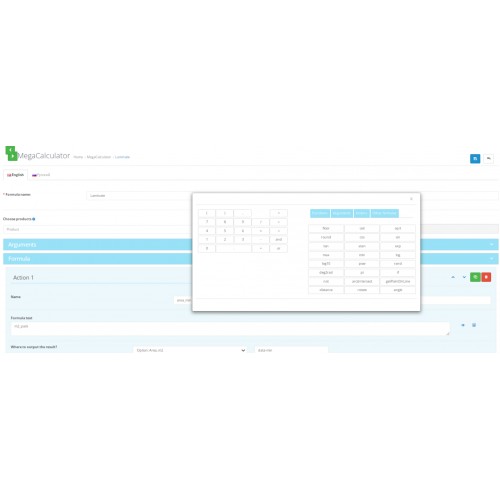
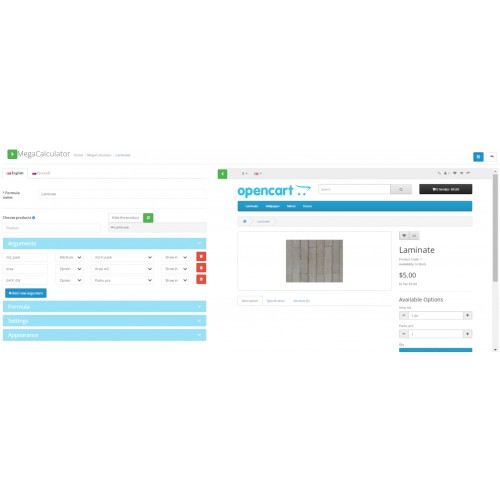
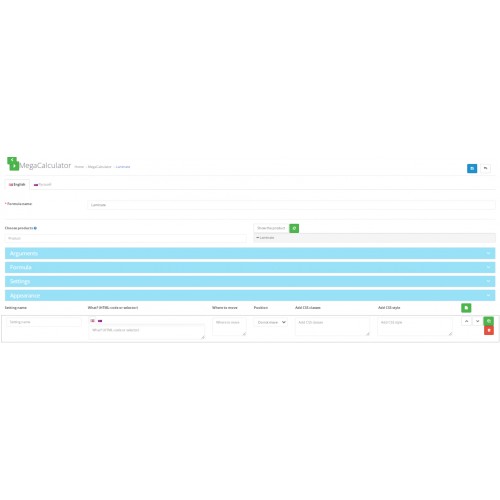
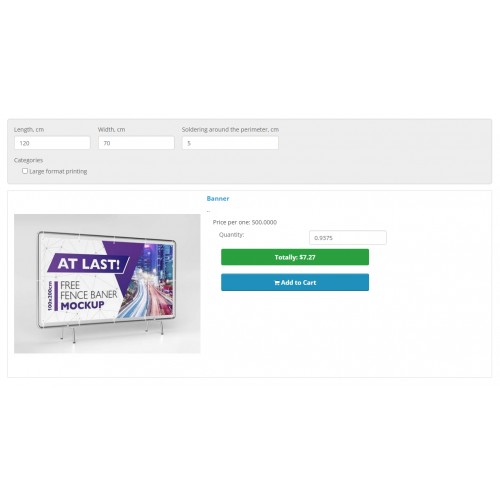

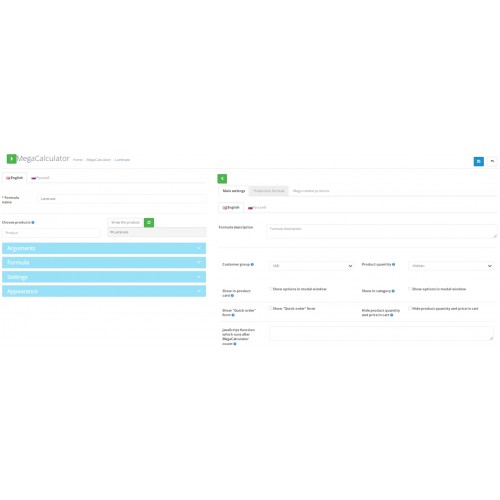
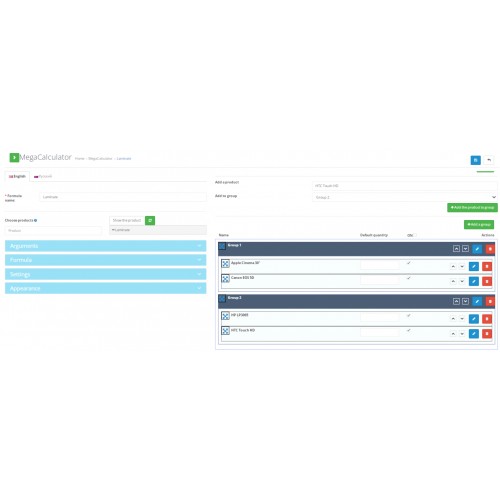
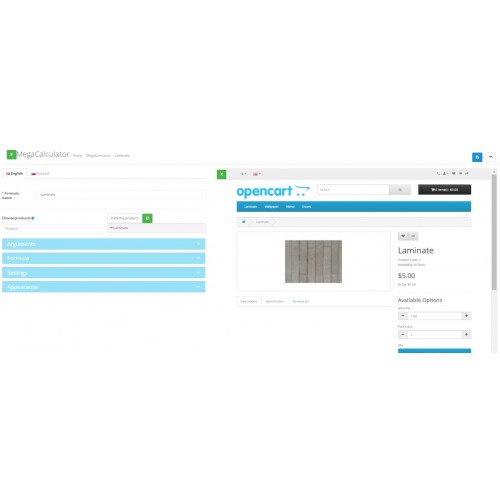
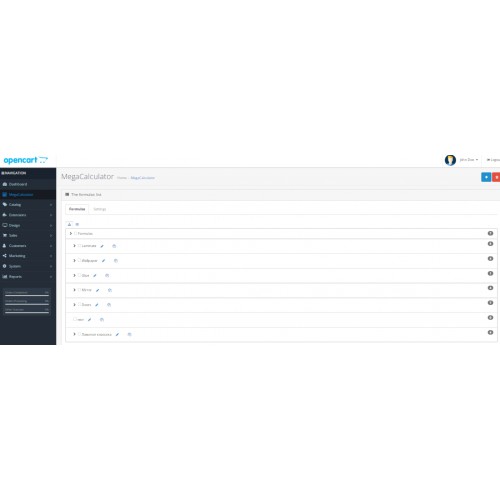
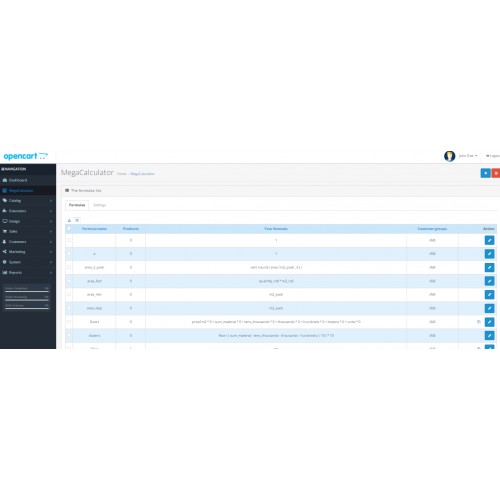
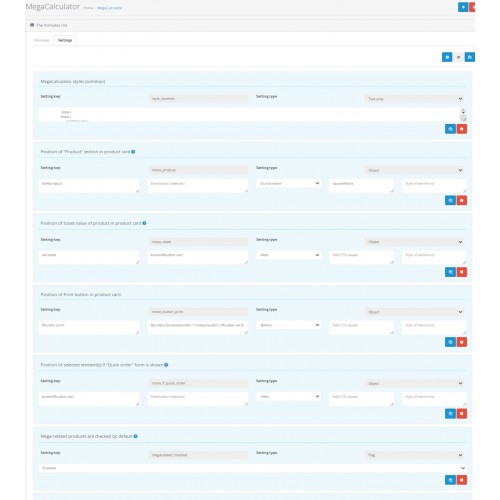
MegaCalculator for Opencart - is a unique solution, which turns your online store into perfect sale instrument, which allows a customer to calculate a product, necessary quantity of a good or service, output other counted parameters of a product / service, and also has a lot of other capabilities.
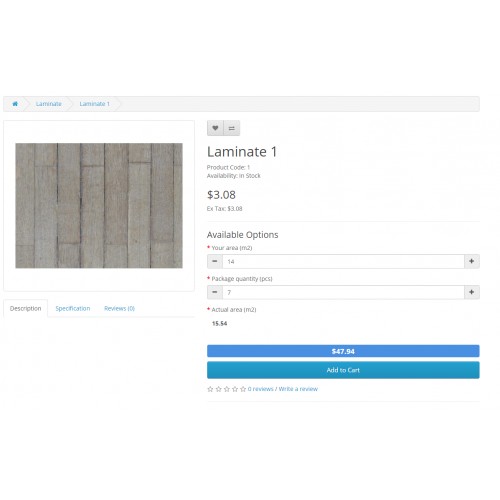
DEMO - Laminate
Calculator in the product card
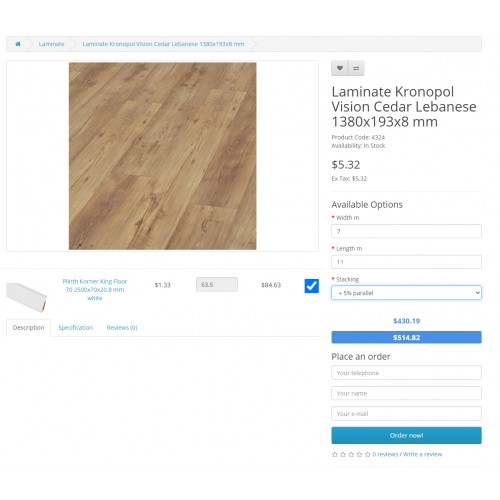
DEMO - Large format print
Calculator in the product card
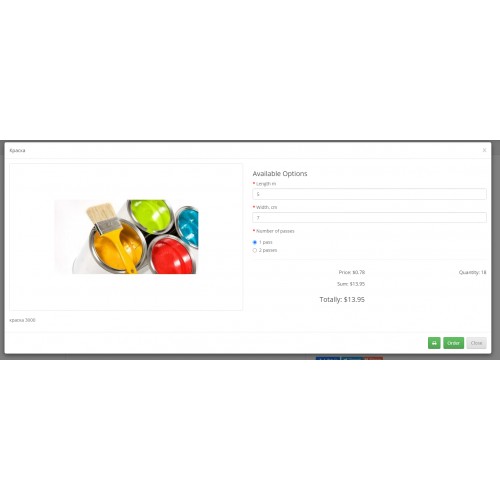
DEMO - Paint
Calculator in the product card
Admin: demo/demo
MegaCalculator solves such problems:
Version 4.3.3
Version 4.2:
Version 4.0:
The capabilities of MegaCalculator are vast. We tried to design the convenient instrument for creating various calculation schemes.
Full description here
Installation:
Some cases and examples:
Typography
https://xn--80akoss.xn--j1amh/t%D1%96shyu-pap%D1%96rosnij-pap%D1%96r/vodost%D1%96jkij-t%D1%96shyu-pap%D1%96r-b%D1%96lij-50kh70sm
https://ed-shop.md/Format_mare/Mes
https://postersprint.ru/112-4833-14-iq
https://packbox.com.ua/tsena-korobki-chetyrekhklapannoy-3-sl-gofrokarton/
https://tvorchi.art/Pechat-foto-na-sinteticheskom--olste-25-25-sm
Flooring, insulation
https://polygon-stroy.ru/index.php?route=product/product&product_id=9876
https://stk.lviv.ua/index.php?route=product/product&path=65_20_72&product_id=304
https://praktyk.com.ua/oak-hetmansky.html
https://insulationgo.co.uk/novia-vc2t-reinforced-synthetic-laminate-75m2-classe-flame-resistant-ideal-for-temporary-protection/
https://полы-россии.рф/index.php?route=product/product&path=60_79_207&product_id=569
https://3gnom.com/kafelnaja-plitka/plitka-laparet/kollekcija-monti/keramogranit-monti-grafitovyj-402h402-16210-sht-cb000004927
https://izomaxx.ru/gotovie-reshenija-sten/beskarkasnaja-zvukoizoljacija-steni-standart-plus.html
https://regstroy.com/stroitelnye-materialy-cat/teploizolyaciya/bazaltovaya-izolyaciya/uteplitel-isobox/izoboks-ekstralayt-31-kgm3-120060050h8-0288-m3up-1.html
Tabletop
https://newstone.com.ua/BA-205ROYALEBLANC_pryamaya
Conditioning
https://atmk.ru/raschet-osushitelej-vozduha
Doors
https://xn---48-eddjhv7d.xn--p1ai/mezhkomnatnie-dveri/finish-fleks/kollektsiya-gost/gost-0-l-12-milanoreh-092-0499/
Wallpaper
http://indoorstyle.ru/index.php?route=product/product&path=14_21&product_id=486
http://indoorstyle.ru/index.php?route=product/product&path=1_135&product_id=5032
http://indoorstyle.ru/index.php?route=product/product&path=15_132&product_id=3569
Paint
https://regstroy.com/lakokrasochnaya-produkciya/kraska-vodoemulsionnaya/
Repair
https://remontlyx.ru/usluga/kalkulyator-remonta-kvartir
Manual (English)
Manual (Russian)
DEMO - Laminate
Calculator in the product card
DEMO - Large format print
Calculator in the product card
DEMO - Paint
Calculator in the product card
Admin: demo/demo
MegaCalculator solves such problems:
- Product quantity calculation according to parameters entered by a customer, and also calculation and output of additional information.
- Setting up the output and calculation of related products’ quantity.
- An option for a client to order your product straight from a product card, without going to a cart / checkout page.
- Set up the appearance of a product card for certain products / categories.
- Possibility to calculate on a category page for a certain product as well as for all products which have a certain formula.
- Product quantity / option calculation when creating an order in the admin panel.
- The mechanism of copying options from one product to selected products / products of selected categories.
Version 4.3.3
- 1. Possibility of sending a preliminary calculation by e-mail.
2. Ability to select the type of display of groups of mega-related products - as a list or tabs.
3. Checking formulas for errors and correctness of entered data (for the number of open and closed brackets).
4. Scroll up button when editing a formula.
5. Number settings for the Text type option. The Number option type is only available if the site already has options with the Number type (for new users there is only the Text option).
6. The quantity of goods is whole by default. Changes to fractional if the corresponding MegaCalculator setting is selected.
7. Formula button in the list of products in the admin panel. If the product is already in the formula, editing the corresponding formula opens. If not, create a new formula with this product added as a source and to the formula products.
8. Bug fixes.
Version 4.2:
- In most cases there is no need to adapt MegaCalculator to an Opencart theme in the product card.
- Capability to add mega-related products in the formula editor, to group them by chapters, to show chapter sub-totals.
- Added the option to show shipping methods in Quick order.
- The setting to remove some options from the cart / order information.
- You can now copy a formula with all its settings.
- Possibility to output an action result to Checkbox, Radio or Select options.
Version 4.0:
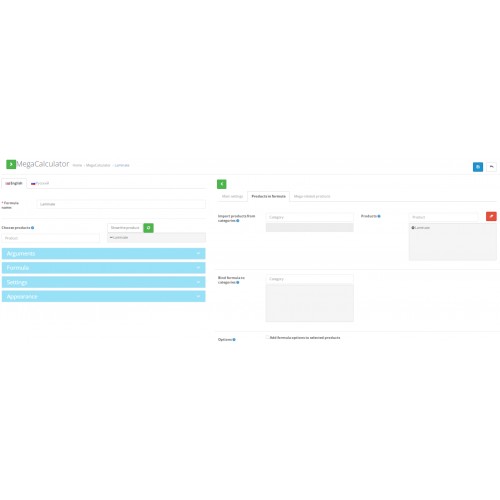
- New convenient edit formula page with product card overview.
- Add interim formulas at once in one place.
- Now you can add most of math functions to a formula, and also logic ones (if, or, not)
- New feature - output a formula result into a selector, choose a selector by clicking an element in the product overview window.
- More convenient MegaCalculator settings interface, also you can customize the appearance of a product card for a certain formula.
- Now you can add a formula to a category - no need to add new products to a formula upon their creation.
- More flexible Number option settings (how to round, change by clicking +-).
- Possibility to calculate options and quantity by calculator by adding an order in the admin panel.
- More adaptive to different Opencart modules and themes.
The capabilities of MegaCalculator are vast. We tried to design the convenient instrument for creating various calculation schemes.
Full description here
Installation:
- Make a backup copy of the database and site.
- Download an archive for the relevant Opencart version.
- Without unzipping the archive, upload on site by “Extension Installer” (“Extensions” ⇒ “Installer”).
- Refresh the Modifications
- Activate the module in Modules section
- In System ⇒ Users ⇒ User Groups set rights for access / modify for necessary user groups - put checkboxes opposite catalog/optionformula
Some cases and examples:
Typography
https://xn--80akoss.xn--j1amh/t%D1%96shyu-pap%D1%96rosnij-pap%D1%96r/vodost%D1%96jkij-t%D1%96shyu-pap%D1%96r-b%D1%96lij-50kh70sm
https://ed-shop.md/Format_mare/Mes
https://postersprint.ru/112-4833-14-iq
https://packbox.com.ua/tsena-korobki-chetyrekhklapannoy-3-sl-gofrokarton/
https://tvorchi.art/Pechat-foto-na-sinteticheskom--olste-25-25-sm
Flooring, insulation
https://polygon-stroy.ru/index.php?route=product/product&product_id=9876
https://stk.lviv.ua/index.php?route=product/product&path=65_20_72&product_id=304
https://praktyk.com.ua/oak-hetmansky.html
https://insulationgo.co.uk/novia-vc2t-reinforced-synthetic-laminate-75m2-classe-flame-resistant-ideal-for-temporary-protection/
https://полы-россии.рф/index.php?route=product/product&path=60_79_207&product_id=569
https://3gnom.com/kafelnaja-plitka/plitka-laparet/kollekcija-monti/keramogranit-monti-grafitovyj-402h402-16210-sht-cb000004927
https://izomaxx.ru/gotovie-reshenija-sten/beskarkasnaja-zvukoizoljacija-steni-standart-plus.html
https://regstroy.com/stroitelnye-materialy-cat/teploizolyaciya/bazaltovaya-izolyaciya/uteplitel-isobox/izoboks-ekstralayt-31-kgm3-120060050h8-0288-m3up-1.html
Tabletop
https://newstone.com.ua/BA-205ROYALEBLANC_pryamaya
Conditioning
https://atmk.ru/raschet-osushitelej-vozduha
Doors
https://xn---48-eddjhv7d.xn--p1ai/mezhkomnatnie-dveri/finish-fleks/kollektsiya-gost/gost-0-l-12-milanoreh-092-0499/
Wallpaper
http://indoorstyle.ru/index.php?route=product/product&path=14_21&product_id=486
http://indoorstyle.ru/index.php?route=product/product&path=1_135&product_id=5032
http://indoorstyle.ru/index.php?route=product/product&path=15_132&product_id=3569
Paint
https://regstroy.com/lakokrasochnaya-produkciya/kraska-vodoemulsionnaya/
Repair
https://remontlyx.ru/usluga/kalkulyator-remonta-kvartir
Manual (English)
Manual (Russian)
Price
$69.00
- Developed by OpenCart Community
- Documentation Included
Rating
Compatibility
2.3.0.0, 2.3.0.1, 2.3.0.2, 3.0.0.0, 3.0.1.0, 3.0.1.1, 3.0.1.2, 3.0.1.3, 3.0.2.0, 3.0.3.0, 3.0.3.1, 3.0.3.2, 3.0.3.3, 3.0.3.5, 3.0.3.6, 3.0.3.7, 3.0.3.8, 3.x.x.x, 3.0.3.9, 2.3.0.0, 2.3.0.1, 2.3.0.2, 3.0.0.0, 3.0.1.0, 3.0.1.1, 3.0.1.2, 3.0.1.3, 3.0.2.0, 3.0.3.0, 3.0.3.1, 3.0.3.2, 3.0.3.3, 3.0.3.5, 3.0.3.6, 3.0.3.7, 3.x.x.x, 2.3.0.0, 2.3.0.1, 2.3.0.2, 3.0.0.0, 3.0.1.0, 3.0.1.1, 3.0.1.2, 3.0.1.3, 3.0.2.0, 3.0.3.0, 3.0.3.1, 3.0.3.2, 3.0.3.3, 3.0.3.5, 3.0.3.6, 3.0.3.7, 3.0.3.8, 3.x.x.x, 3.0.3.9
Last Update
4 Mar 2025
Created
2 Jul 2020
16 Sales
7 Comments

Login and write down your comment.
Login my OpenCart Account