Buy Now button for lead to checkout

Increase your Sale! with an User Friendly Interface...
Add a Buy now button in featured and also in Product page.
Removes compare button.
Easy Shopping.
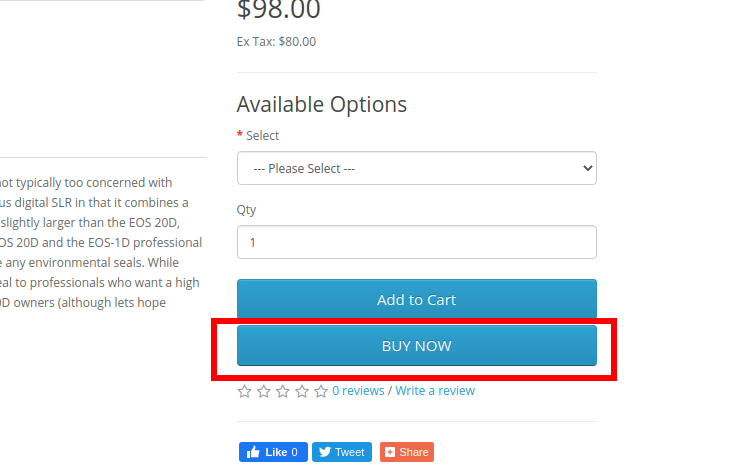
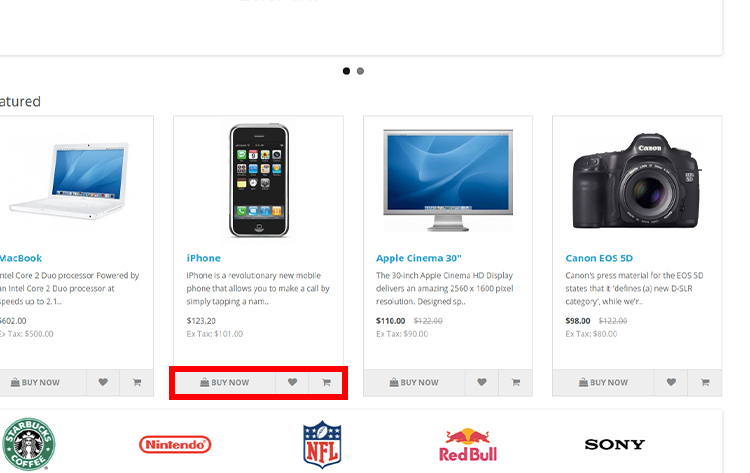
If theme is not default then change the path
1. Extract buynow.ocmod.zip edit install.xml with any text editor
2. Replace all path by replacing the default to your current theme name (e.g)path ="catalog/view/theme/default/template/product/product.twig" to path ="catalog/view/theme/theme_name/template/product/product.twig"
3. compress the file name it as buynow.ocmod and save it in zip format
4. Go to Extension-> Installer -> Upload->buynow.ocmod.zip
6. Go to Dashboard in Settings disable theme and SASS cache refresh
5. Go to Extension-> Modifications and refresh it once
5. Finished
Add a Buy now button in featured and also in Product page.
Removes compare button.
Easy Shopping.
If theme is not default then change the path
1. Extract buynow.ocmod.zip edit install.xml with any text editor
2. Replace all path by replacing the default to your current theme name (e.g)path ="catalog/view/theme/default/template/product/product.twig" to path ="catalog/view/theme/theme_name/template/product/product.twig"
3. compress the file name it as buynow.ocmod and save it in zip format
4. Go to Extension-> Installer -> Upload->buynow.ocmod.zip
6. Go to Dashboard in Settings disable theme and SASS cache refresh
5. Go to Extension-> Modifications and refresh it once
5. Finished
What customers say about Buy Now button for lead to checkout

All is good with extension and essay to install.
~ahimanshu
~ahimanshu

Works great on version 3.0.3.3
~geared4cycling
~geared4cycling
Download
- Developed by OpenCart Community
- 12 Months Free Support
- Documentation Included
Rating
Compatibility
3.0.0.0, 3.0.1.0, 3.0.1.1, 3.0.1.2, 3.0.1.3, 3.0.2.0, 4.x.x.x, 3.0.3.0, 3.0.3.1, 3.0.3.2, 3.0.3.3
Last Update
11 May 2022
Created
5 Jul 2020
1046 Downloads
17 Comments

Login and write down your comment.
Login my OpenCart Account