Quickly Add Product Images With Drag And Drop

With this extension you can quickly add multiple images to the products with drag and drop.
Live demo
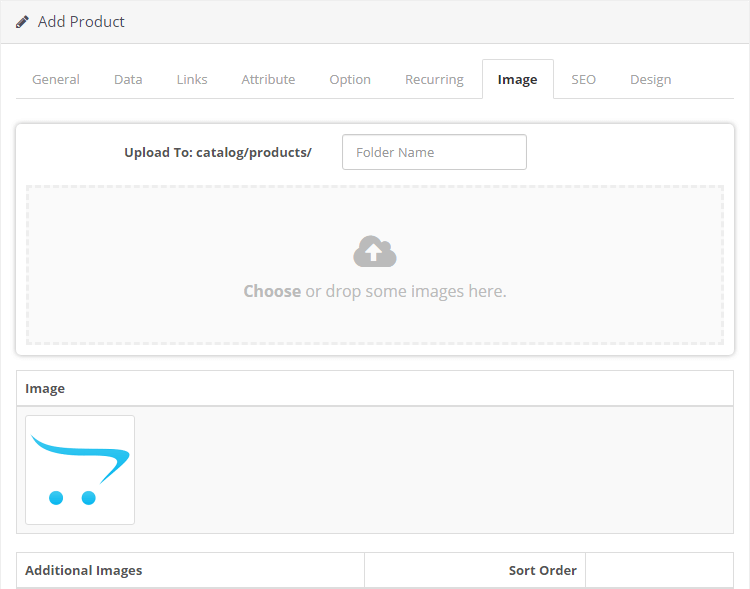
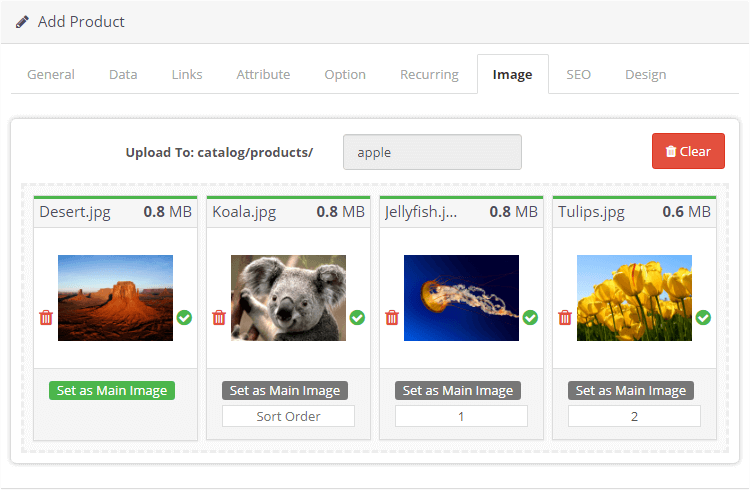
Admin Product Form
Go to the Image tab, You will see the dropzone area.
Features
- Quickly add images to the products using drag and drop
- Sort the images with drag and drop
- Works for both new and existing products
- See the progress of uploading each image
- See the image size
Install Instructions
- Login to your OpenCart Administration panel
- Go to Extensions > Installer and upload zip file suited for your OpenCart version
- Go to Extensions > Extensions > Modules > Quickly Add Product Images With Drag And Drop > Install and enable
- Go to Dashboard > Developer Settings (gear icon) and hit the Refresh buttons
Free Installation and Support
No core files are changed or replaced.
Live demo
Admin Product Form
Go to the Image tab, You will see the dropzone area.
Features
- Quickly add images to the products using drag and drop
- Sort the images with drag and drop
- Works for both new and existing products
- See the progress of uploading each image
- See the image size
Install Instructions
- Login to your OpenCart Administration panel
- Go to Extensions > Installer and upload zip file suited for your OpenCart version
- Go to Extensions > Extensions > Modules > Quickly Add Product Images With Drag And Drop > Install and enable
- Go to Dashboard > Developer Settings (gear icon) and hit the Refresh buttons
Free Installation and Support
- sabeti05 [AT] gmail.com
- DigitCart Support
No core files are changed or replaced.
What customers say about Quickly Add Product Images With Drag And Drop

This is an extremely helpful extension. Works great with v. 3.0.5.0 I'm slowly transferring products from an old website onto Opencart. Previously I had to download images off the server then upload them . But with this wonderful extension, I can drag images directly from my old website and pop them into my new Opencart site. Extremely Happy!
~Rupert_B
~Rupert_B
Another amazing module from this author and the support is perfect as always. Thanks!
~mooiwurk
~mooiwurk
Price
$20.00
- Developed by OpenCart Community
- 12 Months Free Support
- Documentation Included
Rating
Compatibility
4.x.x.x, 4.0.2.0, 4.0.2.1, 4.0.2.2, 4.0.2.3, 4.1.0.0, 4.1.0.1, 4.1.0.2, 4.1.0.3, 4.0.0.0, 4.0.1.0, 4.0.1.1, 3.0.0.0, 3.0.1.0, 3.0.1.1, 3.0.1.2, 3.0.1.3, 3.0.2.0, 3.0.3.0, 3.0.3.1, 3.0.3.2, 3.0.3.3, 3.0.3.5, 3.0.3.6, 3.0.3.7, 3.0.3.8, 3.x.x.x, 3.0.3.9, 3.0.4.0, 3.0.4.1, 3.0.5.0
Last Update
30 May 2026
Created
6 Jul 2020
127 Sales
8 Comments

Login and write down your comment.
Login my OpenCart Account