Admin product filter by Category/Manufacturer
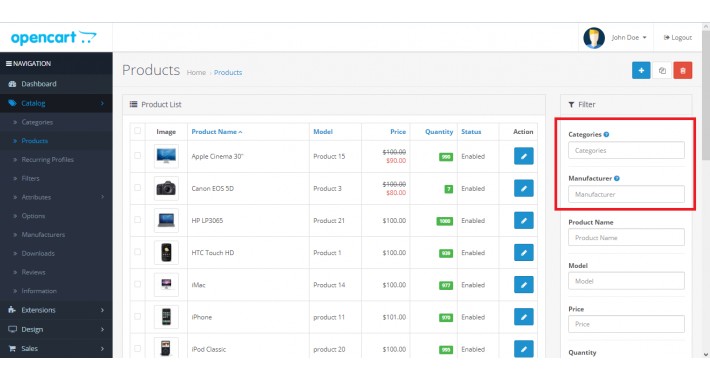
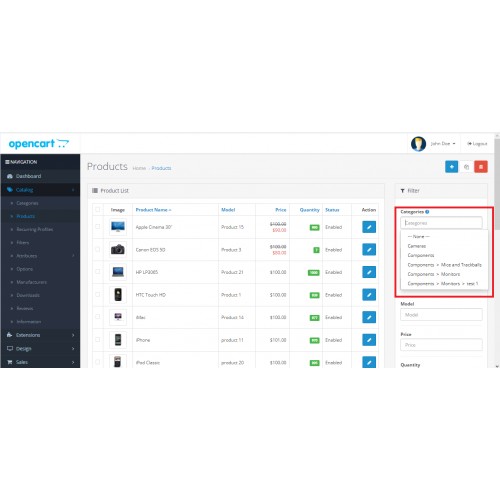
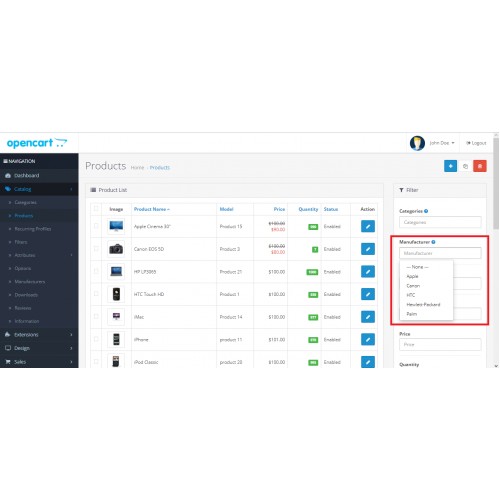
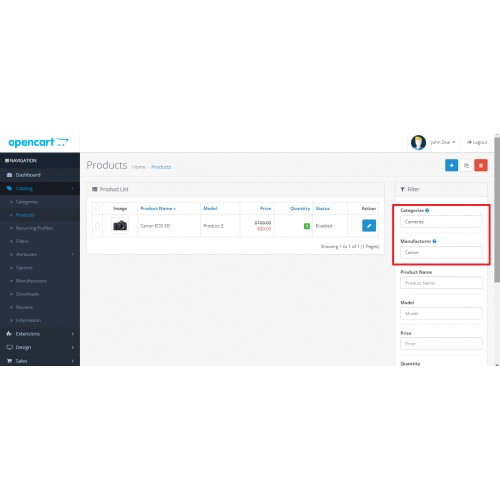

Filter products by category/Manufacturer is a convenient feature for admins that will allow you to better manage the store products.
The module is very easy to install and use. Once installed, it does not require any additional configurations or tweaking of settings.
Features
• It is very simple and easy to use.
• It does not overwrite any opencart default files (OCMOD).
• Auto complete search box for category and manufacturer
• Free Installation and Free Support
• No Hidden/Extra Cost
Install instructions
1. In the Opencart administration section Goto 'Extensions -> Installer' and upload "admin_product_filter_by_category_manufacturer_3x.ocmod.zip".
2. Then navigate to 'Extensions -> Modifications' and click refresh for the module to be applied.
3. Go to Dashboard, click on gear in top right corner of a page and Refresh theme cache.
4. Check it in a administration section -> Catalog -> products list page.
About plugin Support Contact Below Details
Support Email: info@sprexetechnologies.com
Support Site : http://sprexetechnologies.com
Check all of our extensions here
==============================================

Thanks for your choise!
If you liked this module - please Comment / rate him on module page or into your downloads
Price
$20.00
- Developed by OpenCart Community
- Documentation Included
Rating
Compatibility
2.0.0.0, 2.0.1.0, 2.0.1.1, 2.0.2.0, 2.0.3.1, 2.1.0.1, 2.1.0.2, 2.2.0.0, 2.3.0.0, 2.3.0.1, 2.3.0.2, 3.0.0.0, 3.0.1.0, 3.0.1.1, 3.0.1.2, 3.0.1.3, 3.0.2.0, 4.x.x.x, 3.0.3.0, 3.0.3.1, 3.0.3.2, 3.0.3.3, 3.0.3.5, 3.0.3.6, 3.0.3.7, 3.0.3.8, 3.x.x.x
Last Update
30 Dec 2022
Created
14 Jul 2020
6 Sales
1 Comments

Login and write down your comment.
Login my OpenCart Account