Survey Plus
This extension offers a poll or survey function for your OpenCart site.
It will help you to get more information from your site visitors or customers.
Main features include:
See also our demo site:
https://www.mhccorp.com/demo (frontend)
https://www.mhccorp.com/demo/admin (backend demo / demo)
Requirements
This OpenCart extension does not modify any OpenCart core files. No XML-based modifications systems like OCmod or VQmod are needed. Instead it uses event handlers.
Installation for OpenCart 3.0.x.x versions
In the admin backend follow these steps:
Installation for OpenCart 4.0.x.x versions
In the admin backend follow these steps:
How to create and publish a survey
In the admin backend follow these 3 steps:
Further help and customized versions
This extension has been successfully tested for the standard OpenCart 3.0.3.x releases.
Most of the standard-compliant web themes for above OpenCart releases should be fine for this OpenCart extension.
If you need a customized version of this extension, let us know and we can create one for a charge.
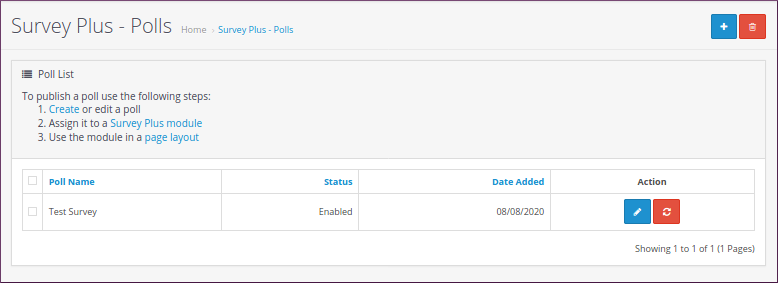
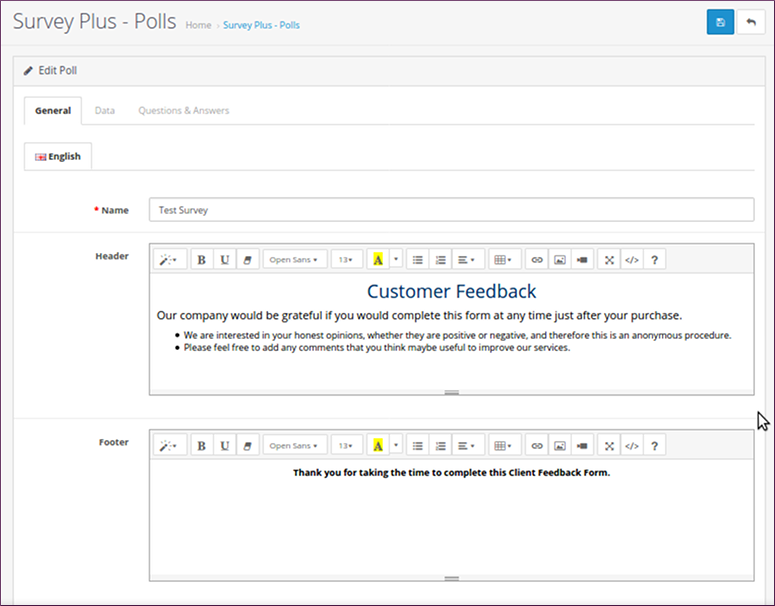
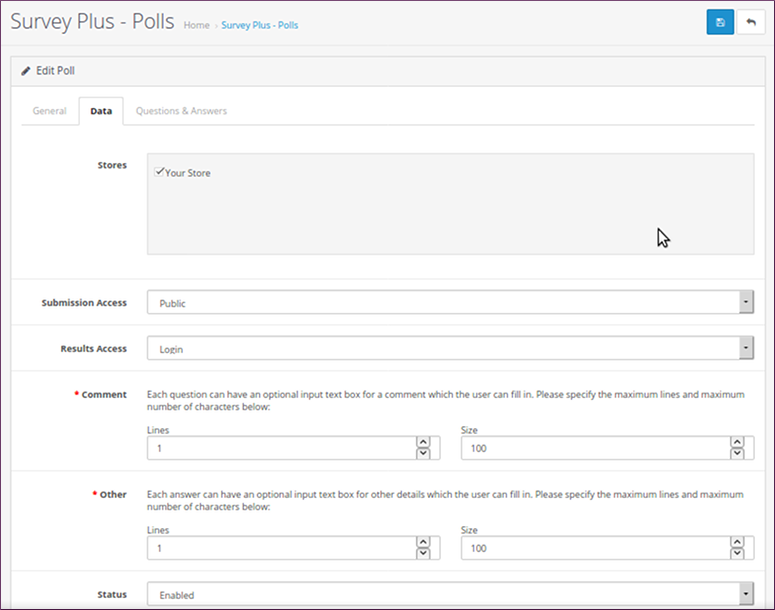
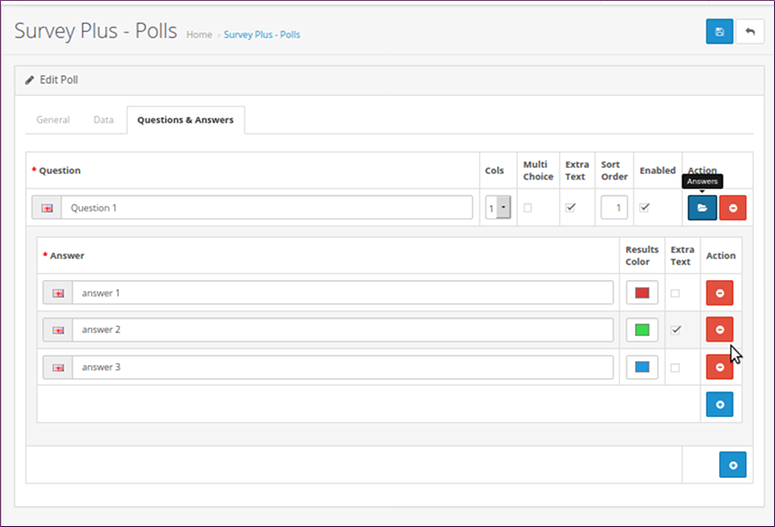
Screenshots - Create/Edit Survey
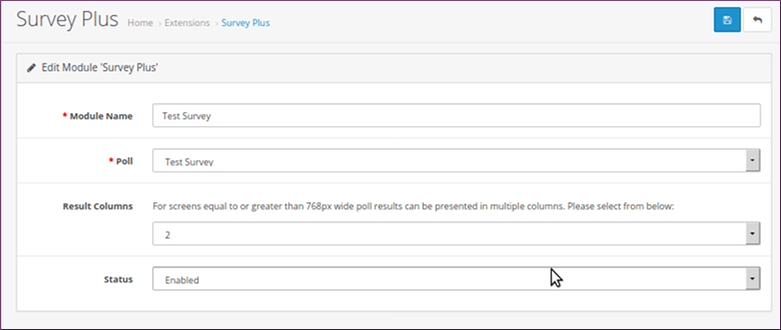
Screenshots - Assign new survey to a module
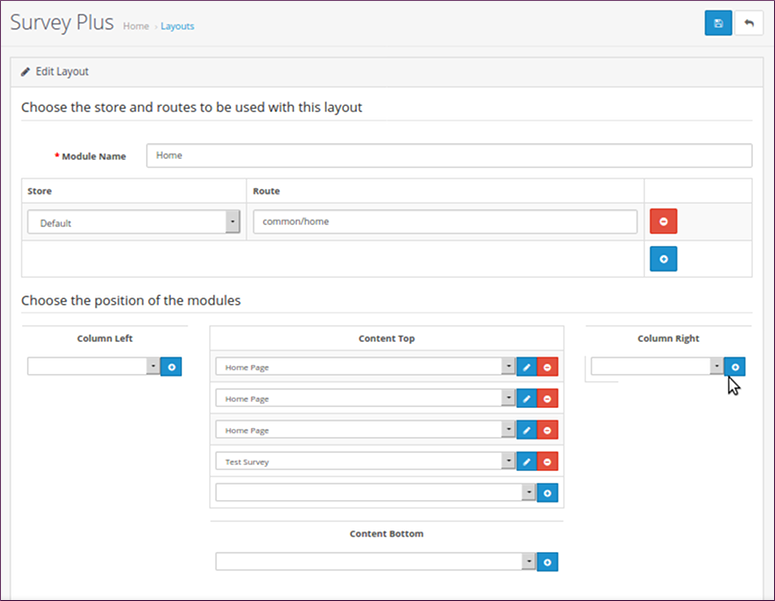
Screenshots - Add poll module to a page layout
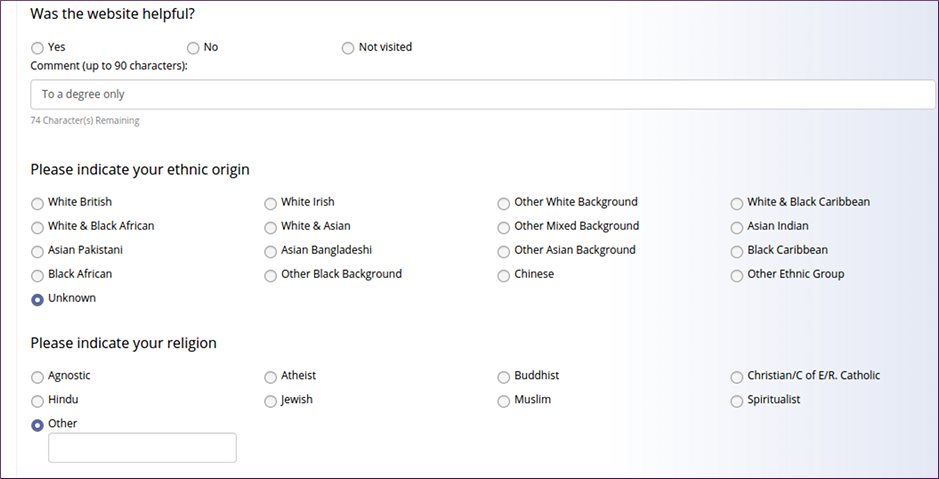
Screenshots - Frontend presentation
It will help you to get more information from your site visitors or customers.
Main features include:
- Multiple surveys on different pages
- Multiple questions for each survey
- Single-choice or multi-choice questions
- Optional comment input for a question
- Optional extra note for an answer
- Multiple languages
- Multi-store support
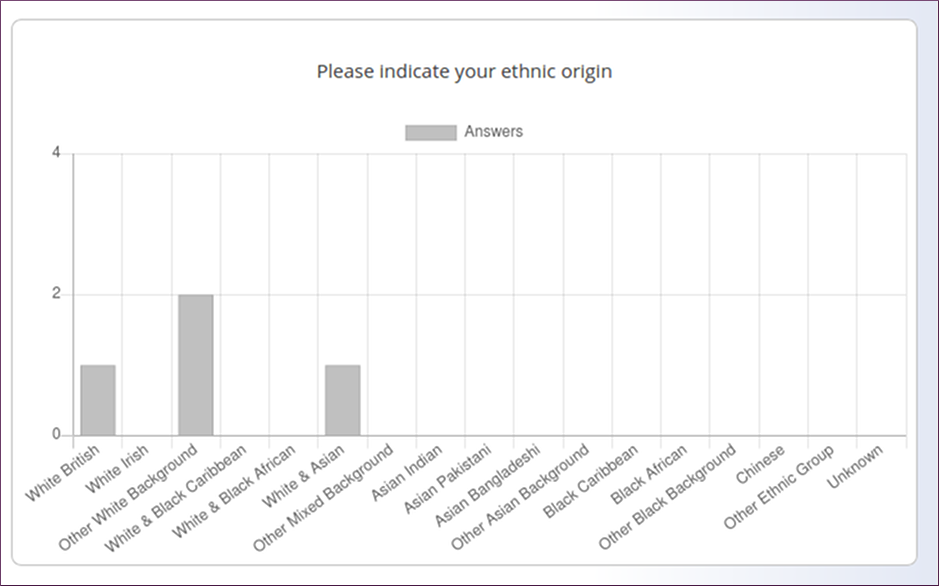
- Results presentable as bar charts or percentage list
- Export results as word documents
- General header or footer for each survey
- Use surveys as modules for different page layouts
See also our demo site:
https://www.mhccorp.com/demo (frontend)
https://www.mhccorp.com/demo/admin (backend demo / demo)
Requirements
This OpenCart extension does not modify any OpenCart core files. No XML-based modifications systems like OCmod or VQmod are needed. Instead it uses event handlers.
Installation for OpenCart 3.0.x.x versions
In the admin backend follow these steps:
- Go to Extensions > Installer and upload our *.ocmod.zip file
- Go to Extensions > Extensions > Modules > Survey Plus and click on the Install button
Installation for OpenCart 4.0.x.x versions
In the admin backend follow these steps:
- Go to Extensions > Installer and upload our *.ocmod.zip file
- Go to Extensions > Installer > Survey Plus and click on the Install button
- Go to Extensions > Extensions > Modules > Survey Plus and click on the Install button
How to create and publish a survey
In the admin backend follow these 3 steps:
- Create a new poll via [i]Survey Plus > Polls > add Poll. Fill in the tabs 'General', 'Data', and 'Questions & Answers'.
- Create a new module via Extensions > Extensions > Modules > Survey Plus > edit. Then fill in the module details, including the selection of a survey created in step 1, and enable it.
- Go to Design > Layouts and edit a page layout which has to include a module created in step 2.
Further help and customized versions
This extension has been successfully tested for the standard OpenCart 3.0.3.x releases.
Most of the standard-compliant web themes for above OpenCart releases should be fine for this OpenCart extension.
If you need a customized version of this extension, let us know and we can create one for a charge.
Screenshots - Create/Edit Survey
Screenshots - Assign new survey to a module
Screenshots - Add poll module to a page layout
Screenshots - Frontend presentation
Price
$50.00
- Developed by OpenCart Community
- 12 Months Free Support
- Documentation Included
Rating
Compatibility
4.0.0.0, 4.0.1.0, 4.0.1.1, 4.0.2.0, 4.0.2.1, 4.0.2.2, 4.0.2.3, 3.0.0.0, 3.0.1.0, 3.0.1.1, 3.0.1.2, 3.0.1.3, 3.0.2.0, 3.0.3.0, 3.0.3.1, 3.0.3.2, 3.0.3.3, 3.0.3.5, 3.0.3.6, 3.0.3.7, 3.0.3.8, 3.0.3.9, 3.0.4.0, 3.0.4.1, 3.0.5.0
Last Update
23 Jan 2026
Created
21 Aug 2020
9 Sales
4 Comments

Login and write down your comment.
Login my OpenCart Account