Total Costs with Shipping for OpenCart (1.5-4.x)
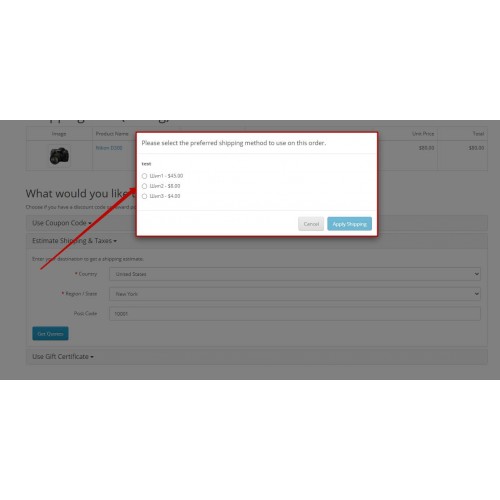





Show accurate shipping charges and the total order cost at checkout in OpenCart. Configure shipping charges by location (country, geo zone, zone) and order criteria (currency, language, store, customer group) so totals match each customer’s context.
How does it work?
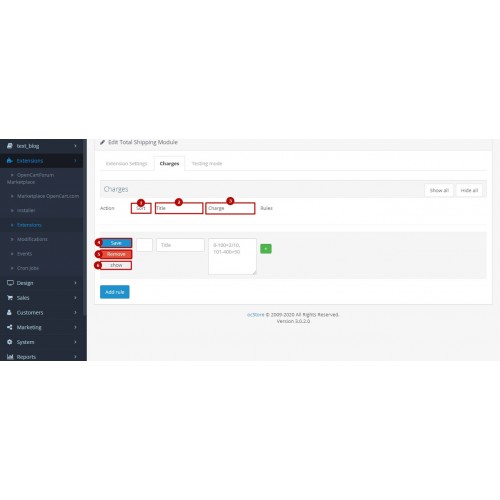
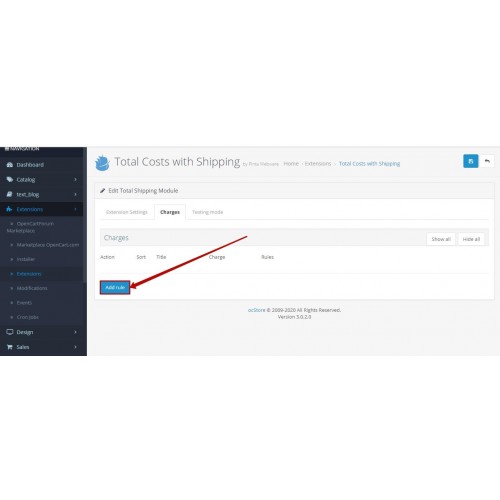
- Create rules in the Charges tab. Each rule contains a Title and a charge value.
- Enter charges using the admin format From, To, Cost, and optional For. You can omit For and also omit From or To when limits are not needed.
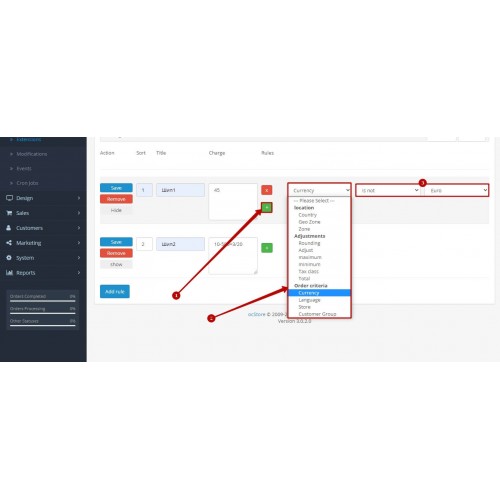
- Build flexible shipping rules by combining:
location criteria: country, geo zone, zone
order criteria: currency, language, store, customer group
- Apply adjustments: charge adjustments, min charges, max charges, rounding, tax class application, total cost logic.
- Use Sort Order to define rule priority when multiple conditions match. Rules with higher priority are applied first, allowing precise control over how shipping charges are calculated.
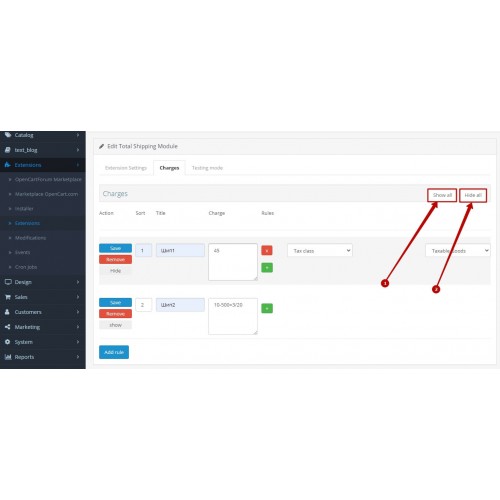
- Temporarily enable or disable rules using Show and Hide, or bulk actions Show All and Hide All.
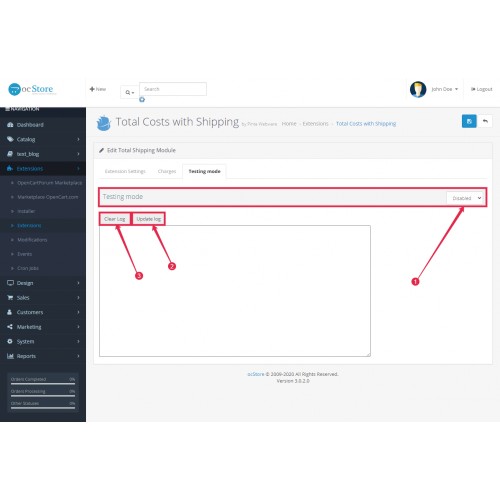
- Verify checkout results using Testing Mode logs.
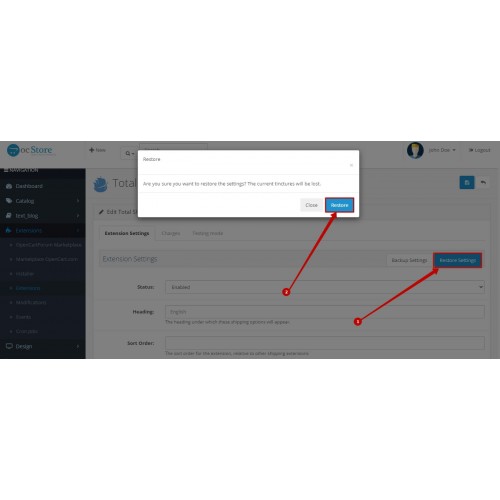
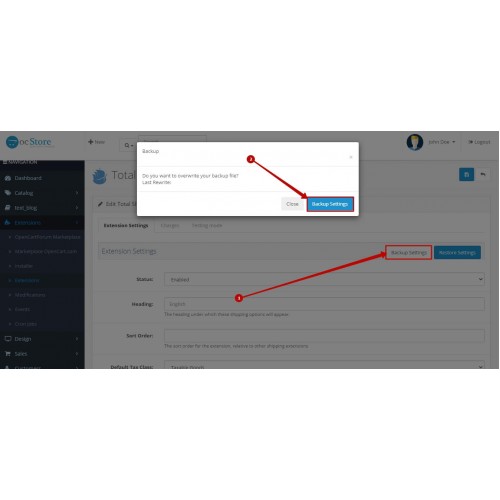
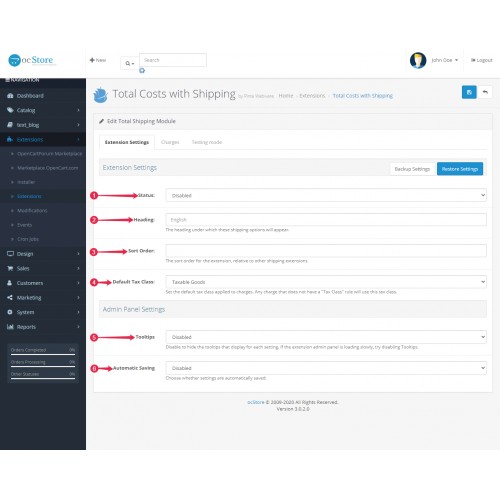
- If needed, revert configuration using Backup Settings and Restore Settings. Optional Automatic Saving can be enabled.


- Rules-based shipping charges with total cost logic during checkout
- Configure by location: country, geo zone, zone
- Configure by order criteria: currency, language, store, customer group
- Adjustments: charge adjustments, min and max charges, rounding, tax class application
- Priority control with Sort Order
- Enable or disable rules: Show and Hide, plus Show All and Hide All
- Testing Mode logs to verify what is displayed during ordering
- Configuration safety: Backup Settings, Restore Settings, optional Automatic Saving
- Tooltips on or off
- Admin localizations: English, Russian, Ukrainian, German, Spanish, French.

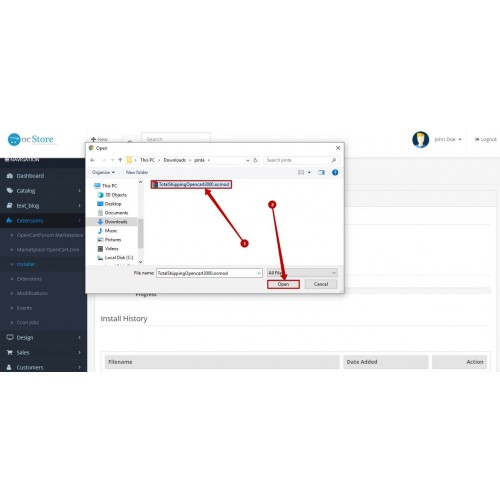
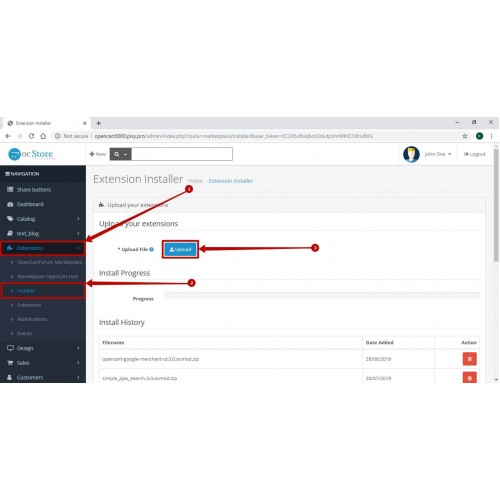
- Download the extension archive and upload it via Extensions then Installer.
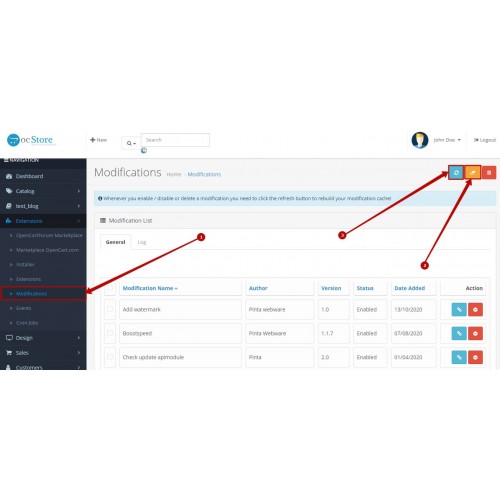
- Clear cache in Extensions → Modifications: click Clear, then Refresh.
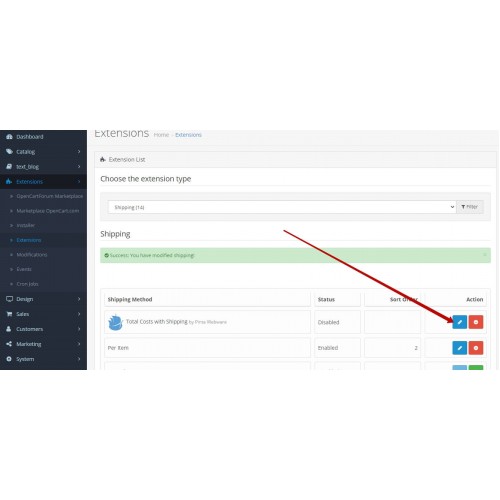
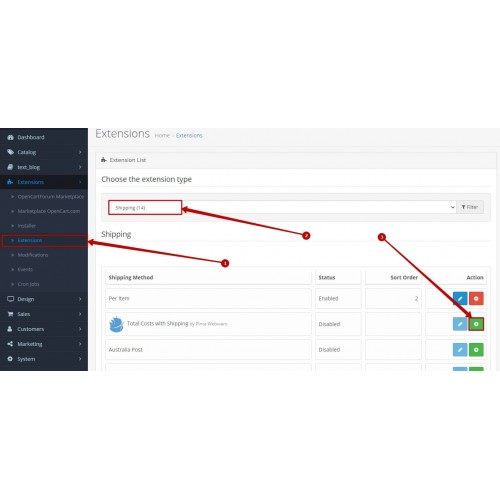
- Go to Extensions → Extensions, select Shipping, find Total Costs with Shipping, and click Install.
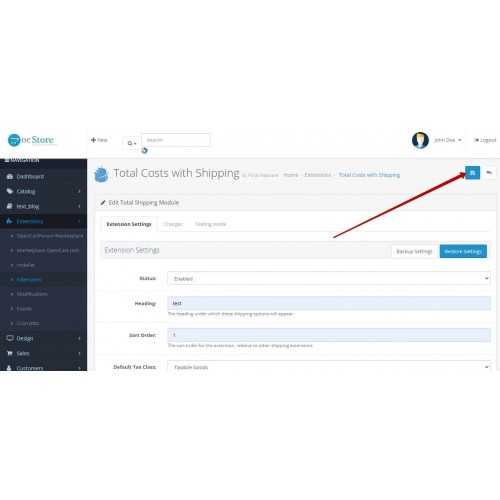
- Click Edit to configure rules in Charges and verify results using Testing Mode.
Compatibility
Compatible with OpenCart 1.5-4.x. Installed as a Shipping extension and configured in the admin panel.
FAQ
Q: Can I set different shipping charges for different countries or geo zones?
A: Yes. Use Location criteria (country, geo zone, zone) in your rules.
Q: Can I apply different charges by currency, language, store, or customer group?
A: Yes. Use Order criteria (currency, language, store, customer group) in your rules.
Q: How can I check what is shown during ordering?
A: Enable Testing Mode and review the logs to see which rules and charges were applied.
Q: Can I disable a rule without deleting it?
A: Yes. Use Show/Hide for individual rules, or Show All/Hide All for bulk visibility.
Q: What if I need to revert changes after editing settings or rules?
A: Use Backup Settings before edits and Restore Settings to roll back configuration.


Price
$20.00
- Developed by OpenCart Community
- 6 Months Free Support
- Documentation Included
Rating
Compatibility
4.x.x.x, 4.0.1.0, 4.0.1.1, 4.0.2.0, 4.0.2.1, 4.0.2.2, 4.0.2.3, 4.0.0.0, 3.0.0.0, 3.0.1.0, 3.0.1.1, 3.0.1.2, 3.0.1.3, 3.0.2.0, 3.0.3.0, 3.0.3.1, 3.0.3.2, 3.0.3.3, 3.0.3.5, 3.0.3.6, 3.0.3.7, 3.0.3.8, 3.x.x.x, 2.3.0.0, 2.3.0.1, 2.3.0.2, 2.0.0.0, 2.0.1.0, 2.0.1.1, 2.0.2.0, 2.0.3.1, 2.1.0.1, 2.1.0.2, 2.2.0.0, 1.5.0, 1.5.0.1, 1.5.0.2, 1.5.0.3, 1.5.0.4, 1.5.0.5, 1.5.1, 1.5.1.1, 1.5.1.2, 1.5.1.3, 1.5.2, 1.5.2.1, 1.5.3, 1.5.3.1, 1.5.4, 1.5.4.1, 1.5.5, 1.5.5.1, 1.5.6, 1.5.6.1, 1.5.6.2, 1.5.6.3, 1.5.6.4
Last Update
2 Jun 2026
Created
12 Oct 2020
0 Sales
0 Comments

Login and write down your comment.
Login my OpenCart Account