Admin Menu Vertical Auto Hide Left


Admin Menu Vertical Auto Hide Left
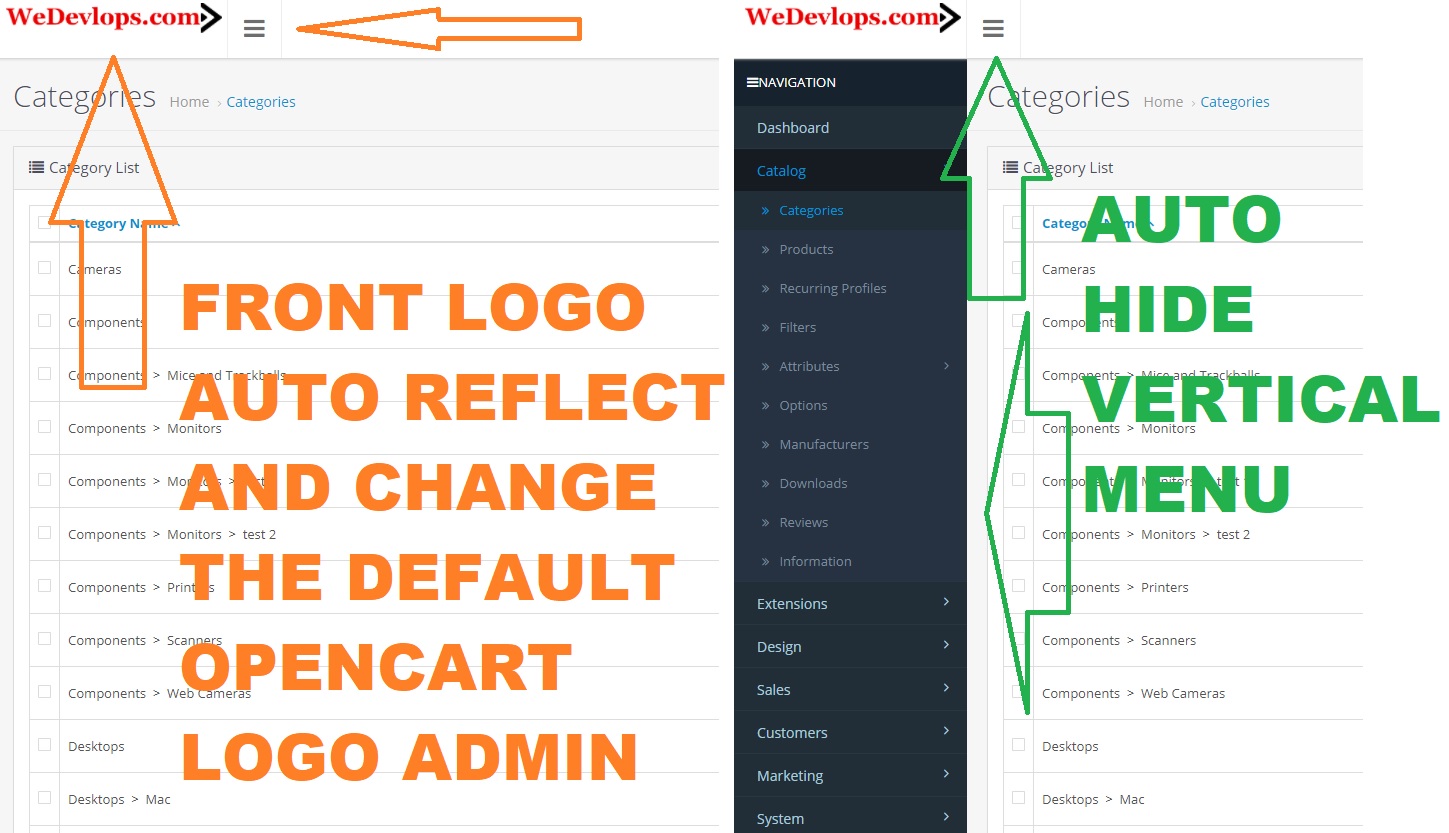
Admin Menu Vertical Auto Hide Left; you can make your OpenCart admin panel with an intuitive and space-efficient design. This extension enhances usability by automatically hiding the vertical admin menu, resulting in a cleaner workspace and easier navigation.
Key Features & Benefits:
✅Auto-Hide Vertical Admin Menu: The left-side admin menu automatically hides when not in use, maximizing workspace for a streamlined interface.
✅Custom Logo Replacement: Replace OpenCart's default logo with your storefront logo, ensuring consistent branding across your admin panel.
✅Improved Admin Space & Management: Optimizes screen layout for better organization and efficiency in managing store settings and products.
✅No Core File Modifications: Seamlessly integrates without altering OpenCart’s core files, ensuring stability and compatibility with updates. (.ocmod)
✅Effortless Installation & Removal: Simple installation and uninstallation process for quick setup and easy management.
✅Comprehensive Documentation: Comes with detailed instructions to help you set up and use the extension effortlessly. Dynamic Admin Logo
✅Update: The admin panel logo automatically updates to match your storefront branding for a professional and cohesive appearance.
Click here for demo video
Admin Menu Vertical Auto Hide Left; you can make your OpenCart admin panel with an intuitive and space-efficient design. This extension enhances usability by automatically hiding the vertical admin menu, resulting in a cleaner workspace and easier navigation.
Key Features & Benefits:
✅Auto-Hide Vertical Admin Menu: The left-side admin menu automatically hides when not in use, maximizing workspace for a streamlined interface.
✅Custom Logo Replacement: Replace OpenCart's default logo with your storefront logo, ensuring consistent branding across your admin panel.
✅Improved Admin Space & Management: Optimizes screen layout for better organization and efficiency in managing store settings and products.
✅No Core File Modifications: Seamlessly integrates without altering OpenCart’s core files, ensuring stability and compatibility with updates. (.ocmod)
✅Effortless Installation & Removal: Simple installation and uninstallation process for quick setup and easy management.
✅Comprehensive Documentation: Comes with detailed instructions to help you set up and use the extension effortlessly. Dynamic Admin Logo
✅Update: The admin panel logo automatically updates to match your storefront branding for a professional and cohesive appearance.
Click here for demo video
Price
$29.99
- Developed by OpenCart Partner
- 1 Months Free Support
- Documentation Included
Rating
Compatibility
3.0.0.0, 3.0.1.0, 3.0.1.1, 3.0.1.2, 3.0.1.3, 3.0.2.0, 4.x.x.x, 3.0.3.0, 3.0.3.1, 3.0.3.2, 3.0.3.3, 3.0.3.5, 3.0.3.6, 3.0.3.7, 3.0.3.8, 3.0.3.9, 3.0.4.0, 3.0.4.1, 3.0.5.0
Last Update
25 Jan 2026
Created
12 Jan 2021
0 Sales
0 Comments

Login and write down your comment.
Login my OpenCart Account