ZIPCODE AVAILABILITY

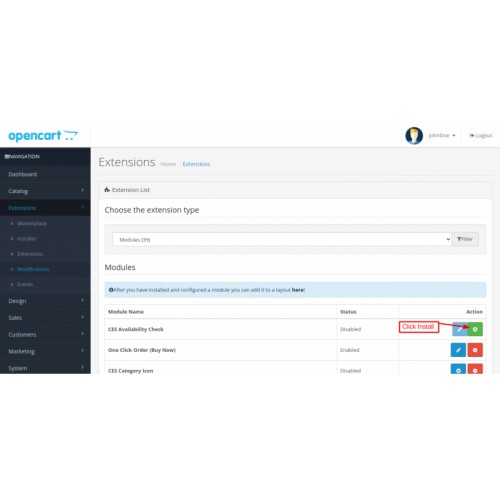
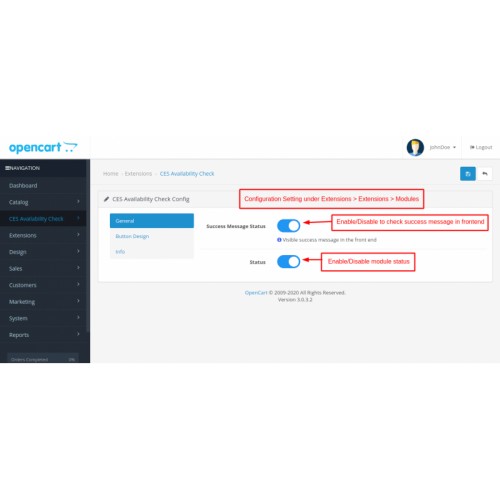

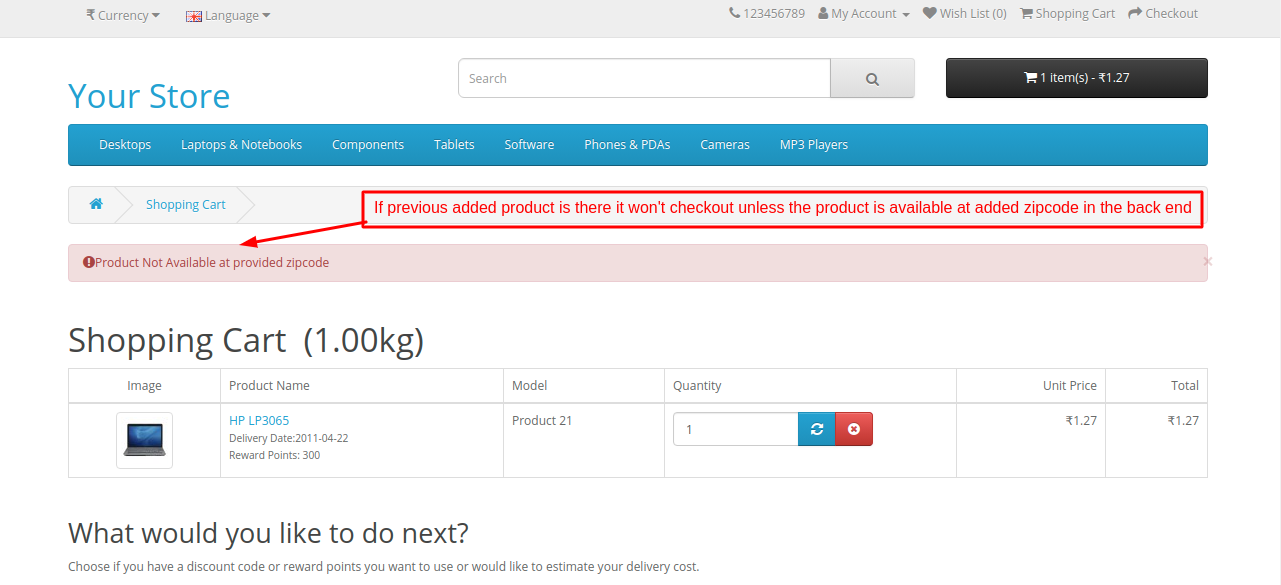
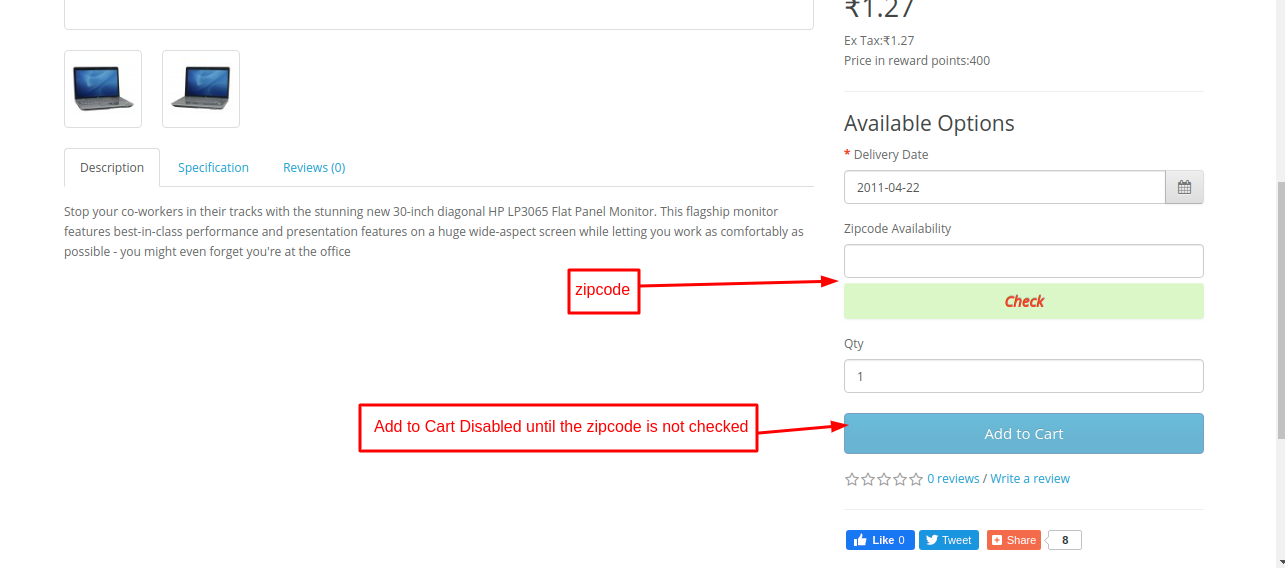
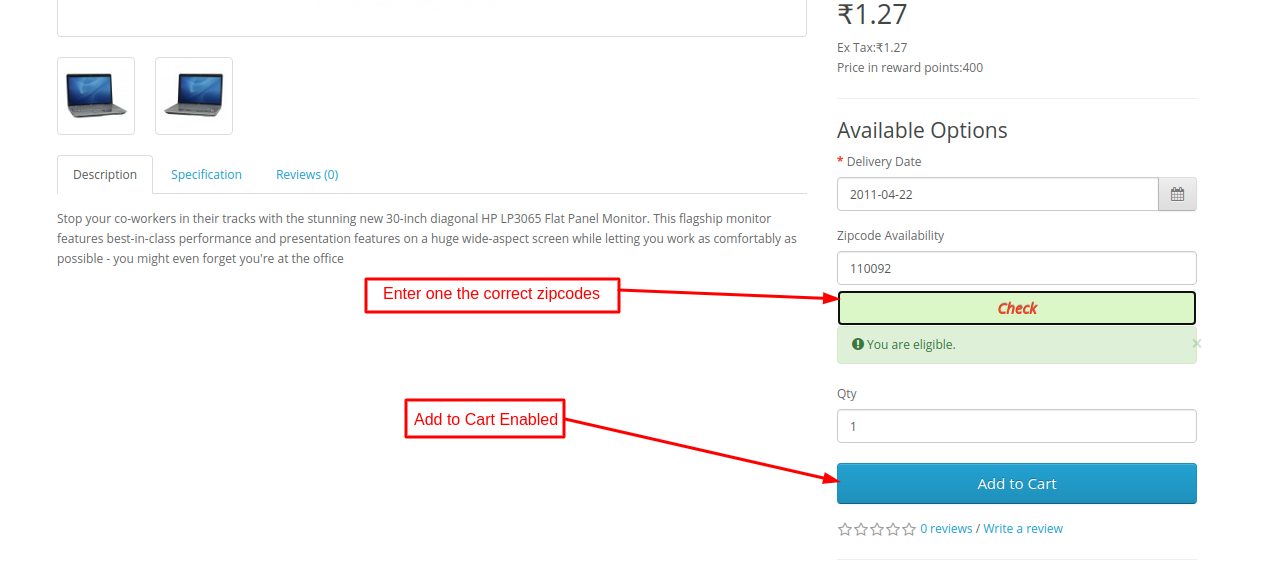
CES Availability Check comes with an amazing functionality with which admin can instantly add all zip codes or particular zip codes for a different products using which customer can be only allowed to checkout for products which are only available in his zip code area. Admin also have flexibility to design the CSS from the admin configuration for the button to be displayed in the front-end.
Features
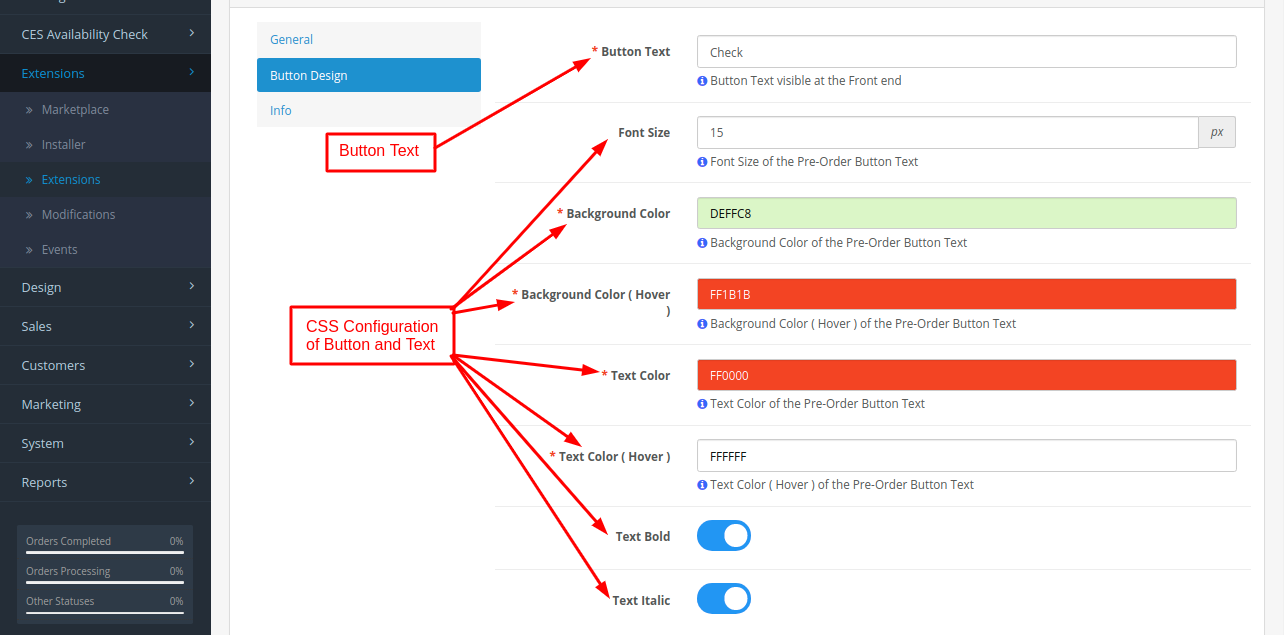
Admin can add the button text to be displayed in the front-end for zip code check.
Admin can set the button text configuration for the zip code button to be visible to the customer.
Admin can set the CSS text configuration like Font Size, Background Color, Background Color ( Hover ), Text Color, Text Color ( Hover ), Text Bold, Text Italic.
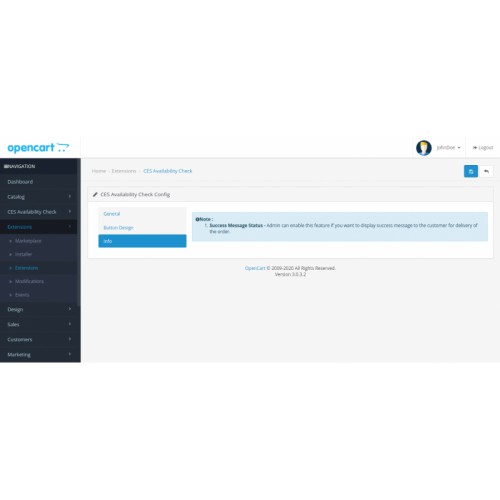
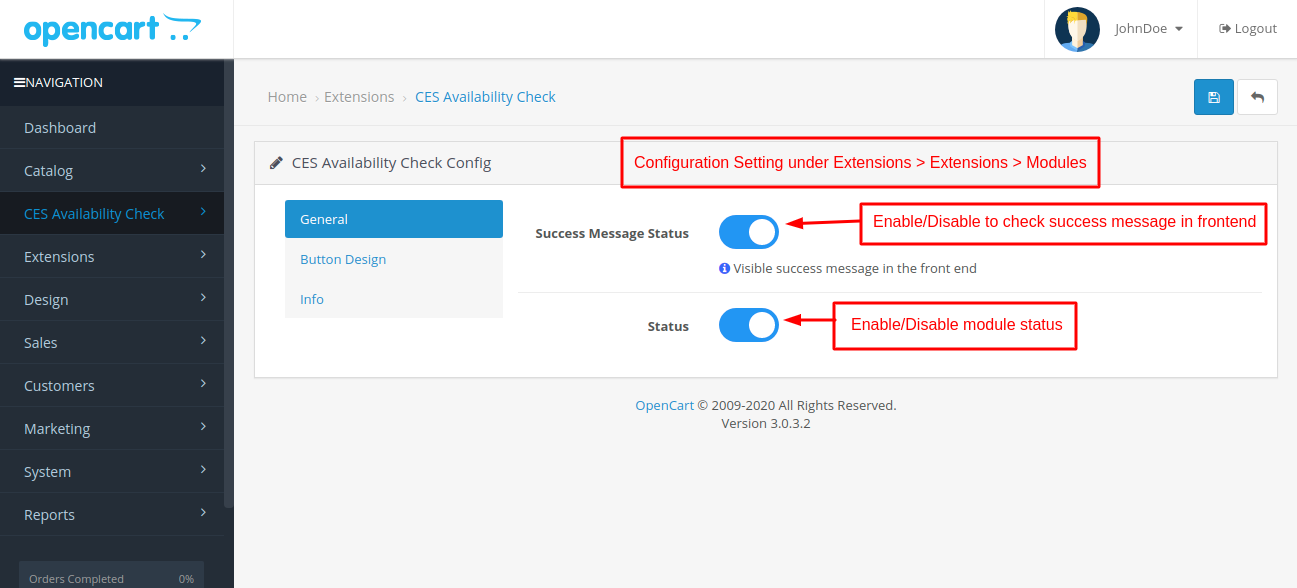
Admin can set the status to display the success message after the zip code is entered and Zip code is available.
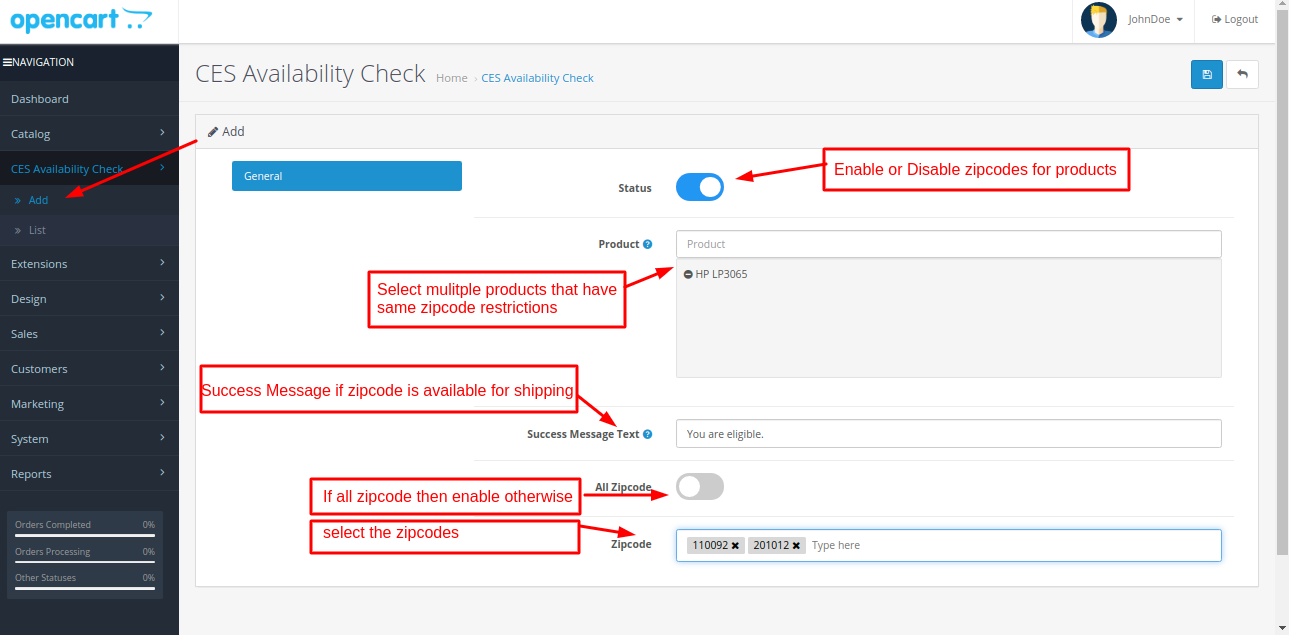
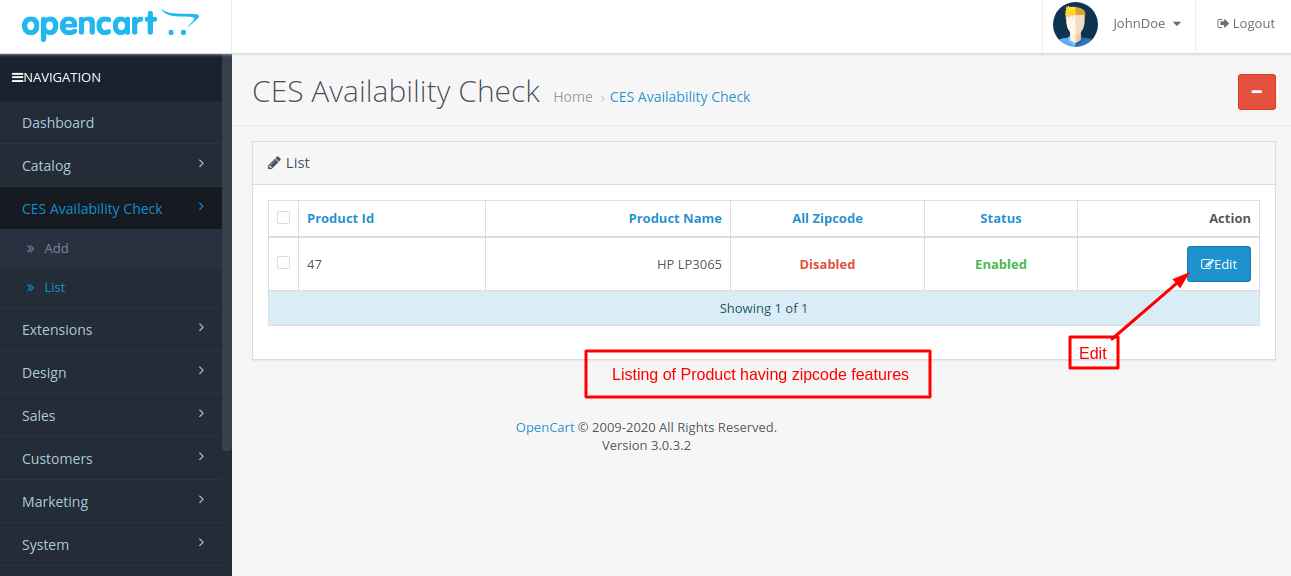
Admin can select multiple products with same zip codes which make it easier to configure same zip code conditions for multiple products.
Admin can enter the success message text to be displayed after the zip code is entered and Zip code is available in the front end.
Admin can manually add the Zip codes specific for that product or can avail the product for all Zip codes according to the admin requirements.
No Core File Changes
OCMOD installation
Blog Link
- Click Here
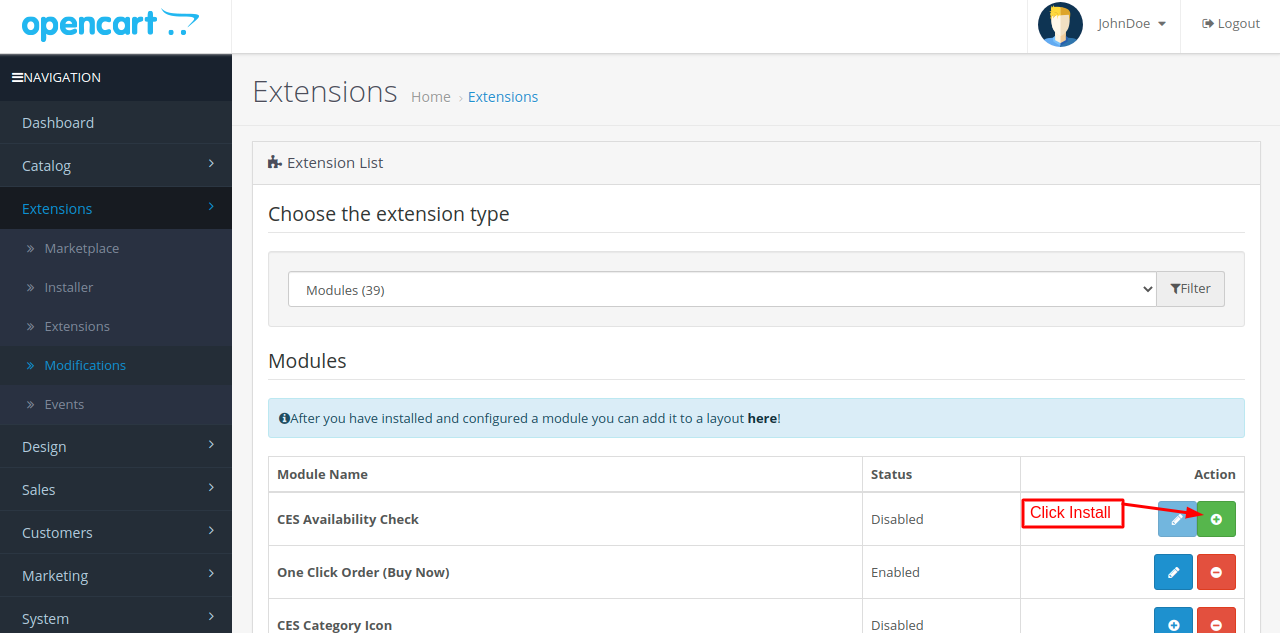
To know about module installation you can check Opencart Documentation for this given link ( Module Installation Link )

** Rate and review extension **
Thanks & Regards
Code-E-Shop Team
Support & Feature Requests
==========================
Please address your questions by opening a support ticket at sales@codeeshop.com
Features
Admin can add the button text to be displayed in the front-end for zip code check.
Admin can set the button text configuration for the zip code button to be visible to the customer.
Admin can set the CSS text configuration like Font Size, Background Color, Background Color ( Hover ), Text Color, Text Color ( Hover ), Text Bold, Text Italic.
Admin can set the status to display the success message after the zip code is entered and Zip code is available.
Admin can select multiple products with same zip codes which make it easier to configure same zip code conditions for multiple products.
Admin can enter the success message text to be displayed after the zip code is entered and Zip code is available in the front end.
Admin can manually add the Zip codes specific for that product or can avail the product for all Zip codes according to the admin requirements.
No Core File Changes
OCMOD installation
Blog Link
- Click Here
To know about module installation you can check Opencart Documentation for this given link ( Module Installation Link )
** Rate and review extension **
Thanks & Regards
Code-E-Shop Team
Support & Feature Requests
==========================
Please address your questions by opening a support ticket at sales@codeeshop.com
Price
$20.00
- Developed by OpenCart Community
- 12 Months Free Support
- Documentation Included
Rating
Compatibility
2.3.0.0, 2.3.0.1, 2.3.0.2, 3.0.0.0, 3.0.1.0, 3.0.1.1, 3.0.1.2, 3.0.1.3, 3.0.2.0, 4.x.x.x, 3.0.3.0, 3.0.3.1, 3.0.3.2, 3.0.3.3, 3.0.3.5, 3.0.3.6, 3.0.3.7, 3.0.3.8
Last Update
28 May 2022
Created
18 Jan 2021
0 Sales
0 Comments

Login and write down your comment.
Login my OpenCart Account