Opencart Multi-Level Marketing [MLM] Extension
![Opencart Multi-Level Marketing [MLM] Extension](https://image.opencart.com/cache/681b2e7f2fbbd-resize-710x380.jpg "Opencart Multi-Level Marketing [MLM] Extension")
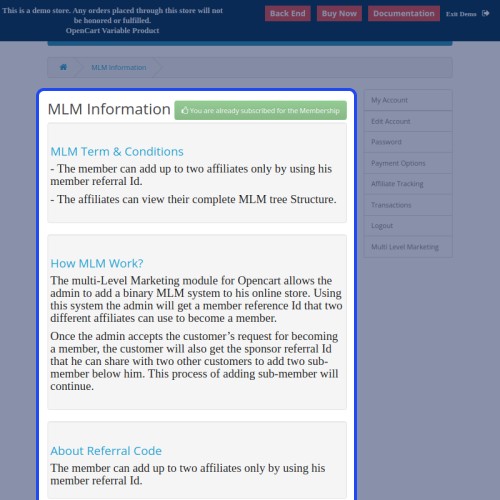
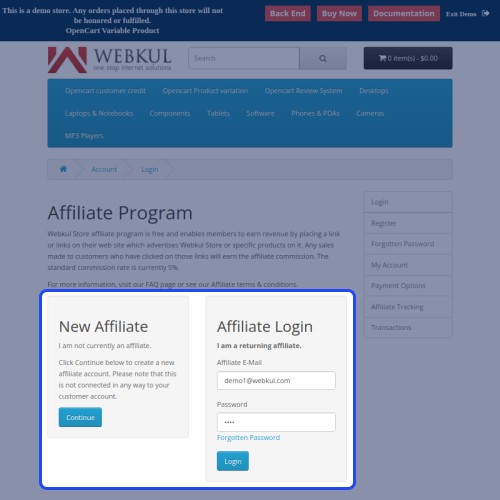
Opencart Multi-Level Marketing [MLM] Extension: MLM stands for Multi-level Marketing, in this module the parent user can add two sub-affiliates to their network. The Opencart Multi-level Marketing[MLM] Extension facilitates the admin to configure this functionality in their store.
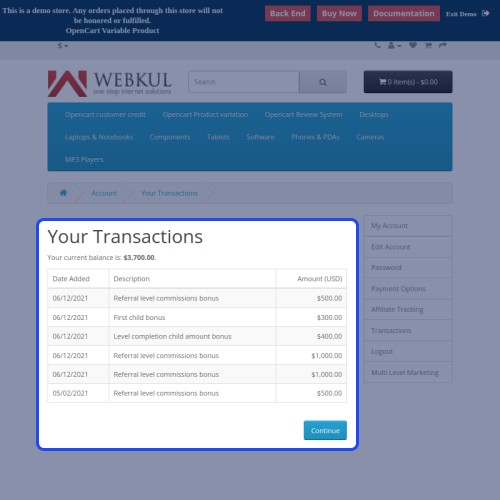
A maximum of two sub-affiliates can be added by a single user. For each addition of sub-affiliates, the parent user will get a bonus point.
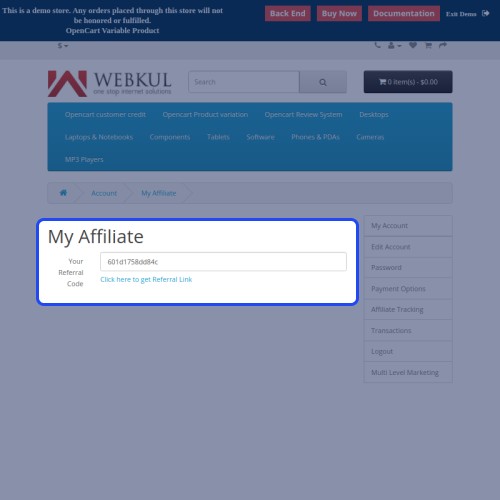
The bonus of adding sub-affiliates is decided by the admin and it can be different for different users and different commission levels. The parent user can also add the sub-affiliate by a referral number.



Use Case:
The most important thing in a store is multiple affiliates. This will help to grow the business and increase the sales conversion ratio.
If every user adds two sub-affiliate to the store, then this will enhance the business model and growth. Multi-level marketing is a perfect solution to grow your business. Opencart MLM plugin is the right choice for that which provides multi-level marketing.
The admin can introduce different bonuses for the users and affiliates so it will encourage them to add more sub-affiliates. All information about the transaction and affiliates is easily trackable. It works like a tree, the parent user has all the information about each moment of the affiliates.

Features:
Work Flow:
After the successful installation, the admin needs to configure the module from the Webkul MLM section.

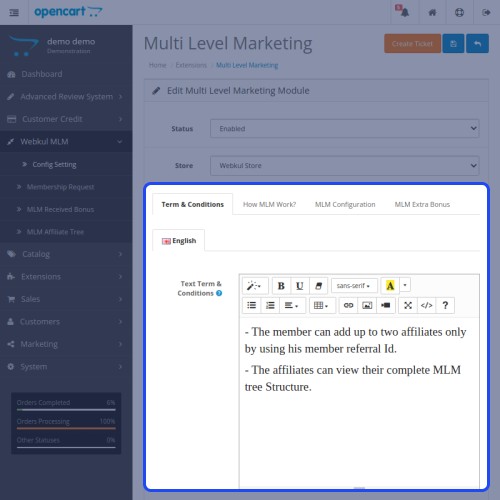
Here, the admin can set the MLM text which will display on the frontend.

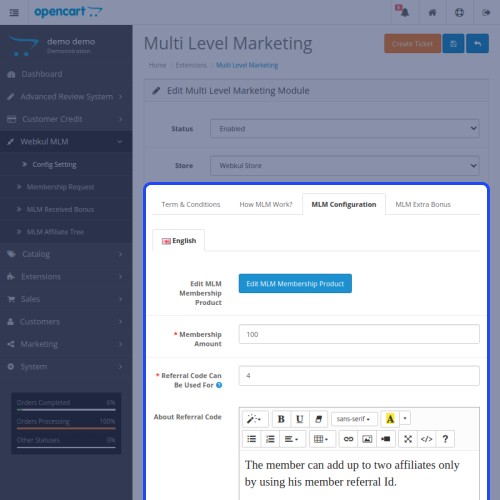
Here, the admin can manage the MLM configuration.

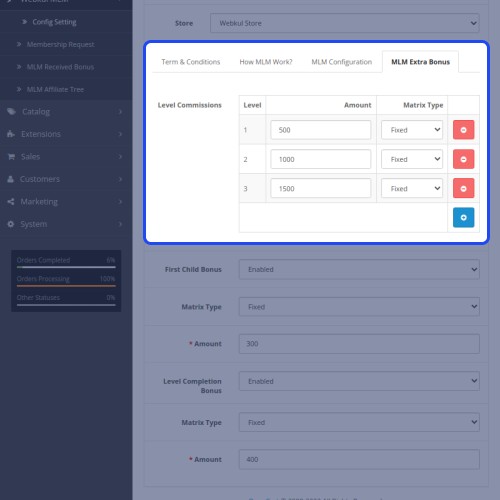
Furthermore, the admin can manage the MLM extra bonus for the users and affiliates.

Here, the customer can register as an affiliate in the store.

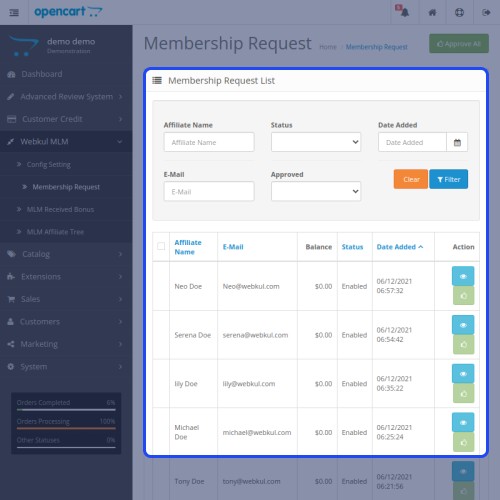
Here, the admin can check all MLM requests to become an affiliate in the store.

Here, the admin can check the bonus for the affiliates and users in the starting.

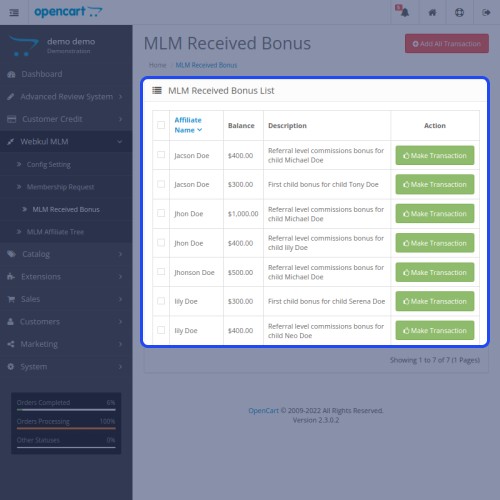
Now the admin can check the received bonus after the process.

Here, the admin can check the bonus received by the parent user.

The admin can make the transaction from here for the sub-affiliates of the user.

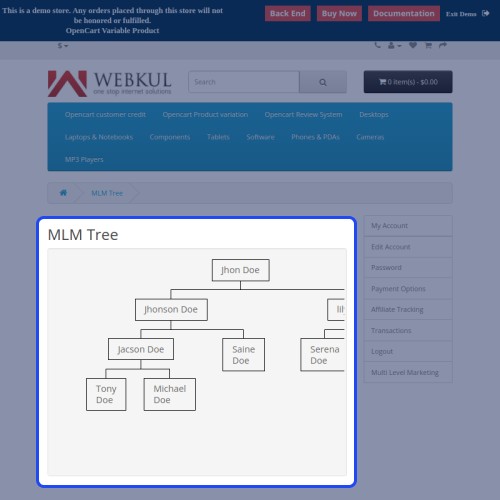
In the end, the admin can view the details of the affiliates.

That’s all for the Opencart MLM plugin to manage multi-level marketing.

Some Moments Of Appreciation



Support Policy
A maximum of two sub-affiliates can be added by a single user. For each addition of sub-affiliates, the parent user will get a bonus point.
The bonus of adding sub-affiliates is decided by the admin and it can be different for different users and different commission levels. The parent user can also add the sub-affiliate by a referral number.
Use Case:
The most important thing in a store is multiple affiliates. This will help to grow the business and increase the sales conversion ratio.
If every user adds two sub-affiliate to the store, then this will enhance the business model and growth. Multi-level marketing is a perfect solution to grow your business. Opencart MLM plugin is the right choice for that which provides multi-level marketing.
The admin can introduce different bonuses for the users and affiliates so it will encourage them to add more sub-affiliates. All information about the transaction and affiliates is easily trackable. It works like a tree, the parent user has all the information about each moment of the affiliates.
Features:
- This extension allows the affiliate to view the total child affiliates and other details as well.
- Also, the admin can set the commission for the affiliate tree.
- The admin can view the entire affiliate tree.
- The admin can create different levels for the affiliate membership.
- Affiliates can check their child users by checking the MLM tree from the frontend.
Work Flow:
After the successful installation, the admin needs to configure the module from the Webkul MLM section.
Here, the admin can set the MLM text which will display on the frontend.
Here, the admin can manage the MLM configuration.
Furthermore, the admin can manage the MLM extra bonus for the users and affiliates.
Here, the customer can register as an affiliate in the store.
Here, the admin can check all MLM requests to become an affiliate in the store.
Here, the admin can check the bonus for the affiliates and users in the starting.
Now the admin can check the received bonus after the process.
Here, the admin can check the bonus received by the parent user.
The admin can make the transaction from here for the sub-affiliates of the user.
In the end, the admin can view the details of the affiliates.
That’s all for the Opencart MLM plugin to manage multi-level marketing.
Some Moments Of Appreciation
Support Policy
Price
$119.00
- Developed by OpenCart Partner
- 3 Months Free Support
- Documentation Included
Rating
Compatibility
3.0.0.0, 3.0.1.1, 3.0.1.2, 3.0.1.3, 3.0.2.0, 3.0.3.0, 3.0.3.1, 3.0.3.2, 3.0.3.3, 3.0.3.5, 3.0.3.6, 3.0.3.7, 3.0.3.8
Last Update
7 May 2025
Created
23 Feb 2021
4 Sales
1 Comments

Login and write down your comment.
Login my OpenCart Account