Show Images Uploaded by Customer in admin
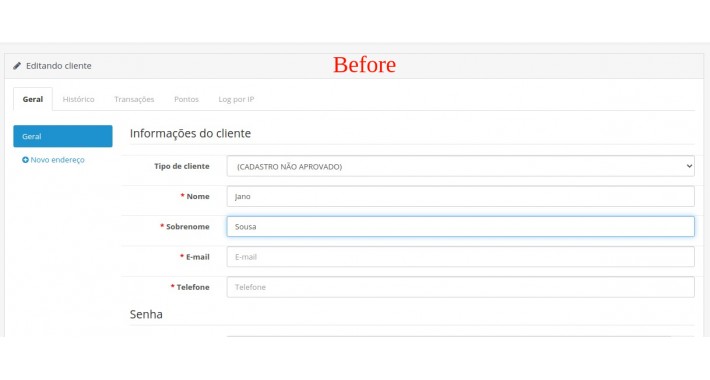

The files sent by the customer upon registration, will be displayed in the customer's edition in the store administration!
Installation
In the store administration, access the Extensions → Installer menu, click the Upload button and select the 'sincromaster-show-images-uploaded-customer.ocmod.zip' file, and wait for the automatic installation to complete.
After installation, access the Extensions → Modifications menu and click twice on the Refresh button, so that the installed modification is added in the store, remembering that it is not the "Update" button of the browser, but the "Update" button in blue color next to the orange and red button on the OpenCart screen.
In OpenCart 3, go to the main page of the store administration control panel, under the "Exit" button, you will see a blue button with the design of a white gear inside it, click this button, and the popup that will open, click on the two orange buttons that are inside the "Action" column to update the theme cache.
Uninstall
To uninstall the modification, in the store administration, access the menu Extensions → Modifications, locate and select the modification with the name 'OCMOD Editor for OpenCart', then click on the Delete button, then on the 2x Refresh button.
Installation
In the store administration, access the Extensions → Installer menu, click the Upload button and select the 'sincromaster-show-images-uploaded-customer.ocmod.zip' file, and wait for the automatic installation to complete.
After installation, access the Extensions → Modifications menu and click twice on the Refresh button, so that the installed modification is added in the store, remembering that it is not the "Update" button of the browser, but the "Update" button in blue color next to the orange and red button on the OpenCart screen.
In OpenCart 3, go to the main page of the store administration control panel, under the "Exit" button, you will see a blue button with the design of a white gear inside it, click this button, and the popup that will open, click on the two orange buttons that are inside the "Action" column to update the theme cache.
Uninstall
To uninstall the modification, in the store administration, access the menu Extensions → Modifications, locate and select the modification with the name 'OCMOD Editor for OpenCart', then click on the Delete button, then on the 2x Refresh button.
Price
$25.00
- Developed by OpenCart Community
- 12 Months Free Support
- Documentation Included
Rating
Compatibility
3.0.3.0, 3.0.3.1, 3.0.3.2, 3.0.3.3, 3.0.3.5, 3.0.3.6, 3.0.3.7
Last Update
24 Nov 2021
Created
4 Mar 2021
0 Sales
0 Comments

Login and write down your comment.
Login my OpenCart Account