Opencart Advanced Review System
Opencart Advanced Review System: This extension enhances the review system for the products of your online store. Using this extension admin can allow image upload by customers during the review of any product. The admin can choose the file extension for the image upload and can even allow captcha for the reviews. This extension works for both logged-in as well as guest customers depending on the backend configuration. The customers can even view the recommendations and ratings for the products.




Use Case
The customers are anticipated to buy items that they feel are recommended by others, moreover, if they can check photos of the product received by the buyers it boosts the urge to buy the product as it is a very common behavior seen during customers during online purchases.
The module lets the store owners check whether a customer review is authentic and doesn’t violate any store guidelines or includes an inappropriate written description. Therefore all the reviews are firstly approved by the admin then it is made to be visible on the store front end.
Features:
Workflow
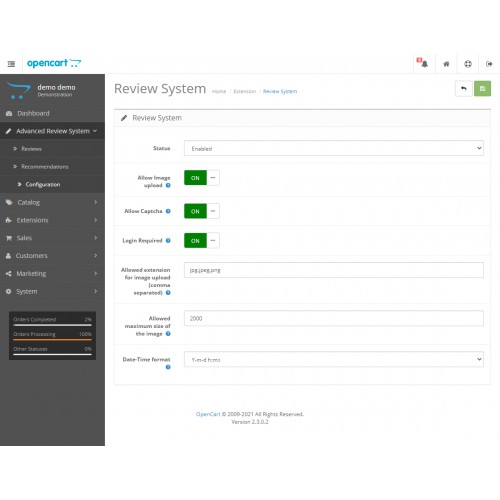
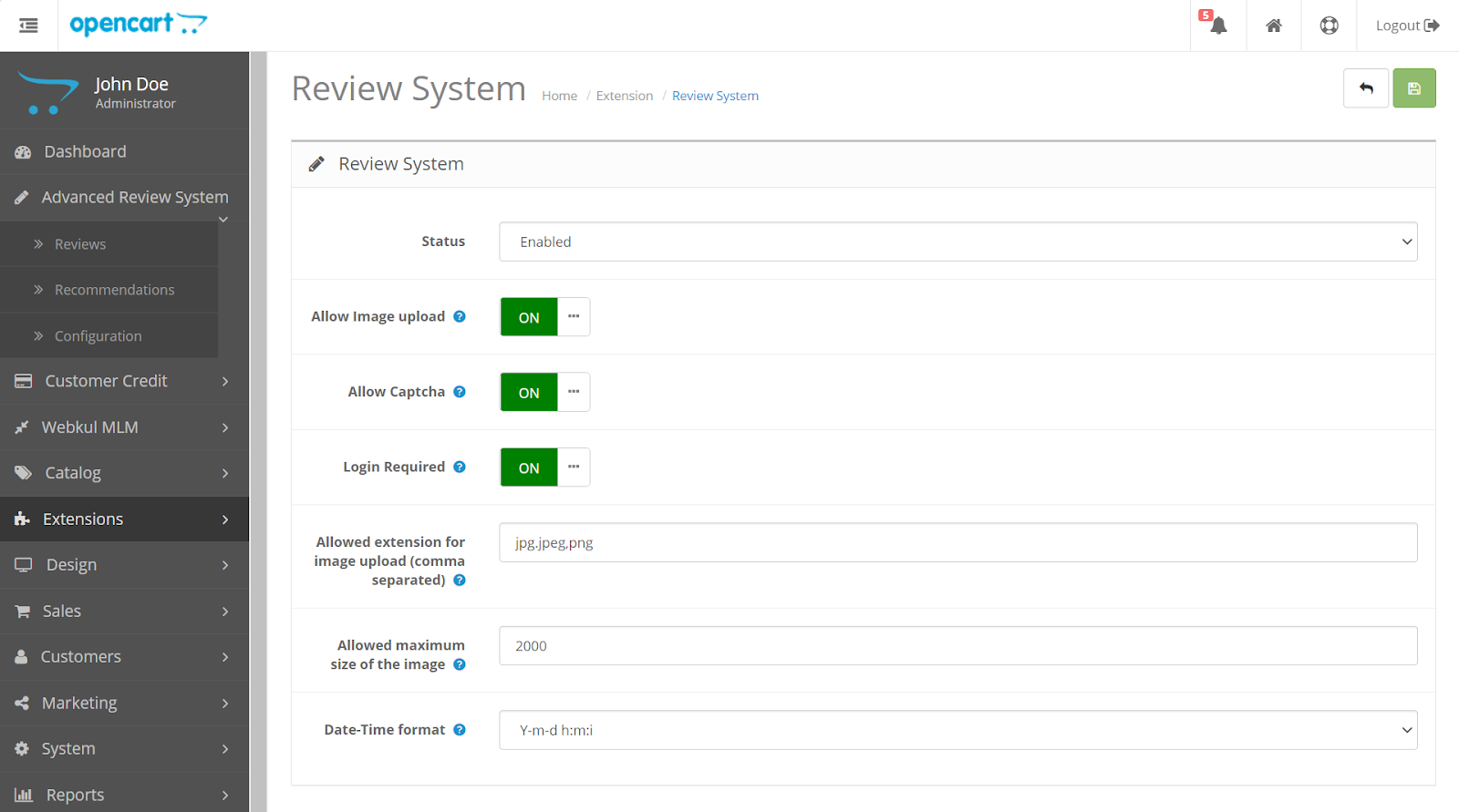
The admin needs to first set up various features like guest users can write review image upload features and allow extensions and maximum file size of the image.
Even the format in which the date-time will be visible in the review can be selected by the admin in configuration.
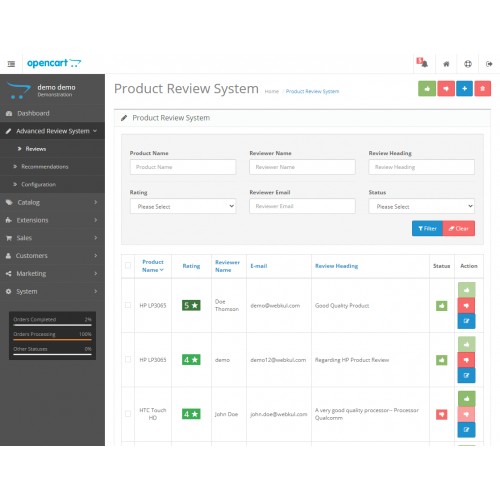
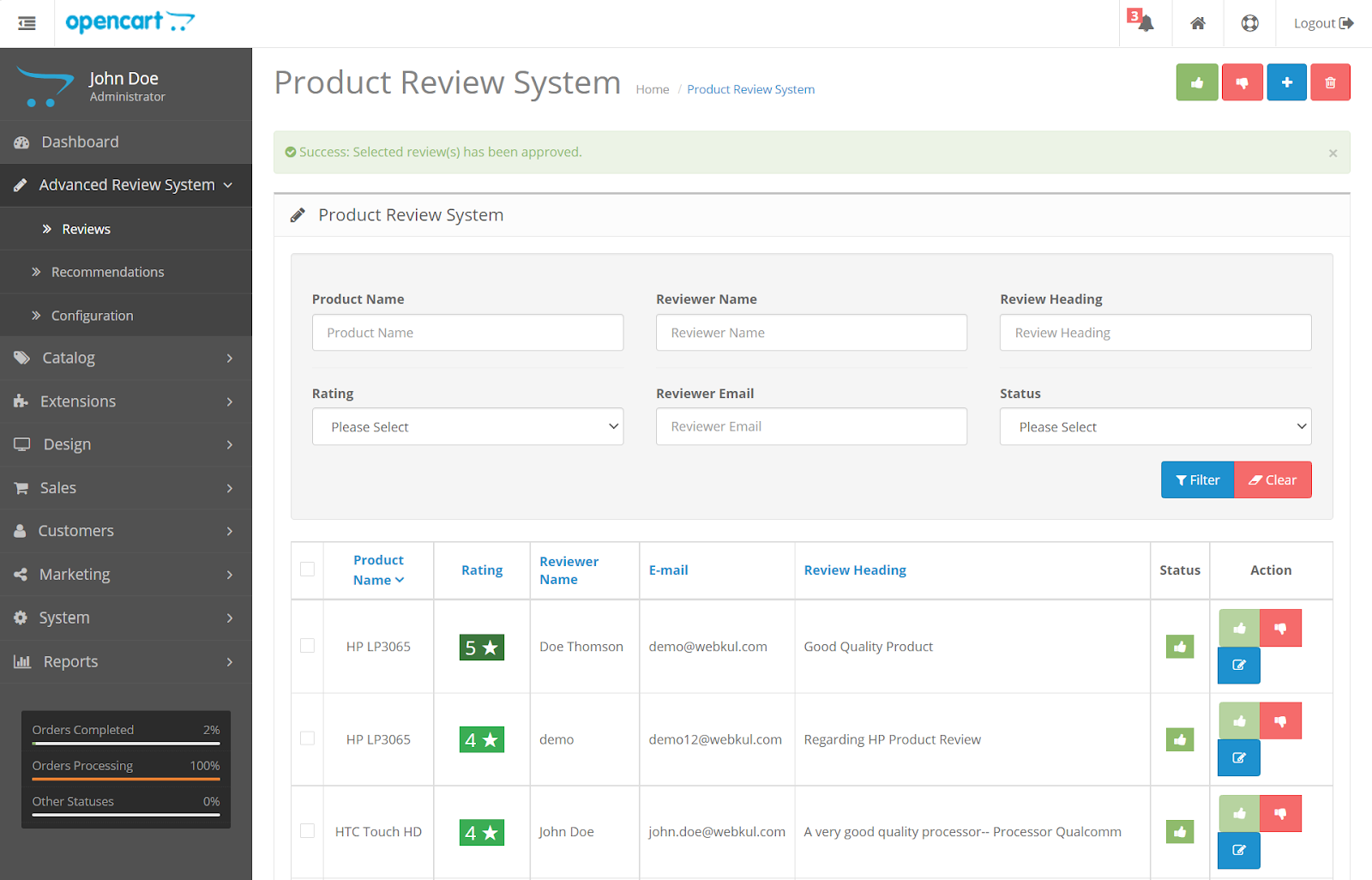
The customer product needs to be approved by the admin thereafter is visible on the frontend. Here, the mass approves/disapproves along with the deleted reviews in bulk. This feature helps the admin to save time.
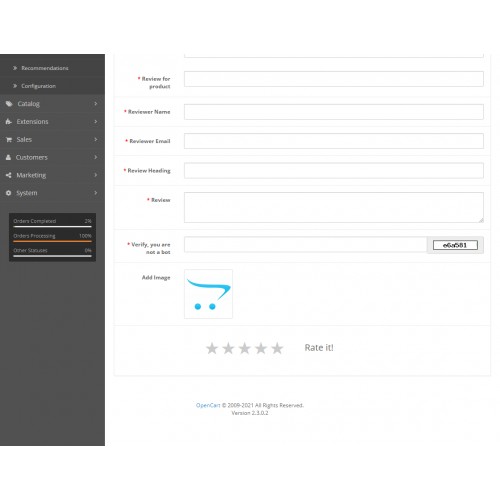
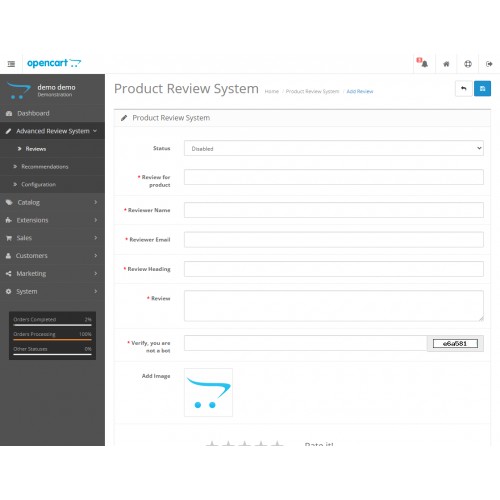
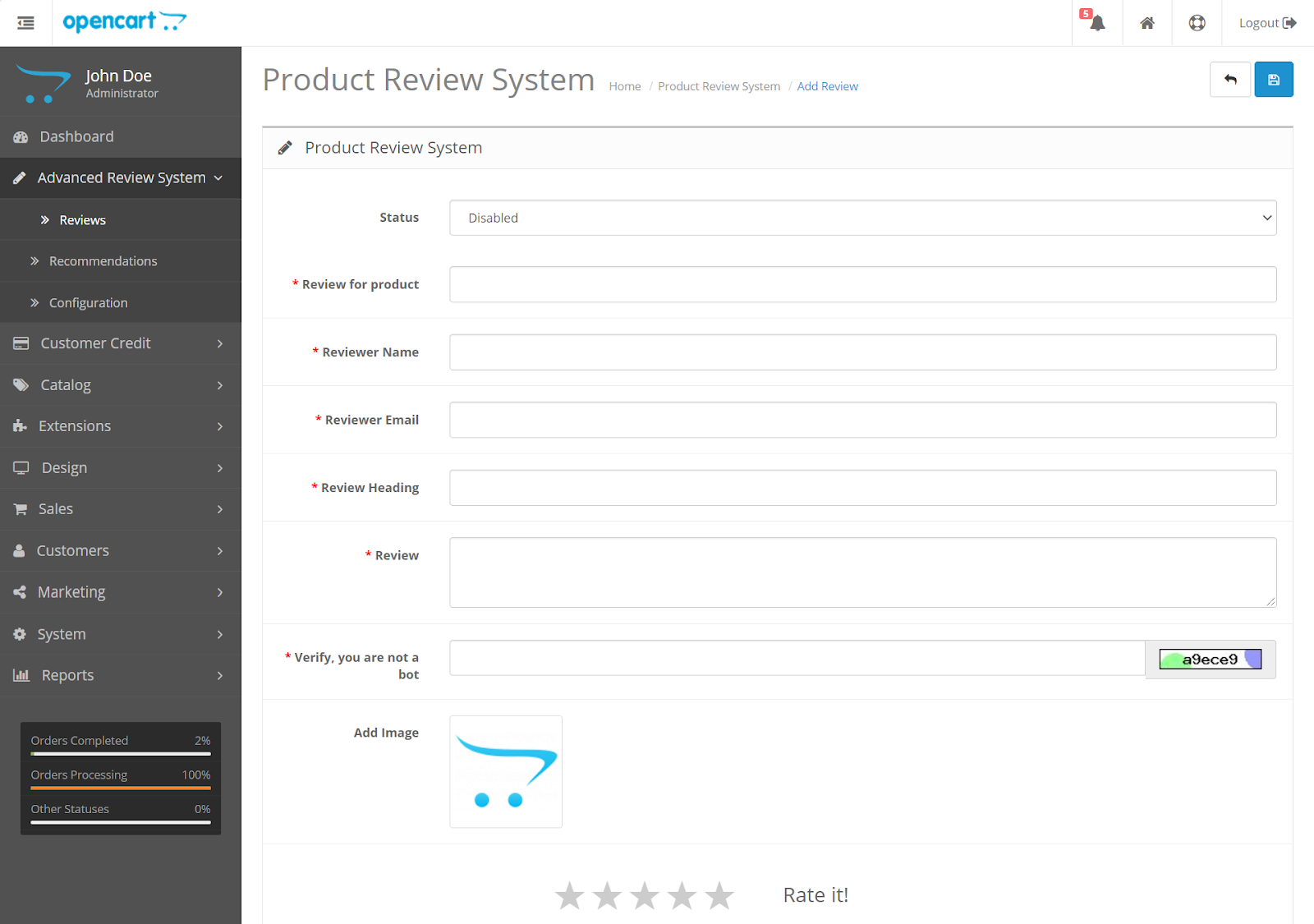
To add a product review the admin can simply click on the add icon on the top right corner.
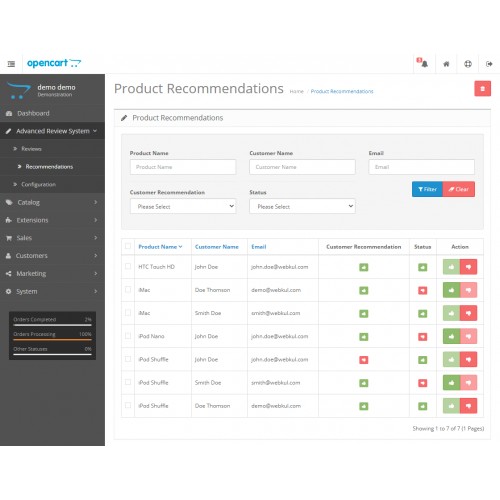
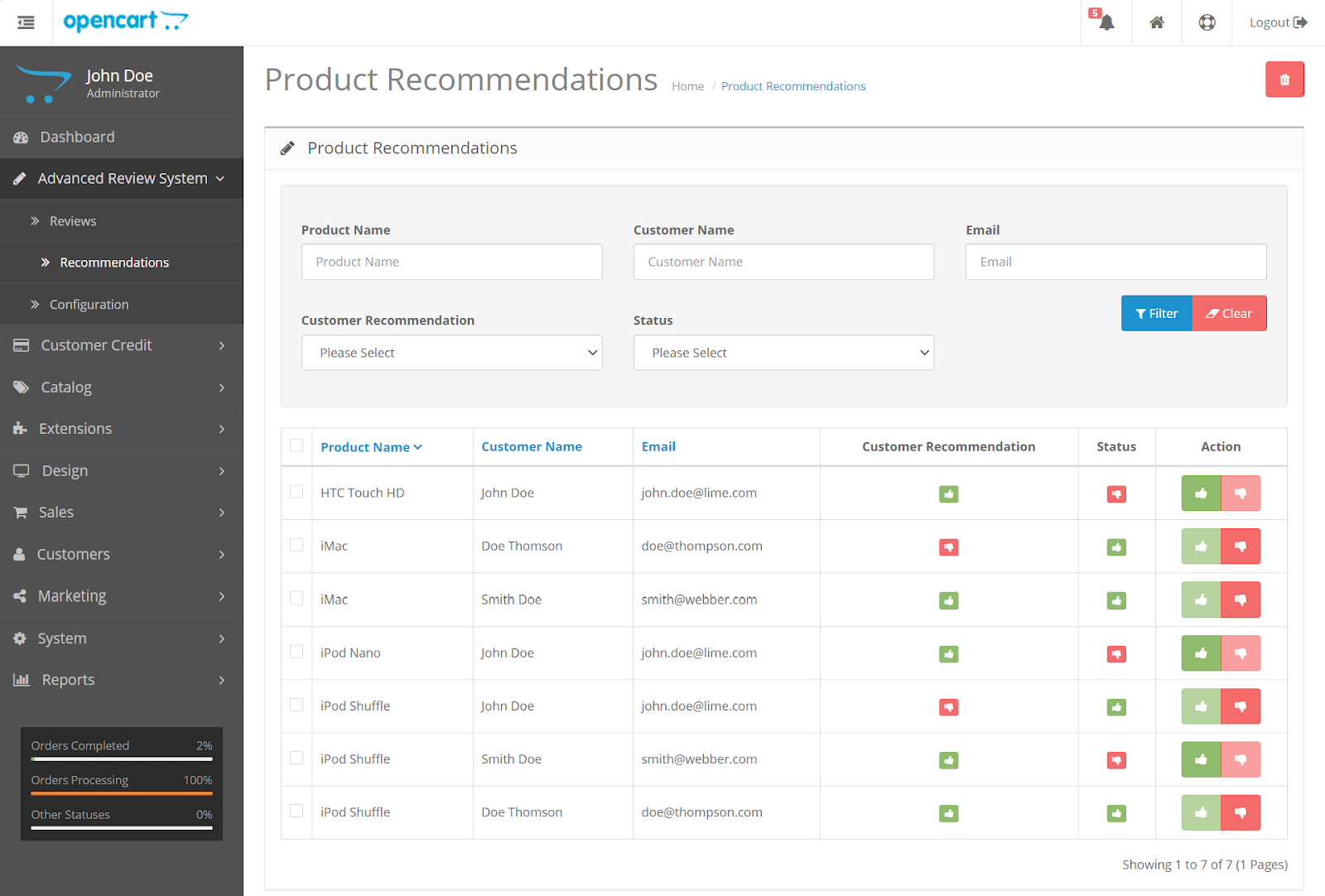
The admin can check the product recommendations added by the customers. To check or change the status of the product recommendation the admin can simply check the Status Column as this only determines whether the product recommendation is enabled or disabled.
Frontend View
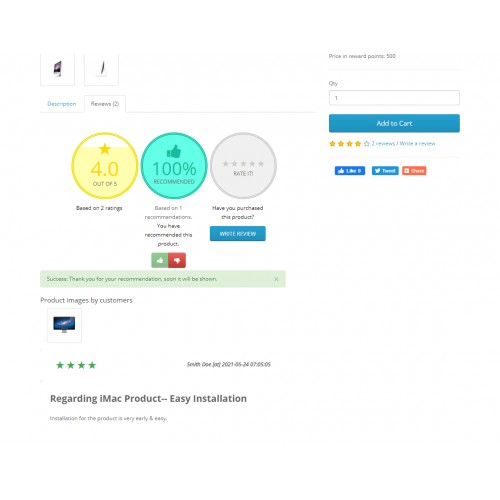
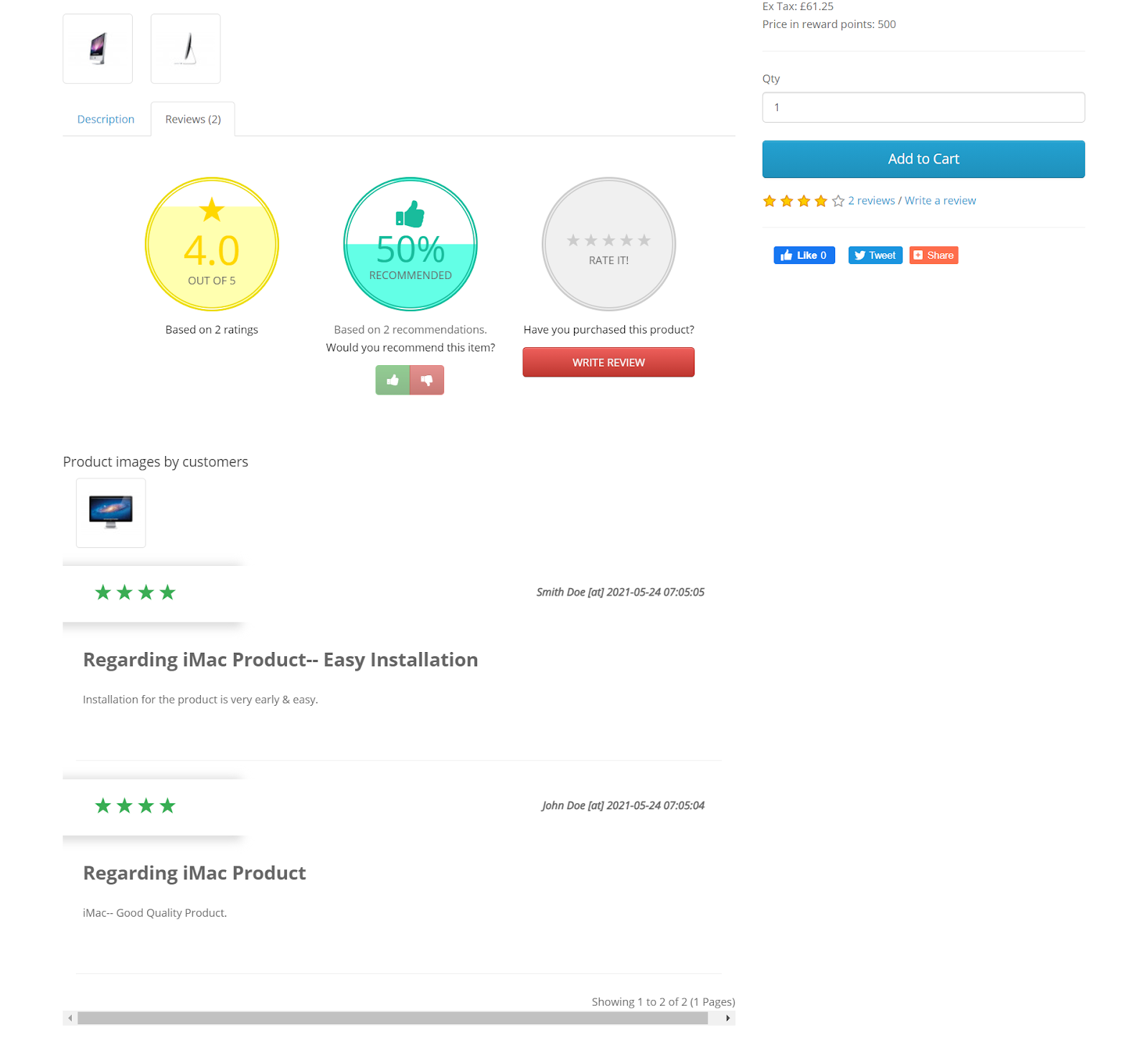
The product review section showcases the following features. The average rating will be shown for the product using widgets. The customers can check how many buyers thought the product is a good commodity and therefore, recommended to others.
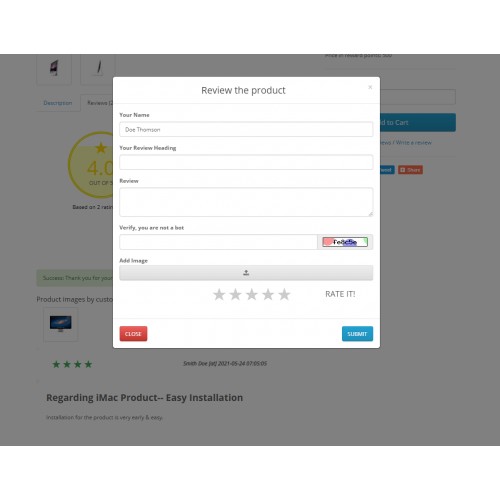
The visitors of the store will be able to see all the product reviews with headings, dates, and purchased product images if uploaded by the buyers in review.
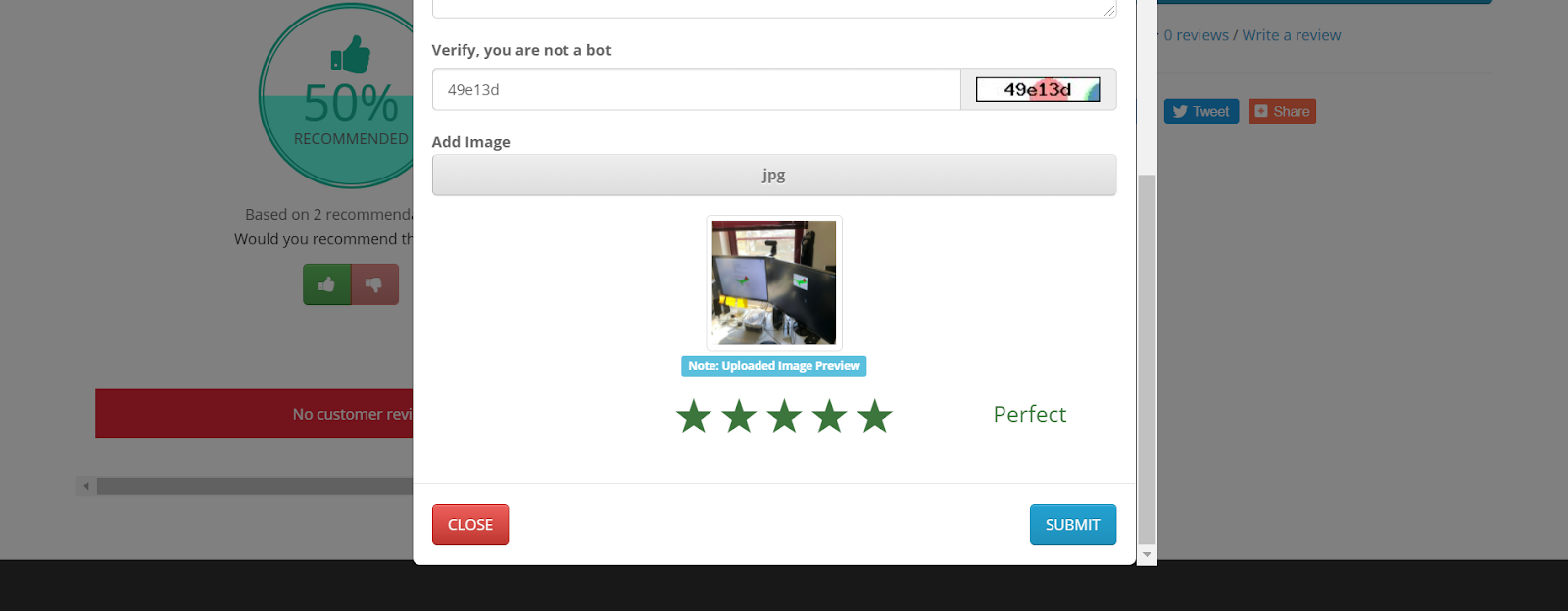
Moreover, The customer will be able to check the preview of the image that they upload while adding a product review as shown in the below image.

Some Moments Of Appreciation



Support Policy
Use Case
The customers are anticipated to buy items that they feel are recommended by others, moreover, if they can check photos of the product received by the buyers it boosts the urge to buy the product as it is a very common behavior seen during customers during online purchases.
The module lets the store owners check whether a customer review is authentic and doesn’t violate any store guidelines or includes an inappropriate written description. Therefore all the reviews are firstly approved by the admin then it is made to be visible on the store front end.
Features:
- Allows the customers to upload image during the review of any product.
- The admin can mass delete reviews from the backend.
- Reviews added by the customer will be visible once the admin approves them. Moreover, the admin can also mass approve/disapprove reviews.
- The admin can set the image extension type for the review image upload.
- The customers can view recommendations and ratings for the products.
- The admin can edit, add or delete any review from the backend.
- After uploading the image of the product review the customer can also check the preview of the same.
- If the admin enables captcha the customer needs to complete a captcha verification test before submitting a review.
- The admin can select the date format which will be visible along with the review on the frontend.
- The admin can delete, enable or disable any recommendations for products.
- Guest users can also add a review if the admin sets the login required field as No.
Workflow
The admin needs to first set up various features like guest users can write review image upload features and allow extensions and maximum file size of the image.
Even the format in which the date-time will be visible in the review can be selected by the admin in configuration.
The customer product needs to be approved by the admin thereafter is visible on the frontend. Here, the mass approves/disapproves along with the deleted reviews in bulk. This feature helps the admin to save time.
To add a product review the admin can simply click on the add icon on the top right corner.
The admin can check the product recommendations added by the customers. To check or change the status of the product recommendation the admin can simply check the Status Column as this only determines whether the product recommendation is enabled or disabled.
Frontend View
The product review section showcases the following features. The average rating will be shown for the product using widgets. The customers can check how many buyers thought the product is a good commodity and therefore, recommended to others.
The visitors of the store will be able to see all the product reviews with headings, dates, and purchased product images if uploaded by the buyers in review.
Moreover, The customer will be able to check the preview of the image that they upload while adding a product review as shown in the below image.
Some Moments Of Appreciation
Support Policy
Price
$119.00
- Developed by OpenCart Partner
- 3 Months Free Support
- Documentation Included
Rating
Compatibility
3.0.0.0, 3.0.1.0, 3.0.1.1, 3.0.1.2, 3.0.1.3, 3.0.2.0, 3.0.3.0, 3.0.3.1, 3.0.3.2, 3.0.3.3, 3.0.3.5, 3.0.3.6, 3.0.3.7, 3.0.3.8
Last Update
23 Jun 2025
Created
18 Jun 2021
1 Sales
0 Comments

Login and write down your comment.
Login my OpenCart Account