Opencart AI Category Prediction
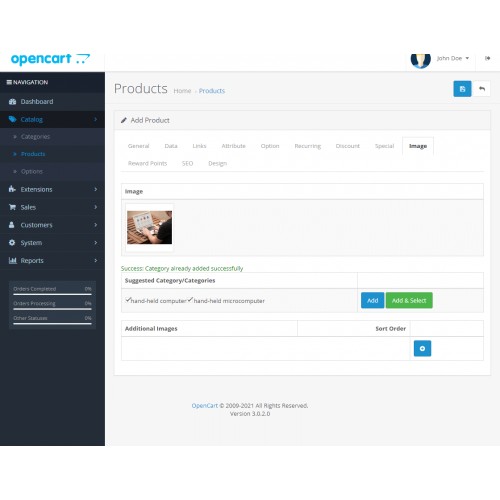
Opencart AI Category Prediction: Opencart AI Prediction extension provides a facility to the store admin to create a category for the product based on its image. This module will suggest some categories for the products according to the uploaded image. It uses artificial intelligence technology to recommend the category for the product image.
Now store admin does not need to create a product category every time for every new product. There is a recommendation for various options of a product category for a single product. The admin just needs to select the category and that will be added to a particular product.




Use Case:
The Opencart AI Category Prediction module can be used where the store owner has to deal with a large number of products. It is a very time-consuming process for the store admin to create categories for each product every time.
To overcome this issue the module has a feature to provide suggestions for categories so that store admin can easily assign categories to the products. The store admin has to select the category to assign it to the product.
Features:
Workflow:
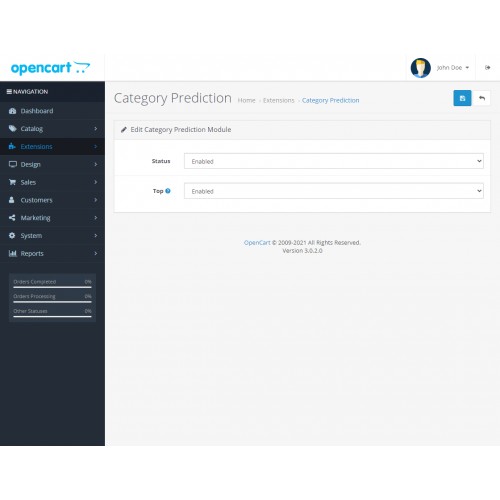
The store admin has to enable the module status as Yes to configure it and the admin can also enable the top to create a category on the top of the menu bar in the front end view.

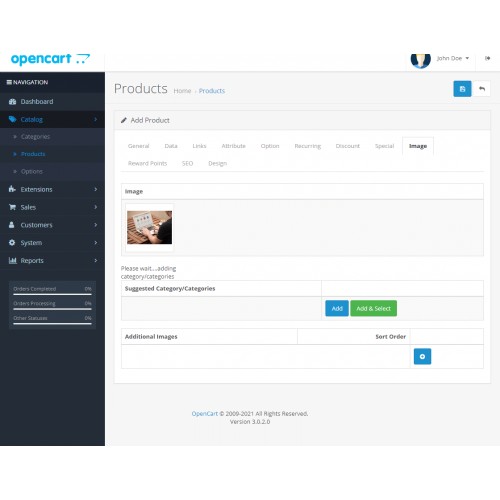
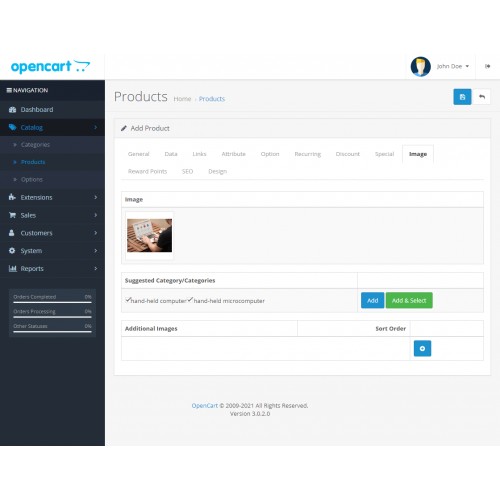
The store admin has to upload the image of the product and then some suggestions will appear as category lists. The admin has to select the category from the suggested category list to assign a category to the product.
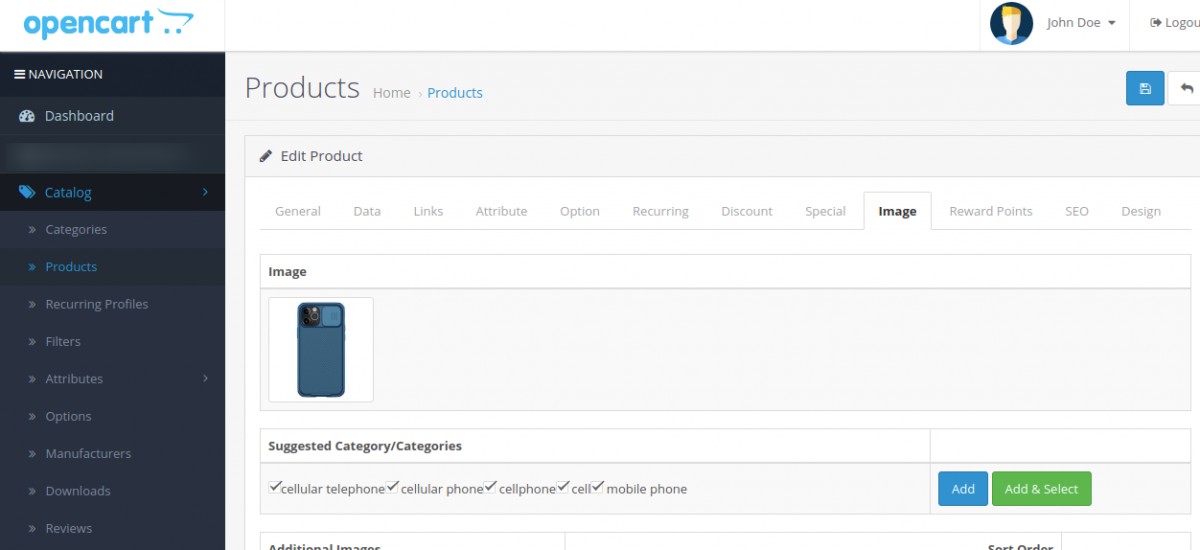
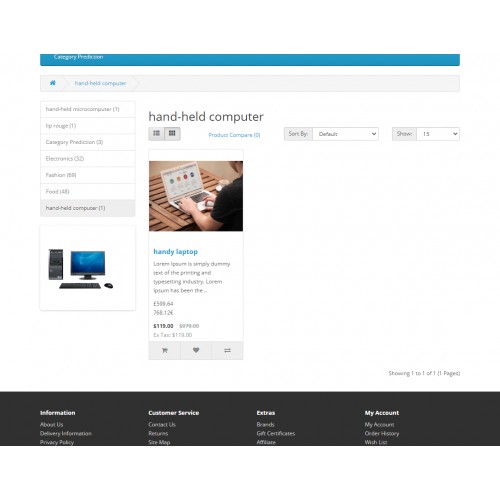
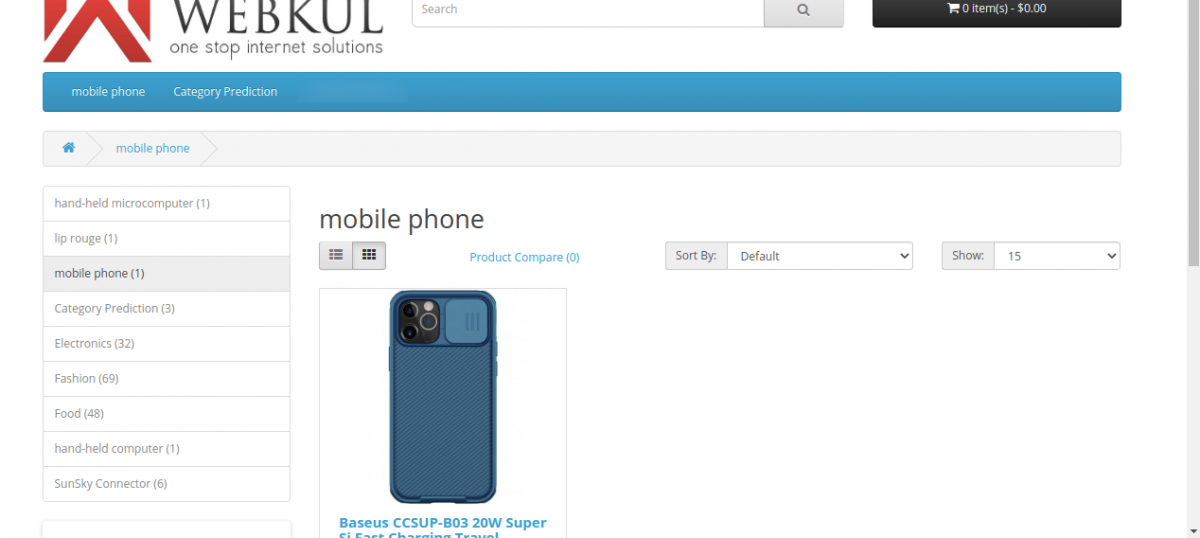
The assigned category can be added by the Add and Add & Select button in front of the category list and the product will appear with the assigned category in the front end view.

Some Moments Of Appreciation



Support Policy
Now store admin does not need to create a product category every time for every new product. There is a recommendation for various options of a product category for a single product. The admin just needs to select the category and that will be added to a particular product.
Use Case:
The Opencart AI Category Prediction module can be used where the store owner has to deal with a large number of products. It is a very time-consuming process for the store admin to create categories for each product every time.
To overcome this issue the module has a feature to provide suggestions for categories so that store admin can easily assign categories to the products. The store admin has to select the category to assign it to the product.
Features:
- The admin can create categories based on the uploaded image of the product with the help of AI prediction.
- It works for both new and existing products.
- It recommends some predefined categories as per the image of the product.
- The admin can assign the product to the recommended list of categories.
- If the top option is enabled at the time of creating a category then the new category will be added to the top of the menu bar in the front end view.
- Selected categories will be visible in the catalog section under the category option and link tab of the product.
Workflow:
The store admin has to enable the module status as Yes to configure it and the admin can also enable the top to create a category on the top of the menu bar in the front end view.
The store admin has to upload the image of the product and then some suggestions will appear as category lists. The admin has to select the category from the suggested category list to assign a category to the product.
The assigned category can be added by the Add and Add & Select button in front of the category list and the product will appear with the assigned category in the front end view.
Some Moments Of Appreciation
Support Policy
Price
$199.00
- Developed by OpenCart Partner
- 3 Months Free Support
- Documentation Included
Rating
Compatibility
3.0.0.0, 3.0.1.0, 3.0.1.1, 3.0.1.2, 3.0.1.3, 3.0.2.0, 3.0.3.0, 3.0.3.1, 3.0.3.2, 3.0.3.3, 3.0.3.5, 3.0.3.6, 3.0.3.7, 3.0.3.8, 3.0.3.9, 3.0.4.0, 3.0.4.1
Last Update
17 Jul 2025
Created
13 Jul 2021
0 Sales
0 Comments

Login and write down your comment.
Login my OpenCart Account