Opencart Kitchen Point Of Sale System (POS)
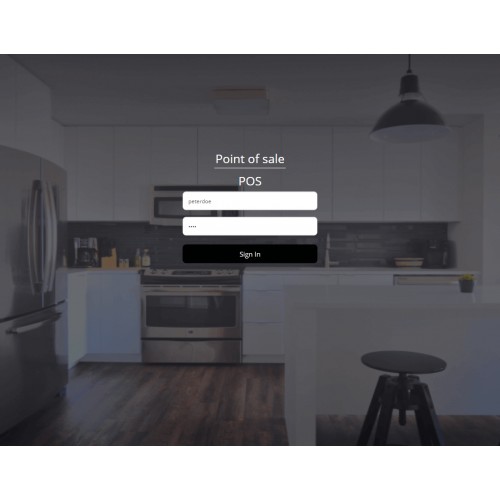
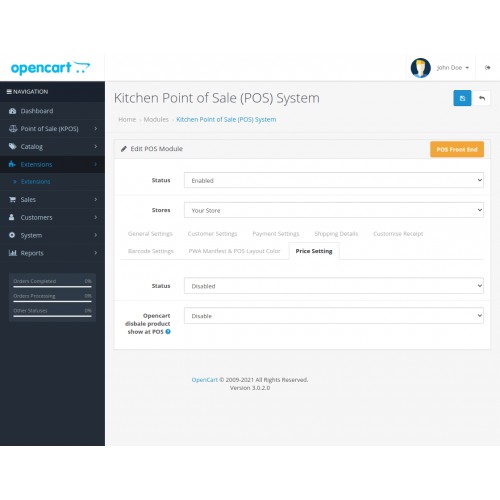
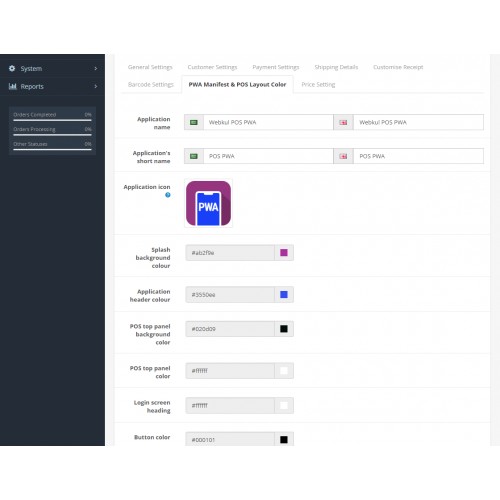
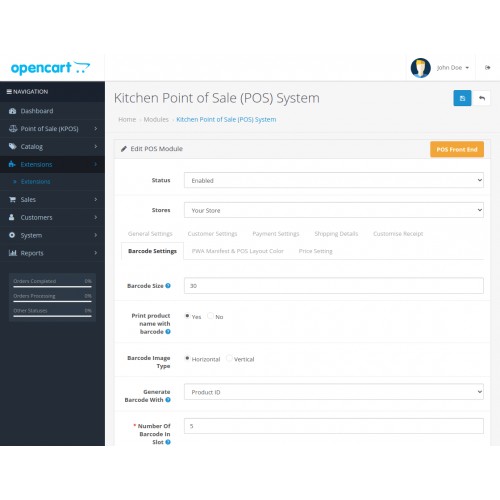
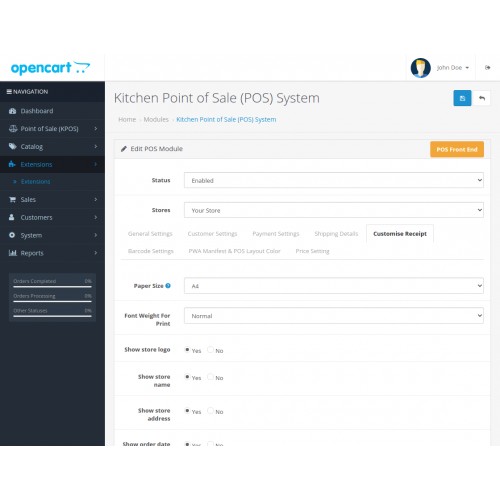
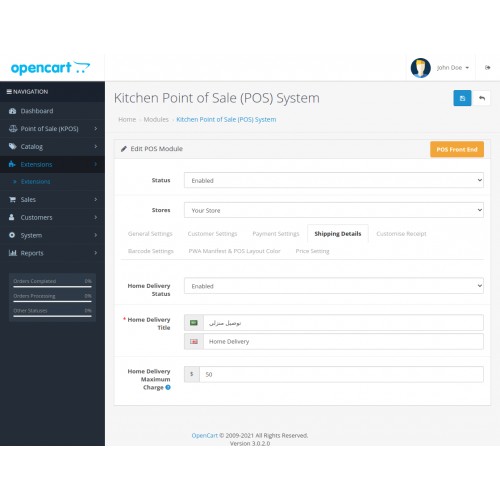
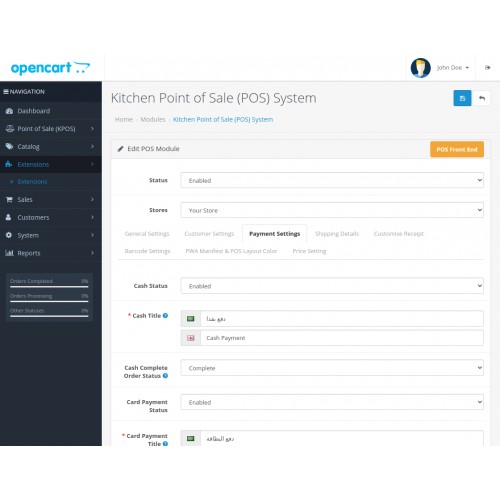
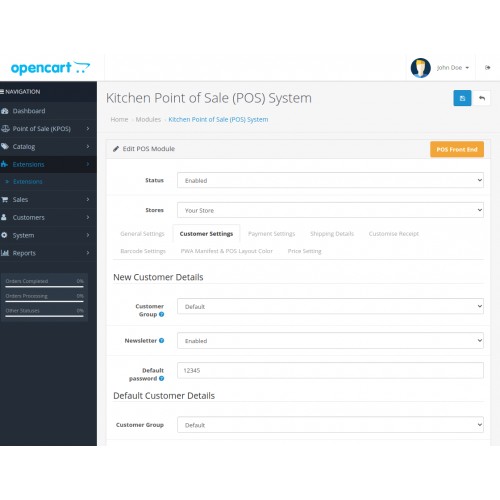
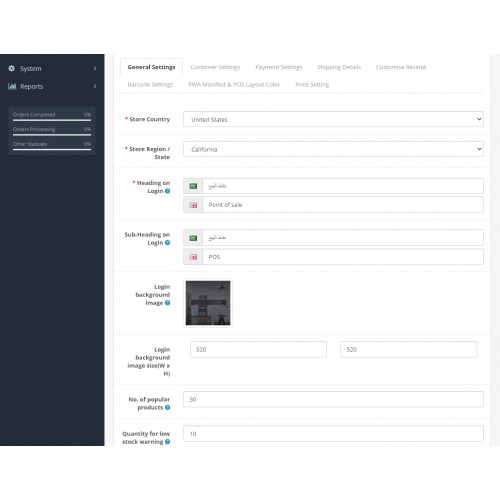
Opencart Kitchen Point Of Sale System (POS): The admin can customize the background image as well as the dimensions (background image size) for the POS panel's login page using the Kitchen Point Of Sale System. This POS system also allows the administrator to change the color of the POS panel layout as needed.
For pos agents, a cash drawer with an opening amount has been included. Now, using this POS system, the pos agent can even split the customer's payment if the customer wants to pay some cash and the rest with a card.
Note - For OpenCart Marketplace, kindly refer to the Opencart Marketplace POS module. Kitchen POS Extension additionally keeps track of multi-warehouse inventory dependent on the location of the outlet.




Use Case
The Opencart Kitchen POS system allows you to create a sales representative that may manage your store. Inventory management, sales agent management, customer management, and supplier information management are all made easier with this module.
In the actual store, the salesperson can quickly place orders on behalf of customers.
Features:
Workflow
From the backend, the admin will be able to quickly administer the Kitchen POS. In this section, the administrator will configure a sales representative, a guest customer, payment, shipping, barcode, and PWA (along with its layout).

User management
An outlet can be created by the store owner, and users can control it. The outlet can be assigned products by the administrator. This will make it simple to open physical businesses in many areas.
Product/Inventory management
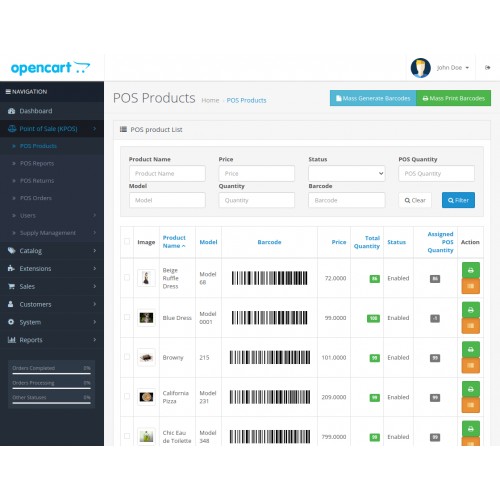
The product details, such as name, image, model number, barcode, price, total quantity, status, and allocated Kitchen POS quantity, may all be managed by the admin. The product barcodes can be generated and printed in bulk by the admin.

POS Reports
The admin will be able to review the product and sales POS reports.

The sales report, on the other hand, will include the following information: Outlet Name, Customer Name, Total Amount of Purchase, Order Date, Payment Method Selected, Order Status, and POS User allocated to the order.

POS Returns
From the backend, the admin can manage the returns. The returned product's status can be changed by the administrator. To get the return orders, the admin can use the filter.

Supply Management
The admin can manage the supplier's products and set the supplier's data. A separate supplier and product details section will be included in this section.

POS Frontend
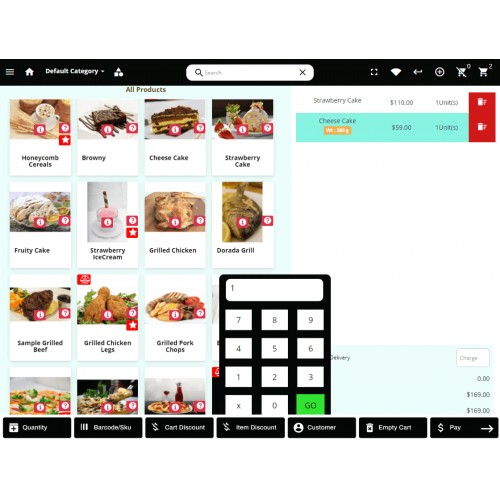
In a physical store, the sales agent can check out on behalf of the customer. They can manage how much of a product is purchased, how much it weighs, and if a custom or coupon-based discount is applied.
After printing the sales receipt, a cash drawer can be connected to your printer and opened. The replaceable cable provided links the cash drawer to the receipt printer. It can be used to support a monitor, receipt printer, or other point-of-sale device and can be placed on a counter.

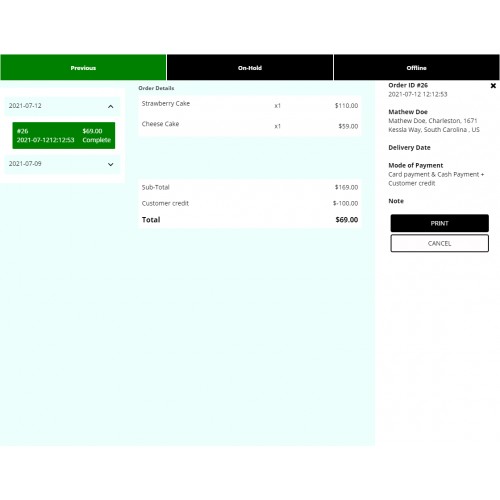
The POS user can also manage account details and see a list of orders (a list of orders which is generated by the sales agents).

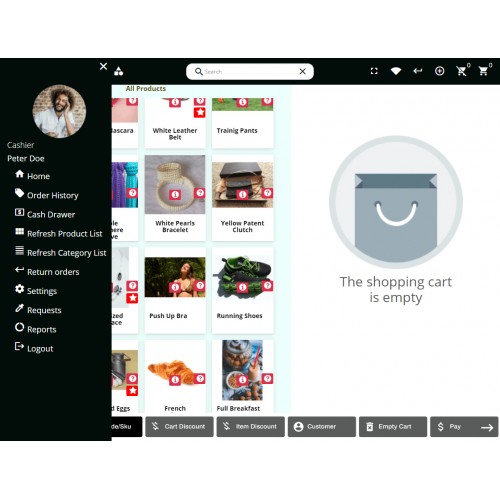
The admin can examine the Order history, cash drawer, refresh product list, and so forth, as shown in the image below.

Cash Drawer
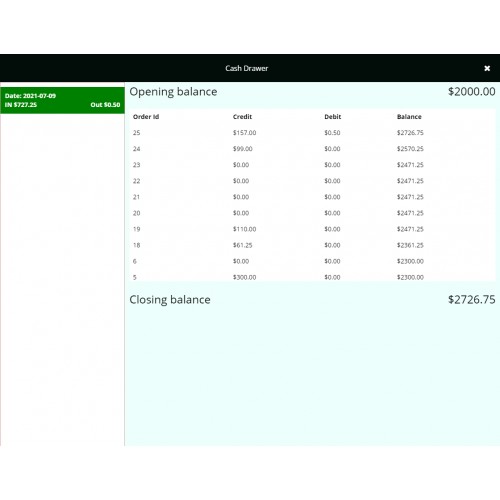
The sales agents verify the cash quantity in his Cash Drawer when they sign in. After checking, the money is submitted for the first time right after signing in. For pos agents, a cash drawer with an opening amount has been included.

Refresh Product list
This keeps the product list current because any updates made by the admin in the backend are reflected in the frontend.

Returns
Customers can also return their orders if they so desire. Customers' returns will be filed by the agent on their behalf. As shown in the image below, the agent will click the Return Order button.

Checkout
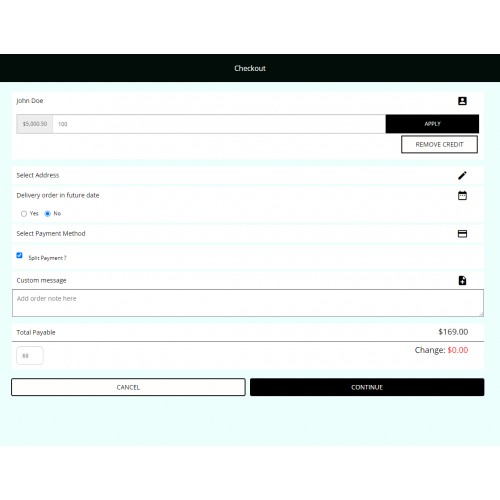
The products may be simply checked out by the POS sales representative. The sales agent can now choose which products to add to the cart. The sales representative can then choose the customer's name, payment method, and complete the checkout process.


Some Moments Of Appreciation


Support Policy
For pos agents, a cash drawer with an opening amount has been included. Now, using this POS system, the pos agent can even split the customer's payment if the customer wants to pay some cash and the rest with a card.
Note - For OpenCart Marketplace, kindly refer to the Opencart Marketplace POS module. Kitchen POS Extension additionally keeps track of multi-warehouse inventory dependent on the location of the outlet.
Use Case
The Opencart Kitchen POS system allows you to create a sales representative that may manage your store. Inventory management, sales agent management, customer management, and supplier information management are all made easier with this module.
In the actual store, the salesperson can quickly place orders on behalf of customers.
Features:
- Admin can customize the Kitchen POS panel layout color.
- The admin can set the Kitchen POS panel login page background image.
- An admin can set the dimension for the Kitchen POS login page background image.
- Opening amount cash drawer is available for the Kitchen POS agents.
- POS agents can split customer payment in case the customer wants to do some payment with a card and the rest with cash.
- Admin can easily manage the inventory and sales.
- Admin can create more users to operate the Kitchen POS system.
- Products can search by typing in the Product Name, Model, SKU, or the Barcode in the search box.
- Update Product Quantity through input in the card details section.
- Enable and Disable Online/Offline mode for the User.
- The agent can add the custom product which is not in the inventory into the cart directly(A service or a product not available in the current inventory, etc.).
- On adding the product to the cart, its price gets updating as per the weight define for the product.
- Custom price update for any product which is already adding to the cart.
- Supports two types of payment method cash payment and custom payment method.
- The agent can request an update on the low stocks.
- The agent can make easy returns.
- Supports home delivery feature.
- The salesperson can even charge the home delivery fees if the customer wants the order to deliver at home.
- The customer can use their credit balance while making a purchase.
- Admin can manage both the store inventory (offline & online) with this single module.
- Generate Barcodes for the products automatically via the admin panel.
- Print the barcodes then add the barcodes to your products.
- Set the barcode size from the backend.
- It can even regenerate then mass generate the barcodes.
- The Kitchen POS agent can also add the product to the cart using a barcode.
- Admin can manage the customers’ data.
- The sales agent can now even manage the product weight at the time of checkout.
- Customers can deliver the product on a future date.
- The sales agent and store owner can check the daily and monthly reports based on the customer, payment mode, and sales.
- Kitchen POS Report section contains the details of the product, Sales report, and Sales Chart.
- The report has the Overall Sales and the Total Payment in Credit(if the credit card is used) from Sales.
- Price settings at the admin’s end for increasing or decreasing the pos product’s price in bulk.
- Option to enable/disable the OpenCart product show within the Kitchen POS terminal.
- The admin can also manage the multi-store configuration.
Workflow
From the backend, the admin will be able to quickly administer the Kitchen POS. In this section, the administrator will configure a sales representative, a guest customer, payment, shipping, barcode, and PWA (along with its layout).
User management
An outlet can be created by the store owner, and users can control it. The outlet can be assigned products by the administrator. This will make it simple to open physical businesses in many areas.
Product/Inventory management
The product details, such as name, image, model number, barcode, price, total quantity, status, and allocated Kitchen POS quantity, may all be managed by the admin. The product barcodes can be generated and printed in bulk by the admin.
POS Reports
The admin will be able to review the product and sales POS reports.
The sales report, on the other hand, will include the following information: Outlet Name, Customer Name, Total Amount of Purchase, Order Date, Payment Method Selected, Order Status, and POS User allocated to the order.
POS Returns
From the backend, the admin can manage the returns. The returned product's status can be changed by the administrator. To get the return orders, the admin can use the filter.
Supply Management
The admin can manage the supplier's products and set the supplier's data. A separate supplier and product details section will be included in this section.
POS Frontend
In a physical store, the sales agent can check out on behalf of the customer. They can manage how much of a product is purchased, how much it weighs, and if a custom or coupon-based discount is applied.
After printing the sales receipt, a cash drawer can be connected to your printer and opened. The replaceable cable provided links the cash drawer to the receipt printer. It can be used to support a monitor, receipt printer, or other point-of-sale device and can be placed on a counter.
The POS user can also manage account details and see a list of orders (a list of orders which is generated by the sales agents).
The admin can examine the Order history, cash drawer, refresh product list, and so forth, as shown in the image below.
Cash Drawer
The sales agents verify the cash quantity in his Cash Drawer when they sign in. After checking, the money is submitted for the first time right after signing in. For pos agents, a cash drawer with an opening amount has been included.
Refresh Product list
This keeps the product list current because any updates made by the admin in the backend are reflected in the frontend.
Returns
Customers can also return their orders if they so desire. Customers' returns will be filed by the agent on their behalf. As shown in the image below, the agent will click the Return Order button.
Checkout
The products may be simply checked out by the POS sales representative. The sales agent can now choose which products to add to the cart. The sales representative can then choose the customer's name, payment method, and complete the checkout process.
Some Moments Of Appreciation
Support Policy
Price
$199.00
- Developed by OpenCart Partner
- 3 Months Free Support
- Documentation Included
Rating
Compatibility
3.0.0.0, 3.0.1.1, 3.0.1.2, 3.0.1.3, 3.0.2.0, 3.0.3.0, 3.0.3.1, 3.0.3.2, 3.0.3.3, 3.0.3.5, 3.0.3.6, 3.0.3.7, 3.0.3.8
Last Update
29 Oct 2025
Created
6 Aug 2021
0 Sales
0 Comments

Login and write down your comment.
Login my OpenCart Account