Advanced Image Manager
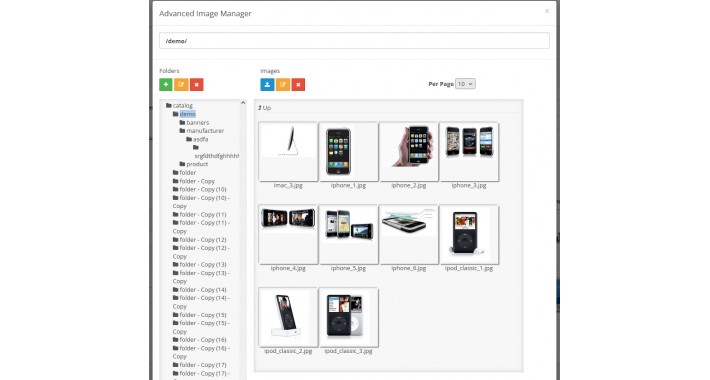
Advanced Image Manager
1) You can see files/folders in tree
2) You can select images for banners/settings etc
3) It keeping the last accessed folder ( I think its very important when we have folders in deep and we want to select and select again)
INSTALLATION
1) Copy all files to your root directory replacing existing files
2) Extensions/modules and install "Advanced Image Manager"
3) After installation select "Edit"
1) You can see files/folders in tree
2) You can select images for banners/settings etc
3) It keeping the last accessed folder ( I think its very important when we have folders in deep and we want to select and select again)
INSTALLATION
1) Copy all files to your root directory replacing existing files
2) Extensions/modules and install "Advanced Image Manager"
3) After installation select "Edit"
Download
- Developed by OpenCart Community
- Documentation Included
Rating
Compatibility
3.0.3.7
Last Update
1 Oct 2021
Created
30 Sep 2021
485 Downloads
6 Comments

Login and write down your comment.
Login my OpenCart Account