HYPER advanced options

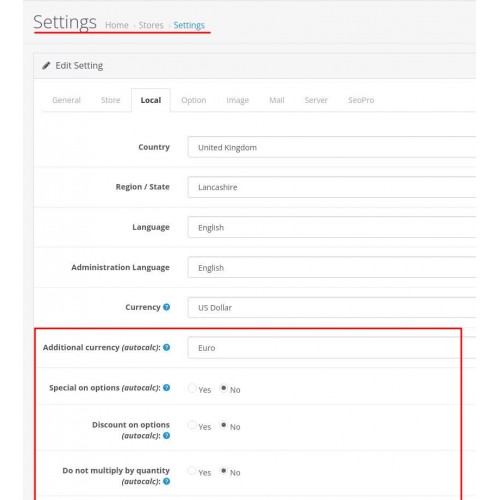
Dynamically changing the price of an item when choosing an option and changing the quantity of an item for OpenCart OC 3
HYPER advanced options
Additional actions to the option price: =, -% ,, +%, *, /.
The module settings are located on the Localization tab in the store configuration.
Demo: https://demo-os3.hyperlab.team/en-apple-cinema-30/
Opportunities:
Features of work:
When calculating discounts, only the entered quantity is taken into account (the goods in the basket are not included in the calculation).
The price is recalculated without additional requests to the server.
For the module to work correctly with the Journal3 theme, it is necessary to disable the built-in price update module in the Journal3 settings:
Styles -> Product Page -> Default -> Product Detail -> Price Group -> Price -> Price Update = off
Installation instructions:
Install the modifier file through the admin panel in the Extension Installer section (Upload button). Or put the file in the / system / folder
In the Modifications section, click the Refresh button.
HYPER advanced options
Additional actions to the option price: =, -% ,, +%, *, /.
The module settings are located on the Localization tab in the store configuration.
Demo: https://demo-os3.hyperlab.team/en-apple-cinema-30/
Opportunities:
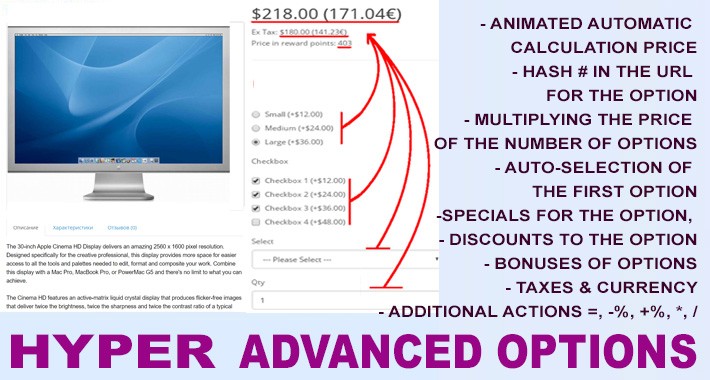
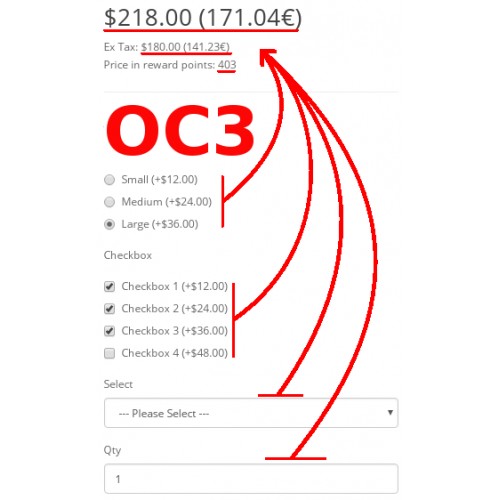
- Animated dynamic product price when options are changed
- The price is recalculated without additional requests to the server.
- The promotion for the product is taken into account
- Discount for goods is taken into account
- Price update including taxes
- Updating the price in bonus points
- Multiplying the price by the entered quantity of goods - (on / off)
- Hash #) in url when selecting an option - setting - (on / off)
- Special on options in proportion to the special on the product - (on / off)
- Discount on options in proportion to the discount on the product - (on / off)
- Automatic selection of the first option - (on / off)
- Displaying prices in additional currency - (on / off)
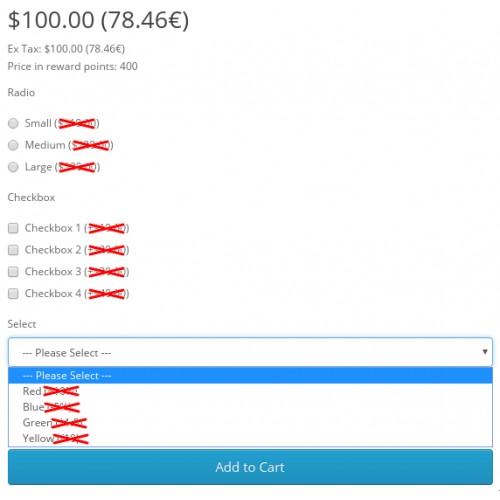
- Do not show option price - (on / off)
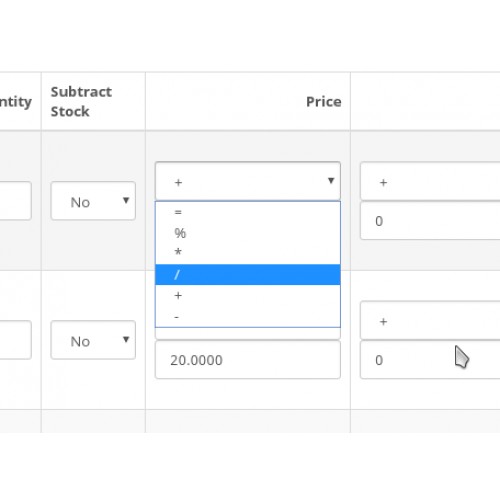
- Additional actions to the option price: =,%, *, /.
- Animated dynamic product price when options are changed
Features of work:
When calculating discounts, only the entered quantity is taken into account (the goods in the basket are not included in the calculation).
The price is recalculated without additional requests to the server.
For the module to work correctly with the Journal3 theme, it is necessary to disable the built-in price update module in the Journal3 settings:
Styles -> Product Page -> Default -> Product Detail -> Price Group -> Price -> Price Update = off
Installation instructions:
Install the modifier file through the admin panel in the Extension Installer section (Upload button). Or put the file in the / system / folder
In the Modifications section, click the Refresh button.
What customers say about HYPER advanced options

Well made extension, does everything needed for options and price update
~m2mpayments
~m2mpayments
Download
- Developed by OpenCart Partner
- Documentation Included
Rating
Compatibility
3.0.0.0, 3.0.1.0, 3.0.1.1, 3.0.1.2, 3.0.1.3, 3.0.2.0, 3.0.3.0, 3.0.3.1, 3.0.3.2, 3.0.3.3, 3.0.3.5, 3.0.3.6, 3.0.3.7, 3.0.3.8
Last Update
25 Jul 2022
Created
21 Dec 2021
525 Downloads
14 Comments

Login and write down your comment.
Login my OpenCart Account