Como Move Action and Status columns
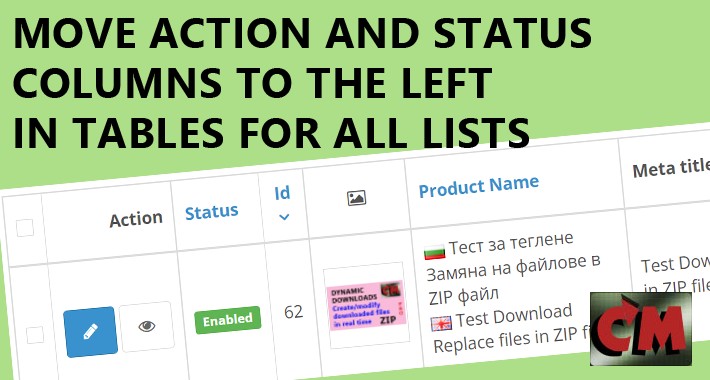
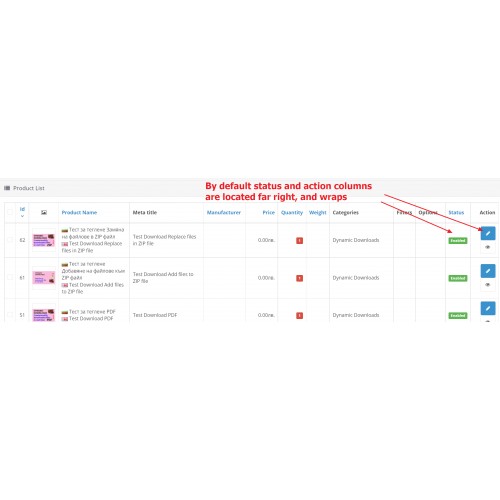
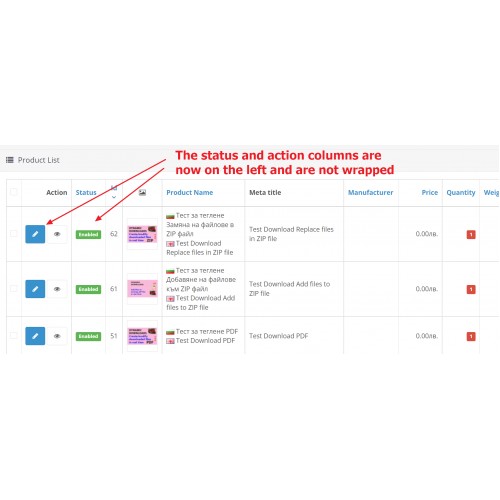
Tired of looking for the action buttons far to the right in the wide tables in the admin panel, such as products, orders, customers, and more? If so - this extension is for you. It simply moves the columns of the lists from far right to near left.
This problem is even more serious when using a phone or other device with a smaller screen than a desktop computer.
Also, if there are more buttons in the column, and they wrinkle under each other, now they will be in a row, no wraped :-)


D E M O in Opencart 3.0
Username/password: demo/demo
NOTE: You can consider for many more our Admin Tools: Dynamic downloads.
Please see some of the additional features in it:
Installation
See our other useful extensions
SELECTED:

FREE:

This problem is even more serious when using a phone or other device with a smaller screen than a desktop computer.
Also, if there are more buttons in the column, and they wrinkle under each other, now they will be in a row, no wraped :-)
D E M O in Opencart 3.0
Username/password: demo/demo
NOTE: You can consider for many more our Admin Tools: Dynamic downloads.
Please see some of the additional features in it:
- Select page to load after login in admin panle
- Remove storage message
- Remove model requirement
- Select admin panel logo
- Admin language switcher
- Slideshow and carousel settings
- Improved product search
- Autocomplate limit
- Some adjustments to catalog (frontend)
- Optional email sending on order edit!
- Each one from above can be enabled or disabled
- PHP info entry in Admin System maintenance menu.
- Admin panel lists: products categories, orders, clients and other - add or remove additional columns
- Many more!
Installation
- Normal installation via menu Extensions, Installation. See documentation.
See our other useful extensions
SELECTED:
FREE:
Download
- Developed by OpenCart Community
- Documentation Included
Rating
Compatibility
3.0.0.0, 3.0.1.0, 3.0.1.1, 3.0.1.2, 3.0.1.3, 3.0.2.0, 3.0.3.0, 3.0.3.1, 3.0.3.2, 3.0.3.3, 3.0.3.5, 3.0.3.6, 3.0.3.7, 3.0.3.8, 3.x.x.x, 3.0.3.9, 3.0.4.0
Last Update
21 Aug 2024
Created
23 Dec 2021
133 Downloads
0 Comments

Login and write down your comment.
Login my OpenCart Account