Go To Store From Admin Panel
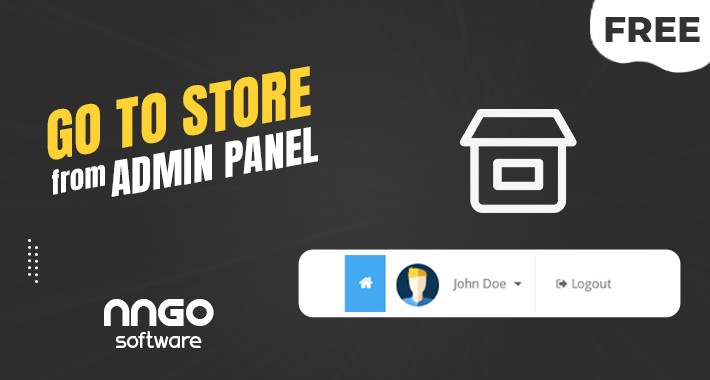
This module consists of XML codes only.
It does not make changes to any of your system files.
It is very simple to install and uninstall.
When you install this module, a shortcut button leading to your store is added immediately to the left side of the user name located in the admin panel.
To install all you need to do,
If you have not installed it before, please download and install this module by clicking here first. You can then proceed to install this module.
Modules/Installer/Install "go_to_store_from_admin.ocmod.zip" and then refresh your modifications.
And that's all it's so simple.
** It is entirely your decision to install this or other modules on your system. we are not responsible for any problems that may arise.
Best regards.
It does not make changes to any of your system files.
It is very simple to install and uninstall.
When you install this module, a shortcut button leading to your store is added immediately to the left side of the user name located in the admin panel.
To install all you need to do,
If you have not installed it before, please download and install this module by clicking here first. You can then proceed to install this module.
Modules/Installer/Install "go_to_store_from_admin.ocmod.zip" and then refresh your modifications.
And that's all it's so simple.
** It is entirely your decision to install this or other modules on your system. we are not responsible for any problems that may arise.
Best regards.
What customers say about Go To Store From Admin Panel

super
~ELUKSHOP
~ELUKSHOP
Download
- Developed by OpenCart Community
- Documentation Included
Rating
Compatibility
3.0.0.0, 3.0.1.0, 3.0.1.1, 3.0.1.2, 3.0.1.3, 3.0.2.0, 3.0.3.0, 3.0.3.1, 3.0.3.2, 3.0.3.3, 3.0.3.5, 3.0.3.6, 3.0.3.7, 3.0.3.8
Last Update
14 Jan 2022
Created
13 Jan 2022
262 Downloads
1 Comments

Login and write down your comment.
Login my OpenCart Account