Sellr Free Responsive Theme for OpenCart
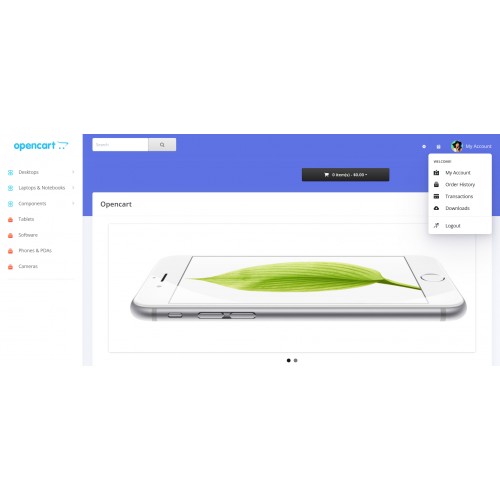

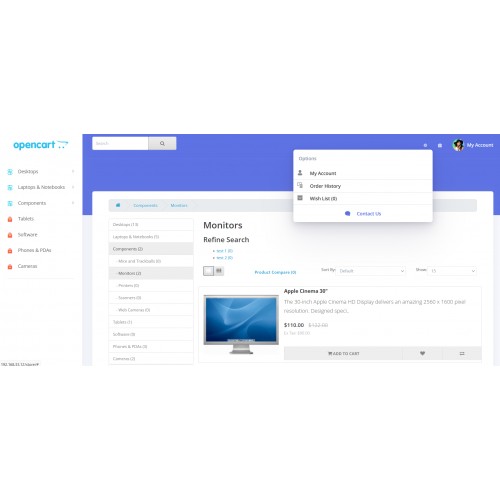
Modern OpenCart theme. Easy to install and use.
Prerequisites
[Opencart 3.x]
Backup of your store, in order to avoid data loss in case something goes wrong
Installation
Download the theme, and unzip it
Upload the contents inside of the "upload" folder
Sign into OpenCart with the Administrator account
Expand the Extensions menu, and select the Extension option
Using the module filter, select the Themes option to load all themes installed
Find the Sellr Theme, and click on the Install button. After installing the theme, edit its setting and activate it
Expand the System menu, and select the Settings option
Find the store that you want to modify, and click on the Edit button
In the General tab, locate the Theme section and select the Sellr Theme
Save your changes.
Go to the OpenCart Dashboard, and Refresh the Theme and SASS cache
Prerequisites
[Opencart 3.x]
Backup of your store, in order to avoid data loss in case something goes wrong
Installation
Download the theme, and unzip it
Upload the contents inside of the "upload" folder
Sign into OpenCart with the Administrator account
Expand the Extensions menu, and select the Extension option
Using the module filter, select the Themes option to load all themes installed
Find the Sellr Theme, and click on the Install button. After installing the theme, edit its setting and activate it
Expand the System menu, and select the Settings option
Find the store that you want to modify, and click on the Edit button
In the General tab, locate the Theme section and select the Sellr Theme
Save your changes.
Go to the OpenCart Dashboard, and Refresh the Theme and SASS cache
Download
- Developed by OpenCart Community
- Documentation Included
Rating
Compatibility
3.0.0.0, 3.0.1.0, 3.0.1.1, 3.0.1.2, 3.0.1.3, 3.0.2.0, 3.0.3.0, 3.0.3.1, 3.0.3.2, 3.0.3.3, 3.0.3.5, 3.0.3.6, 3.0.3.7, 3.0.3.8
Last Update
18 Jan 2022
Created
18 Jan 2022
756 Downloads
3 Comments

Login and write down your comment.
Login my OpenCart Account