Hide Navigation List Title
This module consists of XML codes only.
It does not make changes to any of your system files.
It is very simple to install and uninstall.
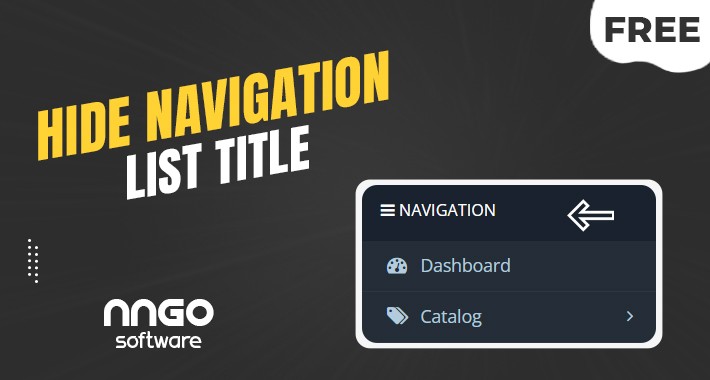
This module removes the menu title located at the top of the left menu located in your admin panel. When managing your site from a device with a relatively small screen, it will be advantageous for you that it does not take up space in vain in the left menu.
To install all you need to do,
Modules/Installer/Install "hide_navigation_list_title.ocmod.zip" and then refresh your modifications.
** If the installation fails or the module does not work, install this module first and then repeat the process.
And that's all it's so simple.
** It is entirely your decision to install this or other modules on your system. we are not responsible for any problems that may arise.
Best regards.
It does not make changes to any of your system files.
It is very simple to install and uninstall.
This module removes the menu title located at the top of the left menu located in your admin panel. When managing your site from a device with a relatively small screen, it will be advantageous for you that it does not take up space in vain in the left menu.
To install all you need to do,
Modules/Installer/Install "hide_navigation_list_title.ocmod.zip" and then refresh your modifications.
** If the installation fails or the module does not work, install this module first and then repeat the process.
And that's all it's so simple.
** It is entirely your decision to install this or other modules on your system. we are not responsible for any problems that may arise.
Best regards.
Download
- Developed by OpenCart Community
- Documentation Included
Rating
Compatibility
3.0.0.0, 3.0.1.0, 3.0.1.1, 3.0.1.2, 3.0.1.3, 3.0.2.0, 3.0.3.0, 3.0.3.1, 3.0.3.2, 3.0.3.3, 3.0.3.5, 3.0.3.6, 3.0.3.7, 3.0.3.8
Last Update
19 Jan 2022
Created
19 Jan 2022
296 Downloads
0 Comments

Login and write down your comment.
Login my OpenCart Account