Custom Alerts Version 1.0
Welcome to OpenCart 3 Version 1 of Custom Alerts
Version of opencart supported:
______________________________
Version 3.x
What you can do with this module:
_________________________________
1- Add a custom alert to front end
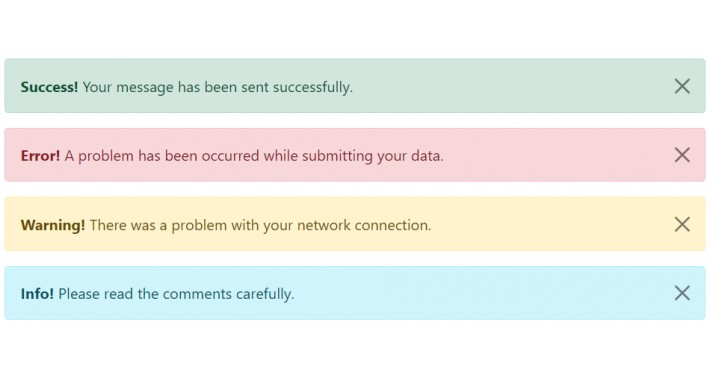
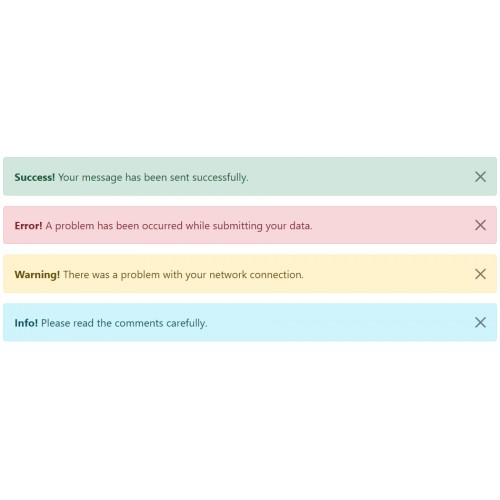
2- Choose from standard Bootstrap Alerts, success, Info, Danger, Warning.
3- Add bold text to start of alert to draw attention
4- Add a link to the end of the alert (Can be a store link or outside link)
5- Make the alert dissmissable if required
This module is very simple to use and has full management in the admin end. Support and custom work can be provided contact me: jonathanservice@hotmail.com
Install instructions:
_____________________
Use extension installer to upload the module then
Go to: Admin > Extensions > Extensions > Modules > Customalerts V1.0
1: Select Install on the right side of this extension the green plus button
2: Select Edit the blue pencil icon to the right of the extension
Use of the plugin:
__________________
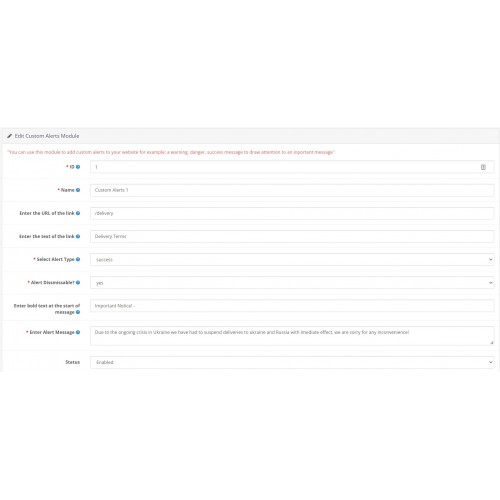
First things first enter the name of the custom alert
Select your alert type
Select if it is dissmissable
Enter your bold text for the start of the alert
Enter your full alert message
and Select enabled to enable the module
Want to add a link to the alert:
________________________________
Enter your URL like http:// or https:// or you can use a opencart link use the forward slash then the name of your link for example if you are using seo url's you can add: /delivery
To add to your store:
_____________________
Go to: Design > Layouts > [Select your layout to add your alert]
Support:
________
We offer Free support for this module if you have any issues, we also offer customisation if required.
Version of opencart supported:
______________________________
Version 3.x
What you can do with this module:
_________________________________
1- Add a custom alert to front end
2- Choose from standard Bootstrap Alerts, success, Info, Danger, Warning.
3- Add bold text to start of alert to draw attention
4- Add a link to the end of the alert (Can be a store link or outside link)
5- Make the alert dissmissable if required
This module is very simple to use and has full management in the admin end. Support and custom work can be provided contact me: jonathanservice@hotmail.com
Install instructions:
_____________________
Use extension installer to upload the module then
Go to: Admin > Extensions > Extensions > Modules > Customalerts V1.0
1: Select Install on the right side of this extension the green plus button
2: Select Edit the blue pencil icon to the right of the extension
Use of the plugin:
__________________
First things first enter the name of the custom alert
Select your alert type
Select if it is dissmissable
Enter your bold text for the start of the alert
Enter your full alert message
and Select enabled to enable the module
Want to add a link to the alert:
________________________________
Enter your URL like http:// or https:// or you can use a opencart link use the forward slash then the name of your link for example if you are using seo url's you can add: /delivery
To add to your store:
_____________________
Go to: Design > Layouts > [Select your layout to add your alert]
Support:
________
We offer Free support for this module if you have any issues, we also offer customisation if required.
Download
- Developed by OpenCart Community
- 12 Months Free Support
- Documentation Included
Rating
Compatibility
3.0.0.0, 3.0.1.0, 3.0.1.1, 3.0.1.2, 3.0.1.3, 3.0.2.0, 4.x.x.x, 3.0.3.0, 3.0.3.1, 3.0.3.2, 3.0.3.3, 3.0.3.5, 3.0.3.6, 3.0.3.7, 3.0.3.8
Last Update
1 Mar 2022
Created
1 Mar 2022
119 Downloads
1 Comments

Login and write down your comment.
Login my OpenCart Account