Giftor: Add free gifts to order
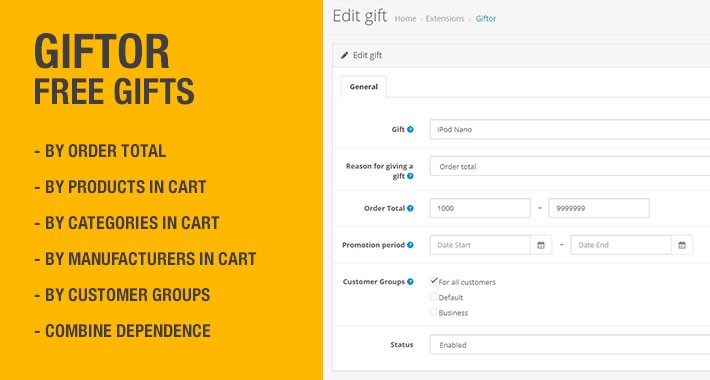
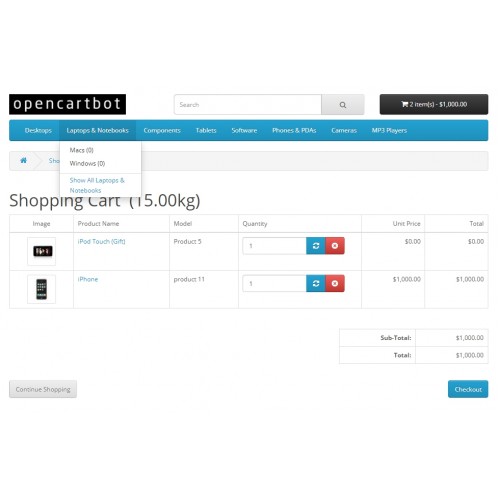
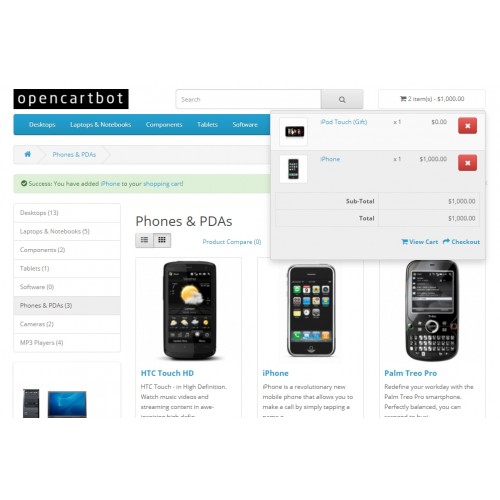
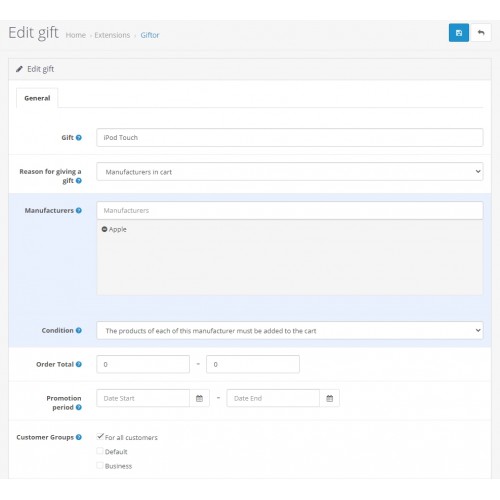
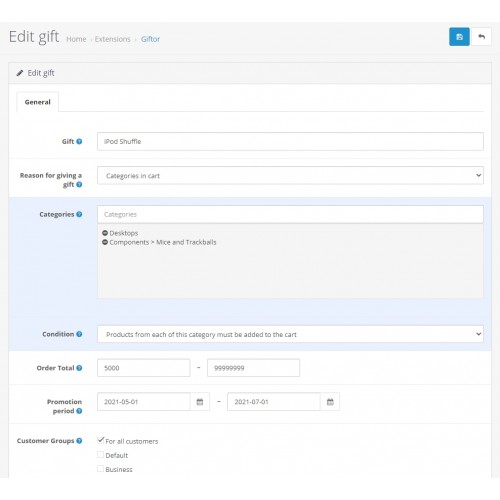
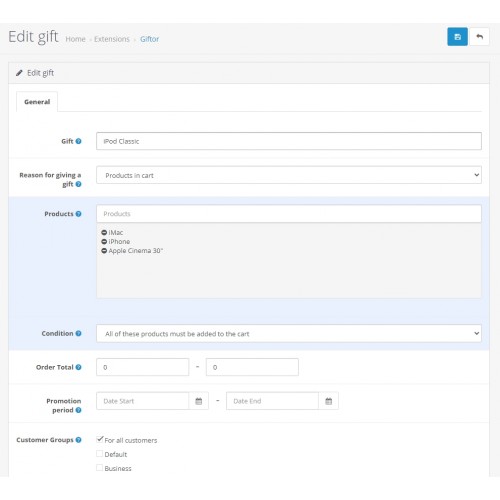
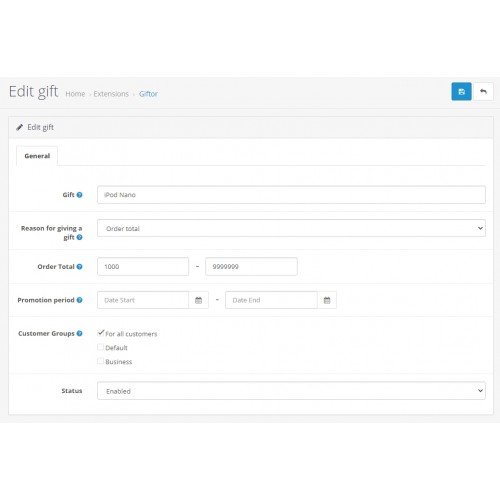
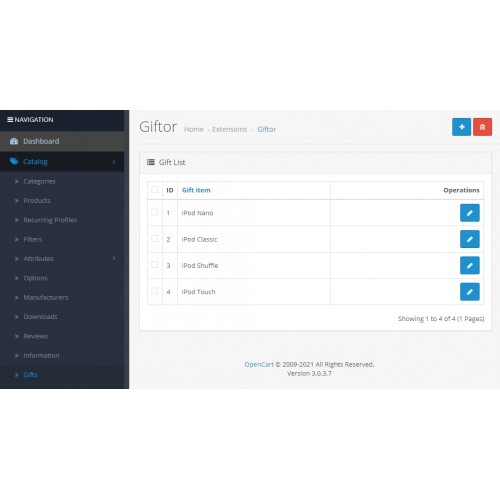
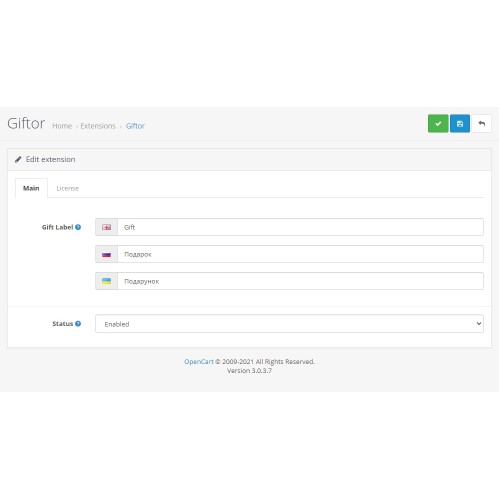
Extension Giftor is intended for the implementation of promotions in the store on OpenCart 3 - the provision of gift products when certain conditions of the order are met. That is, some paid products can be gifted to the client for free (sold with a price of 0) upon reaching the specified order conditions.
Demo
Admin
Login/password: demo
Gift conditions can be set as follows:
Any paid or free product can be a gift. In one order, the client will be able to receive only one gift unit, but at the same time he can receive different gifts at the same time, if several conditions are fulfilled at once for different gifts in one order.
Examples of implementing promotions using the Giftor on OpenCart module:
Full compatibility of the gifts module with all versions of OpenСart 3.
Changelog
v1.3.0 (31.01.2023): Ability to add a gift to the product in the product form, when adding or editing the product (Links tab)
v1.2.0 (04.08.2022): Added an option for the number of gifts to correspond to the number of products in the cart that fit the given conditions. Fixed an issue with overwriting the condition in all gifts.
v1.1.0 (21.07.2022): Added a block with a gift to the product page and its settings. Checking gift stock Fixed bugs.
Module installation instructions:
Demo
Admin
Login/password: demo
Gift conditions can be set as follows:
- - dependence on order total;
- dependence on the products in cart;
- dependence on the categories of products in cart;
- dependence on manufacturers of products in cart;
- combine dependence on products, categories, manufacturers with dependence on order total;
- dependence on a group of clients;
-validity period of the promotion.
Any paid or free product can be a gift. In one order, the client will be able to receive only one gift unit, but at the same time he can receive different gifts at the same time, if several conditions are fulfilled at once for different gifts in one order.
Examples of implementing promotions using the Giftor on OpenCart module:
- - Place an order in the amount from 1000 to 5000 and get a branded pen as a gift, in the amount over 5000 - a T-shirt with a logo as a gift.
- Buy a laptop and get a mouse as a gift.
- Buy a TV + set-top box and get an annual subscription to the video service as a gift.
- Buy goods from category "A" for an amount over 10,000 and get a gift.
- Buy product from category "A" with product from category "B" and get a gift.
- Buy products from manufacturer "C" and get a gift.
Full compatibility of the gifts module with all versions of OpenСart 3.
Changelog
v1.3.0 (31.01.2023): Ability to add a gift to the product in the product form, when adding or editing the product (Links tab)
v1.2.0 (04.08.2022): Added an option for the number of gifts to correspond to the number of products in the cart that fit the given conditions. Fixed an issue with overwriting the condition in all gifts.
v1.1.0 (21.07.2022): Added a block with a gift to the product page and its settings. Checking gift stock Fixed bugs.
Module installation instructions:
- 1. Upload the module in the admin panel in the "Extensions" : "Install".
2. Go to the "Modifications" section and update the cache.
3. Go to the "Dashboard" section and update the template cache.
4. Go to the "Extensions" : "Extensions" : "Modules" and enable the module.
5. Edit module. Enable the status of the module and adjust all its options to your needs and save the settings.
6. Go to menu "Catalog" : "Gifts" to create a gift.
7. Check module operation.
What customers say about Giftor: Add free gifts to order

Very Good Support
~amitarora20
~amitarora20
Price
$29.99
- Developed by OpenCart Partner
- Documentation Included
Rating
Compatibility
3.0.0.0, 3.0.1.0, 3.0.1.1, 3.0.1.2, 3.0.1.3, 3.0.2.0, 3.0.3.0, 3.0.3.1, 3.0.3.2, 3.0.3.3, 3.0.3.5, 3.0.3.6, 3.0.3.7, 3.0.3.8, 3.0.3.9, 3.0.4.0, 3.0.4.1
Last Update
19 May 2025
Created
30 Mar 2022
13 Sales
6 Comments

Login and write down your comment.
Login my OpenCart Account