Order Custom Fields
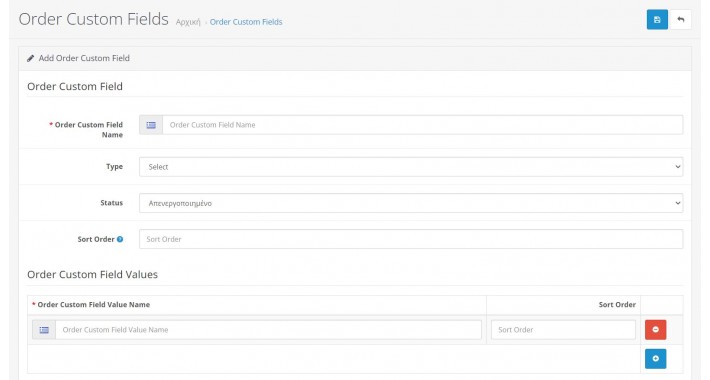
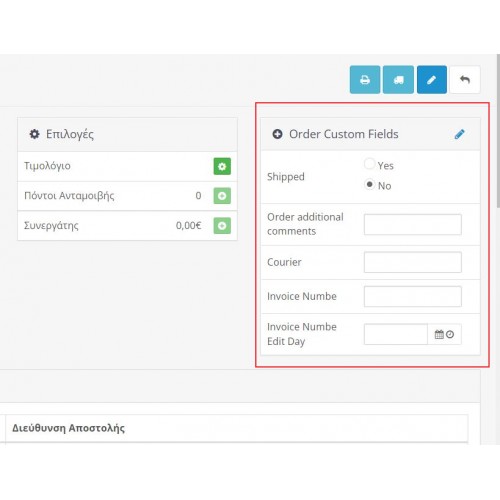
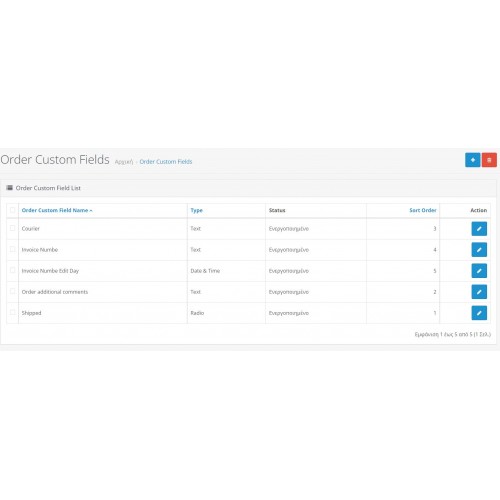
This extension lets you set custom fields for every order, from the admin view order interface.
The input types you can use in the fields are 'Select, Radio, Checkbox, Text, Date, Time, Date&Time'.
The OpenCart extension you are looking for is designed to allow you to set custom fields for every order from the admin view order interface. With this extension, you can create new fields with input types such as Select, Radio, Checkbox, Text, Date, Time, and Date&Time to capture additional information about each order.
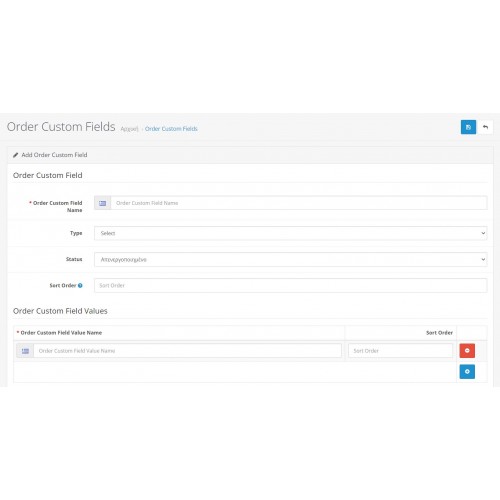
Using this extension, you can easily add new custom fields to the order details page in the OpenCart admin dashboard. You can specify the label for the field, the input type, and any additional options that are required based on the input type selected. For example, if you select the "Select" input type, you can define a set of options that will be displayed as a dropdown menu for the user to select from.
Once you have created your custom fields, they will appear on the order details page for every order. You can then enter the relevant information for each order into the custom fields, providing you with greater flexibility and control over the information you capture about each order.
Overall, this OpenCart extension is a valuable tool for businesses that require additional customization of their order management system. It allows you to capture specific information about each order that may not be available through the default OpenCart order management system. By providing support for a range of input types, including Select, Radio, Checkbox, Text, Date, Time, and Date-Time, this extension offers great flexibility in how you capture and store information about your orders.

The input types you can use in the fields are 'Select, Radio, Checkbox, Text, Date, Time, Date&Time'.
The OpenCart extension you are looking for is designed to allow you to set custom fields for every order from the admin view order interface. With this extension, you can create new fields with input types such as Select, Radio, Checkbox, Text, Date, Time, and Date&Time to capture additional information about each order.
Using this extension, you can easily add new custom fields to the order details page in the OpenCart admin dashboard. You can specify the label for the field, the input type, and any additional options that are required based on the input type selected. For example, if you select the "Select" input type, you can define a set of options that will be displayed as a dropdown menu for the user to select from.
Once you have created your custom fields, they will appear on the order details page for every order. You can then enter the relevant information for each order into the custom fields, providing you with greater flexibility and control over the information you capture about each order.
Overall, this OpenCart extension is a valuable tool for businesses that require additional customization of their order management system. It allows you to capture specific information about each order that may not be available through the default OpenCart order management system. By providing support for a range of input types, including Select, Radio, Checkbox, Text, Date, Time, and Date-Time, this extension offers great flexibility in how you capture and store information about your orders.
Price
$35.00
- Developed by OpenCart Community
- 12 Months Free Support
- Documentation Included
Rating
Compatibility
3.0.0.0, 3.0.1.0, 3.0.1.1, 3.0.1.2, 3.0.1.3, 3.0.2.0, 3.0.3.0, 3.0.3.1, 3.0.3.2, 3.0.3.3, 3.0.3.5, 3.0.3.6, 3.0.3.7, 3.0.3.8, 3.x.x.x, 3.0.3.9, 3.0.4.0, 3.0.4.1
Last Update
7 Oct 2025
Created
14 Apr 2022
7 Sales
2 Comments

Login and write down your comment.
Login my OpenCart Account