TK Special Editor - Mass add and edit special prices

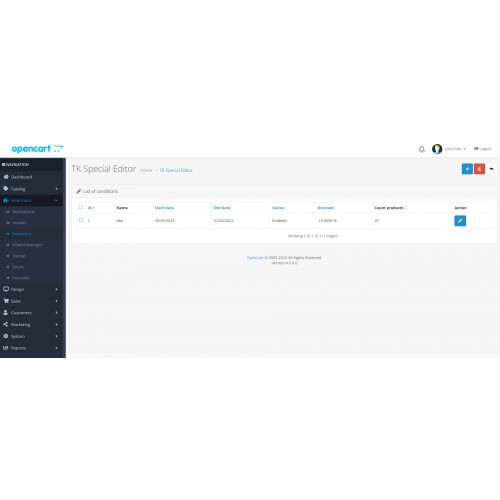
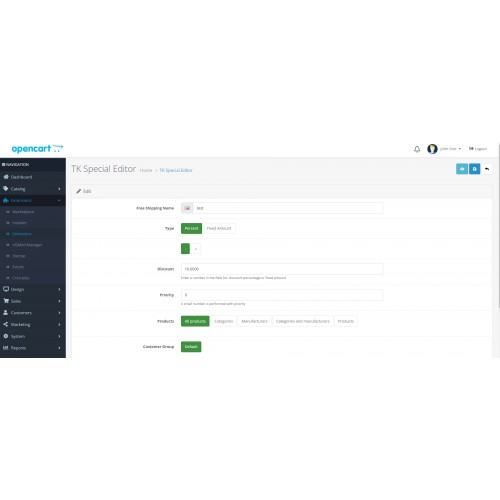
You can choose whether the price change is a percentage or a fixed amount, the price is reduced or equal to a certain value.
Product selection
You can select products by several criteria:
All products
Features
Logs for selection of data for the specials
Status
When the status of the promotion is enabled, it will be applied in the standard fields for promotions in the product, if the status is disabled, they will be deleted but saved elsewhere, so that if necessary it can be edited and re-released. They can also be edited and suspended for a certain period of time. This option is very suitable for seasonal promotions.
List of promotions
Deleting a promotion from the list will remove the promotions in the products.
Preview
Before starting the promotion you can use the review button to see which products will be applied and what will be the current and reduced price.
HOW TO INSTALL?
1. Download the archive
2. Unzip and upload
You can upload the module directly through the installer in Opencart. For version 2.3.0.2 you will need to set up ftp login, or you can use an installer module without ftp.
3. User rights
In the User Groups section, you give write and read rights to all newly uploaded files.
4. Installing and configuring the module
In the section with additional modules you will find the new module called TK Special editor, install and click on edit. You will be asked for an activation token - contact me for token, it is checked via api and validated against the domain. Upon successful validation, you will see the settings page of the module itself.
If you have any difficulties, you can ask me for help!
Product selection
You can select products by several criteria:
All products
- By category
By manufacturer
Combination of category and manufacturer
Selected products
Features
Logs for selection of data for the specials
- Priority
Customer group
Starting date
End date
Control over old promotions - With the click of a button you can mark for deletion all old promotions to the selected products
Status
When the status of the promotion is enabled, it will be applied in the standard fields for promotions in the product, if the status is disabled, they will be deleted but saved elsewhere, so that if necessary it can be edited and re-released. They can also be edited and suspended for a certain period of time. This option is very suitable for seasonal promotions.
List of promotions
Deleting a promotion from the list will remove the promotions in the products.
Preview
Before starting the promotion you can use the review button to see which products will be applied and what will be the current and reduced price.
HOW TO INSTALL?
1. Download the archive
2. Unzip and upload
You can upload the module directly through the installer in Opencart. For version 2.3.0.2 you will need to set up ftp login, or you can use an installer module without ftp.
3. User rights
In the User Groups section, you give write and read rights to all newly uploaded files.
4. Installing and configuring the module
In the section with additional modules you will find the new module called TK Special editor, install and click on edit. You will be asked for an activation token - contact me for token, it is checked via api and validated against the domain. Upon successful validation, you will see the settings page of the module itself.
If you have any difficulties, you can ask me for help!
Price
$50.00
- Developed by OpenCart Community
- 12 Months Free Support
- Documentation Included
Rating
Compatibility
3.0.0.0, 3.0.1.0, 3.0.1.1, 3.0.1.2, 3.0.1.3, 3.0.2.0, 3.0.3.0, 3.0.3.1, 3.0.3.2, 3.0.3.3, 3.0.3.5, 3.0.3.6, 3.0.3.7, 3.0.3.8, 2.3.0.0, 2.3.0.1, 2.3.0.2, 4.0.0.0
Last Update
26 May 2022
Created
25 May 2022
0 Sales
0 Comments

Login and write down your comment.
Login my OpenCart Account