DebugBar + VarDumper for Opencart (Beta version)
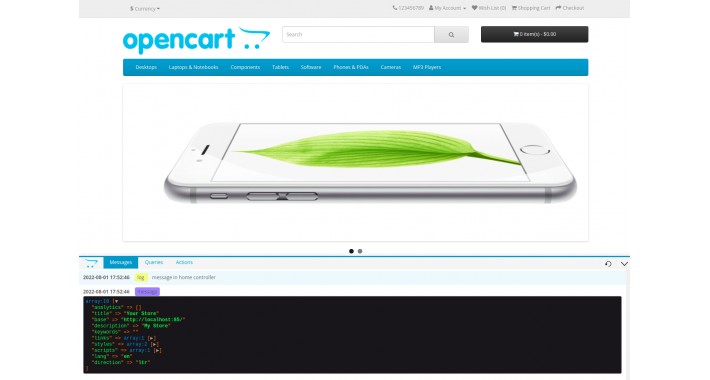
Tested on version 3.0.3.3
DebugBar + VarDumper for Opencart (Beta version)
Capabilities
Using global functions
Clear cache theme, sass and modification image
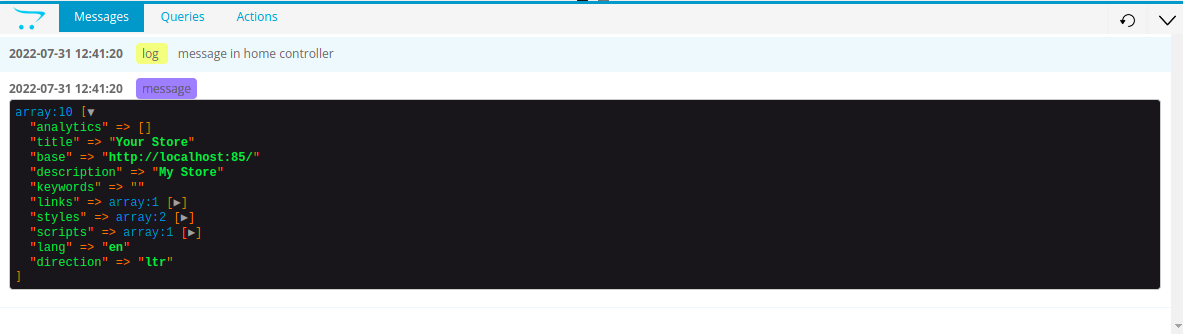
Message output:
message output time
message type
display log messages
adding and displaying your own messages using the construct
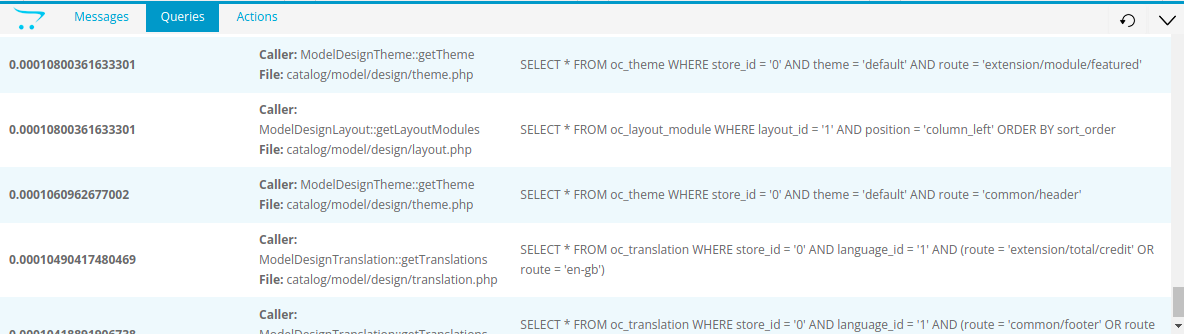
Output Queries:
sql query execution time
display class, method where sql is called
path to file where sql was called
display sql query
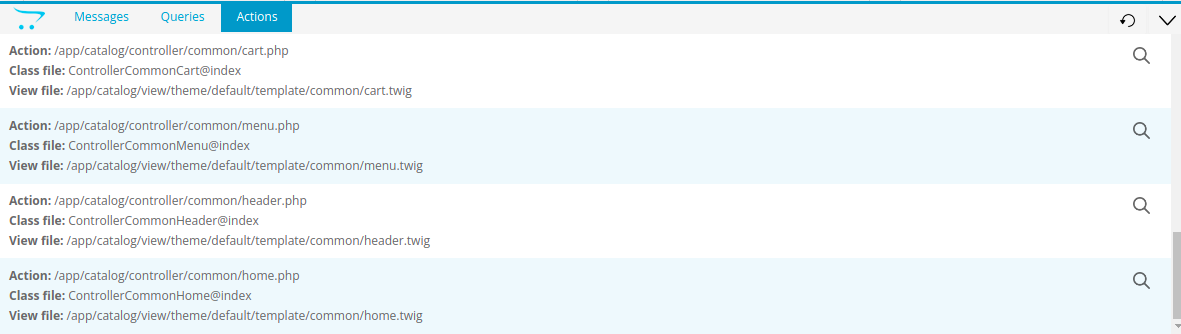
Output Actions :
class and method mapping
path to the file where the action was called
path to view file
in the source code, the action is highlighted with comments
[*]the ability to search on the page of the current action {under development}
< ! -- StartAction ControllerCommonHeader@index -- >
...
< ! -- End Action ControllerCommonHeader@index -- >
Installation
1. from the upload folder move everything into the root of the project
2. in file /system/framework.php before:
insert:
3. clear modifications
Notice: the debugger will be displayed if you are authorized in the admin panel!
DebugBar + VarDumper for Opencart (Beta version)
Capabilities
dd() and dump() https://symfony.com/doc/current/components/var_dumper.htmlMessage output:
$this->debugBar->addMessage($data);Output Queries:
Output Actions :
< ! -- StartAction ControllerCommonHeader@index -- >
...
< ! -- End Action ControllerCommonHeader@index -- >
Installation
1. from the upload folder move everything into the root of the project
2. in file /system/framework.php before:
// Registry

$registry = new Registry();
insert:
// Debug bar

include_once(DIR_SYSTEM . 'library/debugBar/vendor/autoload.php');


$registry->set('debugBar', \debugBar\Builder\DebugBarBuilder::getInstance());
3. clear modifications
Notice: the debugger will be displayed if you are authorized in the admin panel!
Download
- Developed by OpenCart Community
- Documentation Included
Rating
Compatibility
3.0.0.0, 3.0.1.0, 3.0.1.1, 3.0.1.2, 3.0.1.3, 3.0.2.0, 3.0.3.0, 3.0.3.1, 3.0.3.2, 3.0.3.3, 3.0.3.5, 3.0.3.6, 3.0.3.7, 3.0.3.8
Last Update
2 Aug 2022
Created
2 Aug 2022
134 Downloads
3 Comments

Login and write down your comment.
Login my OpenCart Account