Product Quantity Discount Enhanced

Supports


Title
Product Quantity Discount Enhanced – OpenCart 2.x + 3.x + 4.x
Short Description
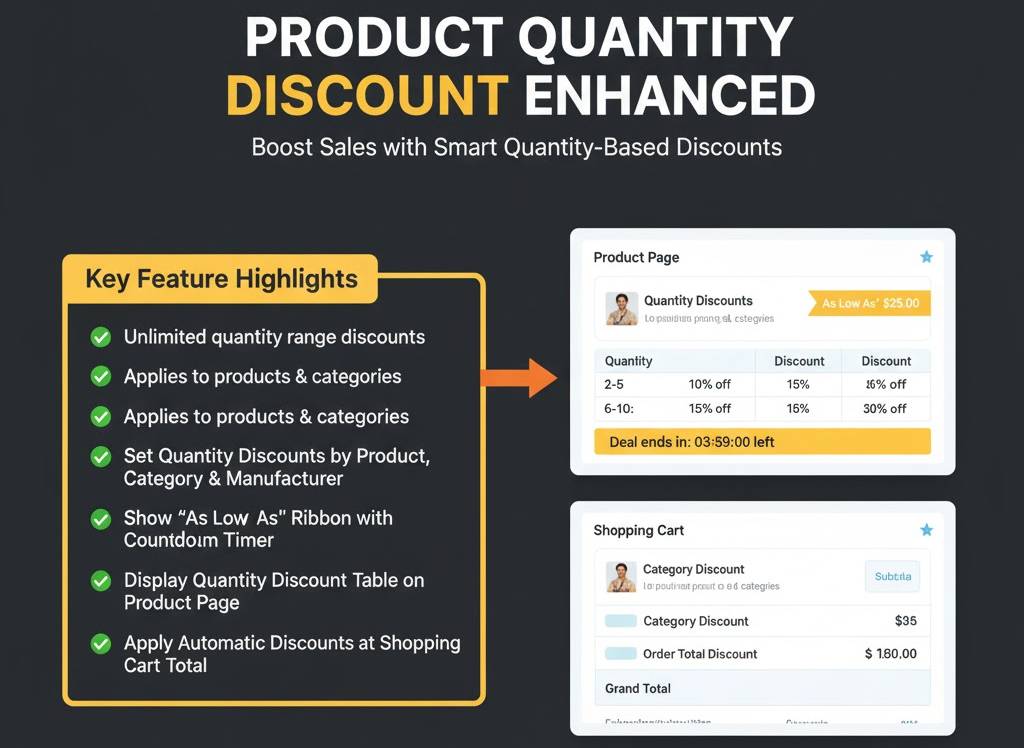
Create flexible quantity-based discounts for products, categories, and manufacturers. Display a detailed discount table, “As Low As” ribbons, and automatically apply discounts in the shopping cart to boost bulk sales.
Demo Links
Admin:- Admin > Product Quantity Discount Enhanced
Front:- Category page
- Product Details page
Key Features
• Create unlimited quantity discounts for individual products, selected categories, subcategories, and manufacturers.
• Set up discounts based on minimum quantity, store, customer group, and start–end date.
• Support for both percentage-based and fixed-amount discounts.
• Exclude selected products, categories (and subcategories), or manufacturers from discount rules.
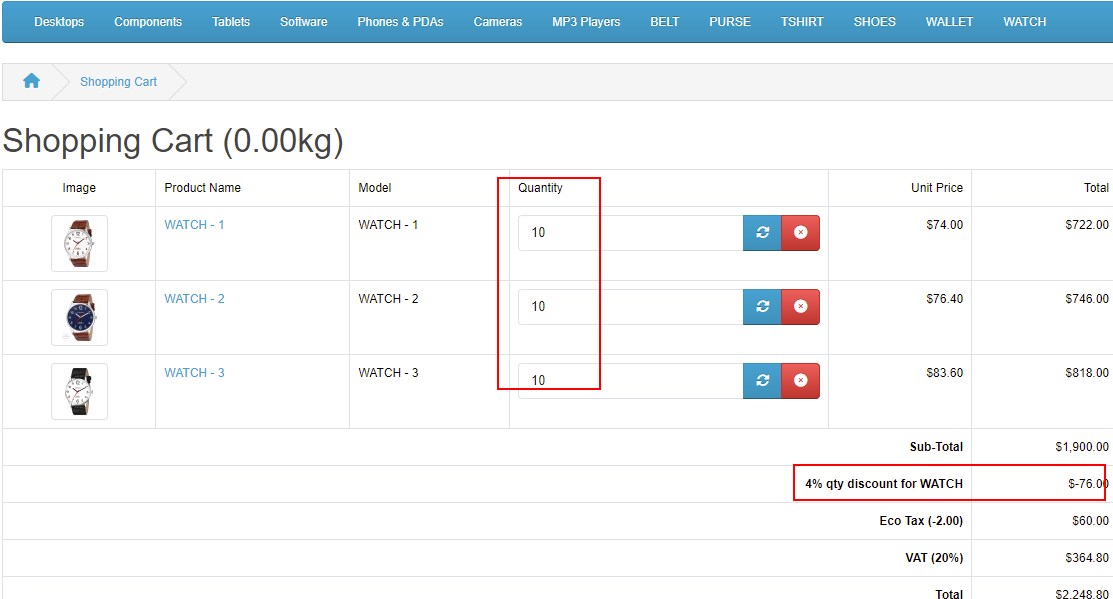
• Discounts apply dynamically at the shopping cart total based on total product quantity.
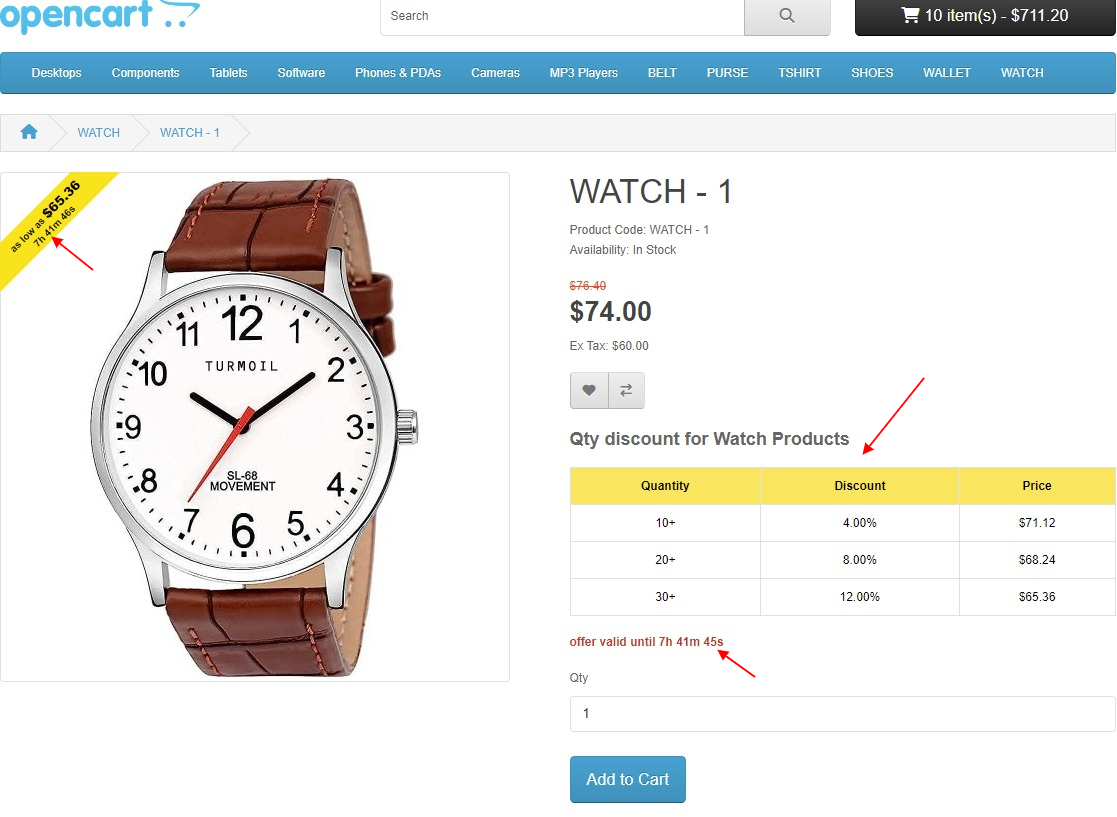
• Countdown timer automatically appears when start and end dates are set.
• Quantity discount table appears on the product detail page before the “Add to Cart” button.
• “As Low As” ribbon shows the lowest possible discounted price for maximum visibility.
• Ribbon appears on homepage, category, search, manufacturer, and product pages.
• Multi-store and multi-language compatible with easy admin interface.
Compatibility
• OpenCart 2.X + 3.X + 4.X
• Supports PHP 5.6 – 8.3
• Tested with default theme & Journal 3
• No core file changes
• Built using OpenCart coding standards
• Lightweight and performance-friendly
• Multi-language & Multi-store supported
Support & Updates
• Free installation and free support
• Response time: within 24 hours
• Support all themes: Journal2, Journal3, Pavo, Foster template
• Note: Extension license valid for single domain only
Installation Steps
• Upload the extension via Extensions - Installer
• Install module from Admin - Extensions - Module
Why Choose This Module
• Encourage bulk purchases with clear quantity-based pricing.
• Professionally display discount details to increase conversion rates.
• Highly customizable discount rules with complete flexibility.
• Visually attractive “As Low As” ribbon and countdown timer for urgency-driven sales.
Images & Screenshots View all screenshots
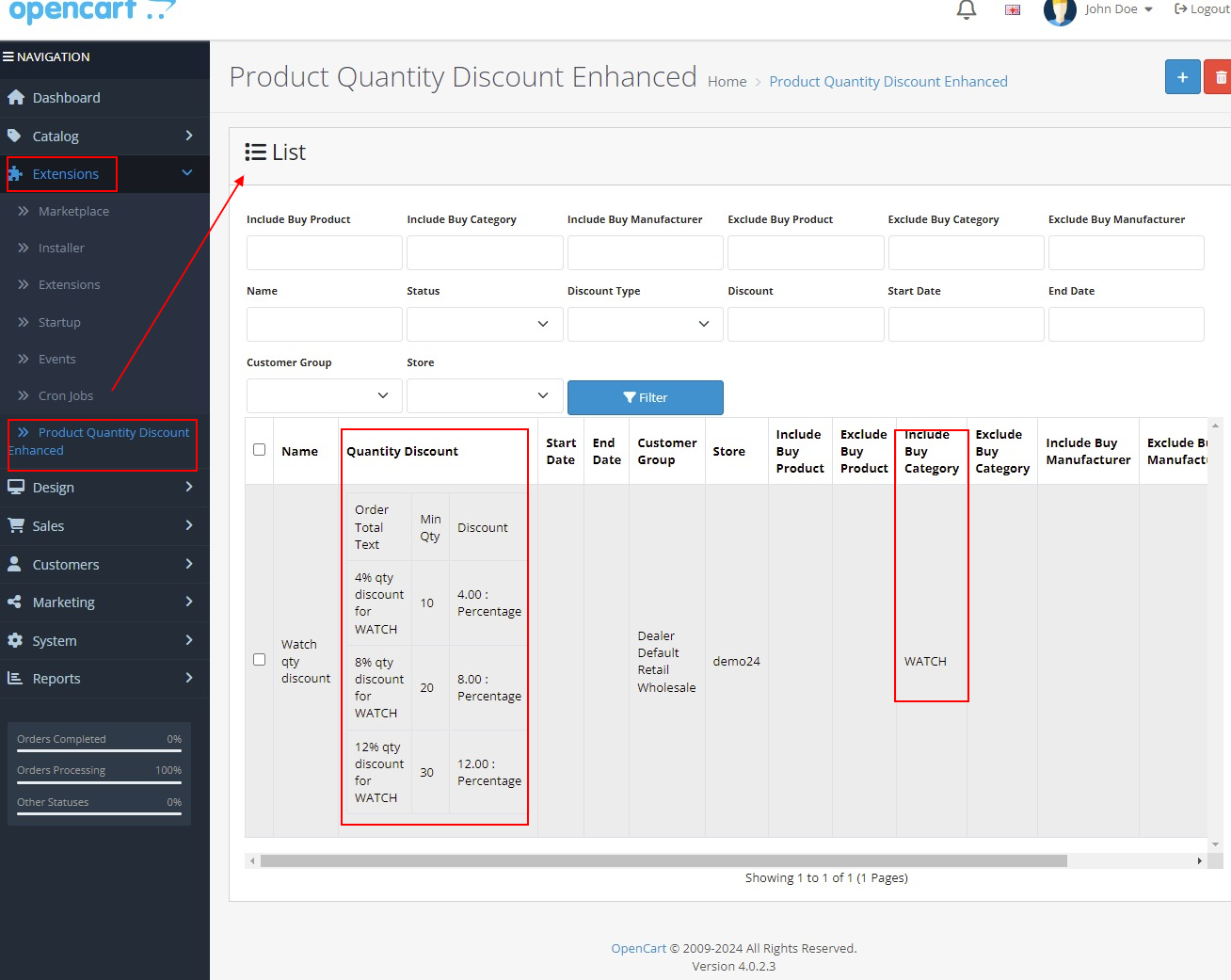
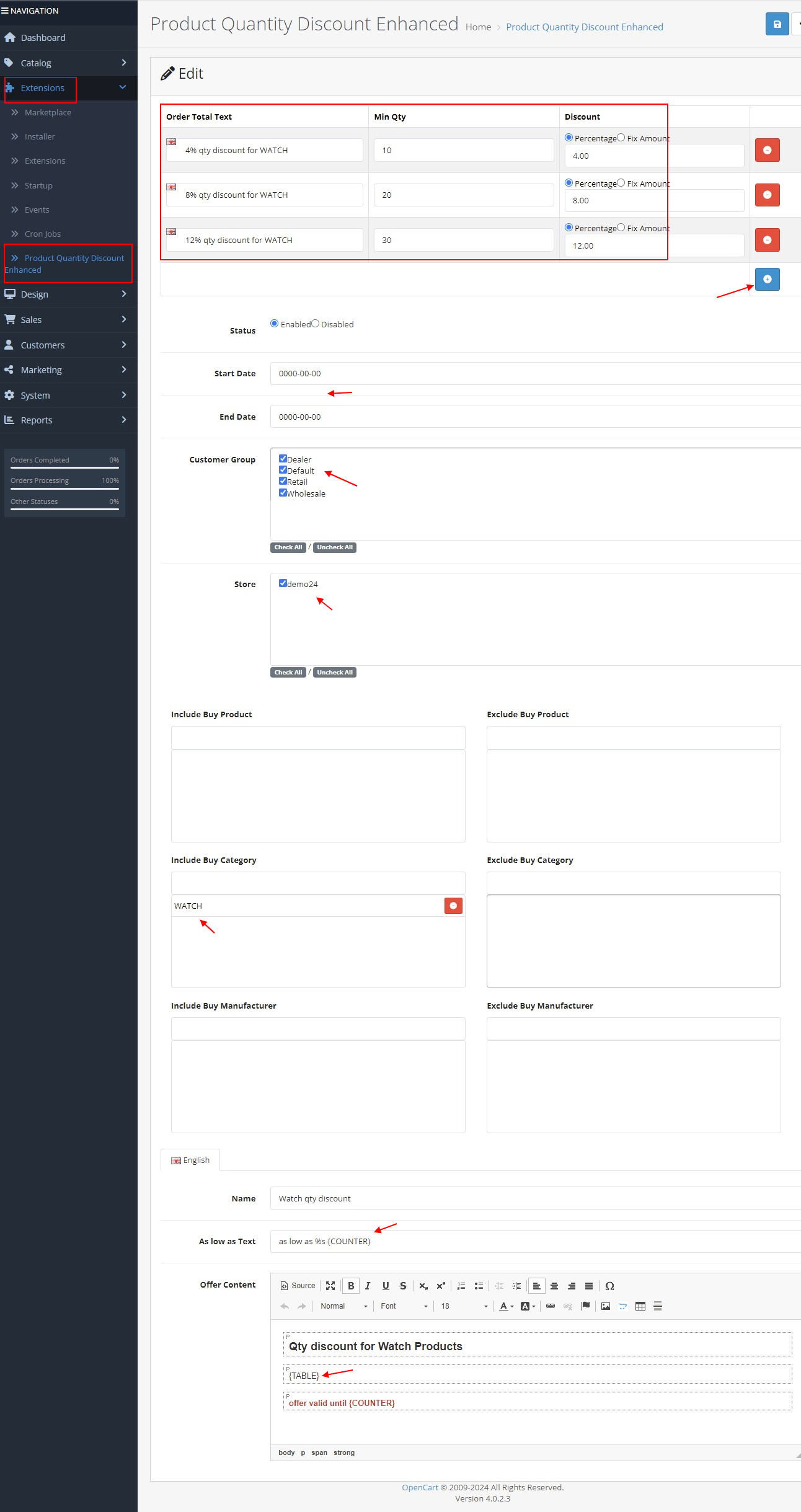
• Admin interface to set up product/category/manufacturer-based discount rules.
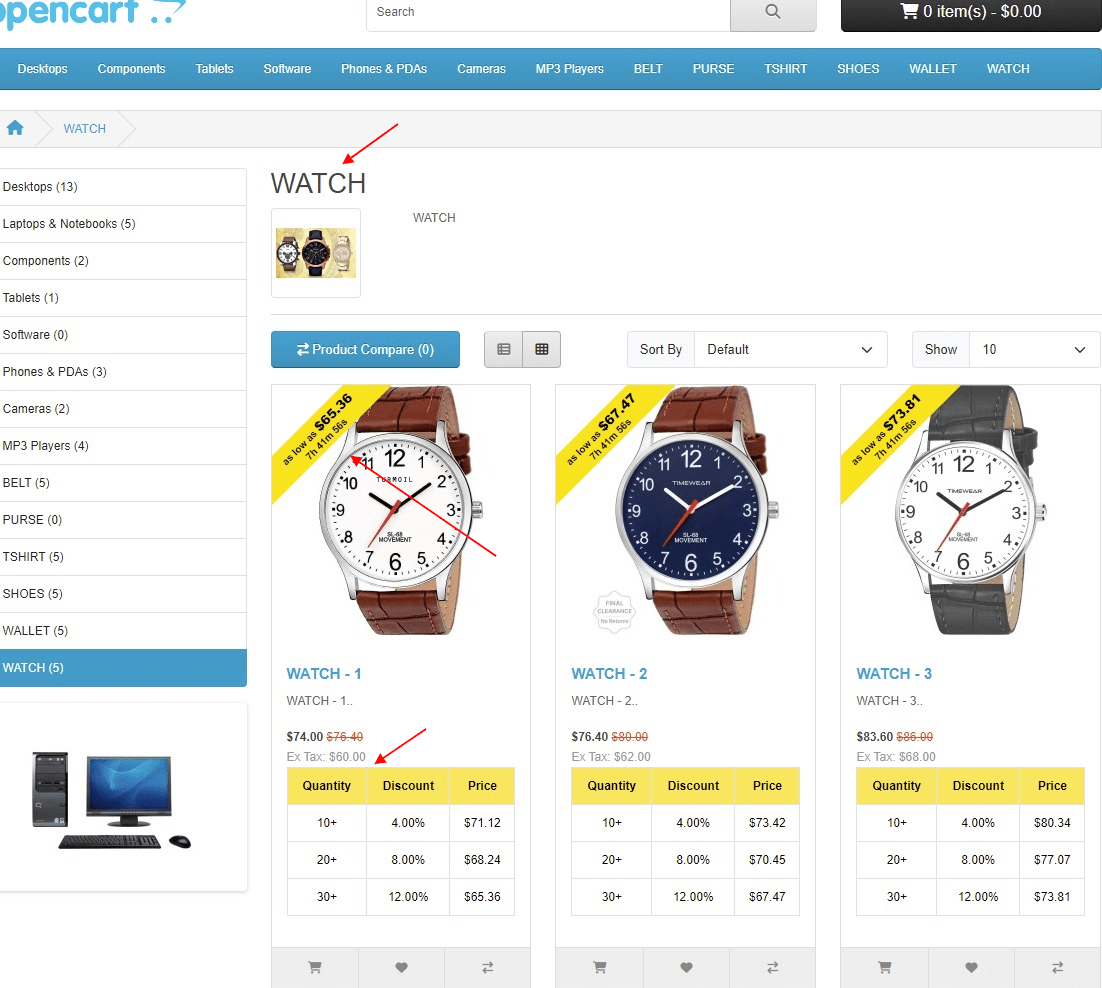
• “As Low As” ribbon displayed across product listings.
• Product details page showing the quantity discount table and timer.
• Shopping cart view applying automatic quantity-based discounts.
Price
$25.00
- Developed by OpenCart Community
- 12 Months Free Support
- Documentation Included
Rating
Compatibility
2.0.0.0, 2.0.1.0, 2.0.1.1, 2.0.2.0, 2.0.3.1, 2.1.0.1, 2.1.0.2, 2.2.0.0, 2.3.0.0, 2.3.0.1, 2.3.0.2, 3.0.0.0, 3.0.1.0, 3.0.1.1, 3.0.1.2, 3.0.1.3, 3.0.2.0, 4.x.x.x, 3.0.3.0, 3.0.3.1, 3.0.3.2, 3.0.3.3, 3.0.3.5, 3.0.3.6, 3.0.3.7, 3.0.3.8, 4.0.0.0, 4.0.1.0, 4.0.1.1, 3.x.x.x, 4.0.2.0, 4.0.2.1, 4.0.2.2, 4.0.2.3, 3.0.3.9, 3.0.4.0, 4.1.0.0, 4.1.0.1, 4.1.0.2, 4.1.0.3, 3.0.4.1, 3.0.5.0
Last Update
8 May 2026
Created
10 Oct 2022
13 Sales
0 Comments

Login and write down your comment.
Login my OpenCart Account