Opebility - Classic Theme For OpenCart 4.0.1.1
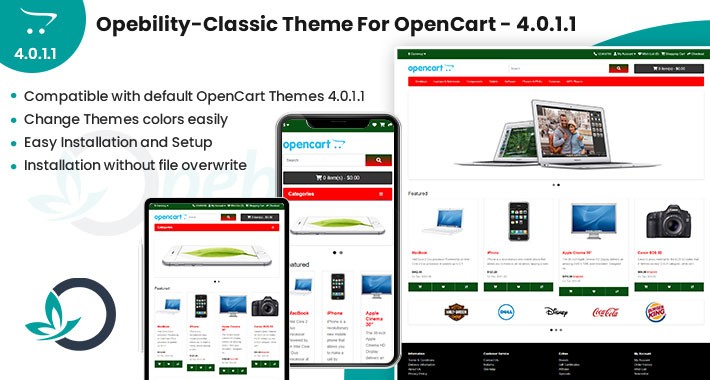
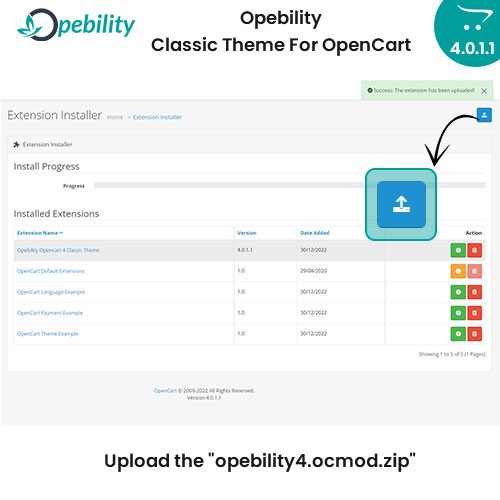
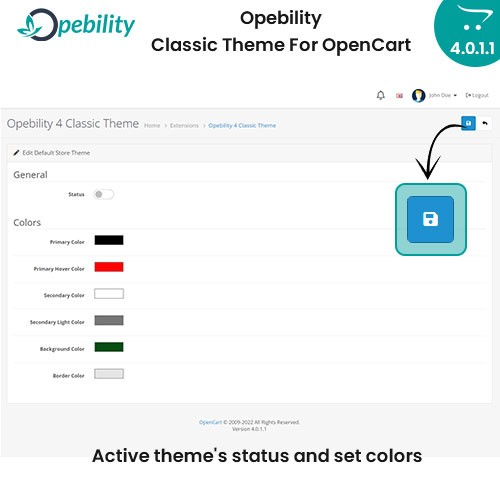

We launched the OpenCart theme "Opebility 4 Classic Theme". Classic Theme is set Dynamic color in OpenCart Version 4.0.1.1. After Installation by our Classic Theme You can change theme color from backend with easily and very quick in OpenCart version 4.0.1.1.
Just see the pictures, and you'll get the idea (how to install extension(theme) and change theme colors from backend).
• We provide 6 dynamic color for set in for example Top Navigation, Menu Background, Button Color, Button Hover Color, Icon Color, Link Color, Link Hover Color, Breadcrumb Color, Footer Background Color, Fonts Color, etc...
• Compatible with all major custom OpenCart Themes
• Easy Installation and Setup
• Installation without file overwrite
Installation:
• Download the theme "Opebility - Classic Theme For OpenCart 4.0.1.1"
• You will get an "opebility4.ocmod.zip" zip file
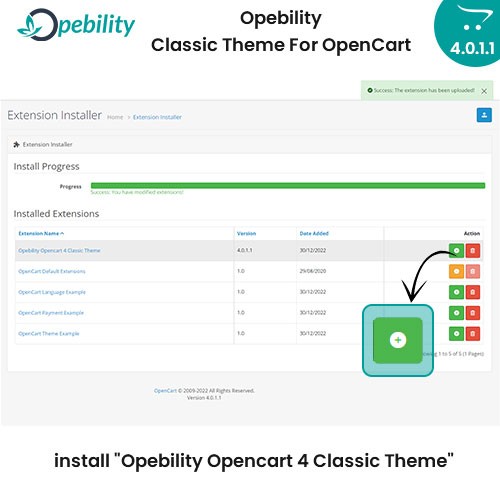
• Go to Opencart Admin >> Extensions >> Installer
• Upload the "opebility4.ocmod.zip" file then install "Opebility Opencart 4 Classic Theme"
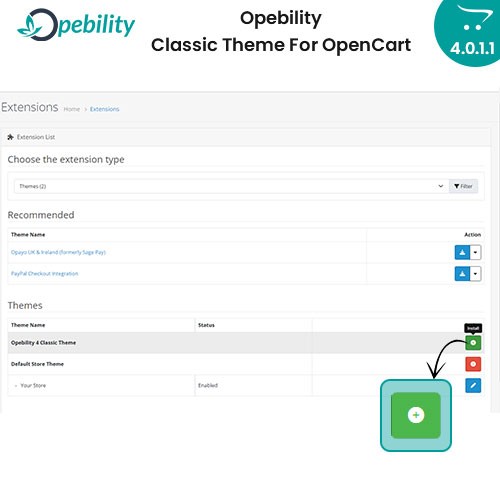
• Now to Admin >> Extensions >> Extensions >> Choose Themes >> Find "Opebility 4 Classic Theme" Then click the install button
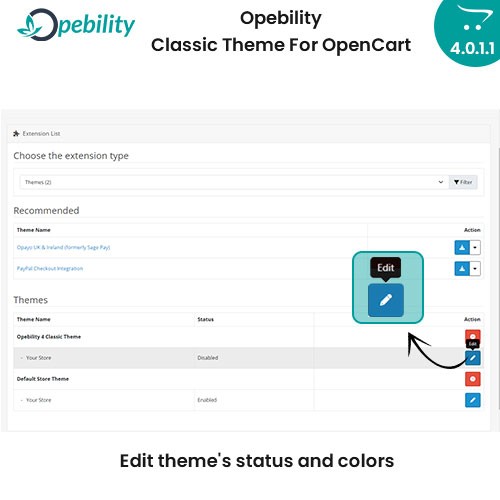
• Then edit it and you will see theme's status and colors setting for "Opebility 4 Classic Theme"
• Now select the Status to Enabled
• Set your favorite colors for theme
• Then click Save blue button.
It works 100% with the default OpenCart 4.0.1.1 theme.

Just see the pictures, and you'll get the idea (how to install extension(theme) and change theme colors from backend).
• We provide 6 dynamic color for set in for example Top Navigation, Menu Background, Button Color, Button Hover Color, Icon Color, Link Color, Link Hover Color, Breadcrumb Color, Footer Background Color, Fonts Color, etc...
• Compatible with all major custom OpenCart Themes
• Easy Installation and Setup
• Installation without file overwrite
Installation:
• Download the theme "Opebility - Classic Theme For OpenCart 4.0.1.1"
• You will get an "opebility4.ocmod.zip" zip file
• Go to Opencart Admin >> Extensions >> Installer
• Upload the "opebility4.ocmod.zip" file then install "Opebility Opencart 4 Classic Theme"
• Now to Admin >> Extensions >> Extensions >> Choose Themes >> Find "Opebility 4 Classic Theme" Then click the install button
• Then edit it and you will see theme's status and colors setting for "Opebility 4 Classic Theme"
• Now select the Status to Enabled
• Set your favorite colors for theme
• Then click Save blue button.
It works 100% with the default OpenCart 4.0.1.1 theme.
Download
- Developed by OpenCart Community
- Documentation Included
Rating
Compatibility
4.0.1.1
Last Update
13 Mar 2023
Created
2 Jan 2023
1335 Downloads
4 Comments

Login and write down your comment.
Login my OpenCart Account