POS Loyalty Points for OpenCart
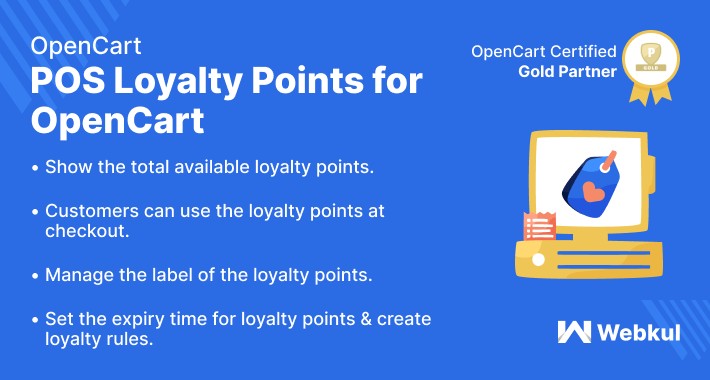
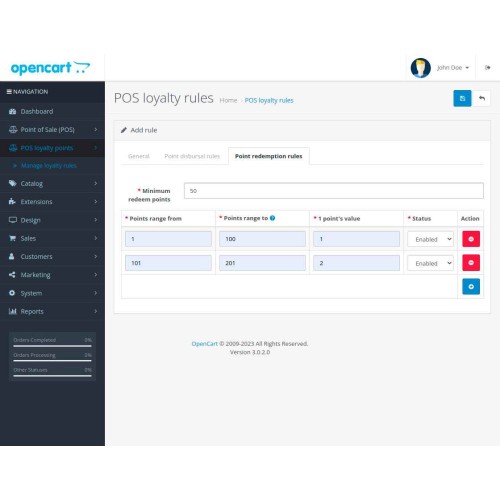
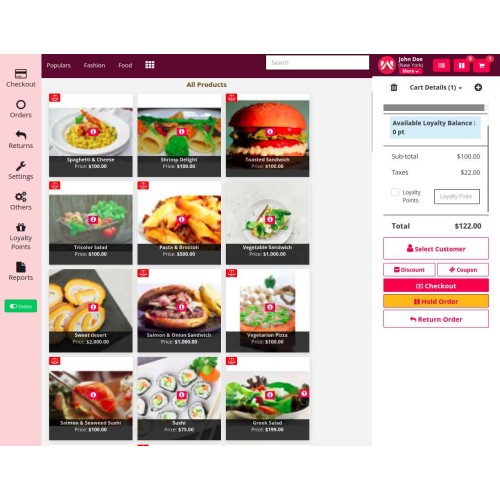
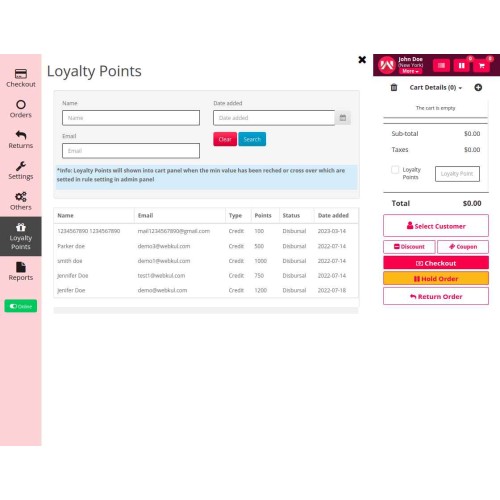
POS Loyalty Points for Opencart- Using the OpenCart POS Loyalty Rules plugin, customers can earn loyalty points on product purchases at the POS terminal. After earning the points, they can purchase the products using the loyalty points as required.
Note: To make use of this plugin, you must first have installed the OpenCart POS System.



Use Case
OpenCart POS loyalty points plugin helps encourage customer loyalty and increase sales in your store. By allowing customers to earn points for purchases, you create an incentive for them to continue shopping with you rather than switching to a competitor.
When customers accumulate enough points, they can use them to make purchases in your store. It can be a powerful motivator, as customers feel like they are getting something for free, even if they have to spend some money to earn the points in the first place.
OpenCart POS loyalty points can help you create a more loyal customer base, increase sales, and gather valuable customer data to help you make informed business decisions.
Features:
Workflow
After the successful installation of the plugin, the admin will configure the module settings.
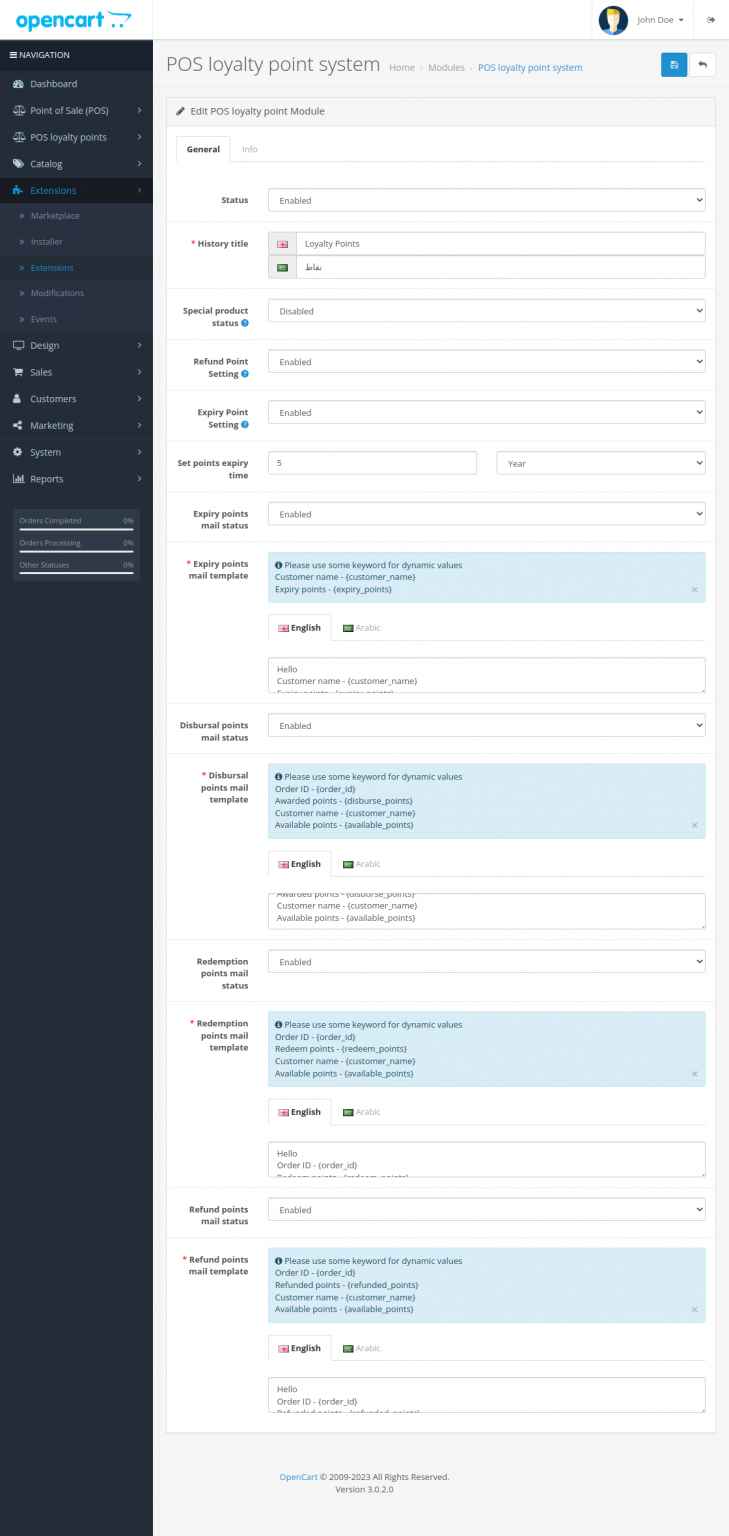
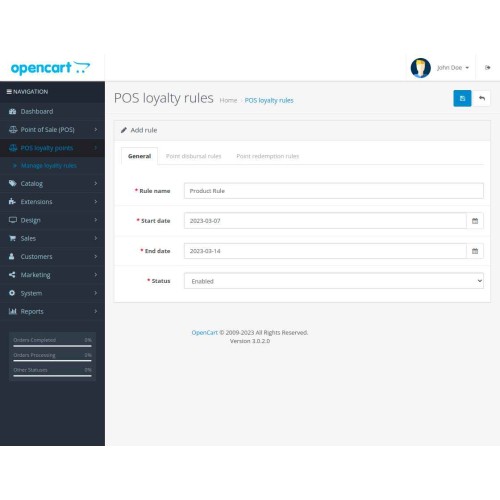
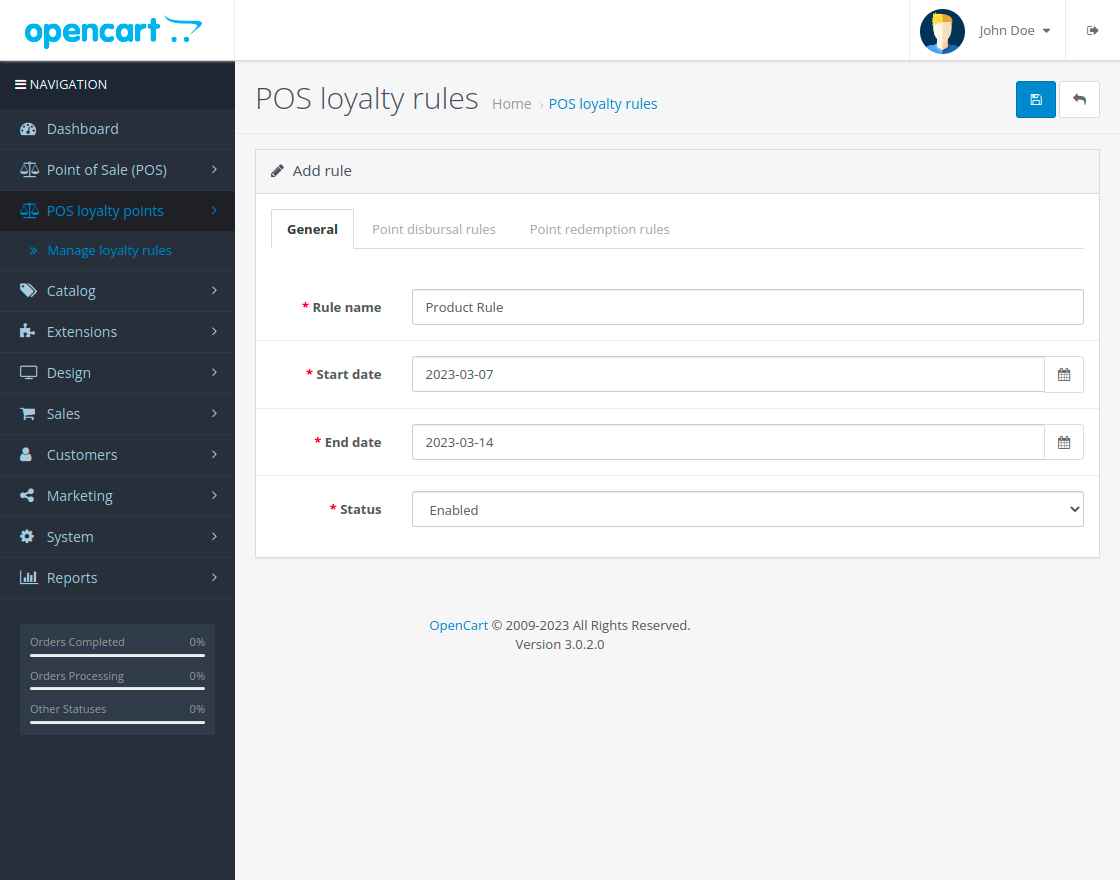
After finishing the initial configuration, the admin will be able to create the rules for the loyalty points as required. Here, the admin will set the general settings for the loyalty rule.
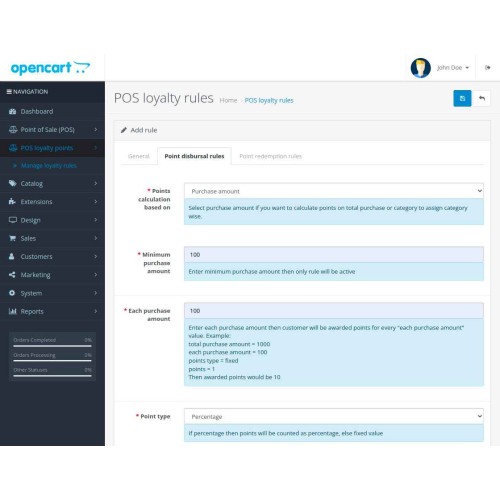
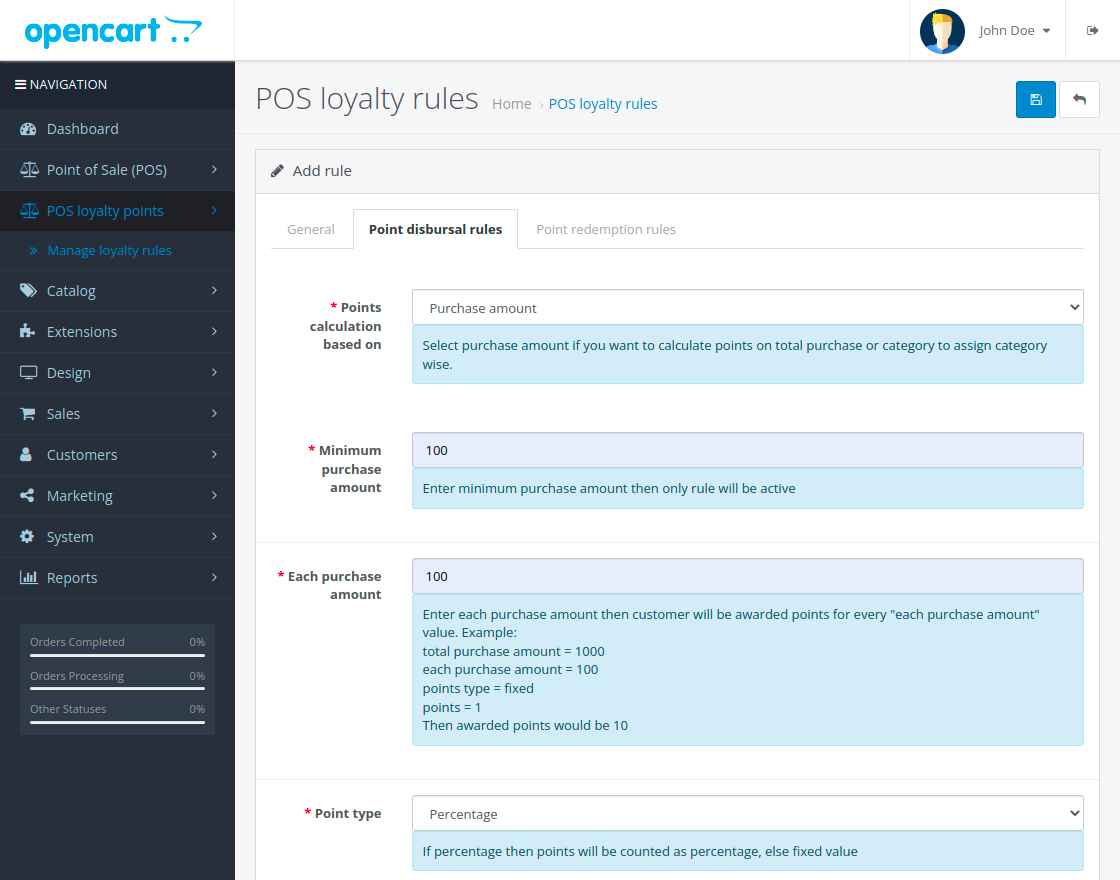
Now, set the loyalty points disbursal rules as required. Here, loyalty point calculation can be based on product purchase or category as required.
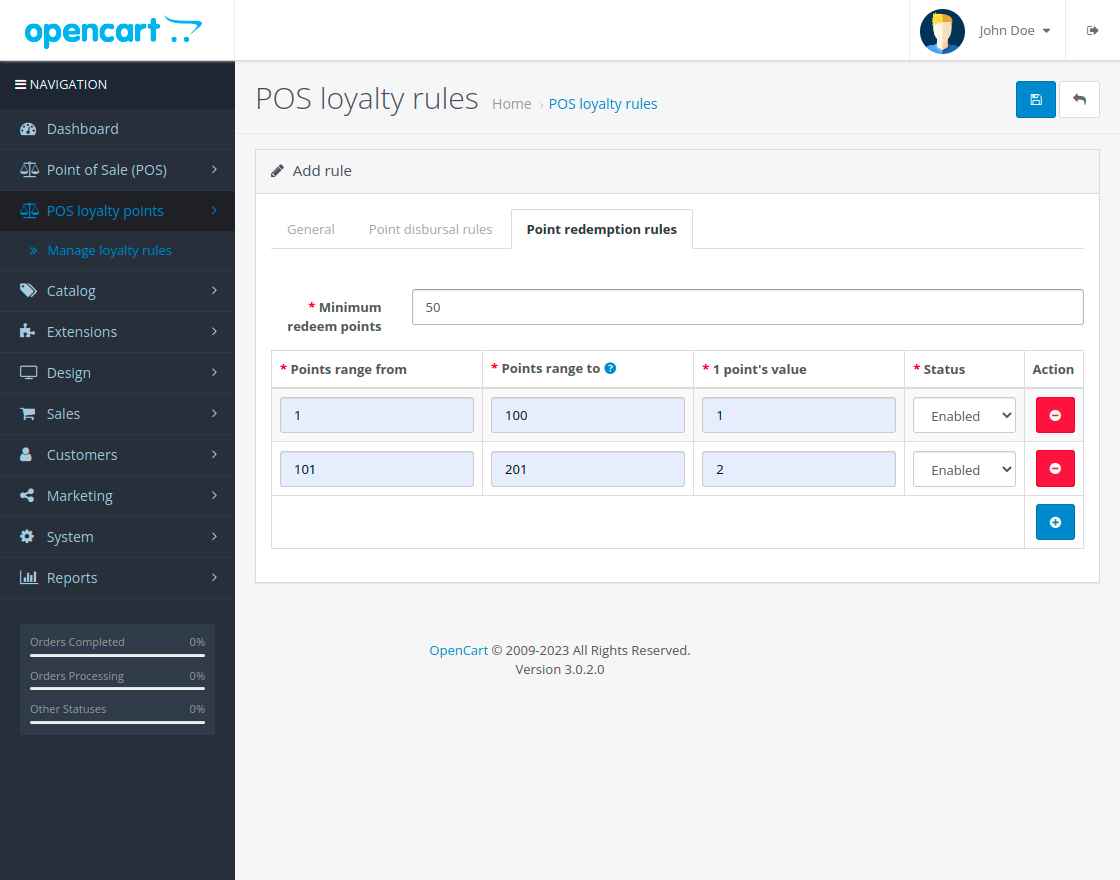
After that, set the loyalty point redemption rules. Here, you can set the range and the points for the same as per requirement.
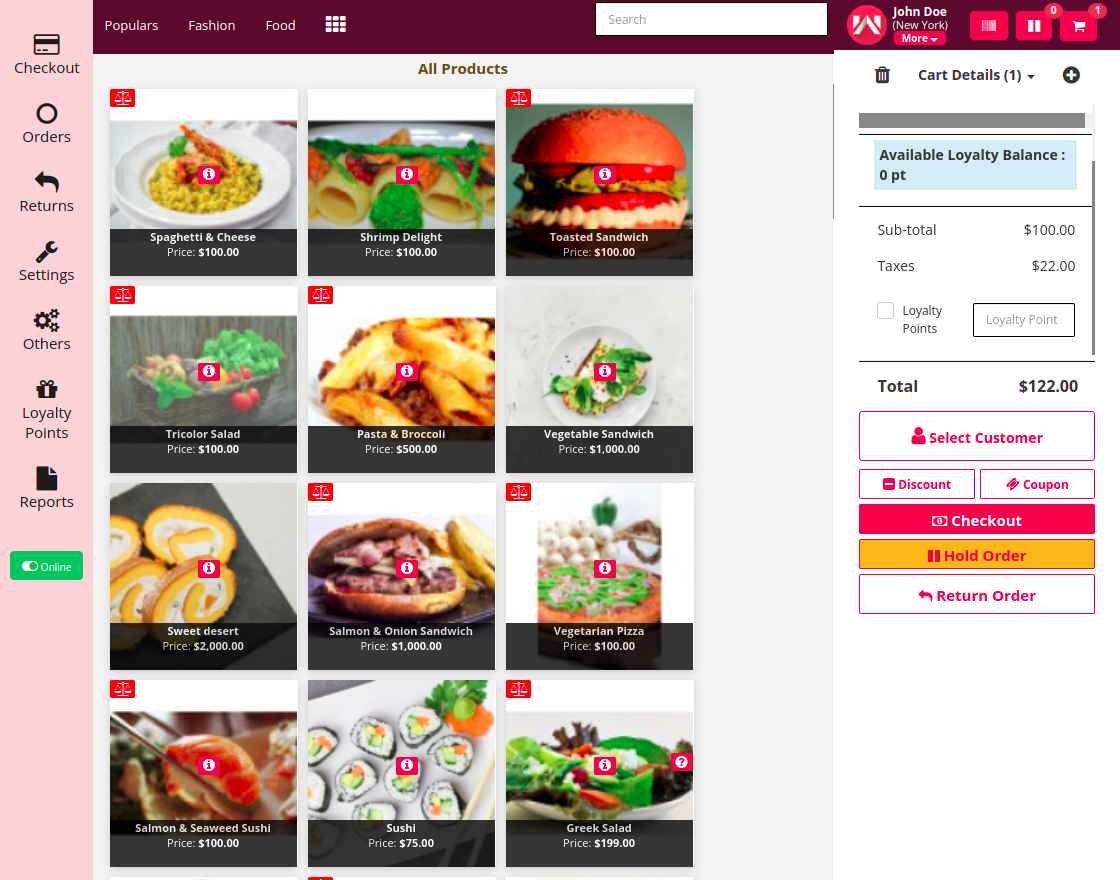
For a new customer, the POS agent can see that there are no loyalty points.
After adding the products to the cart and making a complete check out the POS agent can view the customers accrued loyalty points.
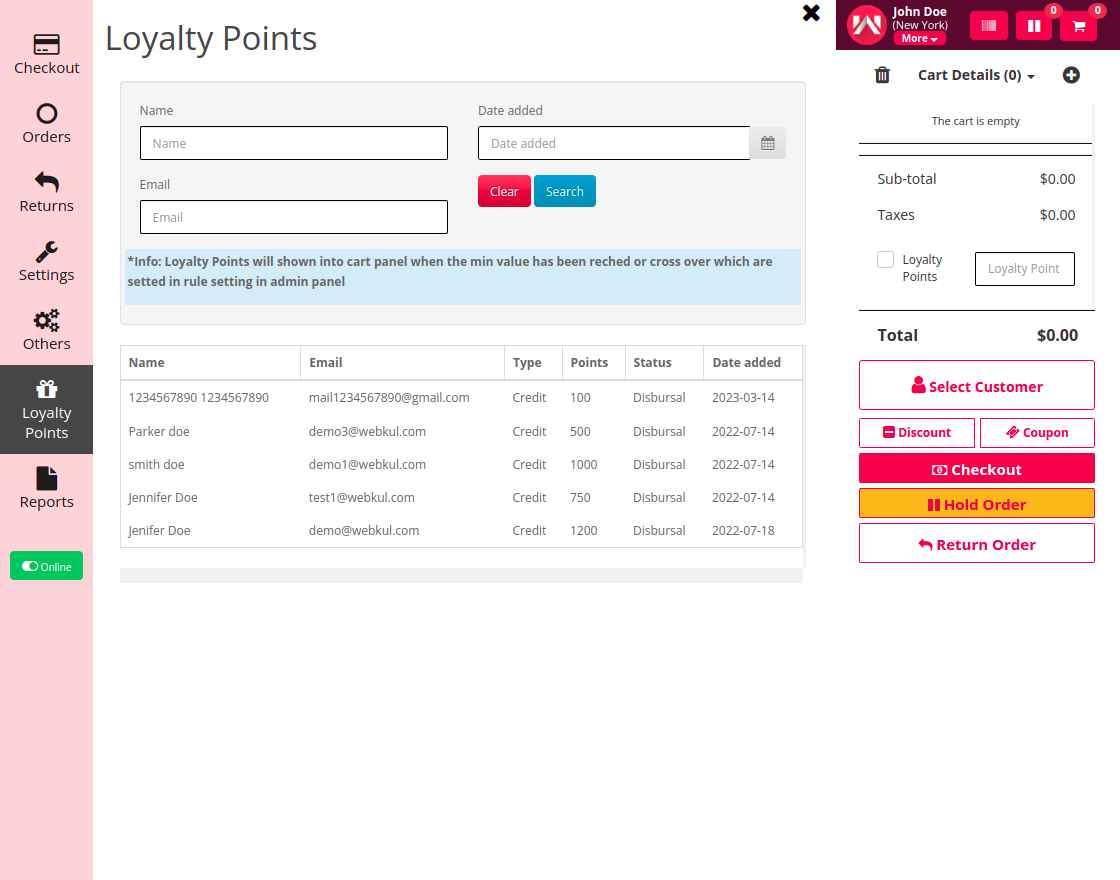
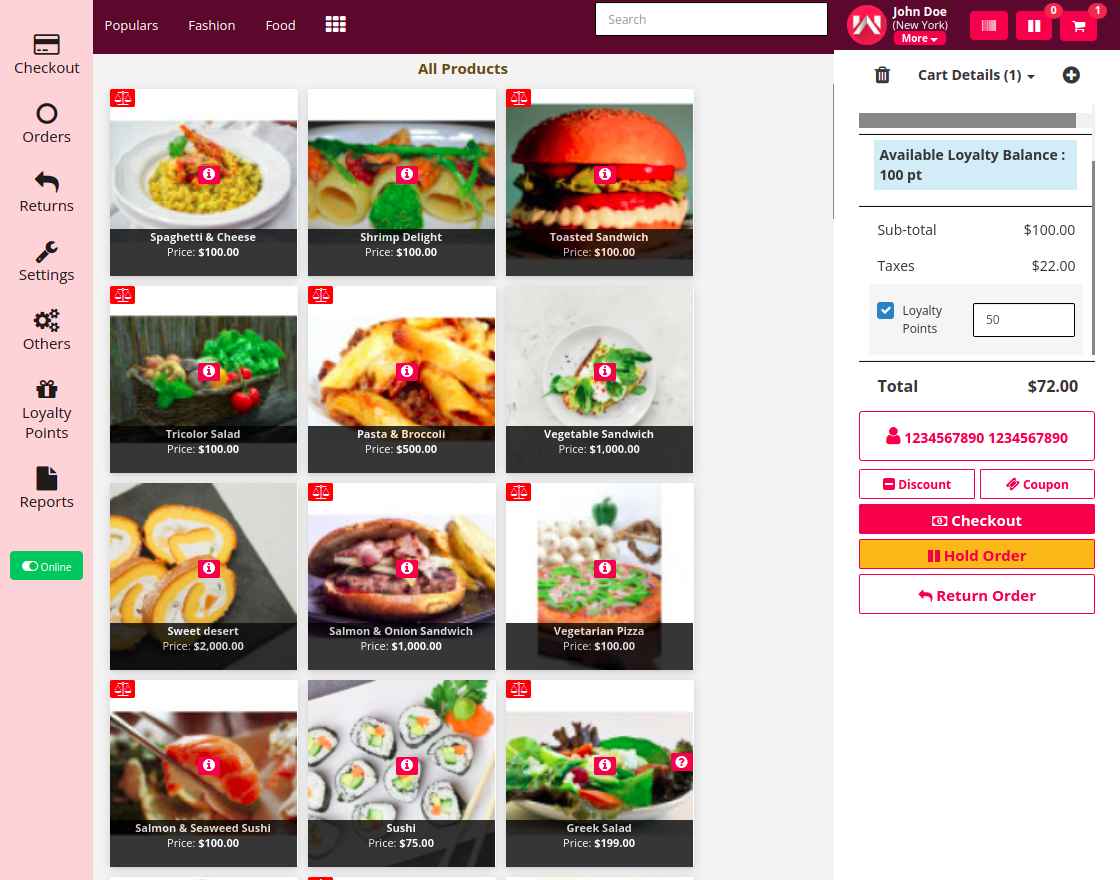
Now, using these accrued loyalty points the customer can easily purchase the products. After adding the products to the cart and selecting the customer, the POS agent can see the available loyalty points. Here, the POS agent will enter the number of loyalty points to redeem and make a checkout thereafter.
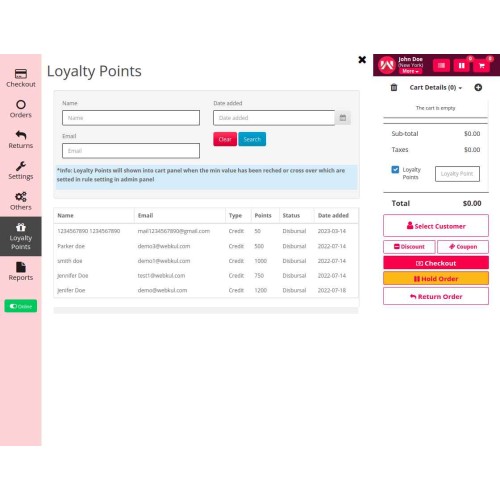
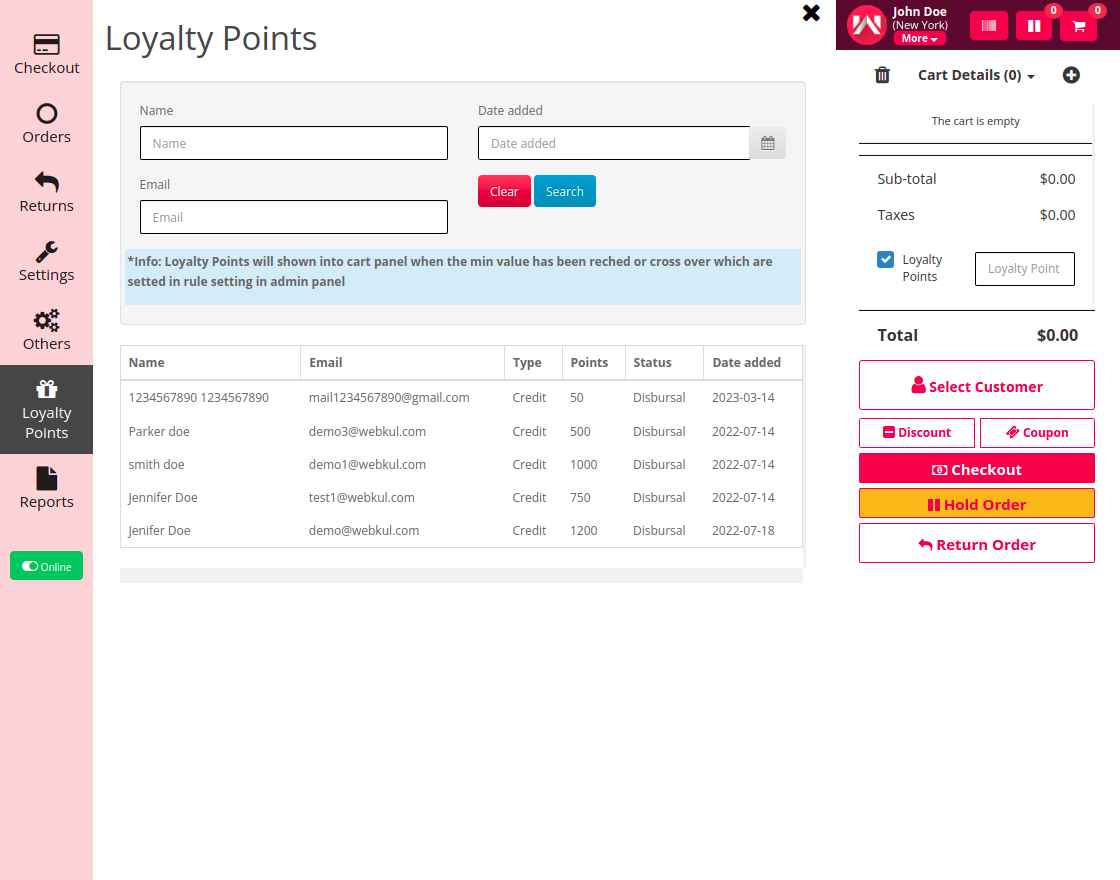
After checkout, the POS agent can view the credit and debit of loyalty points for a customer by navigating to the Loyalty Points section on the POS terminal side panel.
Note: To make use of this plugin, you must first have installed the OpenCart POS System.
Use Case
OpenCart POS loyalty points plugin helps encourage customer loyalty and increase sales in your store. By allowing customers to earn points for purchases, you create an incentive for them to continue shopping with you rather than switching to a competitor.
When customers accumulate enough points, they can use them to make purchases in your store. It can be a powerful motivator, as customers feel like they are getting something for free, even if they have to spend some money to earn the points in the first place.
OpenCart POS loyalty points can help you create a more loyal customer base, increase sales, and gather valuable customer data to help you make informed business decisions.
Features:
- The admin can enable or disable the module.
- Show the total available loyalty points.
- Give an option for the customer to use a loyalty point or not at the time of purchase.
- Manage the label of loyalty point when it is used for checkout.
- Option for enabling or disabling expiry time for loyalty points.
- Admin can set whether to return the loyalty points back to the customer in case of an order return.
- For special products, the admin can manage whether the loyalty points should apply to them or not.
- The admin can set the expiry points mail template.
- Disbursal points mail template can be set by the admin.
- The redemption points mail template can be set by the admin.
- Refund points mail template can be set by the admin.
- Loyalty points only work on product price, not the discount, voucher, or coupon applied.
- On the home delivery charge, the loyalty points would not be credited to the customer’s account.
Workflow
After the successful installation of the plugin, the admin will configure the module settings.
After finishing the initial configuration, the admin will be able to create the rules for the loyalty points as required. Here, the admin will set the general settings for the loyalty rule.
Now, set the loyalty points disbursal rules as required. Here, loyalty point calculation can be based on product purchase or category as required.
After that, set the loyalty point redemption rules. Here, you can set the range and the points for the same as per requirement.
For a new customer, the POS agent can see that there are no loyalty points.
After adding the products to the cart and making a complete check out the POS agent can view the customers accrued loyalty points.
Now, using these accrued loyalty points the customer can easily purchase the products. After adding the products to the cart and selecting the customer, the POS agent can see the available loyalty points. Here, the POS agent will enter the number of loyalty points to redeem and make a checkout thereafter.
After checkout, the POS agent can view the credit and debit of loyalty points for a customer by navigating to the Loyalty Points section on the POS terminal side panel.
Price
$199.00
- Developed by OpenCart Partner
- 3 Months Free Support
- Documentation Included
Rating
Compatibility
3.0.0.0, 3.0.1.0, 3.0.1.1, 3.0.1.2, 3.0.1.3, 3.0.2.0, 3.0.3.0, 3.0.3.1, 3.0.3.2, 3.0.3.3, 3.0.3.5, 3.0.3.6, 3.0.3.7, 3.0.3.8, 3.0.3.9, 3.0.4.0, 3.0.4.1
Last Update
30 Jul 2025
Created
21 Mar 2023
0 Sales
1 Comments

Login and write down your comment.
Login my OpenCart Account