Order Comment Templates (Pre-defined Admin Order Comments)
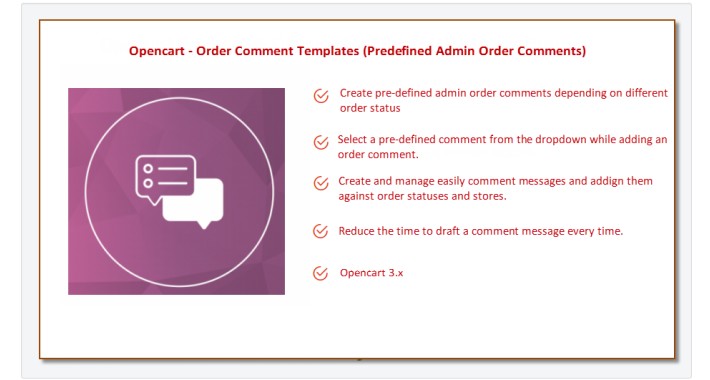

The Pre-defined Admin Order Comments extension gives the ability to Opencart admin users the to create predefined admin order comments depending on different order statuses.
Admin users do not have to create every time a new comment message, but they can easily select the comment message from a drop-down while adding an order comment.
It reduces the time to draft a comment message every time. Create and manage easily comment messages and assign them against order statuses.
That extension Compatible with OpenCart 3.x

If you always use the same comments when changing order statuses, then this extension is for you.
You no longer need to store comment templates in text documents and copy order comments from them.
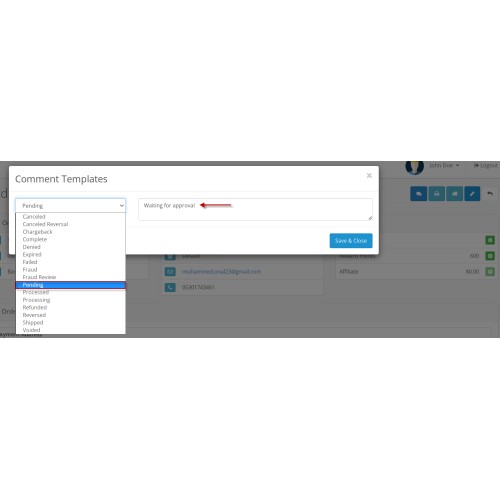
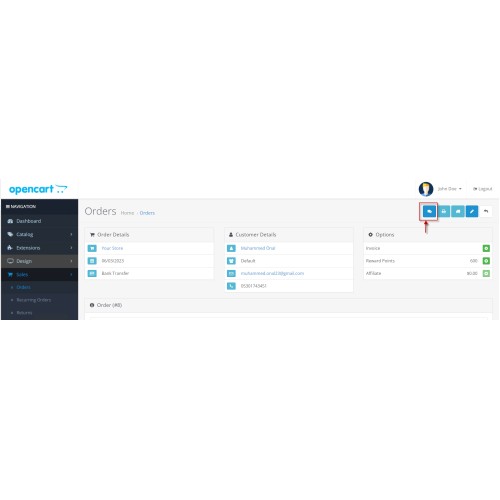
After installing the extension, the "Comment Templates" button will appear in the admin panel on the order info page.
This button will open a modal window where you can add comment templates to order statuses.
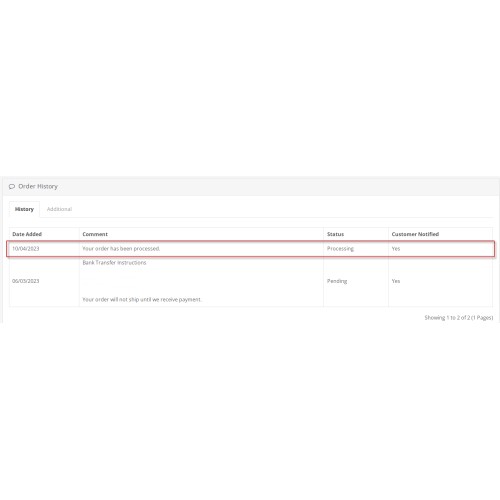
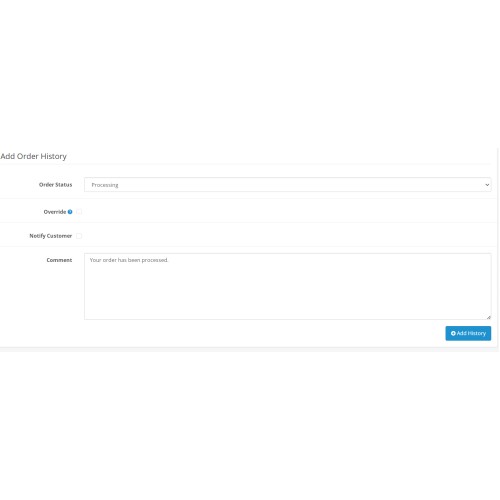
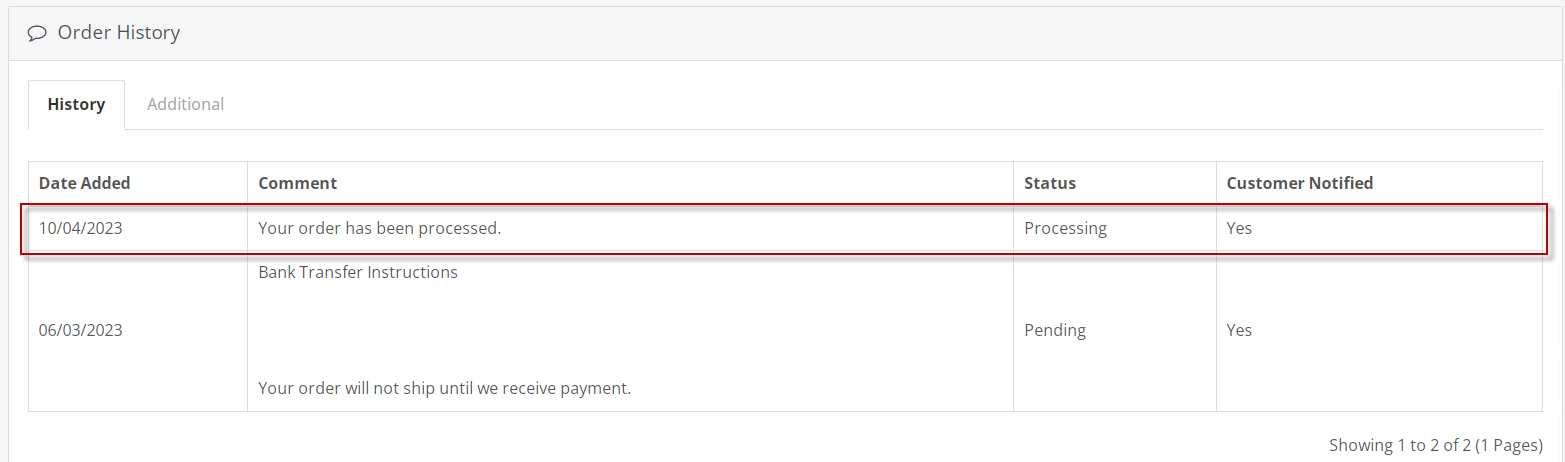
After saving the comment templates, in the "Order History Management" section, in the "Order comment" field, comment templates corresponding to order statuses will be automatically inserted.
That is, you write comment templates once, after which you simply select the desired order status, and send a notification to the buyer (customer) with one click.
Clicking the "Save & Close" button saves the settings on the server. On the client, the settings are saved automatically until the page is reloaded, even if you close the modal window.
Other Features
Create pre-defined admin order comments depending on different order statuses.
Select a pre-defined comment from the dropdown while adding an order comment.
Create and manage easily comment messages and assign them against order statuses and stores.
Reduce the time to draft a comment message every time.
How to install this extension
Step-1 : Login to Admin Panel
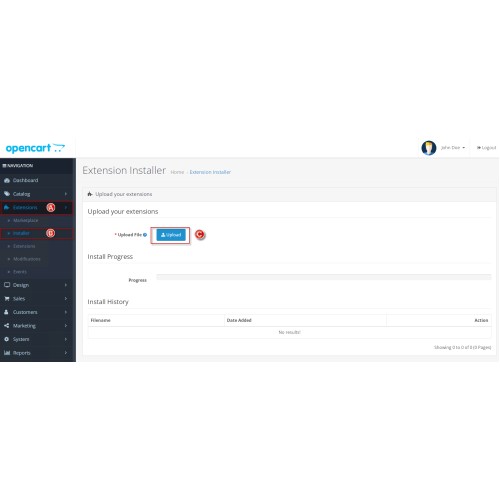
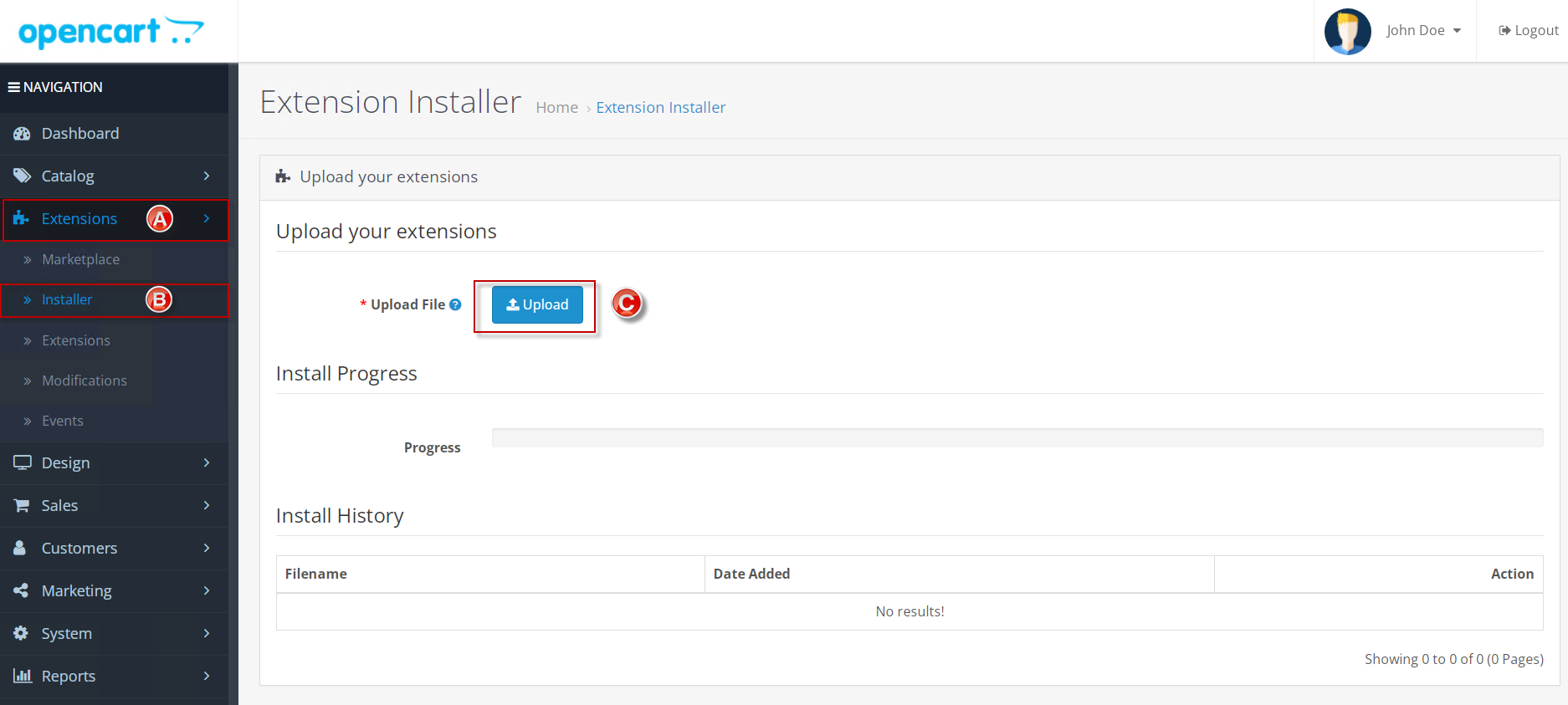
Got to Left Menu -> Extensions > Installer and Upload this extension
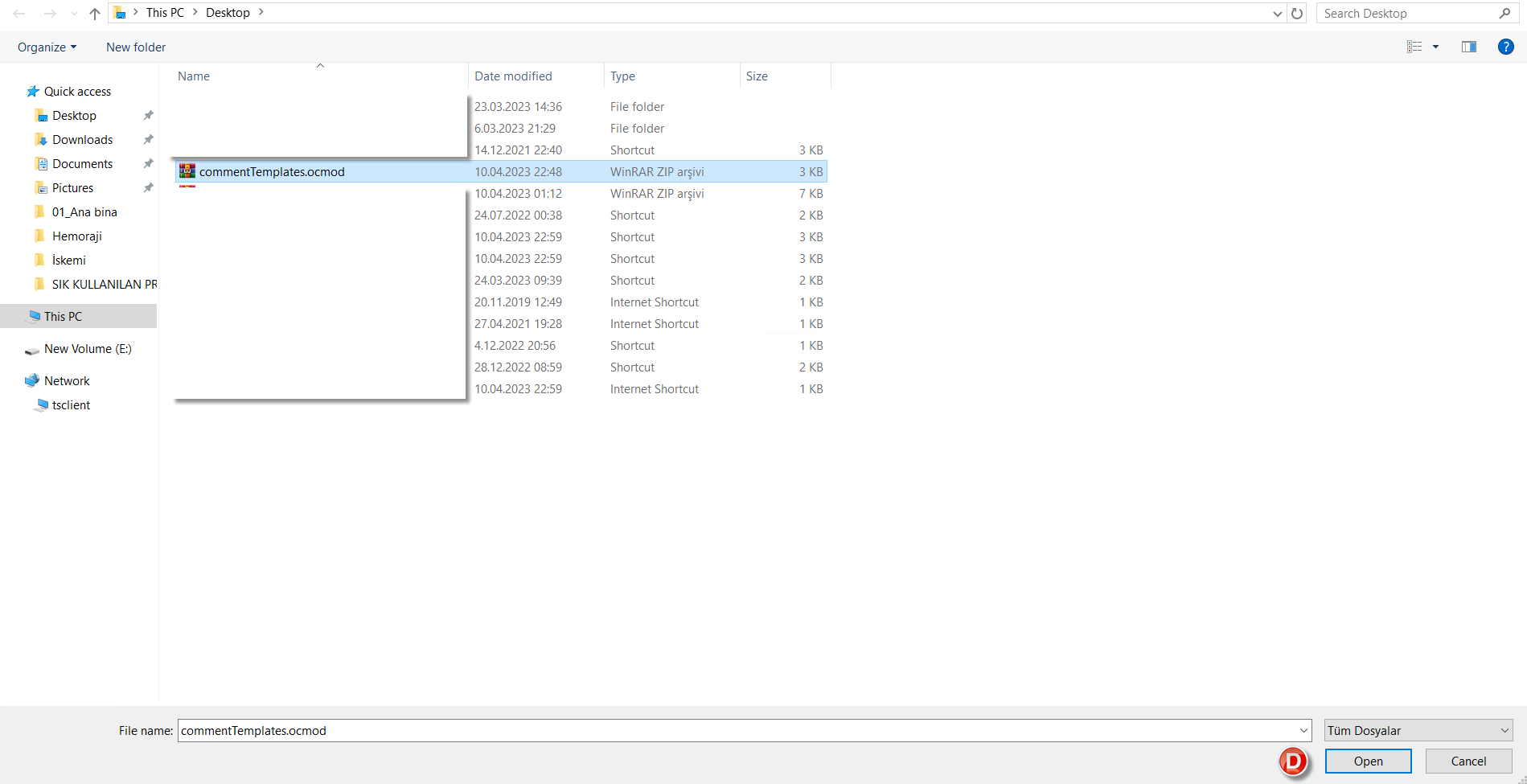
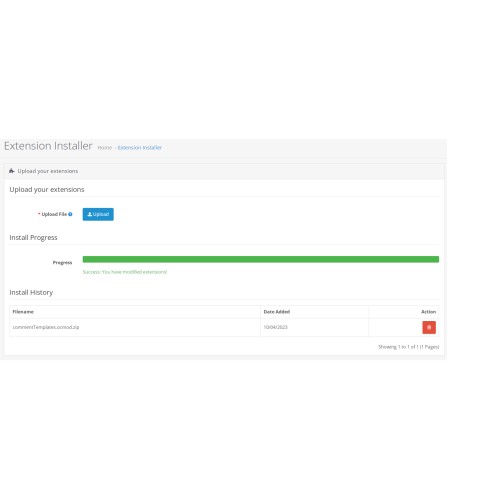
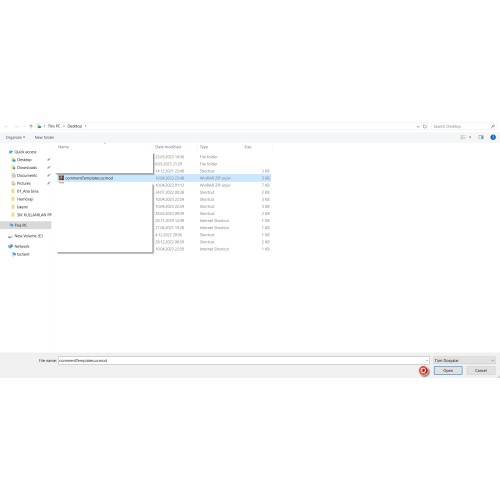
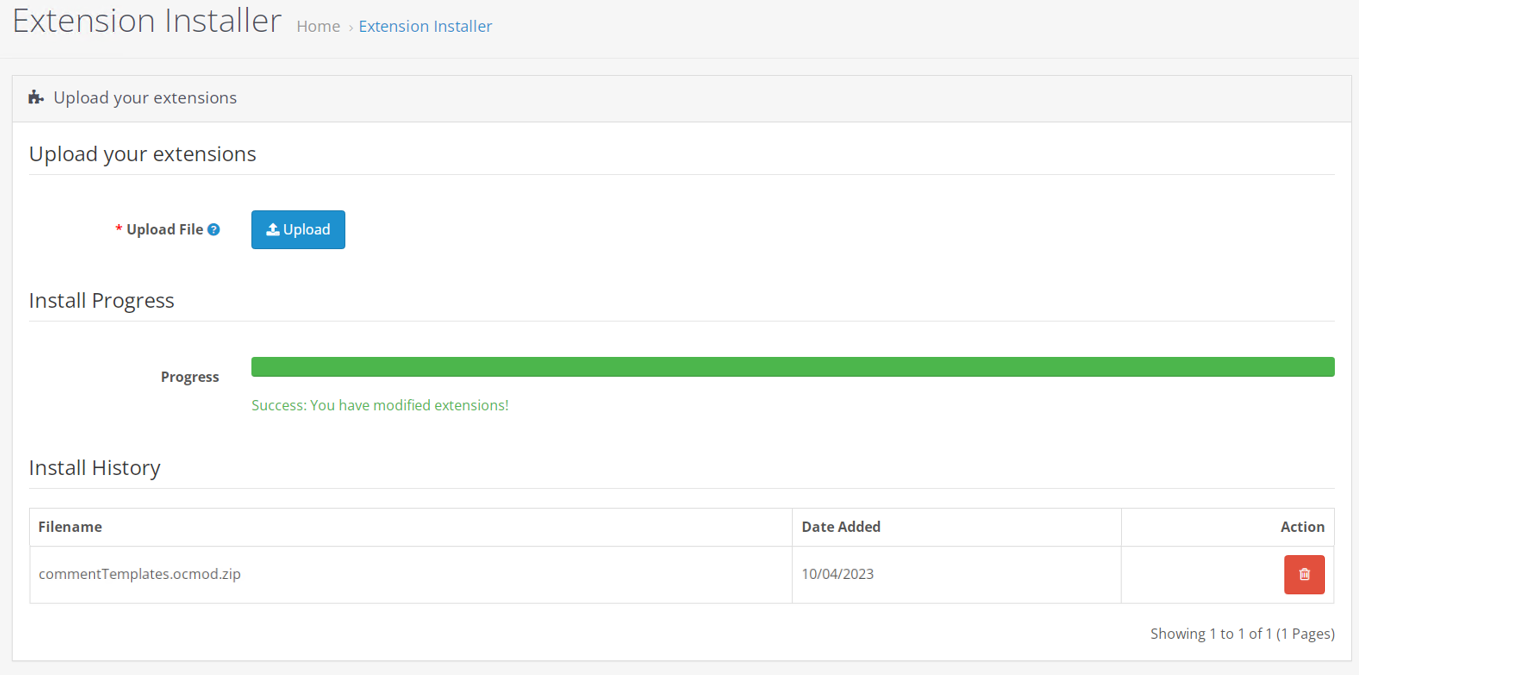
When you select the commentTemplates.ocmod extension file, you will get success message in progress bar like below screenshot.
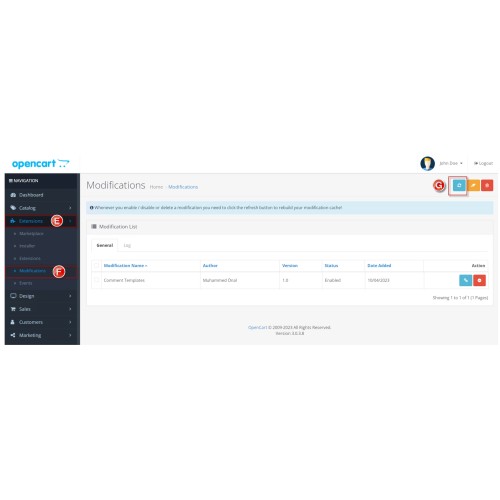
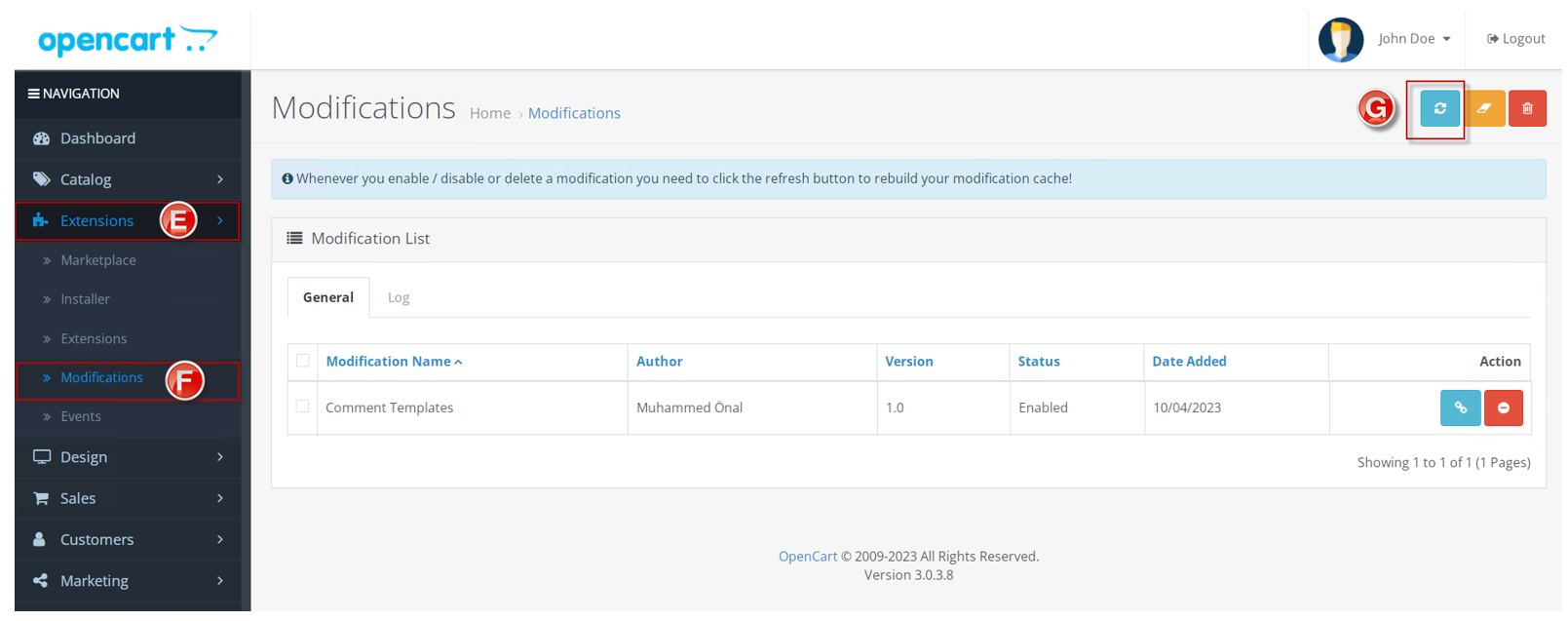
Step -2 : Go to Left Menu -> Extensions -> Modifications page
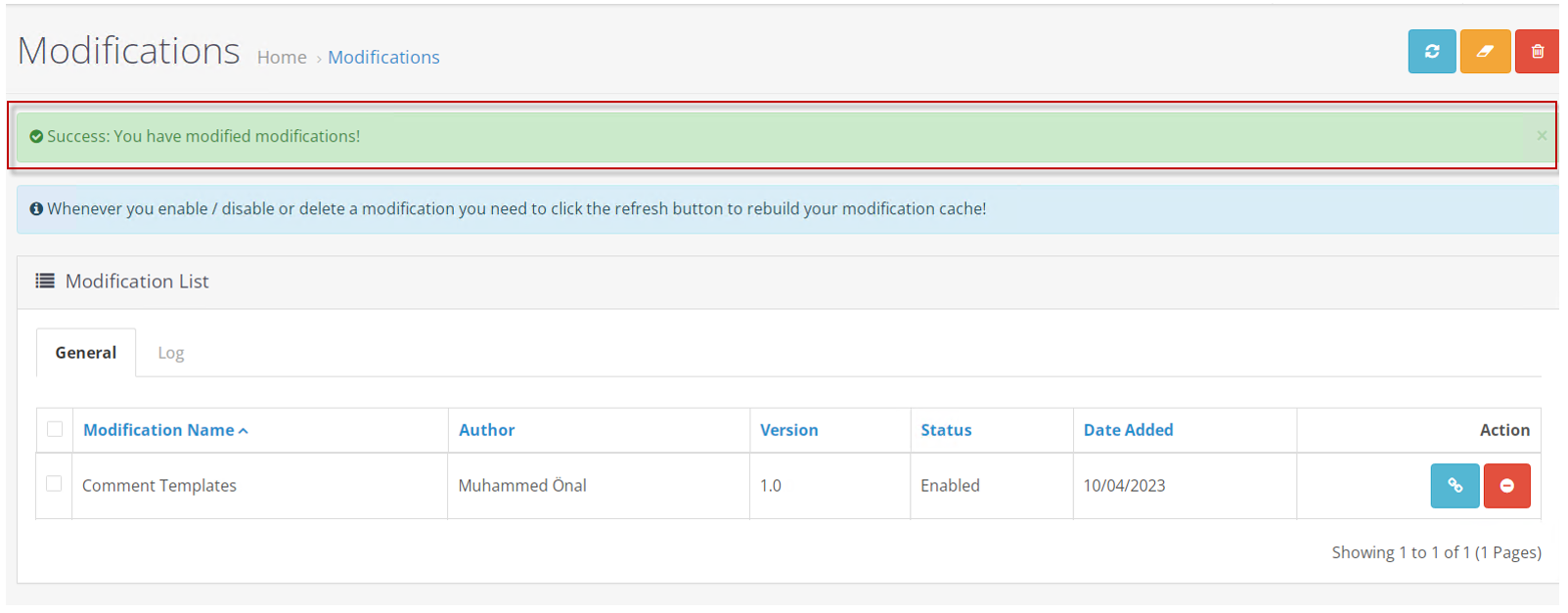
And Refresh (G)
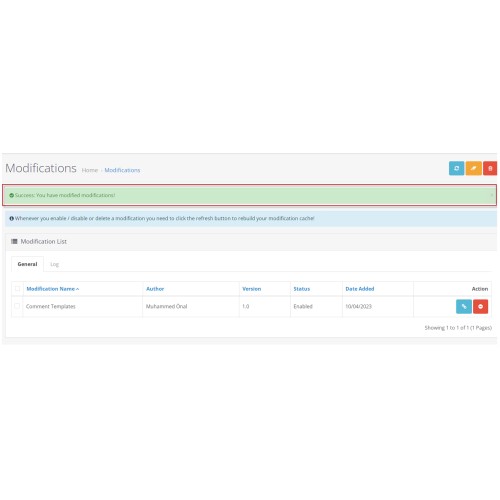
After refresh , you will get success message in the page.
Step-3:
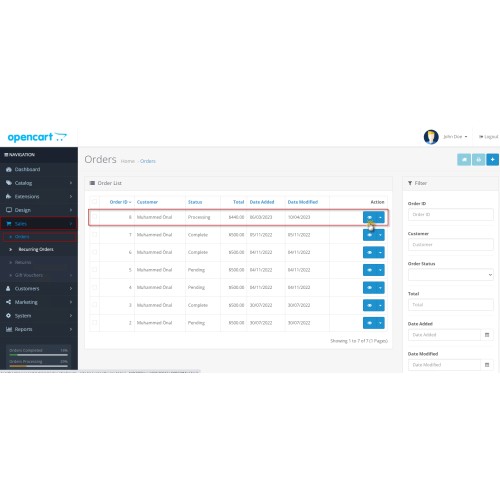
After this step, you have to go to Left Menu -> Sales -> Orders Page or Dashboard -> Total Orders (view more) in order list.
Click the action (view button) and go to order info page (order details).
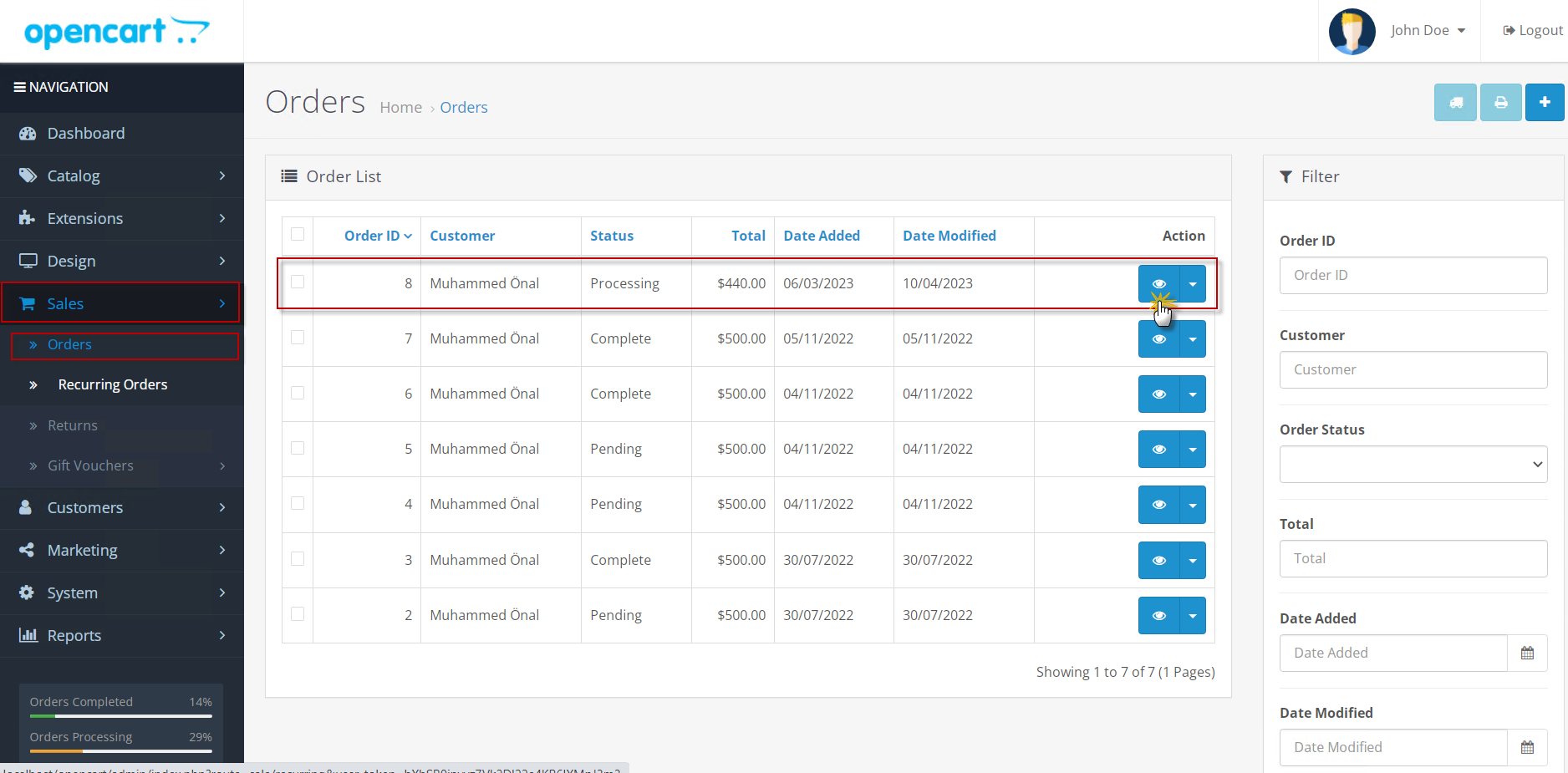
Step-4:
When you open order info page, you will see the Comment Templates button in the top right corner of the page as below screenshot.
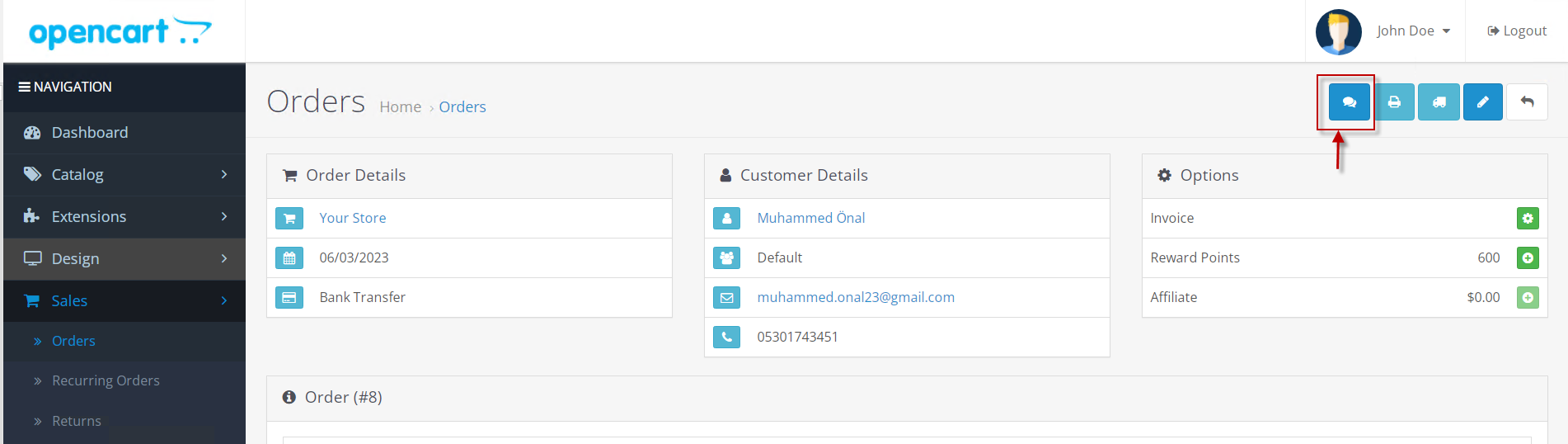
Step-5: Click the button;
This button will open a modal window where you can add comment templates to order statuses.
Clicking the "Save & Close" button saves the settings on the server. On the client, the settings are saved automatically until the page is reloaded, even if you close the modal window.

Step-6:
After saving the comment templates, in the "Order History Management" section, in the "Order comment" field, comment templates corresponding to order statuses will be automatically inserted.
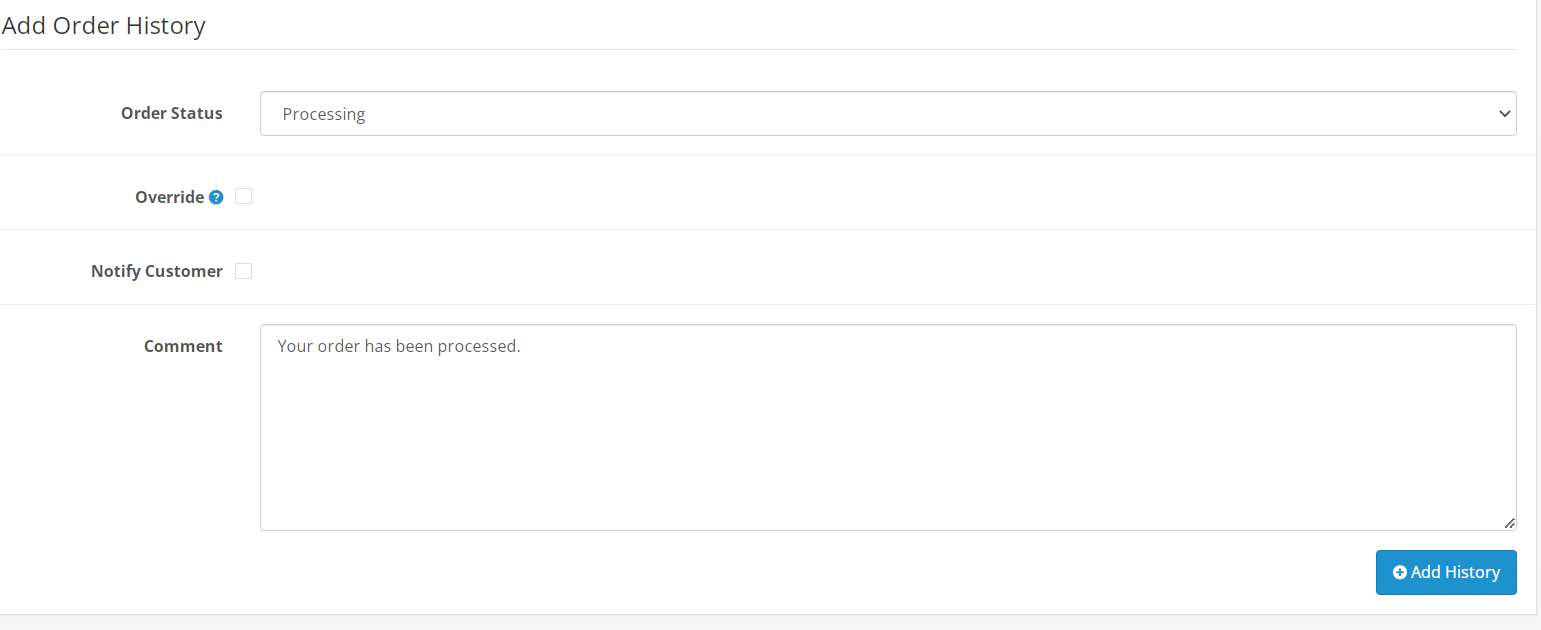
That is, you write comment templates once, after which you simply select the desired order status, and send a notification to the buyer (customer) with one click.

Please send me an e-mail for the installation of the application. I will connect to you remotely immediately, perform the installation and make it work smoothly.
For Support : info@muhammedonal.com
For Mail : info@muhammedonal.com
For Whatsapp : +90 534 956 7287
Price
$5.00
- Developed by OpenCart Community
- Documentation Included
Rating
Compatibility
3.0.0.0, 3.0.1.0, 3.0.1.1, 3.0.1.2, 3.0.1.3, 3.0.2.0, 3.0.3.0, 3.0.3.1, 3.0.3.2, 3.0.3.3, 3.0.3.5, 3.0.3.6, 3.0.3.7, 3.0.3.8, 3.x.x.x
Last Update
10 Jul 2023
Created
11 Apr 2023
2 Sales
0 Comments

Login and write down your comment.
Login my OpenCart Account