OTP login via Whatsapp
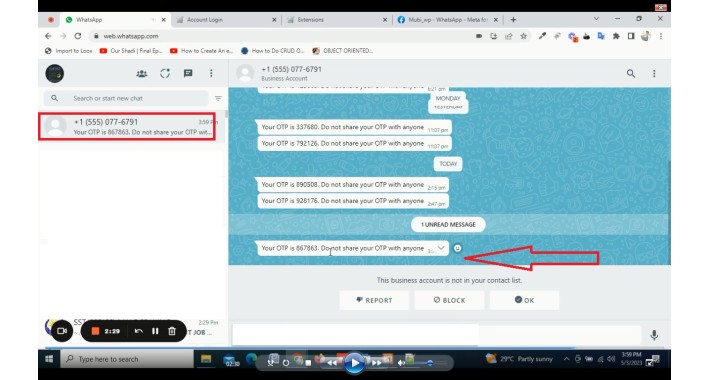
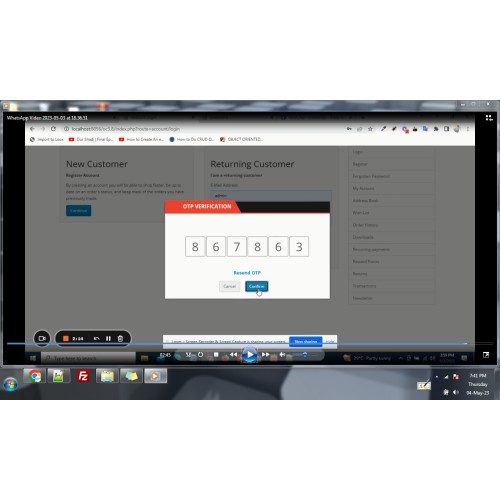
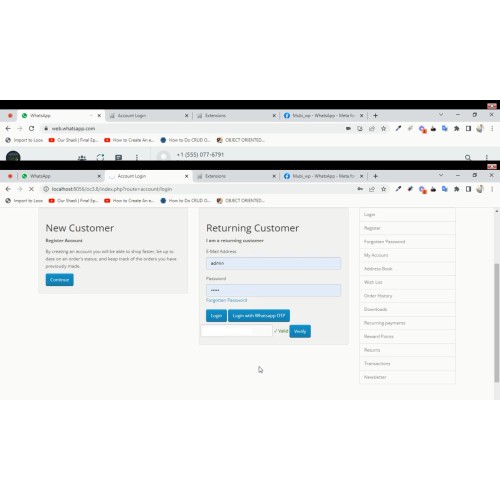
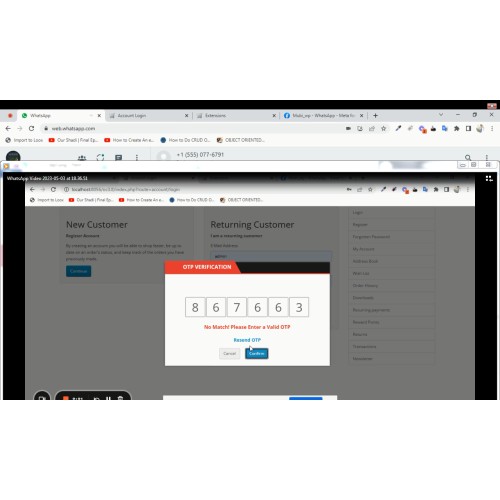
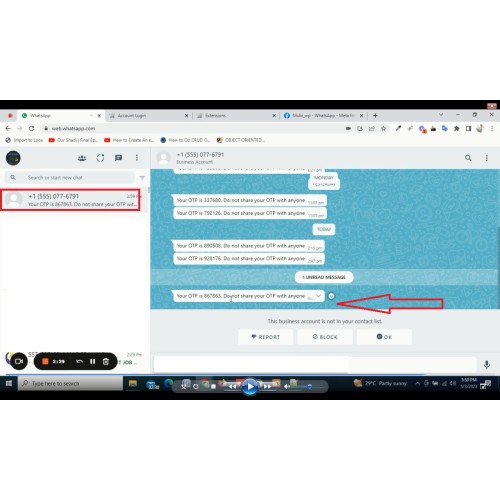
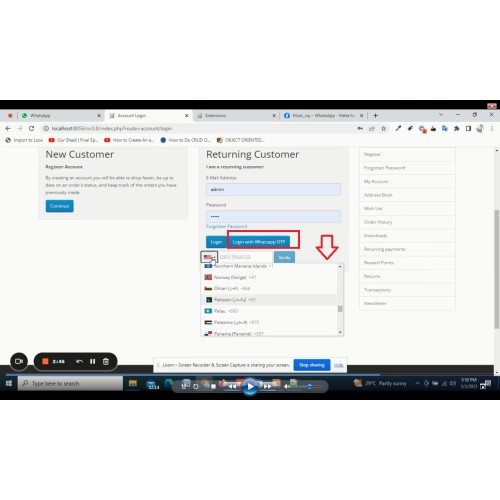
if you want that your customers can login via OTP recieved on customer whatsapp number then this extension is best for you.
as you can see OTP via sms also possible, but that is paid, while WHATSAPP is free of cost. so its highly recommended for every site.
form more details please see video
User Manual
support and installation is free at dyisolco@gmail.com
User Manual
Login with Whatsapp OTP
Step 1: Enter the Following Credentials
1. Facebook Whatsapp Access Token
2. Whatsapp Sender Phone Number ID
How to get Facebook Whatsaap Access Token
Go to developers.facebook.com > My Apps > Create App. Select the "Business" type and follow the prompts on your screen
From the App Dashboard, click on the app you would like to connect to WhatsApp. Scroll down to find the "WhatsApp" product and click Set up.
Next, you will see the option to select an existing Business Manager (if you have one) or, if you would like, the onboarding process can create one automatically for you (you can customize your business later, if needed).
Make a selection and click Continue. This will:
1. Associate your app with the Business Manager account that you selected earlier (or had created for you).
2. Generate a WhatsApp Business Account.
3. Generate a test business phone number and associate it with your WhatsApp Business Account. You can use this number with the API to send an unlimited number of messages to up to 5 recipient phone numbers. Recipient phone numbers can be any valid number, but you must verify each one in the next step.
4. Redirect you to the WhatsApp > Getting Started (or Setup) panel in the App Dashboard.
When you’re ready to use your app for a production use case, you need to use your own phone number to send messages to your users
as you can see OTP via sms also possible, but that is paid, while WHATSAPP is free of cost. so its highly recommended for every site.
form more details please see video
User Manual
support and installation is free at dyisolco@gmail.com
User Manual
Login with Whatsapp OTP
Step 1: Enter the Following Credentials
1. Facebook Whatsapp Access Token
2. Whatsapp Sender Phone Number ID
How to get Facebook Whatsaap Access Token
Go to developers.facebook.com > My Apps > Create App. Select the "Business" type and follow the prompts on your screen
From the App Dashboard, click on the app you would like to connect to WhatsApp. Scroll down to find the "WhatsApp" product and click Set up.
Next, you will see the option to select an existing Business Manager (if you have one) or, if you would like, the onboarding process can create one automatically for you (you can customize your business later, if needed).
Make a selection and click Continue. This will:
1. Associate your app with the Business Manager account that you selected earlier (or had created for you).
2. Generate a WhatsApp Business Account.
3. Generate a test business phone number and associate it with your WhatsApp Business Account. You can use this number with the API to send an unlimited number of messages to up to 5 recipient phone numbers. Recipient phone numbers can be any valid number, but you must verify each one in the next step.
4. Redirect you to the WhatsApp > Getting Started (or Setup) panel in the App Dashboard.
When you’re ready to use your app for a production use case, you need to use your own phone number to send messages to your users
Price
$25.00
- Developed by OpenCart Partner
- 12 Months Free Support
- Documentation Included
Rating
Compatibility
3.0.0.0, 3.0.1.0, 3.0.1.1, 3.0.1.2, 3.0.1.3, 3.0.2.0, 4.x.x.x, 3.0.3.0, 3.0.3.1, 3.0.3.2, 3.0.3.3, 3.0.3.5, 3.0.3.6, 3.0.3.7, 3.0.3.8, 4.0.0.0, 4.0.1.0, 4.0.1.1, 3.x.x.x, 4.0.2.0, 4.0.2.1, 4.0.2.2, 4.0.2.3, 3.0.3.9, 3.0.4.0, 4.1.0.0, 4.1.0.1, 4.1.0.2, 4.1.0.3, 3.0.4.1, 3.0.5.0
Last Update
13 Mar 2026
Created
5 May 2023
7 Sales
4 Comments

Login and write down your comment.
Login my OpenCart Account