Complemented (related) products
Installation is completely through ocmod, no files are overwritten or overwritten. After downloading the modification, go to the Modification Manager and click update. Then go to the modules and install the module They fit well. And an additional tab will appear in the product card.
Demo opencart2.3.freelancer1114.space/index.php?route=product/product&path=20_27&product_id=41
Admin opencart2.3.freelancer1114.space/admin/index.php?route=common/login
login -demo, password - demo.
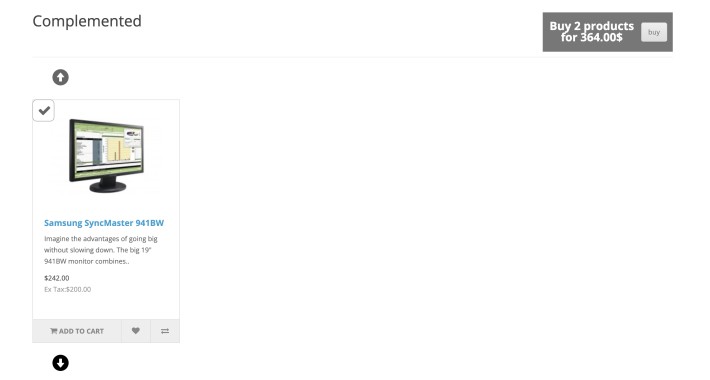
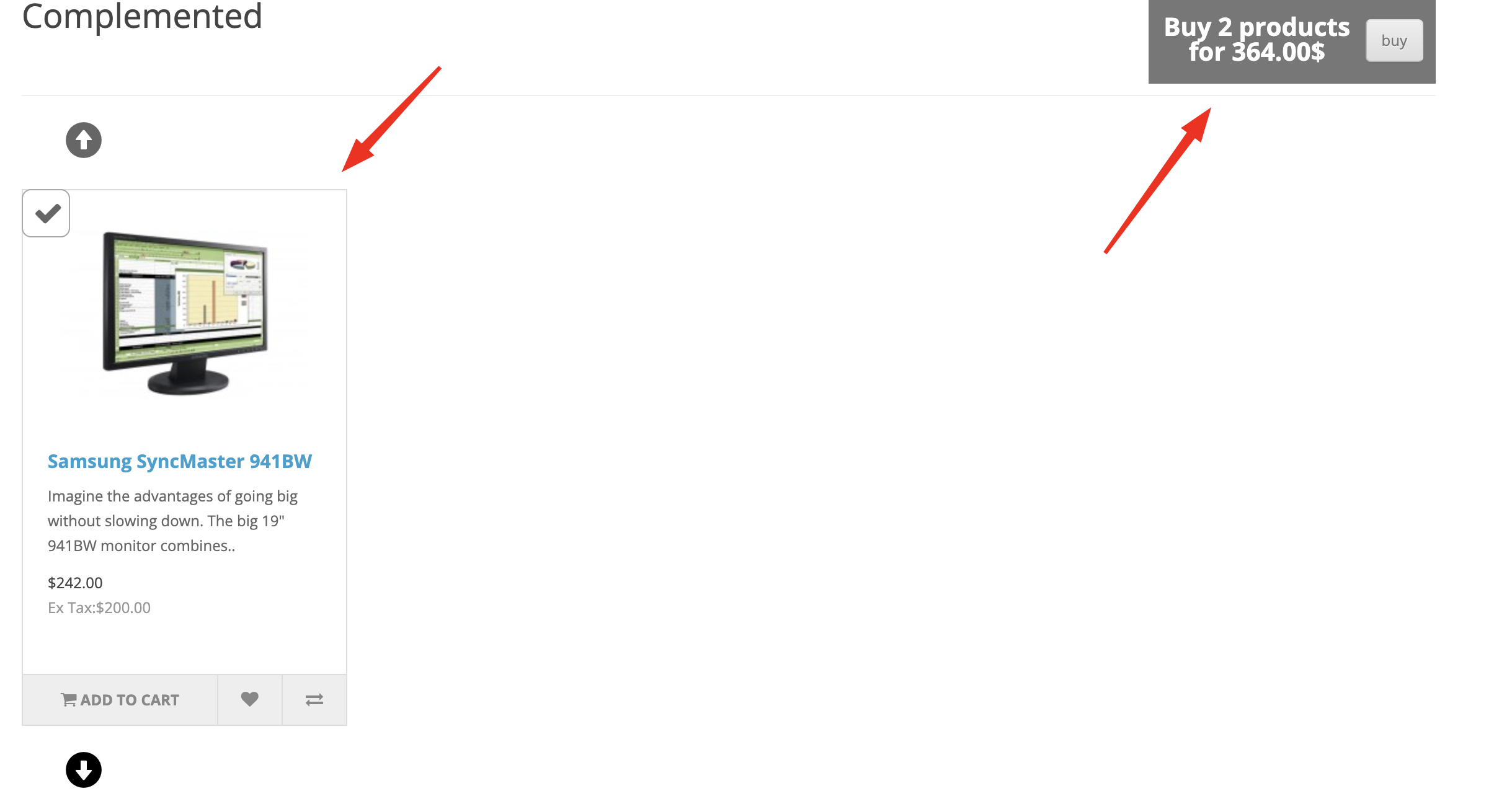
This module allows you to add an unlimited number of blocks with additional products to the product, which can be bought all together by pressing one button:
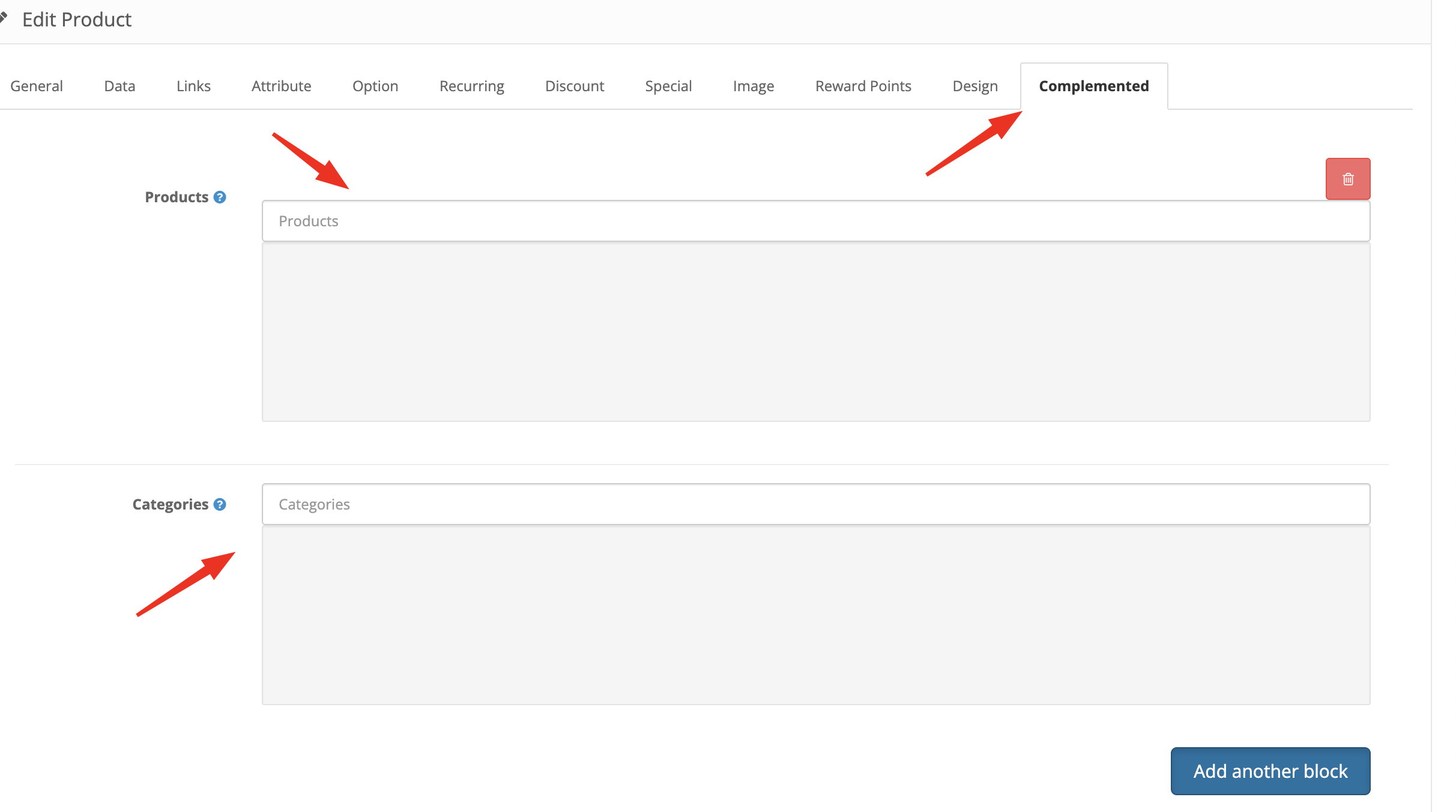
The module adds an additional Good fit tab to the product card, where you can add blocks with products. Products can be added to the block both one at a time and in one category at once:
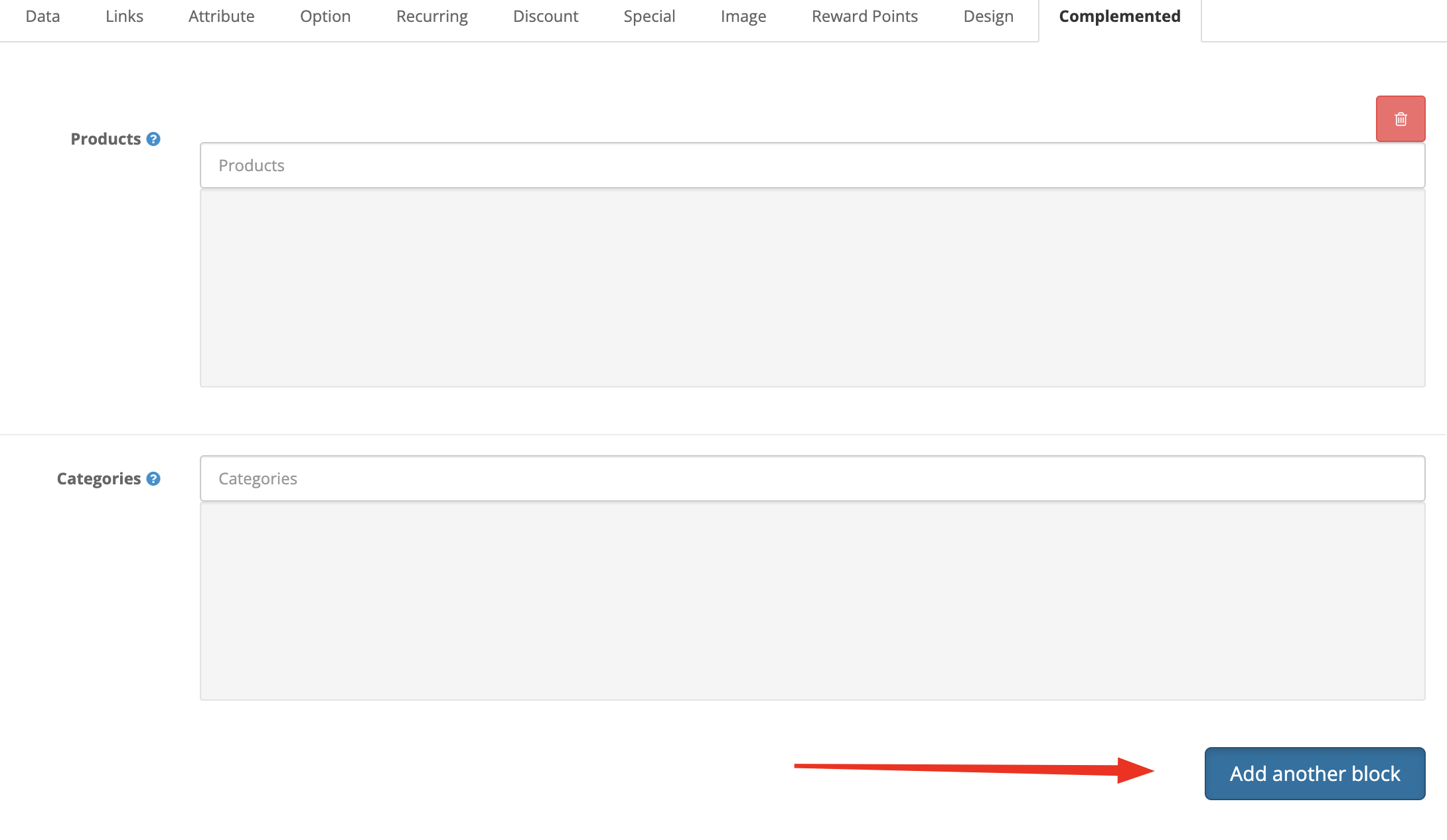
New blocks are added with the Add another block button:
If there is more than one product in a block, navigation in it is done using a vertical carousel, if there are more than 4 blocks on a page, navigation by blocks is done using a horizontal carousel. For each block, there is a checkbox when removing it or setting it back, the total amount and quantity of goods changes.
When you click the Buy button, the main product and the products that complement it are added to the cart.
Demo opencart2.3.freelancer1114.space/index.php?route=product/product&path=20_27&product_id=41
Admin opencart2.3.freelancer1114.space/admin/index.php?route=common/login
login -demo, password - demo.
This module allows you to add an unlimited number of blocks with additional products to the product, which can be bought all together by pressing one button:
The module adds an additional Good fit tab to the product card, where you can add blocks with products. Products can be added to the block both one at a time and in one category at once:
New blocks are added with the Add another block button:
If there is more than one product in a block, navigation in it is done using a vertical carousel, if there are more than 4 blocks on a page, navigation by blocks is done using a horizontal carousel. For each block, there is a checkbox when removing it or setting it back, the total amount and quantity of goods changes.
When you click the Buy button, the main product and the products that complement it are added to the cart.
Price
$25.00
- Developed by OpenCart Community
- 12 Months Free Support
- Documentation Included
Rating
Compatibility
2.3.0.0, 2.3.0.1, 2.3.0.2
Last Update
5 Jul 2023
Created
5 Jul 2023
0 Sales
0 Comments

Login and write down your comment.
Login my OpenCart Account