Password Strength, Password Match & Show Password
Password Strength, Password Match & Show Password
The extension:
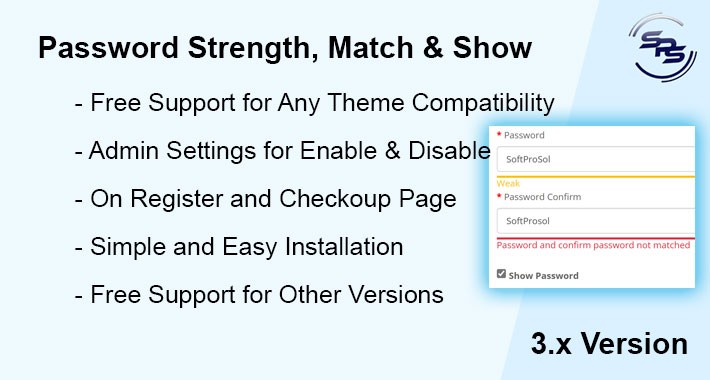
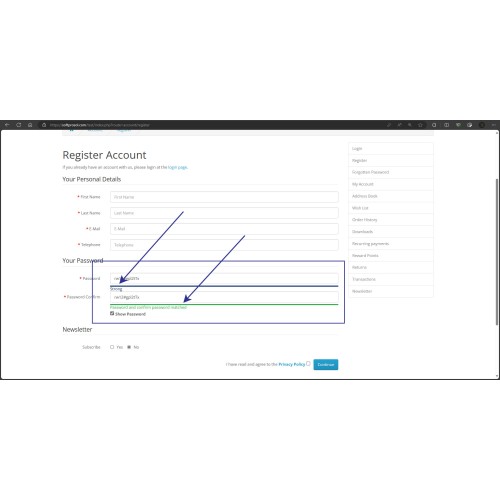
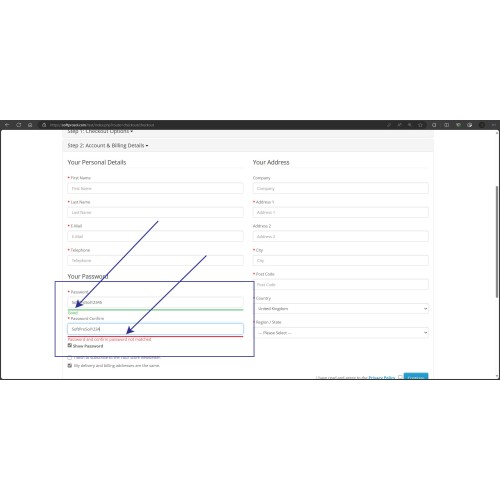
1. Adds a bar under password input box on User Register page and Checkout New Register page to show the strength of entered password.
2. Adds a bar under confirm password input box on User Register page and Checkout New Register page to show if password and confirm password are same or not.
3. Adds a checkbox on User Register page and Checkout New Register page under password box to show password.
Installation:
1. Login into your administrator account.
2. Go to Extensions->Extension installer.
3. Upload the ocmod.zip file to install the extension.
4. If installed successfully, you will see a success message.
5. Go to Extensions->Modifications, and click the “refresh” button at the top left corner.
Admin Setting:
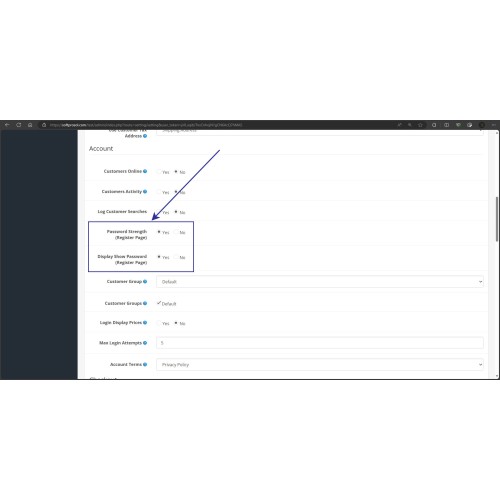
1. After refreshing modifications, go to Settings and edit your store.
2. In store editing navigate to option tab and in Account group you will find two setting options "Password Strength (Register Page)" and "Display Show Password (Register Page)" change then as you want and save the settings.
Contact:
For any kind of query and support:
developer@softprosol.com
WhatsApp: +92 315 7877863
The extension:
1. Adds a bar under password input box on User Register page and Checkout New Register page to show the strength of entered password.
2. Adds a bar under confirm password input box on User Register page and Checkout New Register page to show if password and confirm password are same or not.
3. Adds a checkbox on User Register page and Checkout New Register page under password box to show password.
Installation:
1. Login into your administrator account.
2. Go to Extensions->Extension installer.
3. Upload the ocmod.zip file to install the extension.
4. If installed successfully, you will see a success message.
5. Go to Extensions->Modifications, and click the “refresh” button at the top left corner.
Admin Setting:
1. After refreshing modifications, go to Settings and edit your store.
2. In store editing navigate to option tab and in Account group you will find two setting options "Password Strength (Register Page)" and "Display Show Password (Register Page)" change then as you want and save the settings.
Contact:
For any kind of query and support:
developer@softprosol.com
WhatsApp: +92 315 7877863
Price
$20.00
- Developed by OpenCart Community
- Documentation Included
Rating
Compatibility
3.0.0.0, 3.0.1.0, 3.0.1.1, 3.0.1.2, 3.0.1.3, 3.0.2.0, 3.0.3.0, 3.0.3.1, 3.0.3.2, 3.0.3.3, 3.0.3.5, 3.0.3.6, 3.0.3.7, 3.0.3.8, 3.x.x.x
Last Update
9 Sep 2023
Created
9 Sep 2023
0 Sales
0 Comments

Login and write down your comment.
Login my OpenCart Account